Posted on

Understanding Matte Polypropylene: Benefits & Price of Printing

Have you ever seen a roll-up banner at a trade show or a bright poster in a store window that looks almost like photo paper but tougher?

Well, there’s a good chance it was printed on matte polypropylene film.

At Steven Enterprises, we have seen increasing demand for matte polypropylene because it solves a fundamental problem. 

Why settle for mediocre print quality and short lifespan when you can have exceptional results that last for decades?

Here’s a practical look at why matte polypropylene tops the “best printing substrate” list and how to choose the right material for your next project.

What is Matte Polypropylene?

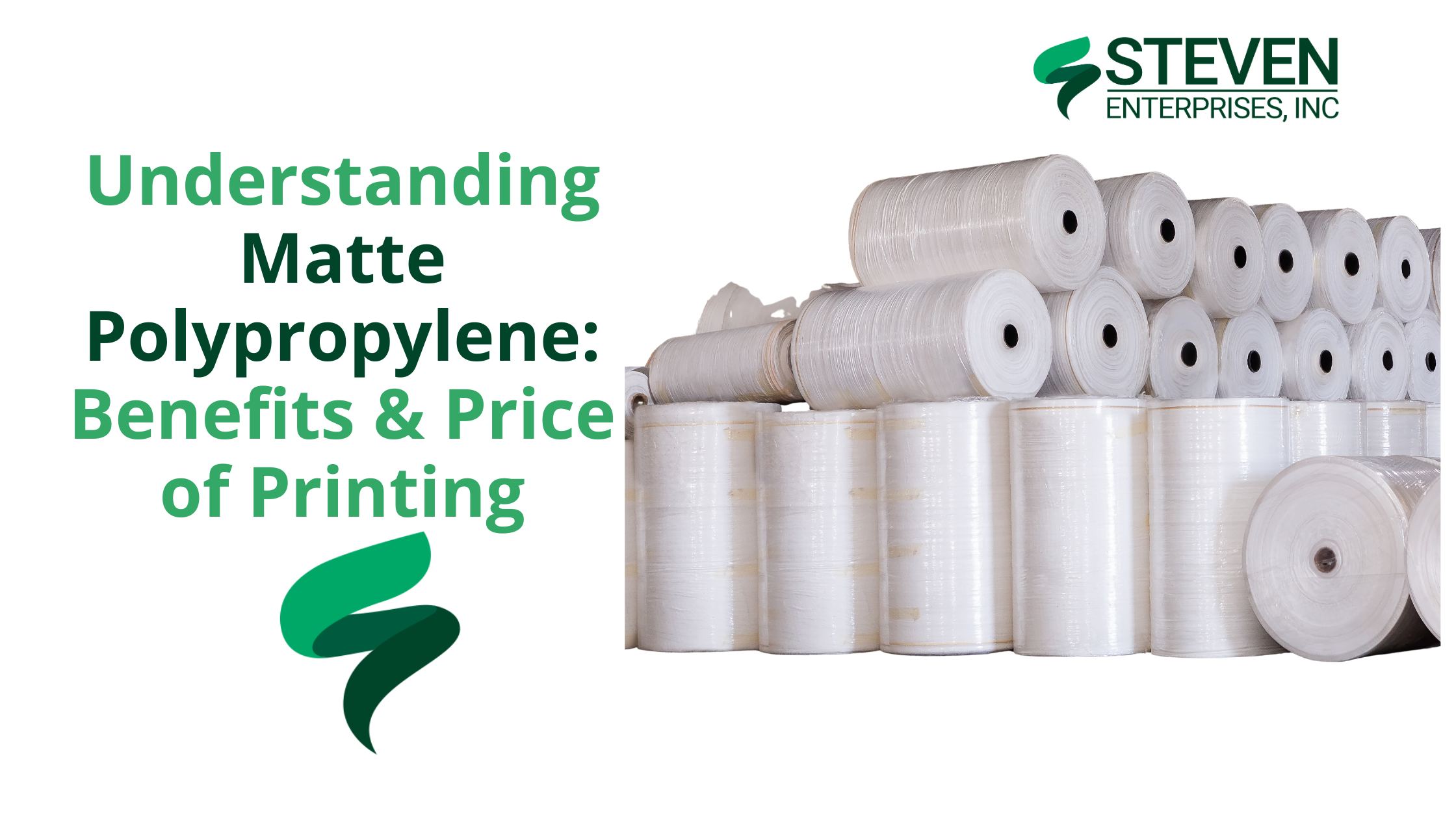
Matte polypropylene is essentially a type of plastic film – a semi-rigid thermoplastic material – that comes on rolls for use in wide-format printers. Unlike paper, polypropylene film doesn’t tear easily and can handle heavy ink coverage without curling or bleeding. 

The “matte” finish means it has a non-glare surface, which is great for display readability under bright lights.

Despite being plastic-based, it often has the look and feel of a thick photo paper once printed, delivering sharp detail and rich color but with added toughness.

Simply put, matte polypropylene combines the best of both worlds. You get high-quality image reproduction like a photo or poster paper, plus the durability of a synthetic banner. 

It comes in various roll widths (24″, 36″, 42″) with standard core sizes for easy printer loading.

This material works with large-format inkjet printers and supports all major ink technologies, making it compatible with most modern printers.

Benefits of Printing on Matte Polypropylene

Matte polypropylene has gained a reputation as a go-to media for many sign shops and print service providers, and for good reason. Let’s break down the key benefits:

1. Vibrant, High-Quality Print Results

One of the biggest advantages of matte polypropylene is the outstanding print quality it can deliver. The material’s coating is optimized for accepting ink, allowing for vivid colors and sharp detail

Because the finish is matte, your prints will have reduced glare but still maintain excellent color vibrancy. 

This makes the prints easy to view under various lighting conditions (for example, under harsh retail lighting or camera flash, you won’t get blinding reflections as you might with glossy posters). 

According to HP’s media specifications, their matte polypropylene film produces “displays with brilliant color and high-quality images” comparable to photo-quality output. You’re essentially getting a professional, polished look that can elevate any signage or display.

2. Durable and Tear-Resistant Material

Unlike paper which can rip or crease easily, polypropylene is a resilient plastic film that resists tearing and wrinkling. 

This durability makes it ideal for applications where people handle or transport the print frequently.

For example, universities and businesses often choose polypropylene for things like A-frame signs or banners precisely because it can withstand rough handling.

In practical use, you can handle polypropylene prints with confidence: roll them up for storage or shipping, mount them on foam boards, or use them in retractable banner stands without worrying about the media ripping at the edges. 

If you’ve ever struggled with a paper poster tearing during installation, switching to poly film is a game-changer.

Additionally, matte polypropylene has a moderate water resistance (since it’s plastic-based). 

This doesn’t mean it’s fully waterproof in all cases (the inks can still be a factor – dye inks, for instance, could run if water soaks them), but the substrate itself won’t turn to mush like paper.

3. Weather-Resistant for Short-Term Outdoor Use

Because of its durability, matte polypropylene actually holds up quite well for temporary outdoor applications

If you need a sign or banner outside for a few days, weeks, or even a couple of months, this material can do the job without immediately fading or tearing.

Keep in mind that short-term is the key term here – while polypropylene is weather-resistant, it’s not meant to replace heavy-duty vinyl for long-term outdoor signage. 

That said, if you need a sign to last all year outdoors in harsh sun, you would either laminate the polypropylene print or opt for a more robust vinyl. 

But for most temporary outdoor needs – like event signage, real estate signs, construction site notices, outdoor menus, etc. – polypropylene does a fantastic job. 

4. Compatible with Various Printer Ink Technologies

Whether you have a standard aqueous inkjet plotter (using dye or pigment inks), a latex printer, an eco-solvent or solvent printer, or a UV-curable (UV ink) machine, you can find a matte polyprop roll that works with it.

This is great for print providers because you don’t need special hardware to start using this material; your existing equipment likely supports it.

  • Aqueous Inkjet ( Dye/Pigment ) – Yes, there are polypropylene rolls with ink-receptive coatings specifically for water-based inks (often used in HP DesignJet, Canon, Epson SureColor T-series, etc.). They dry fast and give excellent results on pigment inks.
  • LatexHP Latex printers can print directly on polypropylene films made for latex – the material can handle the heat of curing and results are durable.
  • Eco-Solvent/Solvent – There are polypropylene media products designed for solvent and eco-solvent inks (used in Mutoh printers, etc.), which adhere well and are typically very durable.
  • UV-Curable/UV Gel – UV printers (including UV gel like Canon Colorado series) also have compatible polypropylene films. These inks cure on the surface of the poly film, producing very robust prints.

This wide compatibility means no matter what brand or ink technology your printer uses, you can likely take advantage of matte polypropylene. 

It also means if you’re a customer wanting to print something on poly, most print shops can handle it.

There’s no significant limitation like “oh you need a special machine for that”.

5. Eco-Friendly Advantages (Recyclability)

If sustainability is a concern, matte polypropylene has a couple of eco-friendly points in its favor compared to some other materials like PVC vinyl. 

Polypropylene is often recyclable – many polypropylene print films can be recycled through typical plastic recycling programs after use. (Always check local recycling guidelines though, as capabilities can vary by region.)

In contrast, traditional PVC vinyl banners are notoriously difficult to recycle and usually end up in landfills, plus the PVC manufacturing process can release more harmful chemicals. 

Polypropylene has a lower environmental impact in production and disposal. It’s a simpler polymer that reprocesses more readily and typically avoids the high toxic additives found in vinyl. 

Polypropylene prints don’t need lamination for short-term use, saving cost and reducing plastic waste.

You can recycle your promotional posters and banner graphics after campaigns instead of creating waste.

6. Cost-Effective Printing Solution

Cost is always an important factor in choosing a print media and this is an area where matte polypropylene shines. It provides excellent value for the quality and durability you get. 

Because it’s durable and water-resistant on its own, you often don’t need to laminate the prints for short-term use. 

Lamination is an extra step that adds material and labor cost. With poly film, you can usually skip it and still be confident the print will endure the needed lifespan.

Skipping laminate means the final product is cheaper and produced faster.

Similarly, if you were using plain paper for a poster, you might mount it to foam board or under acrylic for rigidity.

Bottom line: If you’re watching your budget but still need professional-looking, durable prints, matte polypropylene is often the smartest choice. 

Common Uses for Matte Polypropylene Prints

Canon Colorado M3

With numerous printing options available, selecting matte polypropylene makes sense when you need:


  • Superior print quality with brilliant colors
  • Long-term display permanence (50+ years indoor)
  • Tear resistance and durability
  • Compatibility with your existing ink system
  • Professional appearance for critical applications
  • Environmentally responsible material choice

Here are some of the most common applications where this material excels:

  • Retail and Point-of-Sale Displays. In-store posters, hanging signs, and POP displays often use polypropylene for its photo-like quality. It can endure being up for weeks or months.
  • Retractable Banner Stands: Those pull-up banner stand graphics at trade shows or events are frequently printed on matte poly film. It’s thick enough to stand straight and resists curling at the edges. It survives rolling in and out many times.
  • Event Signage & Directional Signs. For short-term outdoor events, conferences, or campus signage, polypropylene posters are ideal. You can use them in A-frame sidewalk signs or on stakes. They’ll hold up through the event, even if it’s rainy or windy. You can roll them up and reuse them later.
  • Trade Show Graphics. Beyond banner stands, poly film can be used for trade show booth graphics, backdrops, or mounted displays. It travels well due to tear resistance and prints in high resolution for a professional look.
  • Indoor & Short-Term Outdoor Banners. Need a banner for a grand opening or a sale that’s going to last a month outdoors? Polypropylene is a great choice for a temporary banner that doesn’t need the heft of a vinyl.
  • Maps and Technical Prints. GIS maps, architectural renderings, or technical posters are sometimes done on matte polypropylene for durability. Engineers can pin polypropylene maps at job sites without worrying about wind damage or water damage. 

The material can handle detailed line work and legends nicely and you can roll/unroll the maps multiple times.

  • Photographic Enlargements (short-term. For large photo prints in short-term displays like art exhibits, matte poly works well. It provides near-photographic quality that looks great throughout campaigns and handles much better than actual photo paper.

Find Your Perfect Matte Polypropylene Solution

When comparing printing materials, you’ll find matte polypropylene often gives you the “best bang for your buck.”

But determining exactly which specifications you need for your specific project requires expert guidance.

As authorized dealers and experts in wide-format printing, we can guide you on the ideal media for your needs. We also provide quotes on rolls of matte polypropylene or any equipment that will start your project.

Call 800-491-8785 or complete our contact form for your next matte polypropylene project. We can also help with compatible printers and inks.

Posted on

How IT Firms Can Boost Revenue by Reselling Wide Format Printers

Wide Format Printer

IT firms across the country are discovering a lucrative revenue stream that’s hiding in plain sight: reselling wide format printers to their Architecture, Engineering, and Construction (AEC) clients.

At Steven Enterprises, we have seen forward-thinking IT firms build steady income simply by guiding their AEC accounts through printer selection, network integration, and ongoing support.

Providing IT services to AEC businesses and haven’t explored this opportunity yet?

You’re missing out on significant additional income while your competitors are already capitalizing on this natural extension of IT services.

Here’s why wide-format printer sales are earning a place in the modern IT service stack and how to decide if this revenue channel belongs in yours.

Why IT Firms Are Perfect for Wide Format Printer Sales

As an IT professional, you are uniquely positioned to recommend and manage wide format printing solutions because you already understand your clients’ networks, security requirements, and operational needs. 

When AEC businesses need large format printing capabilities, they naturally turn to their trusted IT partners for guidance.

The relationship makes perfect sense. 

You are already managing their technology infrastructure, so adding printing solutions creates a seamless extension of your existing services while providing substantial additional revenue.

What Additional Income Streams Work Best for IT Firms?

Wide format printer reselling offers IT firms multiple revenue opportunities like:

  • Initial equipment sales with competitive margins
  • Network setup and integration services (your core expertise)
  • Ongoing maintenance and support contracts
  • Security monitoring and updates
  • User training and workflow optimization
  • Consumables and supplies management

This diversified income stream means you generate money from the initial sale and also build long-term, recurring revenue relationships.

The Strategic Advantage: Network Control and Security

Kip 600 Series Printer

When you help source and select wide format printers for your AEC clients, you gain several critical advantages:

  • Network Security Control: You choose machines you trust on your managed networks, eliminating potential security vulnerabilities from unknown or incompatible devices.
  • Brand Reliability: Leading manufacturers such as HP, KIP, and Canon all offer excellent software platforms with robust security features, providing confidence in the solutions you implement.
  • Ongoing Service Opportunities: Once printers are installed, you become the go-to resource for network integration, troubleshooting, security updates, and user support. This creates multiple touchpoints that strengthen your client relationships.

Which IT Service Models Work Best for Wide Format Printer Sales?

The opportunity varies based on your service model:

  • Large AEC companies typically have in-house IT departments that can become internal champions for your solutions
  • Smaller AEC firms usually rely on outsourced IT services, making you the natural point person for all technology decisions, including printing infrastructure.

Both scenarios present opportunities, but outsourced IT relationships often provide more direct influence over purchasing decisions.

Why are AEC Businesses Ideal Clients for This Service?

Colorado m3 Canon printer

Architecture, Engineering, and Construction firms have unique printing needs that require specialized knowledge:

  • Large format technical drawings and blueprints
  • High-volume document processing
  • Color accuracy for presentations and marketing materials
  • Network integration with existing CAD and project management systems
  • Security requirements for sensitive project data

Your existing relationship and technical expertise make you the ideal consultant for these specialized requirements.

How Does IT Involvement Improve Printing Security for Clients?

When you manage wide format printer selection and implementation, you provide significant security benefits to your AEC clients:

  • Risk Mitigation: You can evaluate and implement proper security protocols from day one, thereby preventing potential data breaches through the use of unsecured printing devices.
  • Network Integration: A professional setup ensures that printers are properly configured within existing security frameworks, rather than creating vulnerable access points.
  • Ongoing Monitoring: Your continued involvement means security updates and monitoring become part of your managed services offering.

What Cost Savings Can IT Firms Demonstrate to AEC Clients?

Beyond security benefits, you can show clients tangible cost savings:

  • Reduced downtime through proper network integration and ongoing support
  • Optimized printing workflows that improve productivity
  • Bulk purchasing power when you manage equipment procurement
  • Preventive maintenance that extends equipment life and reduces emergency service calls

How We Help IT Firms Succeed in Wide Format Sales

Expert Equipment Selection

Our team helps you select the machines that are best suited for your clients’ specific needs, taking into account their volume requirements, security standards, and integration needs.

Security Deep-Dive Analysis

We’ll provide you with detailed comparisons of security features across different brands (HP, KIP, Canon), giving you the technical knowledge to make informed recommendations and articulate security benefits to your clients.

Client Implementation Support

Steven Enterprises helps you pitch your clients by providing materials that clearly demonstrate the value proposition: cost savings for them combined with risk removal for potential security breaches.

We also handle all the technical legwork for your client relationship, making you more valuable as their trusted IT advisor while ensuring seamless implementation.

Are Other IT Firms Reselling Wide Format Printers?

IT firms across the country are already capitalizing on this opportunity. From coast to coast, smart IT professionals have recognized that wide format printer sales and management represent a natural evolution of their service offerings.

The trend is clear and in favor of IT service providers that deliver print services as part of a broader offering. 

Companies are asking their IT partners to “find a printer” because they trust their technical judgment and want integrated solutions.

What Happens If You Don’t Adapt?

If you’re not offering wide format printing solutions to your AEC clients, you’re likely missing revenue opportunities while competitors position themselves as more comprehensive technology partners.

The businesses that provide complete technology solutions—including printing infrastructure—become more valuable and harder to replace than those offering only traditional IT services.

Getting Started with Wide Format Printer Sales

Starting your wide format printer sales program doesn’t require massive upfront investment or extensive training. 

The key is maximizing your existing client relationships and technical expertise while partnering with experienced suppliers who can provide the specialized knowledge you need.

What Support Do You Need to Succeed?

Successful IT firms in this space rely on knowledgeable partners who can:

  • Provide technical specifications and comparisons
  • Offer competitive pricing and terms
  • Handle complex client questions about printing workflows
  • Support implementation and ongoing service needs
  • Keep you updated on new technologies and security features

Add Wide Format Printers to Your IT Service Portfolio

The opportunity to boost your revenue while providing additional value to your AEC clients is significant, but success requires the right partnership and approach.

Let us help you build this lucrative service offering while strengthening your client relationships.

Call 800-491-8785 or reach out through our contact form to discuss how we can help you capitalize on the wide format printing opportunity in your market.

We’ll help you do all the legwork for your clients, positioning you as their complete technology solution provider while building a profitable new revenue stream for your business.

Posted on

HP DesignJet Z9 – 7 Reasons Art Studios and Photographers Choose It in 2025

When it comes to art and photography, the bar for print quality keeps rising. Studios aren’t just printing posters—they’re reproducing emotion, detail, and expression. 

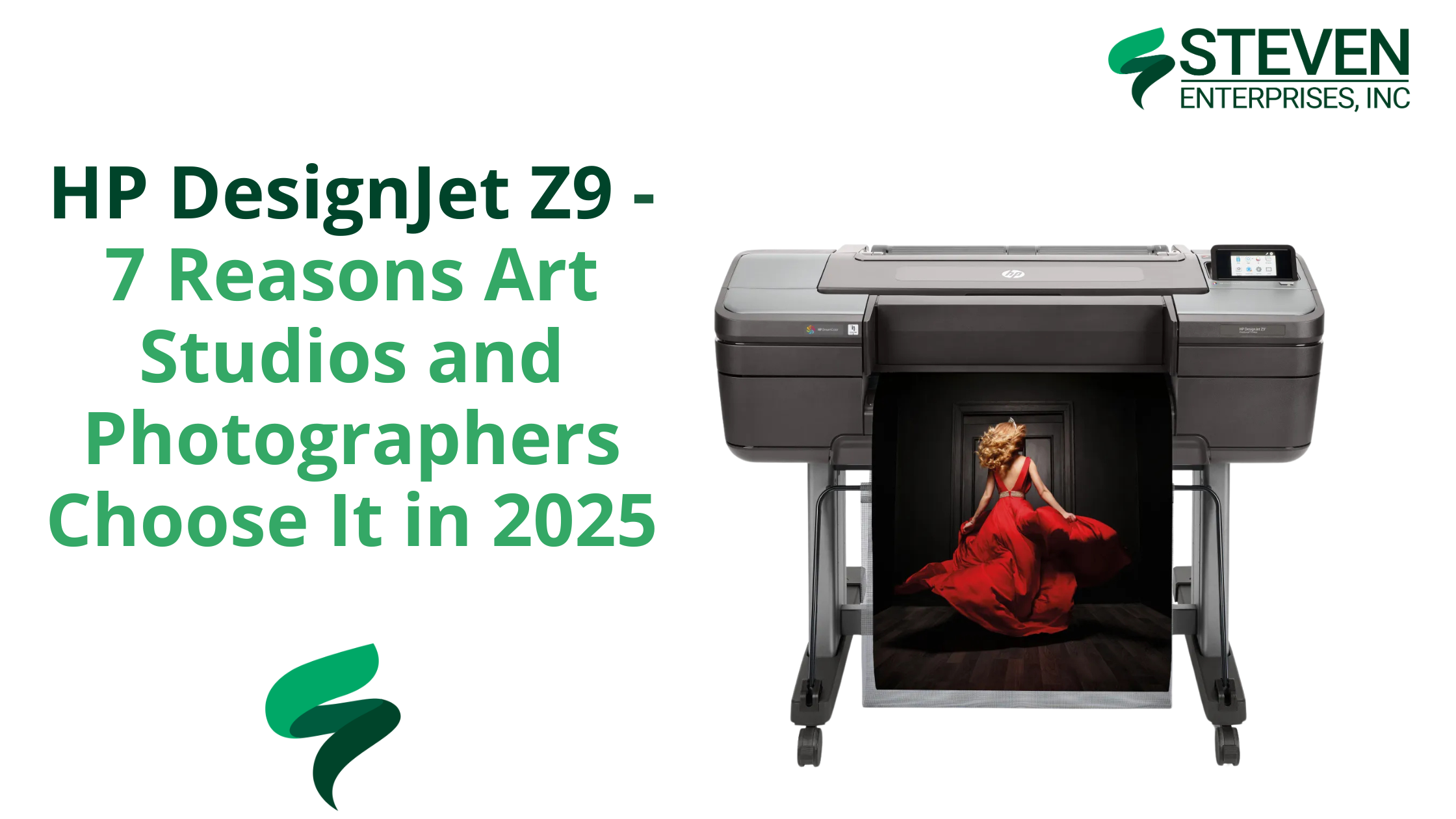
In 2025, that means choosing a printer that can capture it all with uncompromising accuracy. That printer is the HP DesignJet Z9.

While general-purpose wide format printers like the HP DesignJet Z6 are great for signage and school posters, art and photo professionals need more. 

At Steven Enterprises, we understand the unique needs of movie studios, art directors, photographers, and creative professionals. 

The Z9 offers expanded color precision, workflow efficiency, and media handling designed specifically for gallery-quality output. 

Top 7 Reasons Why Art Studios Should Get the HP Z9 Large Format Printer

1. Expanded Color Gamut with 9 Inks


The HP Z9 uses a 9-color ink system, giving you a much broader and richer color spectrum than the 6-ink HP Z6. It includes chromatic red, green, and blue, plus dual blacks, enabling smooth gradations and more lifelike skin tones, shadows, and highlights.

For photographers, that means more depth. For artists, it means closer reproduction to the original. If your work lives and dies by accurate color, this printer delivers.

Whether you’re capturing skin tones or museum-worthy pigment transitions, the Z9 ensures what’s on paper matches what’s in your mind.

2. Gloss Enhancer for Professional Finish

The HP Gloss Enhancer kit (compatible with select media types) adds a uniform, lab-quality sheen across your entire print. This eliminates common problems like bronzing and inconsistent finishes, especially on glossy or satin photo papers.

For photographers, this means your blacks stay deep, and your highlights stay clean. For artists, it’s a professional finish without added sprays or coatings. 

3. Dual Roll with Auto-Switching

Artists and studios rarely stick to one medium. With dual roll support and automatic switching, the Z9 lets you load two different roll types or sizes, such as canvas and fine art paper, and effortlessly switch between them based on job requirements.

It’s a game-changer for productivity, especially in fast-paced environments where multiple projects are underway.

4. Built-In Vertical Trimmer

Tired of trimming prints by hand? The Z9’s built-in vertical trimmer cleanly slices the sides of your prints, giving you clean, exhibition-ready edges every time.

This is especially valuable for print shops or studios selling ready-to-frame artwork or running short-run production. Fewer manual steps, straighter edges, and more time for creative work.

5. Faster Printing Without Quality Loss

The HP Z9 is designed to print faster than its predecessor, the HP Z6up to 2.5x faster—without compromising on resolution or detail.

Thanks to 2400-nozzle-per-inch printheads and HP Pixel Control, your large files (think 300dpi gallery posters) render cleanly and quickly. This makes batch printing efficient, even under tight deadlines.

6. High-Capacity 1-Liter Eco-Carton Cartridges

The Z9 supports 1-liter ink cartridges, so you’ll get more prints before needing replacements. For studios printing large formats or high volumes, this significantly reduces interruptions and lowers ink costs per job.

Better yet, the Eco-Carton design cuts plastic waste by using recyclable cardboard-based containers—ideal if your studio is aiming for greener practices.

7. Spindle-Less Roll Loading for Convenience

Older printers often require spindles to load new media rolls—a slow, frustrating process. The spindle-less roll system on the Z9 lets you simply drop in a new roll and lock it into place.

One of those underrated time-savers keeps your team focused on the creative process, not media setup.

Z9 vs Z9 Pro: Which One Is Right for Your Studio?

HP DesignJet Z9

The HP DesignJet Z9 supports prints up to 44 inches wide, which is more than enough for most artists, photographers, and galleries.

HP DesignJet Z9 Pro

If you regularly produce oversized installations or panoramic works, consider the Z9 Pro, which offers up to 54-inch width capacity and a slightly more robust build for production environments.

Both models offer the same color fidelity and feature set; the “Pro” simply extends your physical print size and handles heavier usage.

Z9 vs Z6: Why Studios Need More Than 6 Inks

HP DesignJet Z6

While the HP DesignJet Z6 is excellent for posters, wayfinding signs, or general graphics, its 6-ink configuration isn’t built for artwork.

HP DesignJet Z9

Need a full color spectrum with gallery-quality tonal range? The Z9’s added inks—and gloss enhancer—make all the difference.

Looking for something even more advanced? The HP Z6 Pro offers enhanced speed and processing for GIS and technical applications, but the Z9 remains the clear choice for photography and art.

The Creative Professionals Who Rely on the HP Z9

The HP DesignJet Z9 is a powerful production partner for creatives who demand precision, vibrancy, and reliability in every print. 

Here’s how different professionals are using the Z9 to elevate their work:

  • Art Studios producing giclée and archival reproductions:. Thanks to its 9-ink system and gloss enhancer, the Z9 can capture every nuance—whether it’s the textured brushwork of an oil painting or the delicate hues of a watercolor.
  • Professional photographers delivering gallery-quality prints: The Z9 ensures that skin tones, shadow details, and vibrant landscapes are printed exactly as they appear on screen, without the need for constant recalibration.
  • Marketing agencies crafting high-impact visual campaigns: The Z9 brings concepts to life with rich color depth and edge-to-edge sharpness. Teams can print oversized visuals, proof designs in-house, and rapidly adjust campaigns without waiting on outside vendors.
  • Museums and galleries managing exhibitions in-house: Curators and exhibit designers use the Z9 to print high-resolution artwork reproductions, title panels, and educational materials with museum-grade quality. 
  • Print shops offering premium services to creatives: Boutique print providers choose the Z9 to offer a higher tier of service to artists, photographers, and designers.

Ready to Elevate Your Prints with the HP Z9?

As creative professionals push for sharper, deeper, and more accurate visual output, the HP DesignJet Z9 has proven itself as a top-tier choice for bringing ideas to life.

With demand for high-resolution content on the rise, the tools you use to produce it matter more than ever. 

Still unsure? Start here with our art director’s guide or call us at 800-491-8785 for a personalized consultation.

Posted on

How to Rent a Plotter for Your Large Format Printing

When you need a large-format printer for only a few months, such as for a film shoot, job site trailer, or special event, purchasing outright can feel like overkill. 

Renting a plotter solves that dilemma by giving you professional-grade printing capabilities without the long-term costs and responsibilities of ownership.

At Steven Enterprises, we have helped organizations across industries manage short-term printing needs through flexible rental plans, on-site setup, and comprehensive support.

Let’s investigate why you should rent a plotter rather than buy one.

Who Should Rent a Plotter?

1. Movie & TV Production Studios

Film and TV productions often require on-set printing for set designs, location layouts, and promotional materials. 

Because each show’s shooting schedule might last anywhere from a few weeks to several months, renting a plotter allows studios to scale up or down without paying for a device they may not use after production wraps.

Case in Point: A streaming studio needed a wide-format solution for a 6-month pilot series. By renting an HP Z9 from Steven Enterprises, they printed 500+ large-format designs — everything from storyboards to promotional posters — and saved roughly $22,000 over buying a new device or outsourcing. Once the show was green-lit for Season 2, they confidently purchased the Z9 outright, proving its value and reliability.

2. Construction & Engineering Teams

Many construction and engineering projects happen at temporary job sites lasting just a few months. Quick access to large-format blueprints, permits, and as-builts can save critical time and keep projects moving forward.

When the project ends, you don’t have to store or resell the equipment you used. Simply return it, and you’re done — no ongoing maintenance or depreciation to manage.

3. Event Planners & Trade Shows

One-time or seasonal events—such as trade shows, festivals, or holiday promotions—often demand vibrant banners, directional signage, and floor plans on a tight deadline. Owning a plotter that sits idle for most of the year isn’t cost-effective.

Rent a wide-format printer for the duration of your event schedule. Afterward, return the machine and eliminate the headaches of storage or maintenance.

Plotter Models Available for Rent

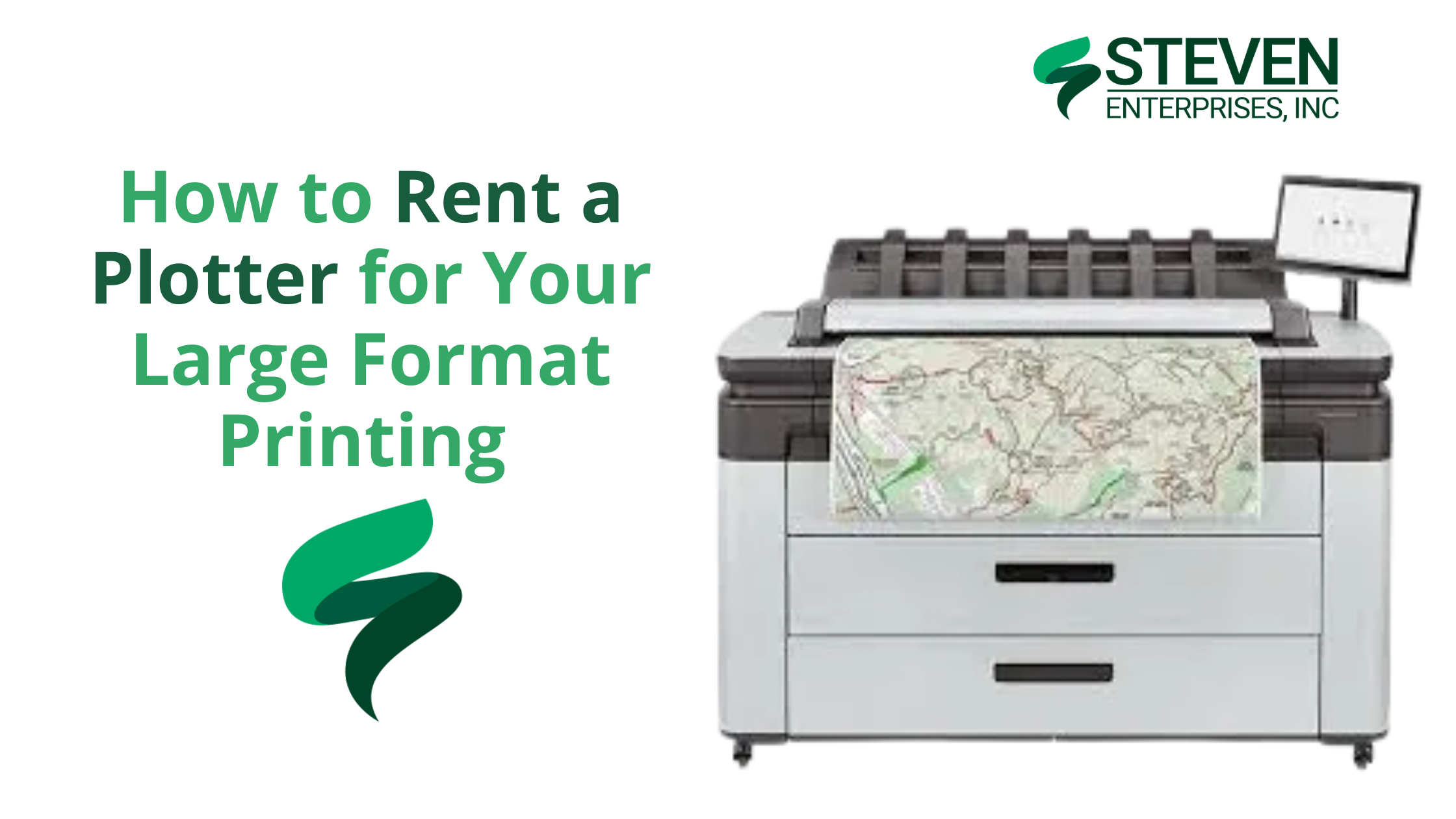
Beyond the popular HP Z6 and HP Z9 for large-format color printing, we also offer additional HP plotter models that provide scanning, dual-roll printing, and high-speed output. 

HP T2600 Multifunction Printer

  • Key Features:

    • Prints up to 180 D/A1 pages per hour

    • Integrated 100-page output stacker for higher productivity

    • Built-in scanner and advanced collaboration tools

  • Best For: Construction offices that need rapid blueprint printing and scanning capabilities without tying up the budget for a permanent machine.

    HP PageWide XL 3600 MFP

  • Key Features:

    • 30% smaller footprint and quieter operation compared to similar devices

    • Fast 30-second first page out

    • Automated scanning and post-editing features for quick markups

  • Best For: Fast-paced environments that require both color and monochrome prints at high speed. It’s also great for engineering teams that regularly need to revise plans or create detailed technical documents.

What Do You Get with Your Plotter Rental?

Depending on the model and configuration, purchasing a new wide-format printer can easily cost $8,000–$20,000. 

Renting lets you pay a predictable monthly rate (often $325–$400) and invest your capital elsewhere. When you rent a plotter from Steven Enterprises, you get a complete, worry-free printing solution that includes:

  1. Full On-Site Setup & Installation: We’ll deliver the machine to your location, set it up, and walk you through the fundamentals — from loading paper and inks to performing basic troubleshooting.

  2. Ongoing Service & Support: If there’s a malfunction, our certified technicians will come on-site to fix it at no extra charge — unlike owning a printer, where post-warranty repairs are out-of-pocket. If persistent issues arise, we can swap the plotter so you’re not left waiting for lengthy repairs.

  3. Flexible Rental Terms: Whether you need the device for two months, six months, or a year, we tailor the rental period to match your project timeline. When your job is done, simply return the plotter. If your printing needs change, you can upgrade to a different model without the hassle of selling or replacing owned equipment.

  4. User Training: We’ll train your team on tasks like loading media, installing ink cartridges, and clearing paper jams. This will reduce downtime and maximize the value of your rental.

Note: Paper and ink are not included in the monthly fee. However, we can supply them at competitive rates, or you can purchase these supplies from your preferred vendor.

Explore a Plotter Rental for Your Next Project

With Steven Enterprises, you can focus on your project’s success, not the overhead of printer ownership. Whether you’re managing a movie set, running a construction site, or planning a one-time event, our HP plotter rentals make it easy to produce professional documents and graphics on demand. 

Call us now at (800) 491-8785 to discuss pricing, model availability, and rental terms or request a custom quote via our website. We’ll match you with the ideal Plotter and set up flexible rental terms tailored to your needs.

Ready to Rent a Plotter?

Tell us your timeline and print volume and we will match you with the right machine at the right rate.

No spam, no obligation. We reply within one business day.

Posted on

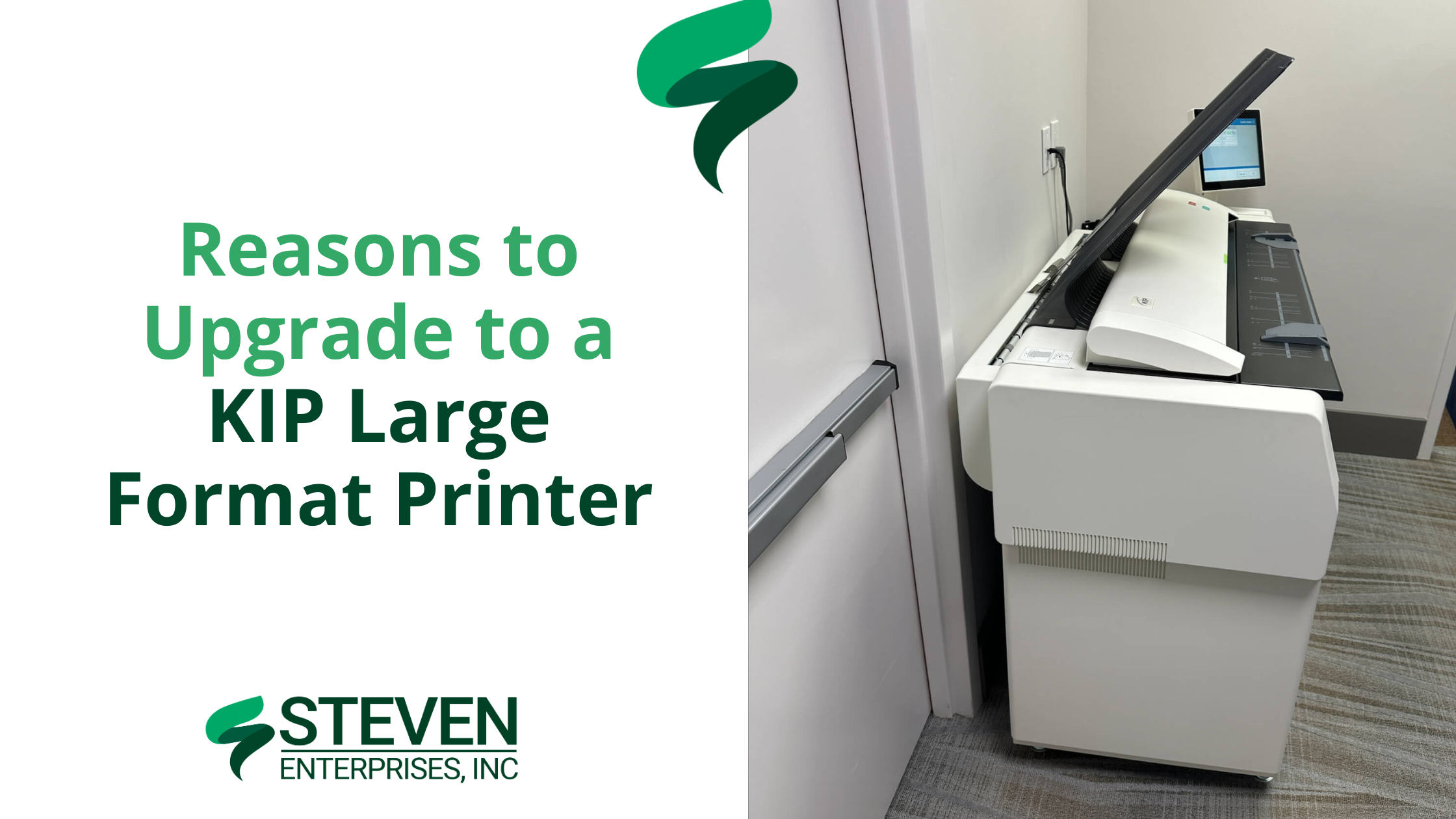
Reasons to Upgrade to a KIP Large Format Printer

For architects, engineers, and construction (AEC) firms, inconsistent print speeds and high ink costs can disrupt tight deadlines and strain budgets. 

A KIP Large Format Printer offers a solution with its toner-based technology, providing consistent print speeds, reduced operating costs, and features tailored to technical workflows.​

At Steven Enterprises, we’ve observed how KIP printers enhance AEC operations — reducing errors in bids by up to 35% and lowering color printing costs to approximately $0.20 per square foot. 

Our clients often produce over 500 D-size plans per hour, maintaining schedules and budgets.

In this article, we’ll highlight exactly why KIP printers are a great HP DesignJet alternative — and how your team can test one risk-free.

Who Needs a KIP Large Format Printer?

1. DesignJet & OCE Owners

KIP Large Format Printer

Many design and construction teams use inkjet models like the HP DesignJet XL 3600 or older OCE printers. However, these machines slow down significantly with high ink coverage — especially when printing detailed color renderings or redline markups. 

This bottleneck can push deadlines back by days or force teams to break large jobs into multiple smaller batches.

KIP’s toner-based systems maintain 6–20 pages per minute at any coverage. Whether you’re printing simple floor plans or heavily shaded 3D renderings, the speed never wavers. 

Plus, you can print both monochrome and color plans at the same rapid pace without switching devices or sacrificing color altogether.. 

2. Architecture, Engineering, and Construction (AEC) Firms

KIP Large Format Printer

In many architecture, engineering, and construction (AEC) environments, plans are printed in monochrome to save on costs. 

Unfortunately, crucial elements — like electrical, plumbing, and HVAC routes — can blend together without color differentiation, leading to confusion, errors in bids, and costly rework.

KIP printers excel at high-volume, color-accurate output at a fraction of the cost of traditional inkjets. 

By using different colors for each subsystem, redline markups and final plan sets become far clearer. This improves communication among trades, reduces misinterpretation, and helps contractors submit more accurate project bids.

If you’re looking to discover more about multi-roll devices and their benefits, visit our Large Format Printer Solutions page.

3. Organizations Seeking Greater Cost Reduction

KIP Large Format Printer image

Some companies primarily want to lower their ongoing print expenses — whether that’s due to rising ink costs or an uptick in color-coverage needs.

KIP’s toner approach offers a more predictable cost-per-print, especially on color-intensive jobs. 

Firms facing excessive ink usage or ballooning supply expenses often see immediate savings when switching to toner. 

This predictable pricing model helps budget-conscious teams accurately forecast their monthly print expenditures and avoid the frequent cartridge replacements common with inkjets.

KIP’s toner-based approach means more consistent expenditures. Instead of guessing how many ink cartridges you’ll burn through on color-heavy jobs, you pay roughly the same per page.

Why Choose a KIP Large Format Printer over Inkjets?

1. Toner Never Slows Down: Traditional inkjets might slow to a crawl when coverage goes beyond 50% — especially if you’re printing color-intensive renderings. 

KIP printers maintain 6–20 pages per minute no matter how much coverage you’re using. That means no more splitting large jobs into smaller batches.

2. Historically Expensive, Now More Cost-Effective: KIPs used to have a higher price tag compared to standard inkjets. But there has been a big industry shift: the cost of KIPs has come down, while their toner-based approach makes color prints far cheaper than ever before.

Many AEC firms significantly reduce color printing costs with KIP printers, achieving rates as low as $0.20 per square foot, compared to around $1.00 per square foot or more with many inkjets.

3. Perfect for High-Volume Printing: Every KIP model handles 2–4 rolls of media at once and offers built-in scanning. This setup is ideal for firms juggling multiple projects, letting you print technical drawings, color-coded markups, and even foam board or yard signs (with direct-to-board capabilities) from a single device.

How to Test a KIP Large Format Printer Risk-Free

To see how much you could save and how quickly you can print, call us at (800) 491-8785 or fill out our online form to request a personalized KIP demo.

We’ll print your actual plans or designs in real time, so you can see the color accuracy, speed, and cost savings firsthand.

You can ask questions as if you’re standing right in front of the machine. We’ll then mail you the completed prints for review.

It’s a simple, no-pressure way to find out how KIP can transform your printing process — especially if you’re comparing it to an HP DesignJet or older OCE model.

Posted on

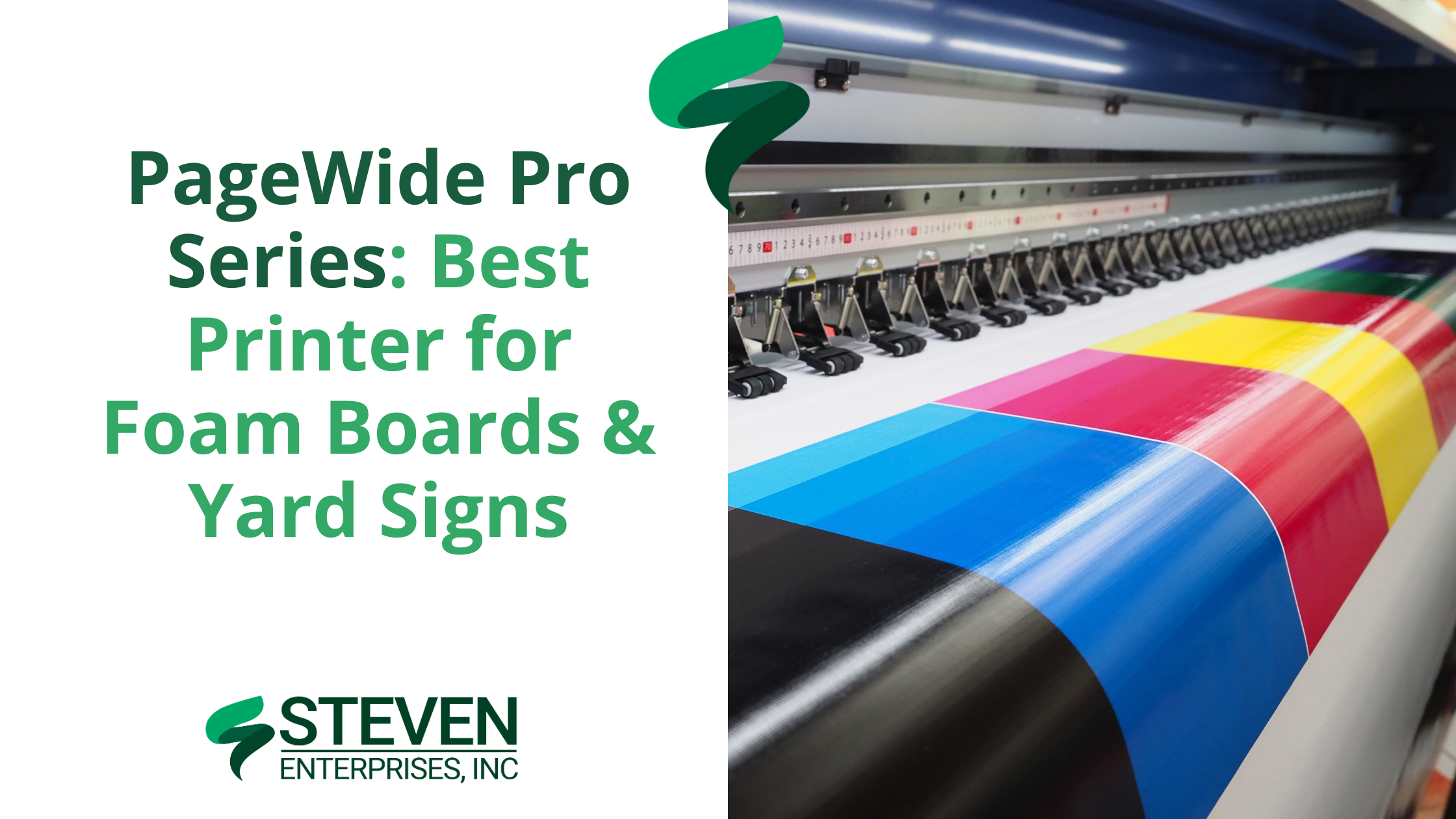
PageWide Pro Series: Best Printer for Foam Boards & Yard Signs

PageWide Pro Series: Best Printer for Foam Boards & Yard Signs

The HP PageWide Pro Series is a versatile line of printers designed to meet the diverse needs of businesses and institutions looking to print on foam boards and yard signs efficiently. As a 2-in-1 machine, it offers you both roll-to-roll printing and rigid board printing — all in one device. 

This makes it an excellent alternative to purchasing separate machines such as the HP Latex or lamination printers.

At Steven Enterprises, we have helped architects, sign shops, and schools streamline operations by replacing outdated setups with the Pro Series — reducing their costs by 30% and also production bottlenecks by 50%.

Who Needs the PageWide Pro Series?

1. Small Sign Shops (e.g., Minuteman Press)

Small sign shops often face delays when outsourcing lamination for yard signs, election posters, or event displays. By printing directly onto Coroplast, the PageWide Pro Series eliminates extra lamination steps. 

It allows up to 4 boards per minute, ensuring tight deadlines are met without sacrificing quality. What’s more? This direct-to-board capability also reduces labor costs and gives full control over print output — from color accuracy to final finish.

For example, our Pro 8200 helped a Florida sign shop print Coroplast yard signs in-house, reducing their order fulfillment from 5 days to 6 hours.

2. Schools & Universities

Schools and universities often operate under tight budget constraints that make it challenging to purchase separate roll-to-roll and foam board printers. 

The HP PageWide Pro Series consolidates these needs into one cost-effective machine, supporting everything from event banners to academic models like science fair exhibits and architectural prototypes. 

This all-in-one approach allows institutions to stretch funds further while still producing vibrant, high-quality prints.

3. Federal Agencies

Federal agencies frequently need high-volume, tamper-resistant posters — such as public health notices and safety regulations — that exceed the capabilities of standard devices. 

With the HP PageWide XL Pro 10,000, you can print up to 7,500 sq ft per hour, producing more than 500 D-size posters each hour. 

This efficiency ensures immediate availability of critical information during emergencies or routine government operations.

In fact, a federal agency in Texas cut poster production time by 70% during hurricane season just by using the XL 10,000.

4. Architecture Firms

Architecture firms often spend hours manually mounting renderings onto foam boards, risking damage to delicate prints during the adhesive process. 

The HP PageWide Pro Series overcomes these challenges by enabling direct-to-board printing on foam boards up to 3/8″ thick, preserving every detail at 2400 DPI resolution. 

This approach allows you to produce 20 foam board renderings in 5 minutes instead of 2 hours, all while avoiding creases, air bubbles, or misalignment. The result? A flawless, professional finish that truly wows clients.

The Top 3 PageWide Pro Models to Choose From

If you need a reliable large format printer that can handle both high-volume roll-to-roll projects and direct-to-board jobs, the PageWide Pro Series has a model to suit your workload. 

Below are the three top HP PageWide XL Pro models and what sets them apart.

1. HP PageWide XL Pro 10,000

The HP PageWide XL Pro 10,000 is designed for large-scale printing and provides rapid output without compromising quality. 

Its robust construction and advanced technology meet the demands of high-volume sign shops and production facilities.

Key Features:

  • It prints up to 7,500 sq ft per hour (1,000 B1 posters/min), delivering quick turnarounds for bulk orders.
  • It uses 5-liter cartridges for sustained productivity, minimizing downtime from frequent ink changes.
  • Accommodates up to 6 rolls at once, allowing seamless transitions between different media types.

Ideal For: Enterprises needing continuous production for large signage, marketing materials, or architectural plans.

2. HP PageWide XL Pro 8200 Multifunction Printer

The HP PageWide XL Pro 8200 is a balanced option for businesses seeking productivity and versatility as it merges fast printing speeds with an integrated scanner.

It’s ideal for teams that require both production-grade prints and easy document digitization.

Key Features:

  • Prints at 5,400 sq ft per hour (30 A1 pages/min), keeping pace with demanding workflows.
  • Integrated scanner supports multifunction workflows and streamlines document handling.
  • Relies on 3-liter cartridges for moderate print runs, reducing refill frequency.
  • Supports up to 6 rolls, making it easy to switch between various paper types.

Ideal For: Organizations looking for a unified solution that covers printing and scanning in one device.

3. HP PageWide XL Pro 5200 Multifunction Printer

HP PageWide XL Proo 5200 Multi-function printer

The HP PageWide XL Pro 5200 is built for smaller or moderate production needs, balancing efficient performance with a compact design. 

Its cost-effective approach suits businesses that want professional-quality prints on a lower volume scale.

  • Delivers up to 4,300 sq ft per hour (20 A1 pages/min), handling a range of routine print jobs.
  • Operates on 1-liter cartridges, making it both economical and easy to maintain.
  • Holds up to 4 rolls, allowing quick swapping between multiple print media.

Ideal For: Small to mid-sized operations looking for high-quality output without the footprint or capacity of larger models.

So, Is the PageWide Pro Series Worth the Upgrade?

Upgrading to the Pro Series requires an investment of about $10,000 more than standard models, but it offers significant long-term savings. With direct-to-board printing, there’s no need for separate lamination — yielding annual savings estimated at $12,000 on adhesive materials.

The Pro Series also delivers a 15% faster turnaround compared to outsourcing, reducing both labor costs and downtime. 

These enhanced capabilities, coupled with lower operating costs and increased productivity, make the upgrade worthwhile

Discover Your Savings with the PageWide Pro Series

Contact Steven Enterprises now at 800-491-8785 for a personalized consultation, or fill out our contact form for a free cost comparison analysis and discover how much you could save. We’ll help you choose the right solution to boost your productivity and reduce operating costs.

Posted on

Choosing the Best Large Format Printers for Redline Markups in AEC Projects

Choosing the Best Large Format Printers for Redline Markups in AEC Projects

If you’re affiliated with a large architecture firm or looking to upgrade your construction business’s redline markups printing capabilities, you’ve landed in the perfect spot. 

At Steven Enterprises, we specialize in equipping AEC companies with the best large format printers tailored for efficient redline markup processes. As such, our experts understand the nuances of architectural and engineering printing needs and are here to guide you.

How Printing is Involved with Redline Markups 

Redline markups play a critical role in architecture and construction projects, bridging the gap between initial designs and real-world execution. These annotations are made directly on large format CAD drawings, highlighting changes and adjustments necessary for project accuracy. After these adjustments, the marked-up drawings require high-quality scanning and printing for further reviews and revisions.

Key Features to Consider in Large Format Printers for AEC Firms

Engineering and Architectural Needs: The best large format printers for engineering and architectural firms combine high productivity with cost efficiency. Look for printers that deliver:

  • Speed and Efficiency: Fast printing capabilities are crucial. Opt for printers with high-yield consumables to reduce operational costs.
  • High-Quality Outputs: Precision is paramount. High-resolution printers ensure that every detail in schematics and blueprints is captured accurately.
  • Reliability and Service: Ensure minimal downtime with reliable printers supported by efficient customer service and maintenance options.

Construction Site Requirements: For construction sites, consider printers that offer:

  • Portability: Compact printers are ideal for the limited space in job site trailers.
  • Scanning Capabilities: Multi-functional printers that include scanning can expedite communication and project approvals.
  • Ink Durability: Opt for pigment-based inks for their durability in harsh conditions, preventing smudges and damage.

Popular Large Format Printers for redline markups by Printing Volume

AEC firms typically choose from a few popular large format printers from brands like HP, Canon, and KIP. The main deciding factor in which machine to use is your monthly printing volume as a firm. 

The more you print, the more ink & paper supplies you’ll need to buy every month.

So, as you scale, the type of printer you’ll need will also change.

Small AEC Firms 

Printing Volume: Under 5K square feet per month

 Models like the HP DesignJet T-2600 and the HP DesignJet XT950 are perfect for firms with monthly outputs under 5,000 square feet. Some DesignJets use pigment ink, which is a popular choice for it’s durable water-resistant prints. 

Midmarket AEC Firms

Printing Volume: Between 5K-10K square feet per month 

For firms printing up to 10,000 square feet monthly, the KIP 71 series and the HP DesignJet XL 3600/3800 MFP are popular choices because of their multi-functional feature to both print and scan. 

Large AEC Firms 

Printing Volume: Above 10K square feet per month 

Finally, to be able to handle high volumes like these, you’ll likely look at buying the HP Pagewide series. These powerful printers can do up to 30 pages per minute, which is much faster than the 6 pages per minute of the midmarket printers. 

Get a Free Plotter Consultation with a Printing Expert

Understanding your firm’s specific needs is crucial when selecting a large format printer. Therefore, Steven Enterprises experts are here to help find you a printer that fits your current needs and contributes to long-term savings and efficiency.

Ready to maximize your AEC firm’s printing efficiency? Contact us today for a personalized consultation by either filling out this form or speaking to an expert immediately by calling 800-491-8785.

Posted on

Best Large Format Printers for Cities & Government Businesses

Best Large Format Printers for Cities & Government Businesses

As cities and government agencies continue to evolve, so does the need for effective large format printing solutions. While many entities already possess a plotter, not all are optimized for current demands. 

Whether it’s upgrading older models or integrating more advanced technology, understanding the best large format printers available is crucial for efficient operation.

In this blog post, we’ll learn from our Certified Large Format printing experts at Steven Enterprises about what the best large format printer models are for cities & other government businesses. 

What Large Format Printer Do Most Cities Have?

Well, the first time a city bought a large format plotter dates back to about the 1960s. This is when the first plotter was created, known as a “pen plotter” back then. 

Pen plotters are friendly robots from a not so distant past. As Tobias Toft puts it in this article, “they’re the missing link between pencils and laser printers.” Pen Plotters are lovely pieces of high precision technology, using regular pens that are computer-controlled to draw on regular paper with incredible speed and precision. 

They would draw blueprints for tweedy engineers and turtlenecked architects back in the 70’s and 80’s, they would draw colorful charts on transparencies for slick investment bankers to present on overhead projectors, and they probably also drew the schematics for the laser- and inkjet printers that replaced them a decade later. While expensive at the time, they were beautifully engineered, high-quality machines, which is still used by some cities around the country. 

Once the print head was invented, many cities and state agencies upgraded their large format printing equipment to this faster, more sophisticated technology. Meaning that most now own either a large-format inkjet printer or an LED toner-based printers (depending on their business needs). 

READ MORE: Toner vs. Ink Large Format Printers: Cost and Usage Comparison for Businesses

Depending on the size of your operation, you’re likely going to have multiple large-format inkjet printers on-site to be able to keep up with the demand. 

What are the common applications for large format printers in government entities?  

Back in the day, every plan to build something had to be printed and run through the city for approval. While that’s still true today, most of it has gone digital. 

That said, many city planners and state agencies still make heavy use of the large format printers to mark up the blueprints they receive. 

Another common application for toner-based printers is to make larger posters to be distributed in city hall or around the city. Since they need to be able to weather the outdoors for longer periods, this higher-quality printing technology is a must.

Reasons to Upgrade Your Plotter

If you’ve had your large format printer for over 5 years, your printer is likely due for an upgrade. The main reason being the quality of the prints you could be getting, but also just out of increased efficiency!

Here are some reasons why it might make sense to upgrade: 

  • Improved printing quality: Not all cities know how much the technology has improved since these original series of the large format inkjets and toner based printers came out. For example, the line printing for blueprints far more crisp and precise. Also, the durability and color consistency of the prints is also night and day from what is used to be! 
  • Faster printing speeds: The best improvement in the technology is the speed. New large format printers need only 1 minute to print out 30 drawings. Older models needed a minimum of 2 minutes. So if your operations ever need to print in bulk, this can be a huge time saver! 
  • Multi-functional machines: The best part about upgrading your large format printer is that the newer models come with a scanner built into it. Since so much of the city planning process is digitized, having the option to scan is great. It’s an easy way to simplify communications with the foreman on the construction job site. 
  • Save costs buying color: If you need options to print in color, the newer models are going to be far cheaper than the old ones. The reason for this is that the older models use dye-based ink. This ink is far more expensive than the pigment ink that the newer plotters use. The pigmented ink is also far more durable (lasting about 6 months outside in the elements vs. max 3 months). As a result, the costs are lower by avoiding reprints! 

Top Large Format Printers for Government Businesses in 2025

Every business is different. This is why we highly recommend you book a free consultation with a Steven Enterprises certified printing expert to purchase the right large format printer. 

Since we work with many cities and state municipalities, here are the top printers they invest in.

HP 3600/3800 Large Format Printer 

Using PageWide XL 6000

Productive, efficient, and secure. The HP DesignJet XL 3600 and HP DesignJet XL 3800 Multifunction printers are the top choice for government businesses. 

They keep construction projects moving with the fastest color printer at 6A1/D color pages per minute in its class. Not only is it a fast first page out, it also has excellent color and monochrome print quality.  

If your goal is to have a simple and optimized system, this is a great printer to invest in. It includes easy one-click copy and scan workflows, features that reduce your environmental impact. Not to mention, it’s a more compact printer than the older models, providing you additional workspace for other uses.

To learn more about the HP Large format printers, click here

KIP Black & White Large Format PrinterKIP 7170 Front

If you are looking for a more budget-friendly option, the KIP large format printers are also a great option.

KIP is a leading global supplier of digital printing and scanning solutions for color and monochrome wide format documents. Offering an extensive product range that meets the ever-increasing demand for fast, high-quality, cost-effective reproduction. 

KIP’s advanced product technology leads the market in performance, reliability, and value with an exceptionally low cost of operation.

Click here to learn more about KIP large format printers.

Need Help Finding the Right Large Format Printer for Your Business?

Investing in a modern large format printer can transform the way cities and government agencies handle their printing needs. From improved operational efficiency to higher quality outputs, the benefits are clear.

If you’re considering upgrading your equipment or need advice on the best model for your specific needs, don’t hesitate to contact Steven Enterprises. Our certified printing experts are here to provide tailored solutions and support. This way ensuring you choose the right printer to meet your city demands! 

Visit our website or contact us directly for a free consultation. During out call, you’ll discover how the latest in large format printing technology can benefit your operations.

Posted on

Best Large Format Printers for Construction & General Contractors in 2025

Best Large Format Printers for Construction & General Contractors in 2024

In the dynamic world of construction, having the ability to quickly and accurately produce high-quality prints directly on the job site isn’t just convenient—it’s crucial. 

For general contractors, large format printers are indispensable tools that ensure the seamless flow of information, from architectural designs to complex construction plans.

In this blog post, we’ll review the top large format printers that Steven Enterprises Equipment and Account Specialists recommend to superintendents and construction project managers. You’ll learn the fundamental differences in the latest models on the market in 2025. 

Why General Contractors Need On-Site Printers

Unlike architectural offices where plans are initially drafted, construction sites are where these plans come to life—and often change. 

The ability to perform “red line markups” and send immediate feedback to architects is essential for the timely progression of any project. 

With a large format printer on site, general contractors can handle these tasks efficiently, reducing downtime and avoiding costly delays.

Top Features General Contractors Should Look for in Large Format Printers

  • Speed and Efficiency: Time is money, and in construction, delays can be costly. Printers that can deliver quick prints without sacrificing quality are crucial.
  • Durability and Portability: Given the harsh conditions on many job sites, printers need to be both durable and portable. A compact design ensures they fit within the confined spaces of a job site trailer.
  • Ease of Use: Printers should be user-friendly, allowing quick setup and operation by various subcontractors, including electricians and plumbers who may need access to updated plans.
  • High-Quality Output: Detailed prints are necessary to accurately convey complex construction details and ensure all team members are on the same page.

Best Large Format Printers for General Contractors in 2025

HP DesignJet T-2600 MFPDesignJet T2600 Front

Created for highly efficient teams with the most compact, quiet MFP, the HP DesignJet T2600 is excellent for construction sites. It supports collaboration with a smart interface and access to shared folders. 

Since tight deadlines are a crucial part of the construction industry, this printer has become a top choice. It has the fastest print speed and the only automatic print stacking. 

AEC, GIS, and MCAD professionals who want to print maps, technical drawings, posters, and renders with precise, accurate line quality and crisp textDynamic security enabled printer.

Check out the latest HP T-2600 here.

KIP 900 Series

Ideal for environments demanding high durability and excellent color quality, the KIP 900 series withstands the rigors of a construction site while providing outstanding print quality.

From technical documents to vibrant posters, this printer has it all. The KIP 900’s toner-based system combines affordability, speed, and waterproof quality, making it a robust choice for all types of AEC applications.

Check out the latest KIP 900 Series here.

OCE Plotwave 450 SlantedOce (Canon) PlotWave Series

With a user-friendly interface and robust security features, the PlotWave series is designed for high productivity and operational ease, crucial for some privately-owned construction settings.

Designed to deliver reliable, high-quality prints, the PlotWave 7500 stands out from the other large format printers listed because of it’s six rolls of media. For some job sites with lots of different contractors, this is a game-changer for their productivity.

Check out the latest Plotwave OCE printers here.

Best Overall: HP DesignJet XL 3800 Multi-Function PrinterThe innovative HP DesignJet XL 3800 Large Format Printer, showcasing its superior color printing capabilities.

The evolution of color printing over the last five years has been nothing short of revolutionary, especially with the advent of the HP DesignJet XL 3800 Large Format Printer.

This breakthrough technology has significantly lowered the financial barrier to high-quality color printing for engineering firms. In turn, marking a departure from the era when such capabilities commanded a price tag upwards of $100,000.

With features like enhanced printing speeds, batch scanning, and a compact design, it addresses all the needs of construction firms. Especially for those looking for reliability, efficiency, and a smaller environmental footprint.

This is why we determined the HP DesignJet XL 3800 to be the overall winner for the best large format printer for the construction industry.

Read more: New HP XL DesignJet 3800 Multi-Function Printer: A Comparison to Black & White Models

Streamline Your Construction Projects with the Right Large Format Printer

Embracing technology on the job site isn’t just about keeping up with the times; it’s about staying ahead. By equipping your site with a capable large format printer, you ensure that your construction project runs smoother, stays on budget, and avoids unnecessary delays.

Ready to Upgrade?

Discover how the latest large format printers can transform your construction site’s efficiency. 

Contact Steven Enterprises today to explore the best printing solutions for your needs.

Posted on

What Large Format Printers is Best for K-12 Schools & Universities?

HP Z-series large format printer in a university setting, ideal for educational uses

As educational institutions like K-12 schools and universities upgrade their technology, large format printers are becoming increasingly essential.

The benefits? Significant cost savings and streamlined project timelines compared to outsourcing print jobs.

At Steven Enterprises, we have extensive experience assisting Southern California educational institutions in selecting and maintaining the perfect printers for their campus needs.

Based on their on-campus printing needs and available curriculum, this blog post will review the best large format printers for schools, including K-12 and universities. 

Common Types of Printing Done On School Campuses

Large format printers have a variety of applications on school campuses, impacting student life daily—from cafeterias and gyms to libraries and hallways.

1. School Event Promotion

Large-format printers are invaluable for promoting student events. They produce everything from: 

  • Signage for rallies, prom, and Greek life 
  • Large banners for sporting events & welcoming new students (up to 20 feet long!) 
  • Weather-resistant posters to promote ASB & other club activities  

2. Health and Safety Signage

Investing in an in-house large format printer allows schools to quickly produce and update health and safety signs—a crucial capability in today’s educational environments. This includes:

  • Floor decals to direct foot traffic 
  • Clings on bathroom mirrors to remind students to wash their hands
  • Large welcome signs to inform students of health and safety protocols (ideally in a fun and playful manner!)

3. Teaching Aids 

For educators, large format printers are tools to enhance their teaching methods creatively. Here are some examples of detailed informational prints that enrich the learning environment:

  • Large-scale game boards for the classroom 
  • Monthly calendars for bulletin boards 
  • Colorful customized maps 
  • Alphabet charts for memorization 
  • Galleries of photos from school outings
  • Informational graphics on classroom walls 

The possibilities are truly endless! If your school decides to invest in a large-format printer, it can enhance learning and improve the on-campus experience.

Best Large Format Printers for Schools

The HP Z-series is a popular choice among schools we partner with due to its versatility and cost-effectiveness. It supports various media types, paper thickness, and print sizes, making it ideal for simple signs and complex educational aids.

Learn more about the HP Z-series & get creative this school year!

Common Types of Printing Done by Universities

While universities share many of the same print needs as K-12 schools, their requirements often extend into more specialized areas. 

1. Bulk Printing for Essays, Quizzes, & More

Universities need robust printing solutions for the high volume of standard document printing required by students and faculty. Multi-functional printers in campus libraries or study centers are essential.

While these are not large format printers per se, our printing experts usually recommend the Toshiba printers. They have various models to print both A4 printers (printing the standard 8×14 pages) and A3 printers (printing slightly larger 11×17 pages) and are known to be reliable and easy to maintain. 

Learn more about the Toshiba multi-functional printers here.

2. Technical Prints for Engineering Students

High-quality technical printers are crucial for engineering departments. These printers allow for precise blueprints and detailed line work, mirroring the industry standards that students will encounter in their careers.

The innovative HP XL 3800 Large Format Printer, showcasing its superior color printing capabilities.

As a University, it pays dividends to purchase the latest printers being utilized within AEC firms to best prepare your students for the real world.

If your university has a large architecture, engineering, and construction curriculum, we recommend you upgrade your printer to the HP XL-3800.

READ MORE: New 2024 HP XL DesignJet 3800 Multi-Function Printer: A Comparison to Black & White Models

3. Graphic Prints for the Arts Department

Art and design departments benefit from printers that can handle detailed, high-quality graphic outputs. The Canon Pro series is highly regarded for its ability to produce exceptional photographic and graphic design prints, essential for student portfolios and final presentations.

Learn more about the Canon Pro Series here.

Best Large Format Printer for Universities

For a large university with diverse needs across various departments, it’s advisable to allocate a budget for both technical and graphic print capabilities. This ensures that all students have access to the necessary tools to support their education.

Read more: Choosing Between Graphic and Technical Large Format Printers for Your Business

Need Help Choosing the Right Printers for Your School or University?

At Steven Enterprises, we’re dedicated to helping educational institutions find the most suitable and cost-effective printing solutions. 

We offer personalized consultations to help you choose the right printers, ensuring you have the support needed for maintenance and supplies.

Contact us today to learn how the right large format printers can enhance the educational experience on your campus by either filling out this form or caling us at 800-491-8785.