Posted on

Best Large Format Printers for Architects in 2026

The best large format printer for an architecture firm comes down to team size. 

Architectural firms need different equipment than a typical construction site, where the work is mostly redlining and field markups. 

Architects need clean, high-quality output for client presentations, contractor submissions, and detailed design documentation.

At Steven Enterprises, we work with architectural practices of every size, from boutique studios to firms with dozens of employees. 

We match each one to a plotter that fits its volume, space, and workflow. The goal is finding the device that fits your team size and actual print demand. 

That way you don’t overspend on capacity you’ll never use, or undersize a machine your team outgrows in a year. Keep reading.

What Should Architects Look for in a Large Format Printer?

Architects should prioritize print quality, speed, and the right size for their team. Buying too much printer wastes your budget. Buying too little slows the whole office down. 

A few features matter more than the rest:KIP 740

  • High-quality output. Crisp, accurate lines and vibrant colors matter for renderings and technical drawings alike.
  • Speed that matches your volume. Faster printing helps larger firms hit tight deadlines, but small firms rarely need to pay for speed they won’t use.
  • Room to scale. Single-roll machines work fine for small firms, while dual-roll, high-capacity models suit larger practices with heavier daily output.
  • Scanning capability, where useful. Scanning matters less for architects than for contractors, but an integrated scanner still helps with redline markups or digitizing drafts. Newer models now offer vectorization tools that go a step further.

Best Printer for Small Architectural Firms (1-3 Employees)

Small architectural firms do best with the HP DesignJet T1600 Plus, a compact, single-roll printer built for offices with lower print volume and limited space. HP DesginJet T1600 Side

Please note: This model no longer comes as an MFP. The T1600 Plus is a printer only, so teams that need built-in scanning should look at the T2600 MFP Plus instead.

Key features:

  • 36-inch printing width, available in single-roll and dual-roll configurations
  • Compact, quiet, office-friendly design
  • Professional color accuracy for renderings and technical drawings
  • Cost-effective for firms with lower print volume

Need Scanning and Vectorization? Consider the T2600 MFP Plus

If your small firm needs scanning built in, take a look at the HP DesignJet T2600 MFP Plus. It now includes new vectorization software that lets you scan and vectorize a drawing directly from the printer, with no separate software step required.

Vectorizing converts a pixel-based raster file, like a JPEG or PNG, into a scalable mathematical vector file, like an SVG or AI file. 

This happens through software before the file prints. For architects, that matters because vector data uses mathematical formulas instead of pixels. 

Large blueprints print sharp and precise at any size instead of blurring when scaled up. 

If your firm frequently rescans and reprints older drawings, this feature can save real time. Read more about how AI vectorization works for architectural workflows.

Best Printers for Medium Architectural Firms (4-15 Employees)

Firms with 4 to 15 employees are well served by either the HP DesignJet XL 3800 MFP or the KIP 740. Both balance quality, speed, and capacity for moderate print volume.

The XL 3800 MFP has a compact footprint despite its dual-roll capability, so it handles multiple paper sizes without eating up much floor space.

Its 4-color ink system also keeps running costs lower than 6-color systems like the T2600, while still delivering strong print quality and speed. Its integrated scanner supports occasional redlining as well.

The KIP 740 is a dual-roll, color plotter that prints up to 6 pages per minute. Its toner-based system is built for durability and vibrant output. 

It’s a solid fit for firms with slightly higher print demands than the XL 3800 comfortably handles.

Best Printers for Large Architectural Firms (15+ Employees)

Large architectural firms need higher-capacity machines, and the KIP 785 and HP PageWide XL 4250 are both built for that kind of volume.KIP-785-High-Volume

The KIP 785 is a high-performance, dual-roll color plotter that prints 10-12 pages per minute. 

That keeps up with demanding workflows and tight deadlines without sacrificing the vibrant, precise output firms need for presentations and contractor handoffs.

The HP PageWide XL 4250 handles large-scale operations that produce thousands of square feet of prints each month. 

It’s built for reliability under that kind of workload, with dual-roll capability that adds flexibility for firms juggling multiple project sizes at once.

Firms Needing Premium Speed: HP PageWide XL 5200

For the largest firms that need the fastest output available, the HP PageWide XL 5200 is the top of the line.

It’s built for firms printing well over 20,000 square feet a month, where speed and reliability matter more than upfront cost.

Large Format Printer Comparison by Firm Size

Firm Size Recommended Model(s) Best For
Small (1-3 employees) HP DesignJet T1600 Plus Low-volume printing, compact office spaces
Small, needs scanning HP DesignJet T2600 MFP Plus Scanning plus built-in vectorization
Medium (4-15 employees) HP DesignJet XL 3800 MFP or KIP 740 Moderate volume, balanced speed and cost
Large (15+ employees) KIP 785 or HP PageWide XL 4250 High-volume, demanding daily workflows
Largest firms HP PageWide XL 5200 Maximum speed at 20,000+ sq ft per month

Find the Right Plotter for Your Architecture Firm

Choosing the right large format printer means matching the machine to your firm’s size and actual print demand. It’s not about chasing the fastest or flashiest model on the shelf. 

Whether you’re a three-person studio or a fifty-person practice, the right fit keeps your workflow moving without wasting budget on capacity you don’t need.

Contact Steven Enterprises or call us at 800-491-8785 for a recommendation based on your firm size and workflow. Let’s help you find the right plotter for your architecture firm today. 

Posted on

HP DesignJet XL 3600: Is It Worth It? A Review for Print Shops & AEC Firms

The HP DesignJet XL 3600 MFP is worth it for AEC firms and offices that want dependable daily output at a low running cost.

With a 29 second first page out, mono and color prints at the same price, and a footprint up to 30% smaller than comparable machines, the XL 3600 has become one of the most requested upgrades this year.

Steven Enterprises has sold and serviced these machines for years, and we received two separate quote requests for this exact model in June alone. 

That kind of demand is worth digging into, so here’s an honest look at who the XL 3600 is built for.

What Is the HP DesignJet XL 3600 MFP?

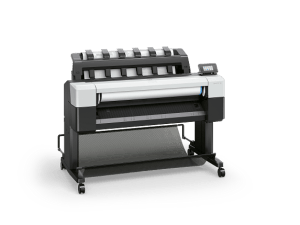
The HP DesignJet XL 3600 MFP is a 36-inch multifunction printer built for offices that print and scan technical drawings, renderings, and plans on a regular basis, but don’t need the raw speed of a high-volume production machine. HP DesignJet XL 3600 MFP

It handles up to two media rolls with auto-switching, runs on 300 mL HP Bright Office Inks, and includes a built-in scanner for one-click copy and scan jobs.

Three things stand out about this model:

  • Fast first page out. At just 29 seconds, you’re not standing around waiting for the first sheet to drop, which matters when you’re printing on demand between meetings.
  • Mono and color prints cost the same. Most large format printers charge more for color. The XL 3600 doesn’t, which simplifies budgeting for offices that print a mix of line drawings and colored renderings.
  • A smaller footprint. The XL 3600 takes up to 30% less floor space than comparable machines in its class, which is a real consideration for offices that have outgrown their current setup but haven’t outgrown their square footage.
  • Longer running time. The XL 3600 supports rolls of paper up to 500 feet, so you’re swapping media less often and getting more uninterrupted print time between roll changes.

Is the HP DesignJet XL 3600 Fast Enough for Print Shops?

For most print shops, the honest answer is no. 

At roughly 3 D/A1 pages per minute, the XL 3600 delivers steady, dependable office output rather than high-volume production. A busy print shop will likely outgrow it faster than an AEC office would.

If your shop is running large batches throughout the day, the HP DesignJet XL 3800 MFP is the better fit.

It doubles the output at up to 6 D/A1 color pages per minute. First page out lands around 20 seconds. It’s the model we recommend most often when print shop owners come to us specifically for speed.

That said, plenty of print shops still run the XL 3600 well, particularly ones handling lower daily volume, walk-in orders, or a mix of large and small format work where speed matters less than reliability and cost control.

AEC firms, on the other hand, tend to be a near-perfect match for this machine since most of their print jobs are plans and renderings rather than back-to-back production runs.

How Does the XL 3600 Compare to the HP DesignJet T2600 MFP Plus?

The XL 3600 costs less to run than the T2600 MFP Plus, with ink cartridges priced around $65 less per cartridge, which adds up to real savings over a full set. HP DesignJet T2600

A 300 mL cartridge for the T2600 MFP Plus typically runs about $200, while the equivalent cartridge for the XL 3600 runs closer to $135. Multiply that across a full set of six cartridges and the savings become significant over the life of the machine, especially for offices that print daily.

The XL 3600 also starts printing faster thanks to a quicker processor, so you’re not waiting on the machine to catch up once you send a job.

Feature HP DesignJet XL 3600 MFP HP DesignJet T2600 MFP Plus HP DesignJet XL 3800 MFP
Best for AEC firms, moderate-volume offices Offices needing vectorization Print shops, high-volume AEC
Print speed ~3 D/A1 pages/min Comparable to XL 3600 ~6 D/A1 pages/min
First page out 29 seconds Slower start time ~20 seconds
Ink cost (300 mL) ~$135/cartridge ~$200/cartridge Varies by configuration
Max roll length Up to 500 ft rolls Standard roll lengths Standard roll lengths
Special feature Mono and color same price Built-in vectorization software Fastest color in its class

Trading In Your HP DesignJet T3500 MFP for the XL 3600?

Businesses trading in an older HP DesignJet T3500 MFP for the XL 3600 make up one of the most common upgrades we see, and it’s easy to understand why once you compare start times side by side. HP DesignJet T3500

Older models like the T3500, T2530, and original T2600 take considerably longer to begin printing once you send a job. In our side-by-side demos, the XL 3600 has already finished printing 10 pages before some of those older machines even start.

If you’re trading in an older large format printer, Steven Enterprises offers trade-in value up to $1,200 toward the purchase of a new XL 3600, which helps offset the upgrade cost considerably.

How Much Does the HP DesignJet XL 3600 Cost?

The HP DesignJet XL 3600 MFP typically runs around $15,000, though we pride ourselves on getting you the best possible price, so it’s worth calling for a custom quote. HP DesignJet XL 3600 MFP

We sell a high volume of these machines each year. We keep them in stock, install them quickly, and carry a full inventory of the ink and supplies you’ll need to keep it running.

So, Is the HP DesignJet XL 3600 Worth It?

For AEC firms and moderate-volume print environments, the HP DesignJet XL 3600 delivers strong speed and low running costs. Its compact footprint is hard to beat at this price point.

Print shops chasing higher daily volume should lean toward the XL 3800 instead. For everyone else, the XL 3600 is a dependable, cost-effective workhorse.

Want to see if the HP DesignJet XL 3600 is the right fit for your office? Contact Steven Enterprises or call us at 800-491-8785 for a custom quote, including your trade-in value.

Posted on

Navigating Government Procurement RFQs for Buying a Large Format Printer

Government agencies issue formal RFQs and IFBs when they need to rent or purchase large format printers. 

Responding correctly requires firm pricing, proof of insurance, factory-authorized service staff, and a vendor who knows the process. Steven Enterprises has bid on these contracts many times and can do the same for your agency or institution.

At Steven Enterprises, we have worked through government procurement documents firsthand. The process is detailed, the contract language is strict, and most of the paperwork falls on the vendor, not the buyer. 

That is the point. If you’re a purchasing officer, department head, or facility manager trying to understand how this works, or whether we can bid on your upcoming procurement, keep reading.

What Is a Government Procurement RFQ for a Large Format Printer?

A Request for Quotation (RFQ) or Invitation for Bid (IFB) is the formal document a government agency issues when it wants to rent, lease, or purchase a large format printer through a competitive bidding process. 

The agency specifies the exact equipment it needs, the contract terms, the service requirements, and the insurance minimums. Vendors submit bids, and the contract typically goes to the lowest qualified bidder who meets every requirement.

A real example of what these look like is the Orange County Public Works IFB for an HP PageWide XL 5200 rental, which specifies:

  • a three-year initial term with two optional one-year renewals
  • firm fixed pricing for the full contract duration
  • and a cost-per-square-foot billing structure for all printing output

That contract also requires delivery within 10 days of execution, factory-trained technicians, four-hour on-site response to service calls, and a dedicated account manager assigned to the County.

Most large format printer procurement documents follow this same general structure, regardless of whether the agency is a county department, a public university, a utility, or a school district.

What Government Buyers Actually Evaluate in Large Format Printers

Price matters, but it is not the only thing that gets a vendor selected or disqualified.

Government procurement officers evaluate several factors before a contract is awarded.

  • Firm fixed pricing. Government contracts are almost always firm fixed fees. The price you bid is the price locked in for the full contract term, including renewals. No mid-contract increases are permitted. That means the vendor has to price accurately from the start.
  • Service capacity and response time. Most contracts specify exactly how fast a vendor must respond to service calls and how long repairs can take. A four-hour on-site response requirement is common. Vendors need factory-authorized, certified technicians available to meet that standard consistently.
  • Insurance minimums. To qualify for most government contracts, vendors need to carry at least $1,000,000 per occurrence in Commercial General Liability, $2,000,000 aggregate, $1,000,000 in Automobile Liability, and Workers’ Compensation at statutory limits. These requirements are non-negotiable and must be documented before a contract is awarded.
  • Delivery timeline. Contracts typically require equipment to be delivered, installed, and accepted before billing can begin. A 10-day delivery window from contract execution is standard.
  • Ongoing reporting. Winning a contract is the beginning, not the end. Annual usage reports, notifications when expenditure reaches 75 percent of the contract ceiling, and 90-day advance notice before a contract term ends are all common requirements vendors must manage.

Why Choose Steven Enterprises for your Procurement & Contract Services Quote

Government procurement officers evaluate vendors against a checklist. Here is where Steven Enterprises checks those boxes:

  • Woman-owned and minority-owned. Many government agencies carry supplier diversity requirements and track spending with certified diverse vendors. Steven Enterprises holds both woman-owned and minority-owned certifications, which can be meaningful factors in agencies with diversity spend goals. You can verify our certifications directly on our Women Business Enterprise certificate page and our GSA vendor profile.
  • Competitive pricing. We price aggressively. That is not a marketing claim; it is how we have stayed competitive across three decades in Southern California. Government contracts go to the lowest qualified bidder, and our cost structure on both rental and cost-per-square-foot rates reflects that.
  • Factory-authorized service. All of our technicians are factory-trained and certified to service the equipment we sell and rent. That meets the “qualified technician” standard required in virtually every large format printer government contract. We also assign a dedicated account manager to every government account, which satisfies the account manager requirement written into most IFBs.
  • Local Orange County presence. We are based in Irvine. For contracts that require the vendor to store records in Orange County, provide on-site service within hours, and maintain a local operational presence, our location is a genuine advantage over national vendors that manage accounts remotely.
  • Cooperative contract eligibility. When a government vendor wins an IFB, many contracts include a cooperative clause that allows other departments, municipalities, or educational institutions to access the same pricing and terms without having to run their own full bid process. Winning one contract with us can extend to multiple agencies under that provision.

What the Process Looks Like From Your Side

If your agency, department, or institution needs a large format printer and you want to run a competitive procurement, here is roughly what to expect:

  1. Your procurement team issues the IFB or RFQ with the equipment specifications, contract terms, and service requirements. 
  2. Vendors review the document, typically 40 or more pages, and respond with a bid covering equipment, monthly rental rate, cost per square foot, and all service commitments. 
  3. The agency evaluates the bids against both price and the “responsible and responsive” standard, which covers insurance, certifications, service capability, and compliance with all stated terms.
  4. On our end, we review the four to five pages of the document that are directly relevant to pricing and commitments. 
  5. We prepare and submit the bid, handle all back-end paperwork, and, if we are awarded the contract, manage delivery, installation, ongoing service, and all reporting requirements for the duration of the term.

You do not need to manage the process beyond issuing the document and reviewing bids. We handle everything that follows.

Request Steven Enterprises to Bid on Your Project

If your agency has an open RFQ or IFB for a large format printer rental, purchase, or service contract, send it to us. 

We review procurement documents and submit bids for agencies across Southern California, including Orange County, Los Angeles County, San Bernardino, and surrounding municipalities. 

Our team also works with universities, school districts, utilities, and other public institutions.

We carry HP large format equipment, Canon large format equipment, and OCE large format equipment, and can bid on RFQs specifying most major brands. Our plotter rental program is already active and structured to meet government contract requirements.

Call us at 800-491-8785 or submit your inquiry here. Share the procurement document, and we will tell you quickly whether we can bid and what our pricing looks like.

Posted on

Selling Your Used Large Format Plotters – Buy-Backs and Trade-Ins Explained

When you decide to get rid of your large format printer, you have three options depending on the machine’s age and condition. 

They include: a manufacturer trade-in, a buy-back from a company like Steven Enterprises, or free recycling. 

At Steven Enterprises, we field calls about this constantly. Someone has an old plotter taking up floor space, a machine that stopped working, or they just want to upgrade and they want to know what their options are. 

In most cases, you walk away with money in your pocket, and we handle everything.

This guide walks through exactly how each option works, what we accept, and what you can realistically expect.

The Used Large Format Plotters We Accept at Steven Enterprises

Before anything else, here is where we draw the line…

We do not take 20-year-old machines from people who just want to get rid of a printer without buying a new one. If you have a decades-old plotter collecting dust and you are not in the market for a replacement, that is not something we can work with.

Everything else is fair game; your printer can be damaged or broken. It does not need to be in working condition for us to take it off your hands. 

We will haul it away no matter what, and from there we figure out the best route together: recycling, a trade-in through the manufacturer, or a direct buy-back from us.

Option 1: Manufacturer Trade-In Programs

Best for: Anyone buying a new large format printer who wants money toward the purchase, regardless of how old their current machine is.

Manufacturer trade-in programs are the most common route and often the most valuable one. 

HP calls theirs the Cash-In Trade-Up program, while Canon runs similar quarterly deals

These promotions offer you cash credit toward the purchase of a new machine, and they apply to almost any model regardless of age. 

Even a 30-year-old printer can qualify for a manufacturer trade-in credit as long as you are buying new equipment.

Here is how the process works when you go through Steven Enterprises:

We give you the trade-in credit upfront when you purchase your new machine, so you don’t have to wait or do any paperwork on your end. 

We then take your old printer, handle the trade-in claim with the manufacturer ourselves, which involves submitting:

  • the invoice
  • the serial number
  • and the relevant documentation

And we receive the reimbursement check from the manufacturer a month or so later. 

We charge you no fee for any of this. The trade-in credit you get is exactly what the manufacturer offers.

One practical note on timing: trade-in deals typically run quarterly. Canon’s current offer runs through the end of June, though historically some promotions have continued beyond the original window. 

HP has at times kept the same rebate active for the better part of a full year. The point is these deals do come and go, so if you are thinking about upgrading, it pays to ask sooner rather than later.

Option 2: Buy-Backs from Steven Enterprises 

Best for: Newer machines, typically within five years old, that still hold resale value.

If no manufacturer trade-in is available for your model, Steven Enterprises may offer a direct buy-back. 

This is separate from any manufacturer program. We assess the machine, and if it is recent enough to still have value, we make you an offer.

The machines that qualify for buybacks are generally 5 years old and in reasonable condition. 

Older models are harder to place because parts availability starts to dry up, and the resale market thins out considerably for machines past a certain age. 

The HP PageWide XL series and newer Canon large format models tend to hold value well and are the kinds of machines we are most likely to make an offer on.

Every buy-back is model-specific. The best way to find out if yours qualifies is to call us directly. We can give you an answer quickly based on the model and age.

Option 3: Free Recycling

Best for: Older machines with no trade-in value, or any machine where the other two options do not apply.

If your printer does not qualify for a trade-in or a buy-back, we will still take it. 

When you purchase a new machine through us, we will pick up the old one at no charge when we deliver and install the new equipment. We handle the disposal and recycling responsibly.

This option applies even if the machine is completely non-functional. All we need is enough to identify the unit, primarily the serial number, and we take it from there.

A Note on Ink Supplies for Used Large Format Printers

Trade-in and buy-back conversations sometimes come with a follow-up question about leftover ink. 

Here is the honest answer: ink returns are more like a return policy than a trade-in program. Supplies purchased from us can typically be returned within 30 days of purchase. After that window closes, ink with limited shelf life before expiration is not something we can take back.

The practical takeaway here is to order ink as you need it rather than stocking up heavily in advance. 

We assign every customer a dedicated account manager who tracks supply needs, places orders promptly, and ensures customers are not left with unused ink. We stock almost all major ink and toner lines, and pickup is available if you are local.

You can browse HP ink, Canon ink, and OCE toner directly on our site, or call your account manager to set up a regular supply cadence that keeps you stocked without overbuying.

Find Out If Your Large Format Printer Qualifies for a Trade-in

Trade-in deals change quarterly, and buy-back eligibility depends on the model. The fastest way to know what your printer is worth is to give us a call. 

We will tell you exactly where your machine stands and what your best option is right now.

Call 800-491-8785 or contact us here. Trade-in offers do not last forever, so if you are thinking about upgrading, do not wait.

Posted on

HP PageWide vs. OCÉ PlotWave – Which is Better for High-Volume Print Shops

If your print shop is pushing between 75,000 and 200,000 square feet of output every month, you are not shopping for just any printer. 

You need a machine built to keep up with that kind of volume without draining your margins. 

Two names will come up consistently in that conversation: the HP PageWide vs Océ PlotWave line.

At Steven Enterprises, we have helped hundreds of print shops across Southern California pick the right machine for their volume, their budget, and their actual output mix. 

Both are serious machines, but they take very different approaches to high-volume printing, and the right choice depends on what your shop actually needs day-to-day.

This guide breaks it down so you can make the call with confidence.

What Counts as High-Volume for a Print Shop?

A high-volume print shop produces between 75,000 and 200,000 square feet of output per month. At that scale, every cent per square foot compounds quickly, and any unplanned downtime is expensive. 

Speed, running costs, and reliability are not nice-to-haves at that volume; they are the whole decision.

Both the HP PageWide XL series and the OCÉ PlotWave line are built for this environment. They just get there differently.

HP PageWide XL: Best for Color-Critical, High-Speed Shops

Bottom line: If your shop prints color, the HP PageWide XL is the stronger machine.

HP’s PageWide technology uses a stationary printhead that spans the full width of the page, printing in a single pass. There is no carriage moving back and forth. 

That design is what makes these machines so fast, and why they have become the standard for high-volume print shops that need color output.

The two models that show up most in busy shops are the HP PageWide XL 5200 MFP and the HP PageWide XL 8200. The 5200 MFP runs at 20 pages per minute in full color. The 8200 pushes to 30 pages per minute, also in full color. 

If your shop handles technical drawings, site plans, or any color-critical work, that throughput is hard to match.

The trade-off is ink cost. PageWide machines use inkjet technology, which historically cost more per square foot than toner; that gap has narrowed considerably in recent years. 

For shops that need color output and high throughput, the PageWide series gives. you color for a running cost that competes closely with black-and-white toner machines.

OCÉ PlotWave: Best for High-Volume Monochrome at Lower Running Cost

Bottom line: If your shop runs mostly black-and-white at massive volume, the OCÉ PlotWave keeps your cost per page lower.

The PlotWave lineup is almost entirely black and white, with one exception for color, the OCÉ ColorWave

Most high-volume print shops running PlotWave machines stick with the monochrome models.

Speed on the PlotWave ranges from around 4 pages per minute on the lower end to 10 pages per minute at the top of the range. That is fast, though the HP PageWide XL does outpace it at the higher end of the spec sheet.

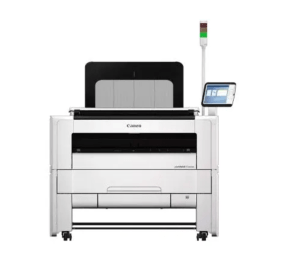
The most common PlotWave model you will see in shops today is the Canon PlotWave T50 Series

If you walk into an older print shop that has been running OCÉ equipment for years, you might still find an OCÉ TDS 750, which was the workhorse of its era before the brand was absorbed into Canon. 

Toner running costs sit in the $0.008 per square foot range for ink-only costs on PlotWave machines. 

The all-in cost including service and supplies lands around $0.117 to $0.128 per square foot based on industry benchmarks, though that figure varies by volume and contract terms.

Head-to-Head: HP PageWide XL vs. OCÉ PlotWave

If your shop prints mostly black-and-white technical documents and cost per page is your primary concern, the OCÉ PlotWave is a proven option. It is reliable, built for endurance, and the toner model has a long track record in demanding environments.

If you need color output, or you want the fastest possible throughput and are willing to accept ink-based running costs, the HP PageWide XL wins on almost every other metric. 

The XL 8200 in particular is where a lot of shops have landed in recent years, partly because the running costs are competitive enough that the color advantage essentially comes for free compared to running a dedicated mono toner machine.

The real question to ask yourself: how much color work is coming through your shop? If the answer is “a lot” or “growing,” the PageWide is hard to argue against.

If your output is almost entirely mono and volume is massive, the PlotWave earns its place.

HP PageWide XL OCÉ PlotWave
Technology Inkjet, single-pass Toner
Speed 20 to 30 pages/min 4 to 10 pages/min
Color Full color, all models Mostly mono; one color option (ColorWave)
Ink/toner cost ~$0.005 to $0.01/sq ft ~$0.008/sq ft
Best for Color output, high throughput High-volume mono, cost-sensitive shops
Common models XL 5200 MFP, XL 8200 Canon PlotWave T50 Series
Legacy model HP DesignJet series OCÉ TDS 750

Talk to an Expert Who Knows These High-Volume Printers

Steven Enterprises has been working with high-volume print shops for over 30 years. 

We carry both HP PageWide XL equipment and Canon PlotWave machines, and we will run the numbers on what actually makes sense for your shop’s volume and output mix.

Call us now at 800-491-8785 or request a quote here. We will give you a straight answer without leaving you guessing.

Posted on

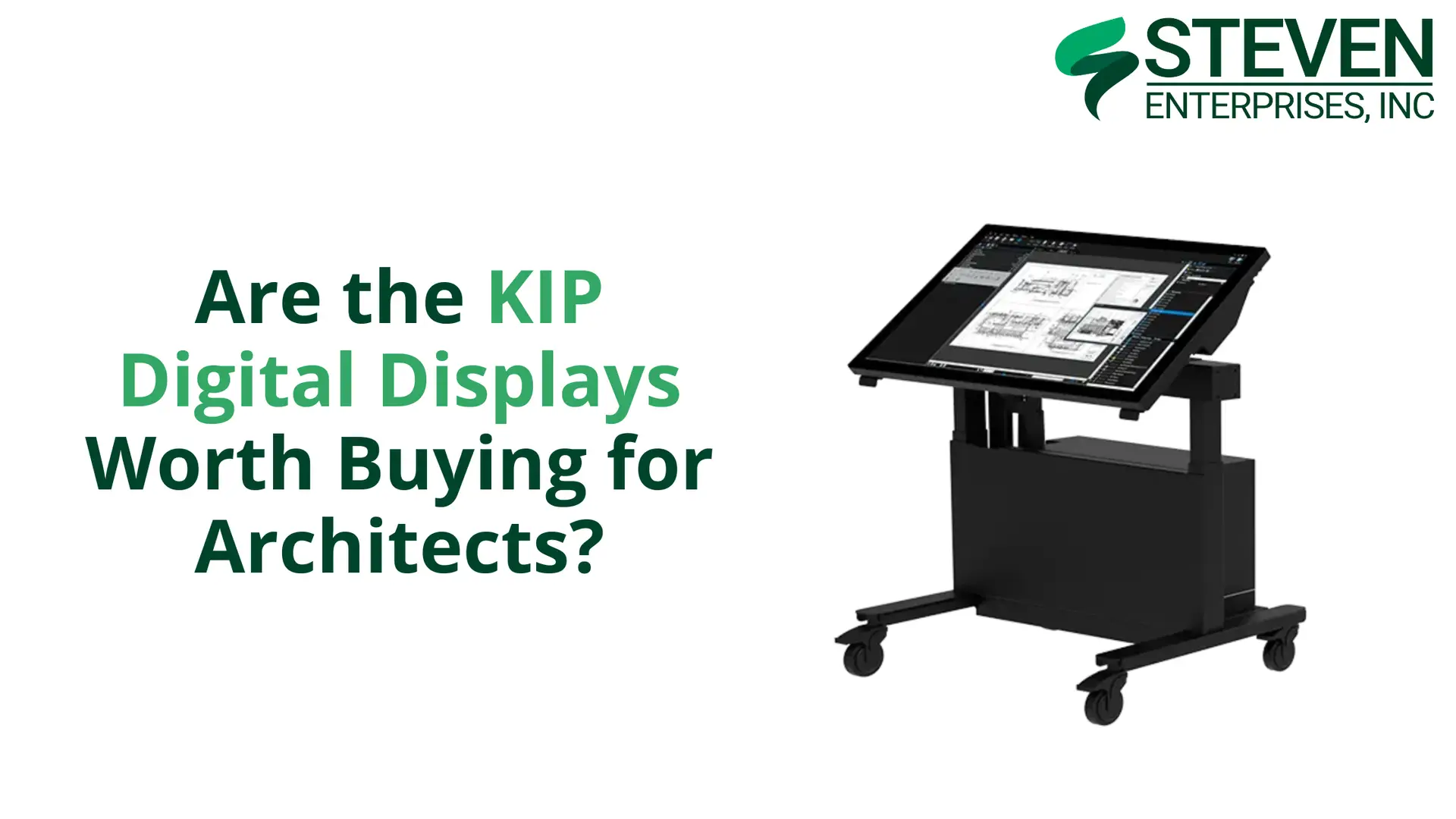
Are the KIP Digital Displays Worth Buying for Architects?

KIP Digital Displays offer a purpose-built solution for AEC professionals who want to move beyond paper plans.

At Steven Enterprises, we have seen that this is what professionals are after without sacrificing the collaborative benefits of reviewing designs together. 

But are they worth the investment? 

Let’s explore what these displays offer and whether they make sense for your practice.

The Digital Shift in AEC: Why KIP Full Display Matter

In 2026, the era of “dog-eared” paper plans pinned to trailer walls is ending.

While many firms have tried to bridge the gap using standard smart TVs, they quickly hit a wall.

TVs aren’t interactive, they aren’t rugged enough for job sites, and they can’t handle high-resolution CAD markups.

KIP Digital Displays are the professional alternative. These 4K touch-enabled systems are built specifically for the AEC industry to facilitate real-time “redlines,” project estimating, and coordination meetings.

The KIP Full Display Lineup

Here’s a breakdown of the three main product categories and their price ranges: KIP tabletop

Tabletop Displays: $6,000 – $10,000

The KIP Tabletop is the perfect entry point for firms that already have existing furniture but need to digitize their review process.

Key Features:

  • Space-efficient design ideal for offices with limited room
  • Touch-enabled interface for intuitive plan navigation
  • Perfect for individual designers reviewing plans at their desks
  • Suitable for job site trailers where space is at a premium

Best For: Quick “plug-and-play” review sessions and smaller coordination meetings.

Plan Desks: $13,000 – $16,000

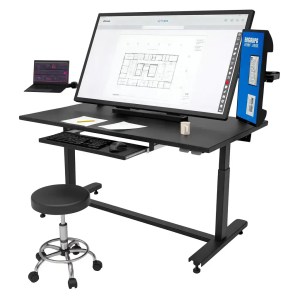
The KIP Plan Desk is a dedicated workstation designed for the individual project manager or estimator. KIP plan desk

It combines a large 4K touchscreen with a secondary 22″ side monitor for multitasking.

Key Features:

  • Integrated workstation design for dedicated review stations
  • Ergonomic construction for comfortable extended use
  • Larger screen sizes for detailed plan review
  • Professional appearance suitable for client-facing areas

Best For: Detailed plan markups, estimating, and maintaining a digital trail for change orders.

Plan Tables: $16,000 – $19,000

The KIP Plan Table is the flagship for team collaboration.

This mobile, motorized system is designed to be the centerpiece of a job site trailer or a design-build “war room.”.

Key Features:

  • Large screen sizes for team collaboration and presentations
  • Multi-user interaction capability for collaborative design reviews
  • Optional mobility with wheeled bases for flexible positioning
  • Conference table form factor familiar to traditional plan review workflows
  • Professional presentation quality for client meetings

Best For: Contractor coordination meetings, progress reviews, and large-scale infrastructure projects.

The Honest Alternative: Smart TVs

Let’s address the elephant in the room: couldn’t you just buy a large smart TV instead? 

The honest answer is yes, you could. A 55-inch or larger smart TV can display plans when you cast your phone, tablet, or computer to the screen. 

For basic plan viewing, a smart TV will cost significantly less; often just a few hundred dollars compared to several thousand for a KIP Digital Display.

However, that comparison only tells part of the story. KIP Digital Displays offer substantial advantages beyond simple plan viewing:

Purpose-Built Software Integration

KIP displays are designed to work seamlessly with AEC software platforms. They support native integration with common plan viewing and collaboration tools, eliminating the need for workarounds or complex screen sharing setups.

Multi-Touch Collaboration

While smart TVs may offer basic touch capabilities, KIP displays support sophisticated multi-touch interaction that allows multiple team members to annotate, mark up, and navigate plans simultaneously.

Precision and Accuracy

KIP displays are calibrated for the precise rendering of technical drawings with accurate scaling, dimensions, and line weights. Consumer TVs prioritize video entertainment, not technical accuracy.KIP tabletop

Workflow Optimization

From specialized annotation tools to document management features, KIP displays are optimized for AEC workflows in ways that generic displays simply aren’t.

Professional Appearance

In client-facing environments, the professional appearance and purpose-built design of KIP displays convey competence and technological sophistication that consumer electronics don’t match.

Who Should Invest in KIP Digital Displays?

KIP Digital Displays make the most sense for organizations that:

  • Prioritize Collaborative Design Review: If your workflow depends on teams gathering around plans for detailed review and coordination, the interactive capabilities of KIP displays significantly enhance that process.
  • Have Already Embraced Digital Workflows: Firms that have moved to cloud-based collaboration, digital plan management, and tablet-based fieldwork will find that KIP displays integrate naturally into their existing workflows.
  • Value Professional Client Presentation: If you regularly present designs to clients and want to create impressive, interactive presentations, KIP displays deliver a professional experience that sets you apart.
  • Work on Complex Projects: Large, complex projects benefit from the ability to zoom, annotate, and navigate digital plans collaboratively during coordination meetings.
  • Have Budget for Technology Investment: Most large AEC firms have substantial budgets built into projects for technology and equipment. For these organizations, the investment in KIP displays is easily justified by improved efficiency and reduced printing costs.

Real-World Applications

KIP Digital Displays excel in specific scenarios:

Job Site Trailers

Construction trailers are ideal locations for KIP displays. Superintendents, project managers, and subcontractors can gather around the display to review plans, coordinate work, and discuss field conditions without printing multiple plan sets or struggling to read plans on small tablet screens.

Design Office Collaboration

Design teams can use Plan Tables for regular design reviews, allowing architects, engineers, and consultants to collaborate on plan refinements interactively rather than marking up printed sheets.

Client Presentations

When presenting design concepts to clients, the ability to walk through plans interactively, zoom into details, and make real-time annotations creates a more engaging and productive client experience than static printed plans.

Explore KIP Digital Displays for Your Practice

Interested in learning more about how KIP Digital Displays could enhance your workflow? 

We’re here to help you make an informed decision. 

Contact us today or call us at 800-491-8785 to:

  • Discuss your specific collaboration and presentation needs
  • Learn more about the different display configurations
  • Get detailed pricing and specifications
  • Explore integration with your existing software

Our team can help you evaluate whether KIP Digital Displays are the right investment for your practice and what best meets your needs.

Posted on

Best Large Format Printers for Construction Plans in 2026

Construction professionals depend on large format printers to deliver crisp, reliable prints that communicate design intent accurately to everyone on the job site. 

At Steven Enterprises, we understand that clear and accurate plans are essential for project success in the construction industry. 

Whether you’re a general contractor or project engineer, having the right large format printer ensures your construction documentation is always precise and ready when needed.

The Critical Role of Quality Printing in Construction

Construction plans serve as the primary communication tool between designers, contractors, subcontractors, and building officials. 

These documents must convey complex information clearly and accurately, including structural details, mechanical systems, electrical layouts, and finish specifications. 

Poor print quality can lead to misinterpretation, costly errors, and project delays.

Modern construction workflows typically involve creating plans in CAD software, then converting them to PDF format for distribution and printing.

The large format printers used for construction plans must deliver:

  • Sharp, precise line work for accurate measurements
  • Clear text and labels at any scale
  • Durable prints that withstand job site conditions
  • Fast output to keep projects on schedule
  • Consistent quality for professional documentation

Top 5 Large Format Printers for Construction Plans in 2026

Based on reliability, output quality, and overall value for construction professionals, here are the best large format printers for construction plan printing in 2026:

1. HP PageWide XL 3800

The HP PageWide XL 3800 is a game-changer for construction document printing.

It uses a stationary print bar to deliver up to 6 D-size pages per minute in full color.

Key Features:

  • Ultra-fast print speeds keep projects moving
  • PageWide technology ensures edge-to-edge consistency
  • Handles medium to high print volumes effortlessly
  • Energy-efficient operation reduces overhead costs
  • Minimal maintenance requirements maximize uptime

Best For: Mid-sized construction firms with regular plan printing needs, project teams requiring quick turnaround on plan sets, and companies looking to improve efficiency without sacrificing quality.

2. KIP 740

The KIP 740 is a legendary workhorse. KIP 740

Because it uses toner-based technology, the prints are 100% waterproof and UV-resistant, making them perfect for blueprint printers whose output will be used outdoors.

Key Features:

  • Superior print quality for detailed construction drawings
  • Built for continuous, heavy-duty production
  • Versatile media handling for various plan formats
  • Rugged construction for long-term reliability
  • Professional output for submittals and presentations

Best For: Growing construction companies with increasing plan volumes, project offices managing multiple active jobs, and firms that need dependable output for both field use and client documentation.

3. HP DesignJet T1600 MFP

If space is your biggest constraint, the HP DesignJet T1600 MFP is the answer.HP DesignJet T1600

It is the most compact and quietest 36-inch MFP, designed specifically to fit into cramped project trailers.

Key Features:

  • 36-inch print width handles standard construction plan sizes
  • All-in-one functionality for a complete workflow
  • User-friendly touchscreen simplifies operation
  • Space-saving design fits in crowded project trailers
  • Economical for small to medium print volumes

Best For: Small to medium construction companies, job site trailers with limited space, specialty contractors, and firms wanting scanning capabilities in addition to printing.

4. KIP 785

For enterprise-level plan printing, the KIP 785 offers industrial-grade reliability. KIP-785-High-Volume

This 4-roll system allows you to switch between different media sizes (like 24″, 30″, and 36″ rolls) automatically without manual intervention.

Key Features:

  • Exceptional speed for large plan set production
  • Commercial-grade reliability for continuous operation
  • Advanced workflow automation streamlines production
  • Top-tier print quality across all media types
  • Comprehensive finishing options for professional deliverables

Best For: Large general contractors with extensive printing needs, companies managing multiple concurrent projects, and enterprise-level construction operations requiring maximum reliability and throughput.

5. HP PageWide XL 8200

The HP PageWide XL 8200 is the pinnacle of construction printing technology.

It is the fastest large format printer in the industry, producing up to 30 D-size pages per minute.

Key Features:

  • Fastest print speeds in the industry; up to 30 D-size pages per minute
  • Unmatched print quality for the most detailed construction plans
  • Maximum reliability for mission-critical deadlines
  • Advanced automation and integration capabilities
  • Lowest cost per page at high production volumes

Best For: Major construction companies with the highest printing demands, corporate construction divisions managing extensive portfolios, and large-scale projects requiring maximum speed and reliability.

Selecting the Right Construction Plan Printer

All the printers listed handle construction plans effectively, but the right choice depends on your specific operational needs. Consider these key factors when making your decision:

  • Print Volume: Smaller contractors and specialty trades often find the T1600 MFP meets their needs perfectly. Medium-volume users should consider the PageWide XL 3800 or the KIP 740. Large general contractors and commercial builders benefit from the power of the KIP 785 or PageWide XL 8200.
  • Turnaround Speed: When bidding deadlines are tight and you need plan sets fast, the HP PageWide technology in the XL 3800 and XL 8200 delivers exceptional throughput without quality compromise.
  • Budget Considerations: The printers are arranged from most affordable to premium. The PageWide XL 3800 offers excellent value for mid-range needs, while the PageWide XL 8200 represents a premium investment for maximum performance and lowest long-term operating costs.
  • Multifunction Requirements: If you need to scan existing plans or make quick copies in the field, the T1600 MFP’s all-in-one capabilities are invaluable, especially in space-constrained project trailers.
  • Project Portfolio Growth: Think beyond current needs to where your business is headed. Investing in slightly more capacity than required today can accommodate growth without requiring equipment replacement in a year or two.

Real-World Construction Applications

These large format printers serve construction professionals across a wide range of applications:

  • Plan Set Production: Quickly produce complete sets of construction documents for bidding, permitting, and field use.
  • Shop Drawings: Generate detailed fabrication and installation drawings for mechanical, electrical, and structural systems.
  • As-Built Documentation: Print updated plans showing actual construction conditions for closeout and facility management.
  • Site Plans and Layouts: Create clear site logistics plans, grading plans, and utility layouts for coordination and permitting.
  • Submittal Packages: Produce professional-quality documents for submittal to owners, architects, and building officials.

Get Expert Guidance on Construction Plan Printers

Our team understands the unique demands of construction documentation and can help you select the perfect printer for your operation. 

Contact us today or call us at 800-491-8785 to:

  • Discuss your specific printing volume and requirements
  • Compare detailed specifications across models
  • Review sample prints to evaluate quality firsthand
  • Receive a personalized quote based on your needs

Let our construction printing specialists help you find the ideal solution to keep your projects running smoothly with professional-quality plan printing every time.

Posted on

Best Printers for CAD Design Large Format Prints 2026

At Steven Enterprises, we see that Computer-aided Design (CAD) has become the foundation of modern technical drawing across architecture, engineering, and manufacturing. 

Whether you’re creating detailed floor plans in AutoCAD, developing mechanical parts, or producing civil engineering projects, print quality directly affects how your work is perceived.

That’s why choosing the right large format printer matters. With the right equipment, your technical drawings, blueprints, and plans are reproduced with the clarity and precision they require.

Understanding CAD Design and Printing Requirements

Computer-aided design (CAD) is the use of specialized computer software to create, modify, analyze, and optimize detailed 2D or 3D graphical representations of physical objects. 

CAD has replaced manual drafting across most industries by improving accuracy, design quality, and efficiency in fields like architecture, engineering, and manufacturing.

For professional results, CAD printing solutions must translate digital metadata into physical form. 

Most professionals now use a specific workflow: creating designs in AutoCAD, exporting them to high-fidelity PDFs via Bluebeam, and then sending them to large format printers.

A professional CAD printer must deliver:

  • Sharp, Precise Line Work: Essential for technical accuracy and scale.
  • Clear Text & Dimensioning: Legibility is non-negotiable for blueprints.
  • Fast Processing: The ability to handle complex “heavy” PDF files without lag.
  • Reliable High-Volume Output: Consistent performance for tight project deadlines

Top 5 Large Format Printers for CAD Design in 2026

Based on performance, reliability, and value, here are the best large format printers for CAD design work in 2026. 

These models are ranked from most affordable to premium solutions, allowing you to choose based on your budget and volume requirements.

1. HP DesignJet T1600 MFP

The HP DesignJet T1600 MFP is the ideal entry point for small CAD shops. It is the most compact and quietest 36-inch MFP in its class, featuring a radical design that fits into tight office spaces.HP DesignJet T1600

Key Features:

  • 36-inch print width accommodates most CAD drawings
  • Multifunction capabilities for complete document workflow
  • Intuitive touchscreen interface for easy operation
  • Compact design saves valuable office space
  • Cost-effective for lower to medium print volumes

Best For: Small architectural firms, individual CAD designers, engineering consultants, and businesses with moderate printing needs who value the all-in-one convenience of scan and copy functions.

2. HP PageWide XL 3800

When speed and efficiency become critical to your CAD workflow, the HP PageWide is the “sweet spot” for medium-sized firms.

It produces CAD design large format prints at incredible speeds without the warm-up time of traditional LED printers.

Key Features:

  • Ultra-fast print speeds reduce wait times significantly
  • PageWide technology ensures consistent quality across the page
  • Designed for medium to high-volume CAD printing
  • Energy-efficient operation lowers operating costs
  • Automatic maintenance keeps printer running optimally

Best For: Medium-sized firms handling regular CAD printing, design departments that need fast turnaround times, and businesses looking to boost productivity.

3. KIP 740

The KIP 740 represents the next level in CAD printing technology, offering enhanced capabilities for demanding workflows. KIP 740

This printer can handle higher volumes while maintaining excellent print quality and reliability. As a result, it supports growing teams without disrupting workflow.

Key Features:

  • Superior print quality for detailed CAD drawings
  • Built for continuous, high-volume production
  • Advanced media handling for various paper types
  • Robust construction ensures long-term reliability
  • Professional-grade output suitable for client presentations

Best For: Architectural and engineering firms, CAD departments with rising print demand, and organizations that require consistent, high-quality output for both internal use and client deliverables.

4. KIP 785

For organizations with substantial CAD printing needs, the KIP 785 delivers industrial-strength performance. KIP-785-High-Volume

This premium printer is designed to handle the demanding requirements of large engineering firms and high-volume reprographics operations.

Key Features:

  • Exceptional speed for large print runs
  • Commercial-grade reliability for 24/7 operation
  • Advanced workflow automation features
  • Highest quality output in the KIP lineup
  • Comprehensive finishing options available

Best For: Large engineering firms with extensive CAD printing needs, reprographics shops serving multiple clients, and enterprise-level operations requiring maximum uptime and performance.

5. HP PageWide XL 8200

At the top of the range, the HP PageWide XL 8200 represents the pinnacle of CAD printing technology.

This flagship model combines blazing speed with exceptional quality, making it the ultimate choice for the most demanding CAD environments.

Key Features:

  • Industry-leading print speeds up to 30 D-size pages per minute
  • Uncompromising print quality for the most detailed CAD work
  • Maximum reliability for mission-critical operations
  • Advanced automation and workflow integration
  • Lowest cost per page in high-volume scenarios

Best For: Enterprise-level organizations with the highest CAD printing demands, large architectural firms managing multiple concurrent projects, and reprographics centers requiring absolute maximum throughput and reliability.

Choosing the Right CAD Printer for Your Needs

All CAD printers handle technical drawings, blueprints, and plans created in AutoCAD and similar CAD software. 

The key differences lie in speed, volume capacity, and features. When selecting a large format printer for CAD design, consider these factors:

  • Print Volume: Smaller shops and individual designers typically do well with the T1600 MFP. However, medium-sized firms may need the added capacity of the PageWide XL 3800 or KIP 740. For high-volume environments, the KIP 785 or PageWide XL 8200 provides the performance required to keep production moving.
  • Speed Requirements: If fast turnaround is critical to your workflow, speed becomes a deciding factor. In that case, HP PageWide technology in the XL 3800 and XL 8200 delivers high output speeds without sacrificing quality.
  • Budget: Cost also plays a role in narrowing your options. To make comparison easier, these printers are organized from least to most expensive. The T1600 MFP offers an accessible entry point, while at the other end of the range, the PageWide XL 8200 represents a higher investment built for maximum performance.
  • Multifunction Needs: Some teams require more than printing alone. If scanning and copying are part of your daily workflow, the T1600 MFP provides all-in-one functionality at a competitive price.
  • Future Growth: It’s important to think beyond your immediate needs. As your CAD workload expands over the next two to three years, print volume may increase as well. By planning ahead, you can choose a device with slightly more capacity than you need today and avoid upgrading too soon.

Find Your Perfect CAD Printing Solution

Selecting the right large format printer for CAD design is an investment in your productivity and professional image. 

Contact us today or call us at  to discuss your specific requirements, get detailed specifications, compare models side-by-side, or request a personalized quote. 

Our team of technical specialists can help you choose the perfect printer for your CAD design needs and ensure you get the best value for your investment.

Posted on

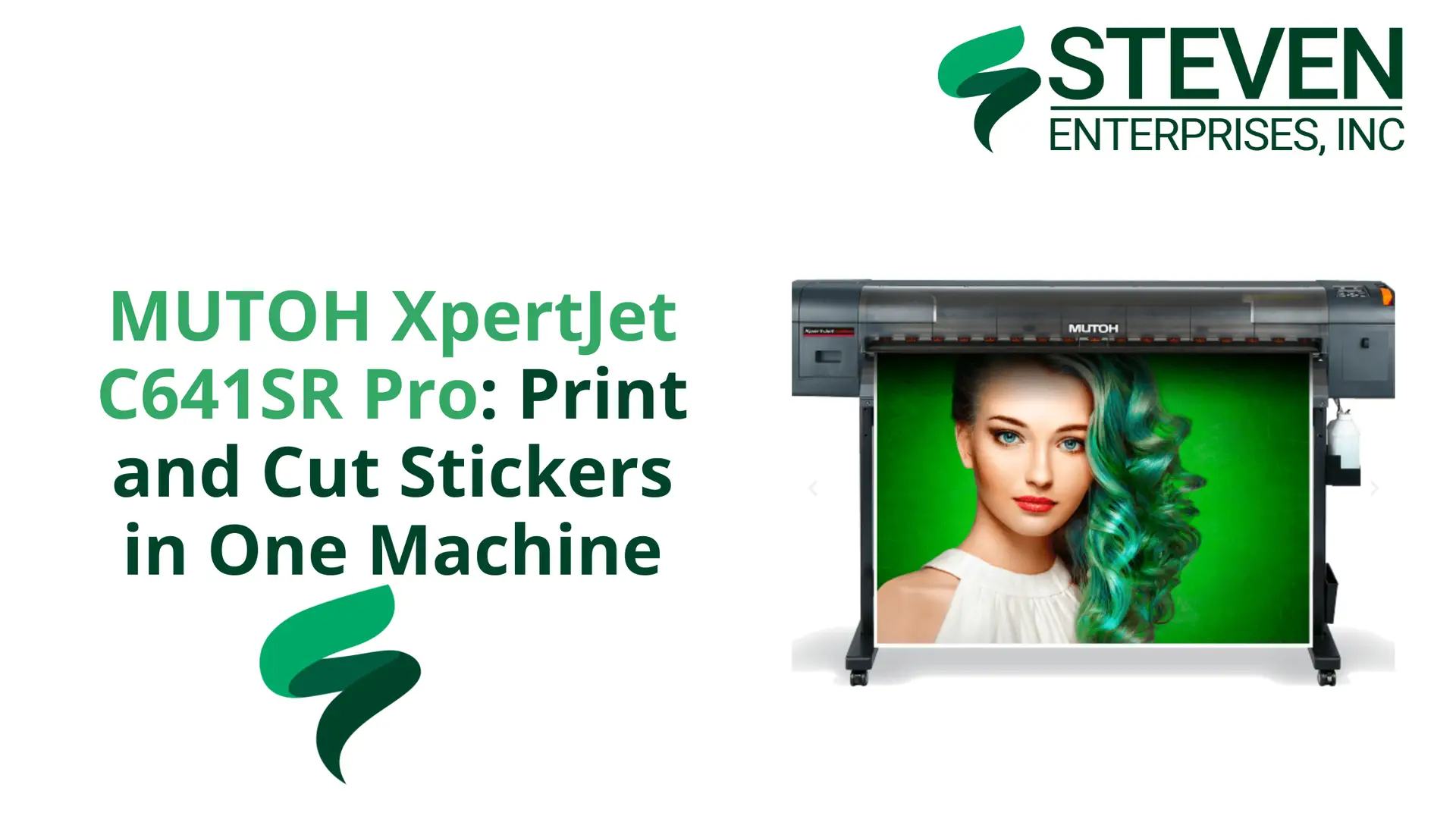
MUTOH XpertJet C641SR Pro: Print and Cut Stickers in One Machine

Running a sticker business means you need fast, reliable equipment. The MUTOH XpertJet C641SR Pro delivers both. 

At Steven Enterprises, we’ve sold several of these print and cut machines to businesses making stickers, decals, and heat transfer designs. 

Here’s what you need to know about this 24-inch printer that’s become a popular alternative to more expensive options.

What Is the MUTOH XpertJet C641SR Pro?

The MUTOH XpertJet C641SR Pro is a print and cut machine. It prints your design, reels the material back in automatically, and cuts everything for you.

No manual transfer between machines or alignment issues. Just load your material, send your job, and collect finished stickers.

This machine launched in September 2024 and quickly gained traction as a cost-effective alternative to Roland’s offerings. 

At $7,995, it costs significantly less than comparable Roland print and cut models that sell for over $10,000.

Who Needs a Print and Cut Machine like MUTOH XpertJet C641SR Pro?

This machine fits specific business types like:

  • Sticker and decal businesses producing custom designs
  • Apparel shops creating heat transfer designs for t-shirts
  • Sign makers handling vinyl graphics and lettering
  • Custom product manufacturers making labels and promotional materials

If you run high-volume production on 24-inch wide material, the MUTOH XpertJet C641SR Pro keeps pace with demanding schedules. 

Steven Enterprises works with businesses in all these categories, and we’ve seen how this machine handles continuous operation without quality loss.

Save Time and Space: The All-in-One Advantage

Traditional setups require two machines. You need a 24-inch printer and a separate Graphtec cutting plotter. Graphtec CSX510 Front

This means:

  • Twice the floor space
  • Manual material transfer between machines
  • Alignment challenges that waste material
  • Extra handling time on every job

The MUTOH XpertJet C641SR Pro removes these problems; one machine replaces two. 

The workflow is automatic and you save one to two steps per job, which adds up fast when you’re running dozens of orders daily.

The space savings matter too as many businesses run tight on floor space.

Consolidating two machines into one frees room for additional equipment or inventory.

MUTOH vs Roland: Price Comparison

The Roland TrueVIS series (like the SG3) has long dominated this market but carries a premium price tag. 

The MUTOH XpertJet C641SR Pro offers roughly $2,000 to $3,000 savings, allowing startups to reinvest that capital into media and supplies.

What do you get for that lower price? Based on customer feedback at Steven Enterprises:

  • Print quality that matches Roland’s output
  • Precision cutting for intricate designs
  • Reliability for daily production use
  • Good value for the money

The most common feedback: it just works. Businesses appreciate equipment that runs reliably without constant troubleshooting.

Key Features of the MUTOH XpertJet C641SR Pro That Matter

The MUTOH XpertJet C641SR Pro includes features that matter for production work:Contour cutting for XpertJet C641SR Pro

  • 24-inch Print Width: Fits standard roll media perfectly.
  • Contour & Through-Cut: Supports both standard sticker cutting and “perf-cutting” all the way through the liner.
  • Outdoor Durability: Prints are UV-resistant for up to three years without lamination.
  • Intelligent Interweave (i-screen): Proprietary technology that virtually eliminates banding in solid colorsSpecification for MUTOH XpertJet C641SR Pro

The automatic workflow is the standout feature. Traditional setups require you to print, remove the sheet, load it in the cutter, align it carefully, and run the cut job.

The MUTOH handles all of this automatically; print, rewind, cut, done.

Is the MUTOH XpertJet C641SR Pro Right for You?

Consider this machine if you:

  • Produce stickers, decals, or heat transfers regularly
  • Want to consolidate equipment and save space
  • Need a cheaper alternative to Roland
  • Value efficiency over manual handling
  • Run continuous, high-volume production

Whether you’re starting a sticker business or upgrading from a two-machine setup, the MUTOH XpertJet C641SR Pro offers good performance at a fair price.

Get Started with the MUTOH XpertJet C641SR Pro

The MUTOH XpertJet C641SR Pro is available now for $7,995. Steven Enterprises can help you evaluate whether this print and cut solution fits your workflow. 

We’ll discuss your production needs, explain how the machine works, and walk you through specifications.

Contact us today or call us at 800-491-8785 to learn more about the MUTOH XpertJet C641SR Pro or request a quote. 

We work with businesses across the country and can help you find the right equipment for your sticker and decal production needs.

Posted on

HP AI Vectorization – How AI Vectors Save Time with Manually Tracing Blueprints

Manually tracing blueprints wastes time. You know this if you’ve spent hours redrawing old plans line by line. HP AI Vectorization changes that. 

At Steven Enterprises, we’ve seen how this tool transforms workflows for architects and engineers who need to convert scanned drawings into editable CAD files fast. 

Here’s what you need to know about AI vectorization and whether it’s worth the investment for your firm.

What Is HP AI Vectorization?

HP AI Vectorization is a cloud-based tool that converts raster images into vector CAD files.

At Steven Enterprises, we have a quick overview of supported file types, outputs, and workflow here.

You upload scanned blueprints, PDFs, TIFFs, or JPEGs. The AI identifies walls, doors, windows, and other elements. 

You download an editable file ready for AutoCAD. The whole process takes about five minutes per drawing.

This tool eliminates manual tracing. Traditional vectorization services charge $10 to $50 per drawing and take days to complete. 

Some premium services charge up to $100 per vectorization. HP AI Vectorization costs around $50 per drawing with their token system, and you get results in minutes instead of days.

Pro Tip: If you already have an HP Plotter, you can send files directly to your device using HP Click.

How HP AI Vectorization Saves You Time

The traditional process kills productivity. You scan a drawing, open your CAD software, and spend hours tracing every line, door, and window. 

For a complex blueprint, this can take four to eight hours of skilled labor. That’s time you could spend on actual design work.

HP AI Vectorization cuts this down to minutes. Upload your raster image and  let the AI engine identify architectural elements automatically. 

Review the output, make minor adjustments if needed, and download your vector file.

You can move from scanned drawing to editable CAD file in about five minutes.

The time savings are significant:

  • Reduce draft time by up to 80% according to HP’s pilot studies
  • Get editable CAD files in 5 minutes instead of 4-8 hours
  • Free up your team to focus on design, not tracing
  • Process multiple drawings in the time it used to take to trace one

What Can HP AI Vectorization Detect?

The latest version of HP AI Vectorization has expanded object recognition.

It now automatically detects and vectorizes:

  • Structural elements: walls, doors, windows
  • Fixtures and plumbing: bathtubs, showers, sinks, toilets
  • Furniture: beds, tables, chairs, sofas
  • Additional elements: stairs, scale bars

This expanded recognition means less cleanup work after vectorization. 

You spend less time fixing errors and more time on actual design modifications.

Perfect for Renovation Projects and Legacy Documents

Renovation work often means dealing with old blueprints. These documents might be faded, damaged, or only available as paper copies. 

HP AI Vectorization handles these situations well. You can scan a 20-year-old blueprint and run it through the vectorization tool. 

The AI cleans up the image and converts it to a usable vector file. This helps with:

  • Digitizing old paper drawings for record keeping
  • Cleaning up faded or damaged blueprints
  • Converting as-built drawings from past projects
  • Reusing existing plans for retrofit work

At Steven Enterprises, we work with firms doing renovation projects regularly. 

The ability to quickly convert old drawings into editable CAD files saves significant time on these jobs.


HP AI Vectorization Pricing: What You’ll Pay

HP uses a token-based pricing system. Here’s how it breaks down:

  • $50 per drawing for 1-24 drawings per month
  • $45 per drawing for 25+ drawings per month
  • Custom enterprise pricing for 500+ monthly conversions
  • Token bundles available in 10-packs ($500) or 50-packs ($2,250)

You can upload and preview files for free. You only pay when you download the final vectorized drawing. This lets you check quality before committing.

Compare this to traditional vectorization services that charge $10 to $100 per drawing and take days to complete. 

The speed and cost make HP AI Vectorization competitive, especially for firms with regular vectorization needs.

Current Limitations You Should Know About HP AI Vectorization

HP AI Vectorization is still developing. Feedback from blueprint shops and engineering firms shows it doesn’t handle everything traditional services offer yet. 

Some users report it works great for certain applications but misses features they need for complex projects.

HP actively updates the tool based on user feedback. They’re adding features and improving accuracy regularly. 

For many use cases like digitizing old documents, cleaning up scanned plans, and handling renovation workflows, it delivers good value at a lower cost than traditional services.

Our experts at Steven Enterprises suggests the tool works best when:

  • You have clear, readable scanned images
  • Your drawings contain standard architectural elements
  • You’re willing to do minor cleanup after vectorization
  • You value speed over perfection

Who Should Use HP AI Vectorization?

This tool makes sense for specific groups:

  • Architects working on renovation projects with old drawings
  • Engineers managing as-built documentation
  • Construction professionals converting field scans to CAD files
  • Blueprint shops looking for faster vectorization
  • Firms that need to digitize paper drawings for archiving

If you regularly vectorize drawings and want to speed up the process, HP AI Vectorization is worth testing. 

The free trial tokens let you evaluate quality before buying.

Try HP AI Vectorization for Free with Steven Enterprises

New users get 20 free demo tokens. This lets you test the service on your own drawings with no commitment. You can evaluate:

  • How well it handles your specific drawing types
  • The accuracy of object recognition
  • How much cleanup work is needed
  • Whether the speed justifies the cost

See how HP AI Vectorization works and how to get started through Steven Enterprises.

We work with HP Build Workspace tools and can walk you through setup and show you how the vectorization process works for your workflow. 

Contact us today or call us at 800-491-8785 to claim your 20 free tokens and start testing today.