Posted on

6 Signs Your Wide-Format Plotter Needs a Tune-Up (Before it Breaks)

Dull prints, frequent paper jams, unusual noises, crooked cuts, etc are all tell-tale signs of a wide format plotter repair that needs to happen.

Catch them early and a service call fixes it. Ignore them, and you are looking at a much bigger repair bill, or a machine that is down entirely when you need it most.

At Steven Enterprises, our factory-trained technicians service wide format plotters across Southern California every day. 

The calls we dread most are the ones that start with “it just stopped working.” Almost every time, the warning signs were there weeks before the machine finally gave out. 

This guide is about catching those signs before that happens.

Sign 1: Plotter Print Quality Is Dull or Lacks Crispness

This is usually the first thing people notice when they are deciding if they need to call in for their wide format plotter repair. And it is easy to brush off as a bad roll of paper or a file issue. Most of the time it is neither.

Dull output, faded lines, or prints that look slightly off compared to what you normally get are classic early signs of a printhead issue. The printhead may be partially clogged, starting to wear, or firing inconsistently.

Left alone, this goes from “slightly dull” to “completely unusable” faster than most people expect.

If you notice a drop in quality, run the calibration feature built into your machine. This prints a diagnostic page that shows exactly how the printhead is firing. If the output looks faded, banded, or uneven, that is your confirmation. 

A service visit at this stage is straightforward. Waiting until the printhead fails completely will become significantly more expensive.

Sign 2: Paper Jams Are Happening More Often

The occasional paper jam happens. But if you are clearing jams multiple times a week, or if they are happening with paper types that have always run cleanly through your machine, something mechanical is off.

Frequent jams point to worn feed rollers, a misaligned paper path, or debris buildup inside the machine. None of these fix themselves. Each jam also puts stress on the paper path components, which accelerates wear elsewhere. 

If jamming has become a regular part of your day, schedule a service visit before a minor mechanical issue becomes a major one.

Sign 3: The Plotter Is Making Noises It Did Not Make Before

Authorized Plotter Service in Orange County

You know what your wide format plotter sounds like when it is running normally. A grinding sound, a new rattling, or anything that makes you stop and look at the machine is worth paying attention to.

Unusual noises in wide format plotters are usually mechanical. Worn rollers, a failing motor, or something loose inside the chassis all manifest as sound changes before they appear as print failures. 

Catching a mechanical issue at the noise stage is almost always cheaper and faster to fix than catching it after something has seized or broken entirely.

Sign 4: The Cutting Device Is Not Cutting Clean

If your plotter has an integrated cutter and it is no longer cutting in a straight line, or if it is tearing or fraying the edges of the paper rather than cutting cleanly, the cutter blade is worn or the cutting mechanism needs adjustment.

This one is easy to overlook because the prints themselves may still look fine. But a damaged or misaligned cutter affects every finished output. 

For shops doing presentation-quality work or anything that gets handed directly to a client, ragged cuts matter. A blade replacement or cutter service is a minor fix when addressed promptly.

Sign 5: Network Connectivity Is Dropping or Unreliable

A plotter that keeps dropping off the network, takes a long time to appear in your print queue, or requires you to restart it regularly to reconnect is not just an IT nuisance. 

It is a sign that the machine’s internal firmware, network card, or software configuration needs attention.

Network issues on wide format printers are sometimes dismissed as a WiFi problem or a router issue. If your other devices are connecting fine and the plotter is the only one dropping, the issue is with the machine. 

A firmware update or hardware check usually resolves it, but a technician needs to look at it.

Sign 6:  The Machine Has Been Sitting Unused for 30 Days or More

This one catches people off guard. Wide format inkjet plotters are not designed to sit idle. If an inkjet machine has not run a print in 30 days or more, there is a real chance the ink lines have dried, or the printhead has begun to clog.

At that stage, you’ll likely need to replace the printhead entirely, an avoidable cost if you act early. If you know a machine will sit unused for an extended period, run a test print or a calibration page every couple of weeks to keep the ink flowing. 

If you have left it idle for a month or more, please do not send a large job and hope for the best. Run the calibration diagnostic first to see where the printhead stands before you commit media to it.

For a full breakdown of how to keep your machine running between service visits, read our guide on 3 large format printer maintenance tips to avoid needing repairs.

A Word on Expired Ink

One situation worth flagging separately: running expired ink through your machine.

It happens more often than you might think, usually when someone in the office installs a cartridge from a box that has been sitting in a supply cabinet for a year or two without anyone checking the date.

Expired ink can cause serious damage to the printhead and internal ink lines. More importantly, if expired consumables caused the damage, the manufacturer will void your warranty.

That means you pay entirely out-of-pocket for a repair that warranty coverage would have handled. Check expiration dates before installing any cartridge from your supplies, and avoid buying ink so far in advance that it sits unused long enough to expire.

When & Who to Call for Your Wide-Format Plotter Repair

If you are seeing any of these signs, the right move is a quick call before it escalates.

Our technicians can often help you assess the situation over the phone and determine whether a remote fix is possible or whether we need to send someone out.

We provide factory-authorized large format printer repair and service across Orange County, Los Angeles and San Bernardino

You can learn more about why local print shops and professional offices trust us for repairs here.

Call us at 800-491-8785 or contact us here to tell us what you are seeing, and we will tell you exactly what needs to happen next.

Posted on

Top HP Wide Format Printers for 2025: Organized By Print Volume & Costs

Top HP wide format printer in action, ideal for high-volume printing

Balancing print volume with upfront costs is crucial when purchasing a HP wide format printer. 

High-volume printing demands fast speeds, which, if overlooked, could cost your business significantly in lost productivity and supply expenses.

Our specialists in HP wide format printers can calculate the most cost-effective options for your business, weighing both the immediate purchase costs and the long-term operational efficiencies.

HP is renowned for reliability and remains the leading choice in the printer market. Here’s our guide to the top HP wide format printers we recommend in 2025.

5 Best Selling HP Wide Format Printer Models in 2025

1. XL 5200 MFP (Multi-Function Printer)

The HP Pagewide XL series is celebrated for its rapid output capabilities, ideal for enterprise environments and repro houses requiring swift, high-quality technical documents.

This particular model from the XL series is the #1 best seller known for its low running costs and exceptional color accuracy. Offering a combination of technical prints and retail posters quickly and efficiently.

Why Purchase the XL 5200 MFP

  • Target Users: Ideal for large engineering firms and print shops with a monthly output of 5-10K square feet.
  • Speed: Delivers up to 20 D/A1 pages per minute
  • Size: 77mm W x 80.3mm D x 55.7mm in H
  • Main differentiator: Offer a combination of technical prints and short-term retail posters for maximum printing demands.

Learn more about the XL 5200 MFP here.

2. XL 4250 MSP (Multi-Function Printer)

Being a part of the XL series, this HP DesignJet XL 3800 MFP is known to be productive, efficient, and secure.  

The XL 4250 is slightly more affordable than the XL 5200, making it suitable for AEC firms printing around 5K square feet per month.

If you choose this printer, you sacrifice some speed—from 20 D/A1 pages per minute to 12 D/A1 pages per minute—but both remain wicked fast!

Why Purchase the XL 4250 MSP 

  • Target Users: Ideal for medium-sized engineering firms and print shops with a monthly output around 5K square feet.
  • Speed: Delivers up to 12 D/A1 pages per minute
  • Size: 1955 W x 785 D x 1414mm H 
  • Main differentiator: A great choice for firms needing high speed without the XL 5200’s capacity.

Learn more about the XL 4250 MSP.

3. DesignJet XL 3800 MFP

The next best-selling wide format printer by HP is the DesignJet XL 3800 MFP. 

This model is a powerhouse for sustained productivity. It can produce 6 D-sized color prints per minute, perfect for teams with a lower print volume.

What’s most impressive about this machine is the excellent CAD lines and graphics with high image quality delivered by new pigment-based inks. For the price we sell it, it’s a steal. 

Why Purchase the DesignJet XL 3800 MFP

  • Target Users: Architectural, Engineering, and Construction firm that prints below 5K square feet per month 
  • Speed: Up to 6 A1/D color pages per minute
  • Size: 1603 W x 614 D x 1225 mm H
  • Main differentiator: Offers superb CAD line quality and vibrant graphics at a competitive price.

Learn more about the DesignJet XL 3800 MFP.

4. DesignJet T1600 (Post-script)HP Designjet T1600 Front

The DesignJet T1600 is an economical choice for lower print volumes, providing simplicity and efficiency in smaller setups.

While slower, the large format printer is also more affordable. Your business will likely spend between $3K and $12K to purchase it, compared to $20K or more for the faster HP printer models.

One bonus about the DesignJet series is its much smaller footprint. This machine is only 55 inches long, compared to the XL series, typically around 80 inches. 

Why Purchase the DesignJet T1600

  • Target Users: Small offices, plumbing, contractors, and movie studios with 5-10 people printing 
  • Speed: Up to 180 D/hr² pages
  • Size: 55 x 30 x 43 in
  • Main differentiator: Costs significantly less upfront compared to higher-end models.

Learn more about the DesignJet T1600.

5. HP DesignJet XT950/ XT950 MFPWhy Purchase the HP DesignJet XT950

Compact and perfect for smaller spaces, this XT950 model handles half-size print jobs efficiently.

The benefit of this printer is that it has half-size print jobs. You’ll get integrated input and output trays sorted by size. Once you’re ready to pick up your jobs, the stacker can hold up to 40 pages flat for easy collection.

NOTE: If this doesn’t sound large enough, you’ll likely want to look into the DesignJet T1600 (mentioned above). 

Why Purchase the HP DesignJet XT950

  • Target Users: Smaller width machine perfect for job site trailers & home offices for 1-2 people printing 
  • Speed: Up to 21 sec/page for D size prints
  • Size: 55.4 W x 28.3 D x 38.1 in H
  • Main differentiator: Compact size & capability with half-size print jobs

Learn more about the HP DesignJet XT950.

Need Help Choosing Between the Top HP Wide Format Printers?

In a rapidly evolving engineering industry, staying ahead with the best tools is not just an option—it’s a necessity. 

Purchase the right large-format HP plotter for your business to reach new heights of efficiency and quality.

Let Steven Enterprises be your go-to source for identifying the right large-format printers for your business. Speak to one of our Equipment and Account Specialists to tap into their in-depth industry experience for free. 

Contact us today by filling out this form or call us immediately at 800-491-8785.


Related Article: How AEC Firms Can Maximize Savings on Large Format Printing Supplies

Posted on

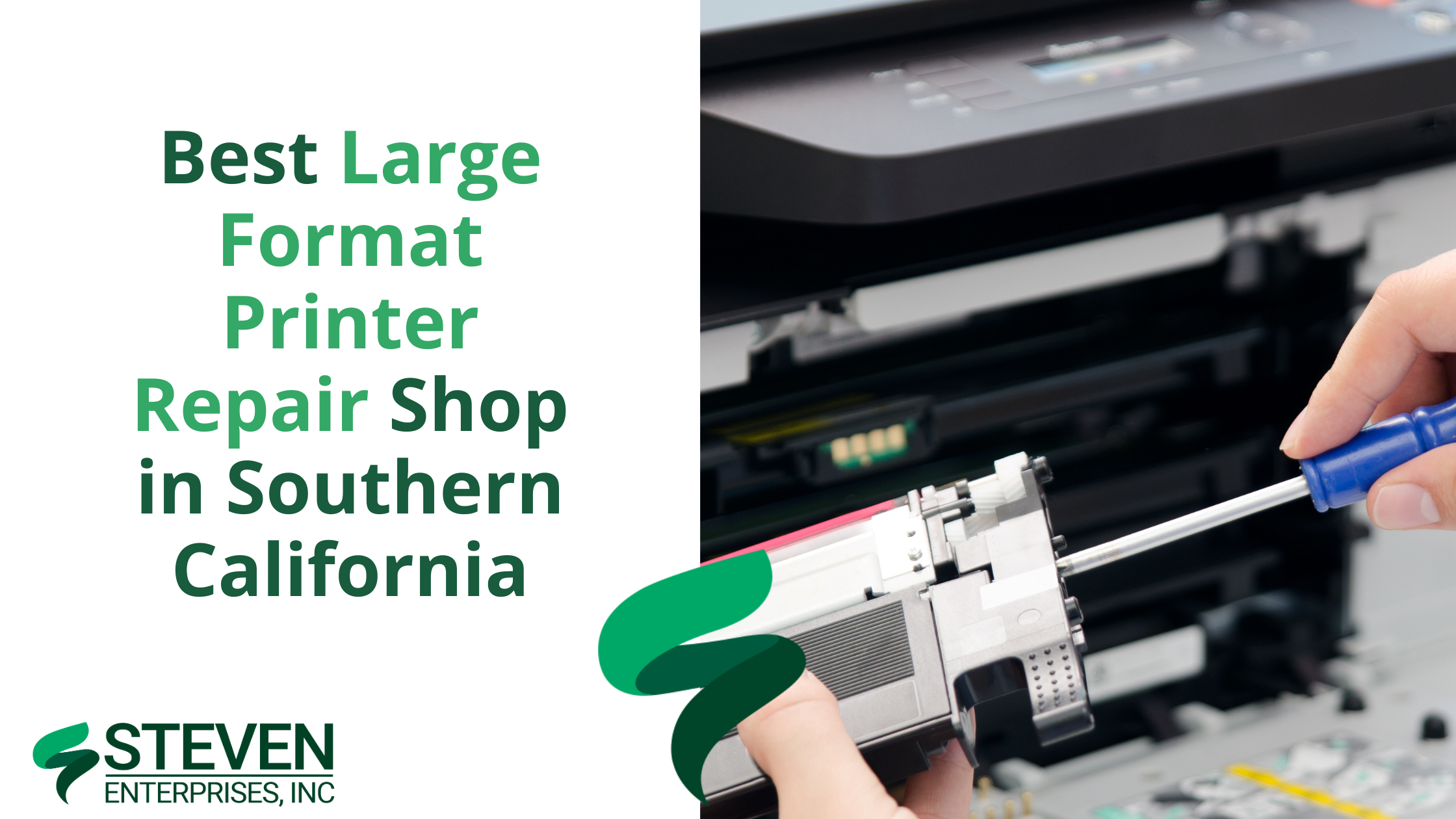
Best Large Format Printer Repair Shop in Southern California

Technician repairing a large format printer at Steven Enterprises service center

Are you searching for exceptional maintenance and repair services for your large format printers, plotters, and scanners? Look no further. 

Steven Enterprises, a family-owned business with a legacy spanning three generations, is the cornerstone of large format printer repairs across Southern California.

Discover why our clients trust us for all their printer maintenance and repair needs.

5 Reasons to Choose Steven Enterprises for Your Large Format Printer Repair

1. Readily Available for Printer Service

Our loyal customer base consistently chooses us for our commitment to providing rapid repairs and supply deliveries. We are proud to be the #1 preferred provider for large format printer repairs within a 100-mile radius of our warehouse in Irvine, California.

We guarantee next-day service in Los Angeles and Orange Counties, ensuring that from the moment you call us. Our team will be prepared to assist with repairs by the following business day, significantly minimizing your downtime.

2. Factory-Trained Service Technicians

Our technicians adhere strictly to the standards set by each manufacturer. This way guaranteeing you high performance and maximum output for all your printing equipment. 

Unlike most print shops, we invest heavily each year in in-person factory training at the headquarters of major brands like HP, Océ, and Canon.

Additionally, our technicians are required to take online courses for every new machine released. As a result, we can provide you with the most current and effective repair services.

3. Authorized to Service Access Keys

To perform a large format printer repair, access codes are often necessary to adjust settings securely. Our service technicians have exclusive authorization to these access keys for all the major printer brands, including:

  • HP
  • Océ
  • Canon
  • KIP
  • Epson
  • Mutoh
  • Royal Sovereign
  • Graphtec 

These certifications places us among the elite few printer repair shops in Southern California who are recognized for Gold Standard Service. 

When our technicians visit your site for repairs, they have all the necessary codes on hand, eliminating any need to contact the manufacturer (as a matter of fact, many other print shops call us when they are on-site for service repairs!). 

4. Triple the Technicians That Most Printer Repair Dealers 

We take pride in our team’s expertise, who have a combined work experience of 45 years at Steven Enterprises, thanks to our continuous training opportunities and a supportive, friendly work environment. 

Our service technician team is led by Daniel, who has dedicated 6 years to mastering printer repairs and now leads the training for new technicians, ensuring our high standards are upheld.

Our technician team is nearly three times larger than other local printer repair dealers. As such, enhancing our capacity to provide experienced technicians for fast on-site repairs, even during peak periods.

5. Repair Parts in Stock for Most Brands

Our extensive experience servicing a wide range of large format printers in the area allows us to anticipate and address common issues with popular models. 

Since we service most of the large format printers in the surrounding area, we maintain a substantial inventory of parts for major printer brands. As a result, we can facilitate immediate repairs without the usual delays caused by shipping.

If a part is not in stock, the account manager assigned to your account will expedite its order, typically ensuring delivery within 1-2 days.

Additional Benefits of Buying a Printer From Us

When you purchase a large format printer from Steven Enterprises our technicians manage the on-site assembly. Not only that, but they will also conduct comprehensive, hands-on training for your key personnel. Furthermore, we provide ongoing product support as you become more familiar and proficient with your equipment.

For those seeking peace of mind with their printer investments, Steven Enterprises offers customizable service agreements, maintenance contracts, and extended warranties, tailored to meet your specific needs.

Can I Get Printer Repairs If I’m Not Under Service Warranty? 

Our manufacturer-trained technicians are proficient in performing both warranty and non-warranty repairs and maintenance. Whether you own a DesignJet, Colorwave, KIP, Canon, or any other wide format printer, we can service it.

Need a Large Format Printer Repair Partner?

At Steven Enterprises, we are committed to providing the best printer repair service and support in the industry. 

By partnering with us, you will receive continuous updates on software upgrades, new media options, exclusive discounts, and special offers.

Contact Steven Enterprises today at (800)491-8785 to speak with a certified repair specialist immediately or fill out our online form to receive a quote for our plotter repair services.