Posted on

Plotter Repair in Orange County, LA, San Diego & San Bernardino: What It Costs and When to Call
There’s nothing worse than being in the middle of a critical print job when your plotter suddenly stops working. 

The deadline is approaching, your client is waiting, and you’re staring at error codes that might as well be written in a foreign language.

At Steven Enterprises, we have built our reputation on being the plotter repair shop Southern California businesses count on when they need help fast. 

We service hundreds of plotters every year, and the pattern is clear. Customers who schedule one annual preventative maintenance visit and follow a few simple habits rarely suffer surprise breakdowns.

We have become the go-to choice across Orange County, LA, San Diego, and San Bernardino, read on to see why. 

What Makes Steven Enterprises Different from Other Repair Shops?

At Steven Enterprises, we stand out for factory-trained technicians, fast response times, parts kept in stock, and rental units available if your plotter needs extended repair time.

When your plotter breaks down, you need more than just a repair service. You need a partner who understands the urgency and has the expertise to fix it right the first time.

Our technicians are factory-trained and certified on multiple brands, so we read error codes and handle repairs on-site without bringing in third parties. 

We have direct lines to manufacturers, which gets us the technical support and parts we need to resolve issues quickly. 

That expertise eliminates the guesswork and delays that come with shops that aren’t properly certified on your specific equipment.

When your plotter goes down, you also need to talk to a real person, not an automated system or voicemail. 

We pride ourselves on someone always picking up the phone. We maintain most parts in stock and ready to ship, which means faster repairs and less downtime for your business. 

For critical situations where repairs might take longer, we offer rental units to keep your operations running. You’ll never have to tell a client their project is delayed due to equipment failure.

What Does Plotter Repair Cost?

A typical plotter repair runs $200 to $400 for the service call fee, plus $80 to $500 for parts. Printhead replacement lands at the higher end of that range.

Costs vary depending on the issue and how long the machine sat before you called. Many businesses discovered this the hard way during COVID, when plotters sat idle for months and printheads dried out completely, requiring full replacement.

The good news is that most of these repairs are avoidable with a few simple habits, which we cover next.

3 Maintenance Tips to Avoid Plotter Repairs

Running your plotter regularly, watching ink expiration dates, and keeping the loading area clean prevent the majority of repair calls we get. 

Most businesses we work with find that one annual preventative maintenance check-up is enough, even at high print volumes.

1. Run Your Plotter Every 2 to 4 Weeks Minimum

Regular use matters most for inkjet models, since it prevents ink from drying out. If a plotter sits idle too long, the ink can harden to a crayon-like consistency that clogs the lines and print heads.

Nearly every wide-format plotter stores a low-coverage demo print that uses only 5 to 10% ink but purges all channels. Can’t find it? Call us at 800-491-8785 and a technician will walk you through it.

2. Monitor Ink Expiration Dates

Ink typically has a shelf life of 12 to 18 months, and most plotters will alert you when it’s nearing or past expiration. 

Using expired ink can compromise print quality and risk damaging your machine. It’s common practice to buy a few sets of ink at once and reorder before supplies run low, so you always have fresh ink on hand.

3. Keep Your Plotter’s Loading Area Clean

Toner-based machines need residual powder cleaned up regularly, and inkjet models, while generally less messy, still benefit from routine cleaning to prevent issues that lead to costly repairs.

Plotter Repair Across Orange County, LA, San Diego & San Bernardino

Steven Enterprises has supported more than 30,000 businesses across Southern California with rapid plotter repairs, and we guarantee a technician on-site within one business day.Oce ColorWave 3500 Slanted

We are based in Irvine and serve Orange County as our home turf. 

Coverage also extends across Los Angeles County, including:

  • Los Angeles
  • Long Beach
  • Santa Clarita
  • Glendale
  • Plus San Diego County and San Bernardino County, covering cities like Rancho Cucamonga, Ontario, Chino Hills, and Fontana

Wherever you’re located across these four counties, the process is the same. 

Call us, describe what you’re seeing, and we’ll get a factory-trained technician out fast, with the parts and access codes needed to fix it on the first visit.

Get Long-Term Use Out of Your Plotter

Beyond the maintenance habits above, we recommend scheduling annual preventative maintenance. KIP 900 Front

During this visit, a large format printing expert flushes the lines fully and runs comprehensive tests to confirm every feature works correctly. 

This proactive approach catches potential issues before they become expensive problems that shut down your operations.

Consider a service contract with Steven Enterprises to keep your plotter running smoothly and cut down on disruptions. 

Contracts typically include one maintenance check per year and often cost less than paying for one-time services. 

They can be paid monthly or annually, and every client gets an inside representative who handles supply needs. If you print at higher volumes, ask about our Cost Per Copy contract for better supply rates.

Why Southern California Businesses Choose Steven Enterprises

Regular demo prints, fresh ink, and a clean loading area go a long way, but nothing beats an expert tune-up. 

If you’re looking for the best plotter repair shop in Orange County, LA, San Diego, or San Bernardino, reach out to Steven Enterprises today.

We’ll answer the phone when you call. Reach us at 800-491-8785 to speak with a large format printing expert who can help solve your plotter challenges today.

Posted on

Selling Your Used Plotter: Buy-Backs & Trade-Ins Explained

When you’re ready to get rid of your used plotter, you have three options: a manufacturer trade-in, a buy-back from a company like Steven Enterprises, or free recycling. 

Which one fits depends on your machine’s age and condition. 

At Steven Enterprises, we field calls about this constantly. Someone has an old plotter taking up floor space, a machine that stopped working, or they’re just ready to upgrade, and they want to know their options. 

In most cases, you walk away with money in your pocket, and we handle everything.

This guide walks through exactly how each option works, what we accept, and what you can realistically expect.

Which Used Plotters Does Steven Enterprises Accept?

We accept almost any used plotter except decades-old machines from people who aren’t buying a replacement. 

Before anything else, here’s where we draw the line.

We don’t take 20-year-old machines from people who just want to get rid of a plotter without buying a new one. 

If you have a decades-old plotter collecting dust and you’re not in the market for a replacement, that’s not something we can work with.

Everything else is fair game. Your plotter can be damaged or broken, and it doesn’t need to be in working condition for us to take it off your hands. 

We will haul it away no matter what. From there, we figure out the best route together, whether that’s recycling, a manufacturer trade-in, or a direct buy-back from us.

Option 1: Manufacturer Trade-In Programs

Manufacturer trade-in programs work best for anyone buying a new plotter who wants money toward the purchase, regardless of how old their current machine is.

They’re the most common route, and often the most valuable one. HP calls theirs the Cash-In Trade-Up program, while Canon runs similar quarterly deals.

These promotions offer cash credit toward a new machine, and they apply to almost any model regardless of age. Even a 30-year-old plotter can qualify for a manufacturer trade-in credit as long as you’re buying new equipment.

Here’s how the process works when you go through Steven Enterprises:

  • We give you the trade-in credit upfront when you purchase your new machine, so you don’t wait or handle any paperwork yourself. 
  • We then take your old plotter and handle the trade-in claim with the manufacturer, which involves submitting the invoice, the serial number, and the relevant documentation. 
  • We receive the reimbursement check from the manufacturer a month or so later. We charge no fee for any of this. The trade-in credit you get is exactly what the manufacturer offers.

One practical note on timing: Trade-in deals typically run quarterly. Some promotions run longer than expected, and HP has at times kept the same rebate active for the better part of a full year. 

These deals do come and go, so if you’re thinking about upgrading, it pays to ask sooner rather than later.

Option 2: Buy-Backs from Steven Enterprises

Buy-backs work best for newer plotters, typically within five years old, that still hold resale value. 

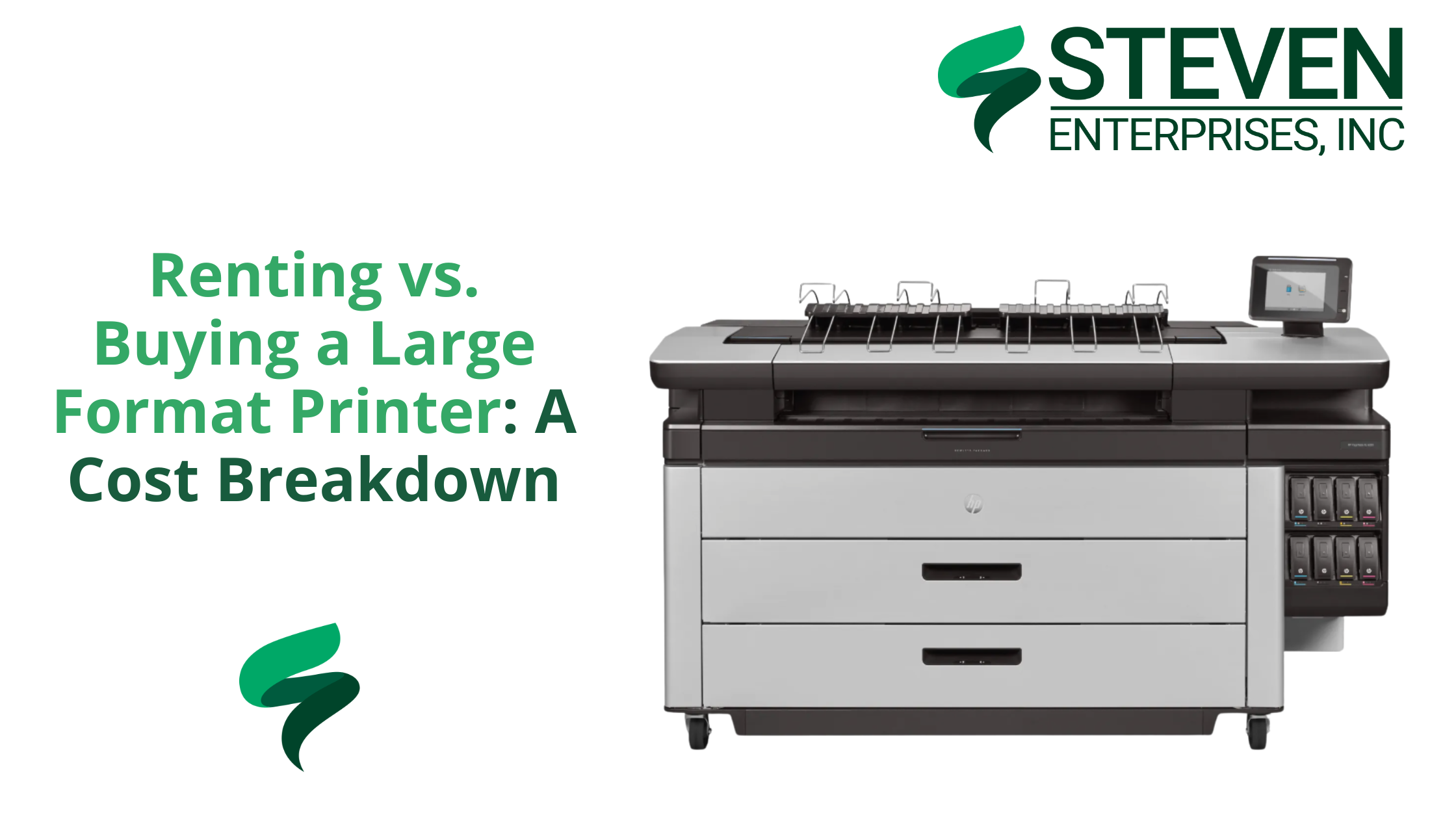
If no manufacturer trade-in is available for your model, Steven Enterprises may offer a direct buy-back. HP PageWide XL Pro 10000

This is separate from any manufacturer program. We assess the machine, and if it’s recent enough to still have value, we make you an offer.

The plotters that qualify for buybacks are generally 5 years old or newer and in reasonable condition. 

Older models are harder to place, since parts availability starts to dry up and the resale market thins out considerably past a certain age. 

The HP PageWide XL series and newer Canon large format models tend to hold value well, and they’re the machines we’re most likely to make an offer on.

Every buy-back is model-specific. The best way to find out if yours qualifies is to call us directly. We can give you an answer quickly based on the model and age.

Option 3: Free Recycling

Free recycling works best for older plotters with no trade-in value, or any machine where the other two options don’t apply. 

If your plotter doesn’t qualify for a trade-in or a buy-back, we’ll still take it.

When you purchase a new machine through us, we’ll pick up the old one at no charge during delivery and installation. We handle the disposal and recycling responsibly.

This option applies even if the machine is completely non-functional. All we need is enough to identify the unit, primarily the serial number, and we take it from there.

A Quick Note on Ink Supplies for Used Plotters

Trade-in and buy-back conversations sometimes come with a follow-up question about leftover ink. 

Here’s the honest answer: ink returns work more like a standard return policy than a trade-in program. 

Supplies purchased from us can typically be returned within 30 days of purchase. After that window closes, ink has a limited shelf life before expiration, so it’s not something we can take back.

The practical takeaway is to order ink as you need it rather than stocking up heavily in advance. 

We assign every customer a dedicated account manager who tracks supply needs, places orders promptly, and makes sure you’re never left with unused ink. 

We stock almost all major ink and toner lines, and pickup is available if you’re local. Browse HP ink, Canon ink, and OCE toner directly on our site. Or call your account manager to set up a supply cadence that keeps you stocked without overbuying.

Find Out If Your Plotter Qualifies for a Trade-In

Trade-in deals change quarterly, and buy-back eligibility depends on the model. 

The fastest way to know what your plotter is worth is to give us a call. We’ll tell you exactly where your machine stands and what your best option is right now.

Call 800-491-8785 or contact us here. Trade-in offers don’t last forever, so if you’re thinking about upgrading, don’t wait.

Posted on

Renting vs. Buying a Large Format Printer: A Cost Breakdown

Wondering whether you should rent a large format printer, lease it or buy it? Yeah you’re not the first.

The right call depends on your project timeline, your print volume, and whether the machine needs to move between sites. 

At Steven Enterprises, we hear this question from construction teams, production studios, and event planners alike, and the math works the same way no matter the industry. 

We rent, lease, and sell wide format printers, so we’ll walk you through real numbers and let you decide what fits.

When Should You Rent, Lease, or Buy a Large Format Printer?

There’s no single right answer here, but your timeline gets you most of the way there. A few general rules of thumb:

  • 3 to 6 months: rent. You pay a flat monthly rate, return the machine when the project wraps, and you’re done. No long-term commitment and no leftover printer to store or sell.
  • 6 months to 2 years or longer: lease or buy. Past this point, rental costs start to exceed the machine’s value. Owning or leasing gives you better monthly value while keeping the equipment working for you long term.

If you’re somewhere in the middle and unsure how long the job will run, renting first and revisiting the decision later is a reasonable approach. Project timelines shift, and flexibility has real value.

What It Costs to Rent a Large Format Printer

Rental pricing at Steven Enterprises typically runs $300 to $400 per month for the machine itself, depending on the model, plus your own paper and ink supplies.

We can supply and ship those quickly through your account manager, and the cost depends on

 your project, which we’re happy to estimate during the rental process.

A few of the models available for rent:

  • HP DesignJet T630 MFP: A 36-inch printer without a built-in scanner, a solid fit if you only need to print and don’t need scanning on-site.
  • HP DesignJet T2600 MFP: A 36-inch multifunction unit with an integrated scanner. Along with the T630, this is one of our most common rentals across construction sites and film and TV production, and we keep around 20 of these two models combined in the field at any given time.
  • HP DesignJet XL 3600 MFP: A step up in throughput, also a 36-inch multifunction with a scanner.
  • Canon Series: Available for rental only, for job-specific rental needs we don’t sell outright.

Most of our rental units print and scan, with the T630 MFP being the exception as a print-only model. On a job site or production set where you need to scan redlines or existing drawings alongside printing updated documents, that distinction matters, so let us know your scanning needs when you request a quote. See some of our rental options here.

Who Rents a Large Format Printer, and Why

Construction teams, film and TV productions, and event planners are the three groups most likely to benefit from renting a large format printer. And this is because each deals with temporary job sites and short-term print demand.

Construction & Engineering Teams

Construction and engineering projects often run at temporary job sites for just a few months at a time. Quick access to blueprints, permits, and as-builts on-site can save real time and keep a project moving.

When the job wraps, you don’t have to store or resell anything. You simply return the machine, with no ongoing maintenance or depreciation to manage.

Film & TV Production Studios

Film and TV productions often need on-set printing for set designs, location layouts, and promotional materials. 

Since a shooting schedule might run anywhere from a few weeks to several months, renting lets studios scale up or down without paying for a device they won’t use once production wraps.

One streaming studio needed a wide-format solution for a 6-month pilot series. By renting an HP Z9 from Steven Enterprises, they:

  • Printed over 500 large-format designs, from storyboards to promotional posters
  • And saved roughly $22,000 over buying new or outsourcing the work

Once the show was green-lit for Season 2, they went ahead and purchased the Z9 outright.

Event Planners & Trade Shows

One-time or seasonal events, like trade shows, festivals, or holiday promotions, often need vibrant banners, directional signage, and floor plans on a tight deadline.

Owning a printer that sits idle most of the year rarely makes financial sense. Renting for the length of your event schedule, then returning the machine afterward, skips the storage and maintenance headache entirely.

When Does Leasing Make the Most Sense?

Leasing works best when large-format printing is part of your regular operation, but you’d rather avoid a large upfront cost. It works a lot like a car lease. 

You make monthly payments, use the machine for the lease term, and at the end you return it, upgrade to a newer model, or buy it outright.HP DesignJet XL 3600 MFP

Lease payments typically run between $100 and $1,200 per month, depending on the model and term length. 

The lower end covers entry-level machines on longer terms, while the higher end reflects higher-capacity equipment or shorter financing windows.

For teams that move equipment between sites or productions, leasing has a real advantage over buying outright. 

The machine stays on a structured payment plan, and at the end of a multi-year lease, you’re not stuck with aging equipment. 

You can refresh to a newer model without a large capital outlay. Leasing also preserves cash flow for other parts of the business, since a predictable monthly payment is often easier to plan around than a large purchase.

When Does Buying Make the Most Sense?

Buying makes sense once you know the machine will be in consistent use for years, and you’d rather own the asset outright without monthly obligations. 

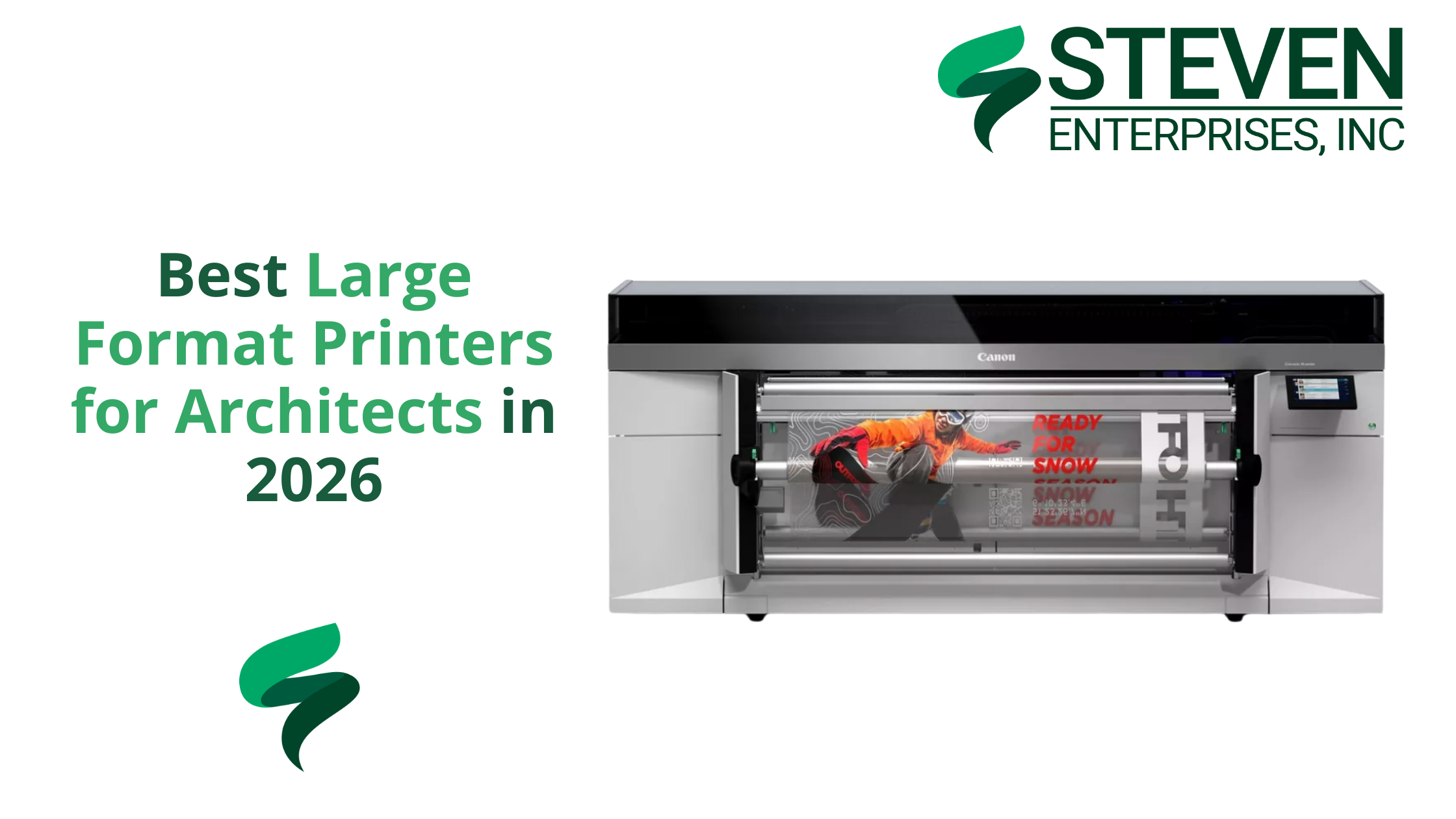
Purchase prices for wide format printers range from around $2,000 on the entry end up to $15,000 or more for high-volume, multifunction production models. Canon Colorado M5

The right price point depends on your print volume, whether you need scanning built in, and the size of documents you’re producing.

Owning also gives you full control over supplies and service. You decide when maintenance happens and who does it, instead of working around the terms of a rental agreement. 

If your business has consistent, ongoing print needs across multiple projects, ownership is usually the most cost-effective route over a 3 to 5 year horizon. 

Browse the full range of large format printers available for purchase, including HP large format and Canon large format models.

Rent vs. Lease vs. Buy: A Quick Comparison

Rent Lease Buy
Best for 3 to 6 months 6 months to 2+ years Long-term, consistent use
Monthly cost $300 to $400 $100 to $1,200 One-time: $2,000 to $15,000+
Flexibility High Medium Low
Ownership No Optional at end of term Yes
Good for moving between sites Yes Yes Yes

Not Sure If You Should Rent or Buy a Large Format Printer?

The honest answer depends on your timeline, your print volume, and whether you need on-site scanning. 

Those details take about 5 minutes to talk through, and they change the math significantly. We carry rental units ready to deploy, financing options for leases, and a full inventory of machines for purchase.

Call us at 800-491-8785 or get in touch here, and we’ll match you to the right option for your project and budget.

Posted on

Best Large Format Printers for Architects in 2026

The best large format printer for an architecture firm comes down to team size. 

Architectural firms need different equipment than a typical construction site, where the work is mostly redlining and field markups. 

Architects need clean, high-quality output for client presentations, contractor submissions, and detailed design documentation.

At Steven Enterprises, we work with architectural practices of every size, from boutique studios to firms with dozens of employees. 

We match each one to a plotter that fits its volume, space, and workflow. The goal is finding the device that fits your team size and actual print demand. 

That way you don’t overspend on capacity you’ll never use, or undersize a machine your team outgrows in a year. Keep reading.

What Should Architects Look for in a Large Format Printer?

Architects should prioritize print quality, speed, and the right size for their team. Buying too much printer wastes your budget. Buying too little slows the whole office down. 

A few features matter more than the rest:KIP 740

  • High-quality output. Crisp, accurate lines and vibrant colors matter for renderings and technical drawings alike.
  • Speed that matches your volume. Faster printing helps larger firms hit tight deadlines, but small firms rarely need to pay for speed they won’t use.
  • Room to scale. Single-roll machines work fine for small firms, while dual-roll, high-capacity models suit larger practices with heavier daily output.
  • Scanning capability, where useful. Scanning matters less for architects than for contractors, but an integrated scanner still helps with redline markups or digitizing drafts. Newer models now offer vectorization tools that go a step further.

Best Printer for Small Architectural Firms (1-3 Employees)

Small architectural firms do best with the HP DesignJet T1600 Plus, a compact, single-roll printer built for offices with lower print volume and limited space. HP DesginJet T1600 Side

Please note: This model no longer comes as an MFP. The T1600 Plus is a printer only, so teams that need built-in scanning should look at the T2600 MFP Plus instead.

Key features:

  • 36-inch printing width, available in single-roll and dual-roll configurations
  • Compact, quiet, office-friendly design
  • Professional color accuracy for renderings and technical drawings
  • Cost-effective for firms with lower print volume

Need Scanning and Vectorization? Consider the T2600 MFP Plus

If your small firm needs scanning built in, take a look at the HP DesignJet T2600 MFP Plus. It now includes new vectorization software that lets you scan and vectorize a drawing directly from the printer, with no separate software step required.

Vectorizing converts a pixel-based raster file, like a JPEG or PNG, into a scalable mathematical vector file, like an SVG or AI file. 

This happens through software before the file prints. For architects, that matters because vector data uses mathematical formulas instead of pixels. 

Large blueprints print sharp and precise at any size instead of blurring when scaled up. 

If your firm frequently rescans and reprints older drawings, this feature can save real time. Read more about how AI vectorization works for architectural workflows.

Best Printers for Medium Architectural Firms (4-15 Employees)

Firms with 4 to 15 employees are well served by either the HP DesignJet XL 3800 MFP or the KIP 740. Both balance quality, speed, and capacity for moderate print volume.

The XL 3800 MFP has a compact footprint despite its dual-roll capability, so it handles multiple paper sizes without eating up much floor space.

Its 4-color ink system also keeps running costs lower than 6-color systems like the T2600, while still delivering strong print quality and speed. Its integrated scanner supports occasional redlining as well.

The KIP 740 is a dual-roll, color plotter that prints up to 6 pages per minute. Its toner-based system is built for durability and vibrant output. 

It’s a solid fit for firms with slightly higher print demands than the XL 3800 comfortably handles.

Best Printers for Large Architectural Firms (15+ Employees)

Large architectural firms need higher-capacity machines, and the KIP 785 and HP PageWide XL 4250 are both built for that kind of volume.KIP-785-High-Volume

The KIP 785 is a high-performance, dual-roll color plotter that prints 10-12 pages per minute. 

That keeps up with demanding workflows and tight deadlines without sacrificing the vibrant, precise output firms need for presentations and contractor handoffs.

The HP PageWide XL 4250 handles large-scale operations that produce thousands of square feet of prints each month. 

It’s built for reliability under that kind of workload, with dual-roll capability that adds flexibility for firms juggling multiple project sizes at once.

Firms Needing Premium Speed: HP PageWide XL 5200

For the largest firms that need the fastest output available, the HP PageWide XL 5200 is the top of the line.

It’s built for firms printing well over 20,000 square feet a month, where speed and reliability matter more than upfront cost.

Large Format Printer Comparison by Firm Size

Firm Size Recommended Model(s) Best For
Small (1-3 employees) HP DesignJet T1600 Plus Low-volume printing, compact office spaces
Small, needs scanning HP DesignJet T2600 MFP Plus Scanning plus built-in vectorization
Medium (4-15 employees) HP DesignJet XL 3800 MFP or KIP 740 Moderate volume, balanced speed and cost
Large (15+ employees) KIP 785 or HP PageWide XL 4250 High-volume, demanding daily workflows
Largest firms HP PageWide XL 5200 Maximum speed at 20,000+ sq ft per month

Find the Right Plotter for Your Architecture Firm

Choosing the right large format printer means matching the machine to your firm’s size and actual print demand. It’s not about chasing the fastest or flashiest model on the shelf. 

Whether you’re a three-person studio or a fifty-person practice, the right fit keeps your workflow moving without wasting budget on capacity you don’t need.

Contact Steven Enterprises or call us at 800-491-8785 for a recommendation based on your firm size and workflow. Let’s help you find the right plotter for your architecture firm today. 

Posted on

Wide-Format Scanner Buying Guide for Government & Municipal Offices

Government and municipal offices should plan to upgrade a wide-format scanner when it’s 2017 or older. 

Either when the scanning sensor starts to fail (typically 7 to 10 years into its life), or when a new fiscal year resets the budget, whichever comes first. 

This quarter alone, Steven Enterprises has heard from a township, a county, a fire agency, and two school districts, all shopping for wide-format scanners. 

That kind of demand across so many types of government offices points to a clear pattern, and this guide breaks down exactly what to look for before you buy.

When Should Your Office Upgrade Its Wide-Format Scanner?

Most government offices should start evaluating a replacement once their scanner hits the 7 to 10 year mark, or sooner if it’s seeing heavy daily use.

A few specific triggers tend to prompt the decision:

  • The fiscal year resets. Most public schools and state governments operate on a fiscal year running from July 1st to June 30th. Departments often get a quote before the fiscal year ends, then wait to make the purchase once officials approve the new budget.
  • The scanning sensor starts to go. Scanning sensors typically last 7 to 10 years before performance drops off, and once a machine hits that range, it’s worth a closer look.
  • Scan quality drops off from regular use. Staples left in documents often scratch the scanner’s glass over time, and that damage shows up in the final scan.

A quick way to check quality yourself is to scan something you know well and compare it against the original. 

If the result doesn’t look as crisp as it used to, or if certain parts of the scan aren’t showing up as dark as they should, that’s a sign it’s time to have someone take a look.

Can You Repair a Wide-Format Scanner Instead of Replacing It?

In many cases, yes. A worn scanner doesn’t automatically mean a full replacement, since we can often repair parts like the sensor and glass if they’re still available.

Our service team can come onsite, diagnose the issue, troubleshoot it, and in many cases fix the worn equipment causing the problem.

Where it gets harder is age. Once a scanner hits a certain point, manufacturers stop producing parts for it, which makes sourcing them a real challenge. 

This is where having the right manufacturer relationships matters. If a part for your scanner exists anywhere, Steven Enterprises has the connections to track it down.

What’s the Right Wide-Format Scanner for Schools?

Most schools and universities do well with a 36-inch color scanner, and WideTEK and Colortrac are the two most common brands we see in education settings. Colortrac Smart LF GxT 56 Slanted

Schools typically scan architectural plans or artwork, and the buying process usually starts with a professor or department head who handles the initial legwork before sending the request over to the purchasing department.

Keep the fiscal year timeline in mind here too. 

Since most schools run July 1st through June 30th, it’s common to request a quote well before the district can actually commit to buying, so plan accordingly if your scanner is already showing signs of wear.

Feature WideTEK Scanners Colortrac Scanners
Best for High-volume production scanning, archives, museums Balanced performance and cost-effectiveness
Known for Exceptional build quality, no warm-up time Consistent color reproduction, versatile format support
Common government use School districts, libraries, historical archives Counties, plan digitization projects
Special capability Can capture 3D surfaces on flatbed models Broad range of scan widths and resolutions

What’s the Right Wide-Format Scanner for Counties and Other Government Agencies?

Counties primarily scan plans, and the purchasing department is typically the point of contact for the process. 

A big driver behind these purchases is digitization. Colortrac SmartLF GxT 56 Slanted

Counties often have old plans sitting in storage that need to be scanned so they can be kept electronically. This saves physical space and protects records from the kind of damage that happens when paper sits in a warehouse for decades.

What Do You Gain by Upgrading to a Newer Scanner?

Newer wide-format scanners deliver higher DPI for sharper scan quality, along with better software for editing, enhancing faded documents, and cleaning up lines and images. 

That combination means old, fading plans and paperwork are scanned, enhanced, and archived digitally with confidence. 

That means your office can finally clear out that storage room without worrying about losing the details that mattered.

Get Ongoing Support for Your Wide-Format Scanner After You Buy

Buying the right scanner is only part of the equation.

Steven Enterprises also offers service contracts for wide-format scanners, so your office has a partner for the entire buying experience, from choosing the right model to keeping it running for years to come.

Now is the time to find the right wide-format scanner for your office. Contact Steven Enterprises or call us at 800-491-8785 to talk through your options.

Posted on

HP DesignJet XL 3600: Is It Worth It? A Review for Print Shops & AEC Firms

The HP DesignJet XL 3600 MFP is worth it for AEC firms and offices that want dependable daily output at a low running cost.

With a 29 second first page out, mono and color prints at the same price, and a footprint up to 30% smaller than comparable machines, the XL 3600 has become one of the most requested upgrades this year.

Steven Enterprises has sold and serviced these machines for years, and we received two separate quote requests for this exact model in June alone. 

That kind of demand is worth digging into, so here’s an honest look at who the XL 3600 is built for.

What Is the HP DesignJet XL 3600 MFP?

The HP DesignJet XL 3600 MFP is a 36-inch multifunction printer built for offices that print and scan technical drawings, renderings, and plans on a regular basis, but don’t need the raw speed of a high-volume production machine. HP DesignJet XL 3600 MFP

It handles up to two media rolls with auto-switching, runs on 300 mL HP Bright Office Inks, and includes a built-in scanner for one-click copy and scan jobs.

Three things stand out about this model:

  • Fast first page out. At just 29 seconds, you’re not standing around waiting for the first sheet to drop, which matters when you’re printing on demand between meetings.
  • Mono and color prints cost the same. Most large format printers charge more for color. The XL 3600 doesn’t, which simplifies budgeting for offices that print a mix of line drawings and colored renderings.
  • A smaller footprint. The XL 3600 takes up to 30% less floor space than comparable machines in its class, which is a real consideration for offices that have outgrown their current setup but haven’t outgrown their square footage.
  • Longer running time. The XL 3600 supports rolls of paper up to 500 feet, so you’re swapping media less often and getting more uninterrupted print time between roll changes.

Is the HP DesignJet XL 3600 Fast Enough for Print Shops?

For most print shops, the honest answer is no. 

At roughly 3 D/A1 pages per minute, the XL 3600 delivers steady, dependable office output rather than high-volume production. A busy print shop will likely outgrow it faster than an AEC office would.

If your shop is running large batches throughout the day, the HP DesignJet XL 3800 MFP is the better fit.

It doubles the output at up to 6 D/A1 color pages per minute. First page out lands around 20 seconds. It’s the model we recommend most often when print shop owners come to us specifically for speed.

That said, plenty of print shops still run the XL 3600 well, particularly ones handling lower daily volume, walk-in orders, or a mix of large and small format work where speed matters less than reliability and cost control.

AEC firms, on the other hand, tend to be a near-perfect match for this machine since most of their print jobs are plans and renderings rather than back-to-back production runs.

How Does the XL 3600 Compare to the HP DesignJet T2600 MFP Plus?

The XL 3600 costs less to run than the T2600 MFP Plus, with ink cartridges priced around $65 less per cartridge, which adds up to real savings over a full set. HP DesignJet T2600

A 300 mL cartridge for the T2600 MFP Plus typically runs about $200, while the equivalent cartridge for the XL 3600 runs closer to $135. Multiply that across a full set of six cartridges and the savings become significant over the life of the machine, especially for offices that print daily.

The XL 3600 also starts printing faster thanks to a quicker processor, so you’re not waiting on the machine to catch up once you send a job.

Feature HP DesignJet XL 3600 MFP HP DesignJet T2600 MFP Plus HP DesignJet XL 3800 MFP
Best for AEC firms, moderate-volume offices Offices needing vectorization Print shops, high-volume AEC
Print speed ~3 D/A1 pages/min Comparable to XL 3600 ~6 D/A1 pages/min
First page out 29 seconds Slower start time ~20 seconds
Ink cost (300 mL) ~$135/cartridge ~$200/cartridge Varies by configuration
Max roll length Up to 500 ft rolls Standard roll lengths Standard roll lengths
Special feature Mono and color same price Built-in vectorization software Fastest color in its class

Trading In Your HP DesignJet T3500 MFP for the XL 3600?

Businesses trading in an older HP DesignJet T3500 MFP for the XL 3600 make up one of the most common upgrades we see, and it’s easy to understand why once you compare start times side by side. HP DesignJet T3500

Older models like the T3500, T2530, and original T2600 take considerably longer to begin printing once you send a job. In our side-by-side demos, the XL 3600 has already finished printing 10 pages before some of those older machines even start.

If you’re trading in an older large format printer, Steven Enterprises offers trade-in value up to $1,200 toward the purchase of a new XL 3600, which helps offset the upgrade cost considerably.

How Much Does the HP DesignJet XL 3600 Cost?

The HP DesignJet XL 3600 MFP typically runs around $15,000, though we pride ourselves on getting you the best possible price, so it’s worth calling for a custom quote. HP DesignJet XL 3600 MFP

We sell a high volume of these machines each year. We keep them in stock, install them quickly, and carry a full inventory of the ink and supplies you’ll need to keep it running.

So, Is the HP DesignJet XL 3600 Worth It?

For AEC firms and moderate-volume print environments, the HP DesignJet XL 3600 delivers strong speed and low running costs. Its compact footprint is hard to beat at this price point.

Print shops chasing higher daily volume should lean toward the XL 3800 instead. For everyone else, the XL 3600 is a dependable, cost-effective workhorse.

Want to see if the HP DesignJet XL 3600 is the right fit for your office? Contact Steven Enterprises or call us at 800-491-8785 for a custom quote, including your trade-in value.

Posted on

Navigating Government Procurement RFQs for Buying a Large Format Printer

Government agencies issue formal RFQs and IFBs when they need to rent or purchase large format printers. 

Responding correctly requires firm pricing, proof of insurance, factory-authorized service staff, and a vendor who knows the process. Steven Enterprises has bid on these contracts many times and can do the same for your agency or institution.

At Steven Enterprises, we have worked through government procurement documents firsthand. The process is detailed, the contract language is strict, and most of the paperwork falls on the vendor, not the buyer. 

That is the point. If you’re a purchasing officer, department head, or facility manager trying to understand how this works, or whether we can bid on your upcoming procurement, keep reading.

What Is a Government Procurement RFQ for a Large Format Printer?

A Request for Quotation (RFQ) or Invitation for Bid (IFB) is the formal document a government agency issues when it wants to rent, lease, or purchase a large format printer through a competitive bidding process. 

The agency specifies the exact equipment it needs, the contract terms, the service requirements, and the insurance minimums. Vendors submit bids, and the contract typically goes to the lowest qualified bidder who meets every requirement.

A real example of what these look like is the Orange County Public Works IFB for an HP PageWide XL 5200 rental, which specifies:

  • a three-year initial term with two optional one-year renewals
  • firm fixed pricing for the full contract duration
  • and a cost-per-square-foot billing structure for all printing output

That contract also requires delivery within 10 days of execution, factory-trained technicians, four-hour on-site response to service calls, and a dedicated account manager assigned to the County.

Most large format printer procurement documents follow this same general structure, regardless of whether the agency is a county department, a public university, a utility, or a school district.

What Government Buyers Actually Evaluate in Large Format Printers

Price matters, but it is not the only thing that gets a vendor selected or disqualified.

Government procurement officers evaluate several factors before a contract is awarded.

  • Firm fixed pricing. Government contracts are almost always firm fixed fees. The price you bid is the price locked in for the full contract term, including renewals. No mid-contract increases are permitted. That means the vendor has to price accurately from the start.
  • Service capacity and response time. Most contracts specify exactly how fast a vendor must respond to service calls and how long repairs can take. A four-hour on-site response requirement is common. Vendors need factory-authorized, certified technicians available to meet that standard consistently.
  • Insurance minimums. To qualify for most government contracts, vendors need to carry at least $1,000,000 per occurrence in Commercial General Liability, $2,000,000 aggregate, $1,000,000 in Automobile Liability, and Workers’ Compensation at statutory limits. These requirements are non-negotiable and must be documented before a contract is awarded.
  • Delivery timeline. Contracts typically require equipment to be delivered, installed, and accepted before billing can begin. A 10-day delivery window from contract execution is standard.
  • Ongoing reporting. Winning a contract is the beginning, not the end. Annual usage reports, notifications when expenditure reaches 75 percent of the contract ceiling, and 90-day advance notice before a contract term ends are all common requirements vendors must manage.

Why Choose Steven Enterprises for your Procurement & Contract Services Quote

Government procurement officers evaluate vendors against a checklist. Here is where Steven Enterprises checks those boxes:

  • Woman-owned and minority-owned. Many government agencies carry supplier diversity requirements and track spending with certified diverse vendors. Steven Enterprises holds both woman-owned and minority-owned certifications, which can be meaningful factors in agencies with diversity spend goals. You can verify our certifications directly on our Women Business Enterprise certificate page and our GSA vendor profile.
  • Competitive pricing. We price aggressively. That is not a marketing claim; it is how we have stayed competitive across three decades in Southern California. Government contracts go to the lowest qualified bidder, and our cost structure on both rental and cost-per-square-foot rates reflects that.
  • Factory-authorized service. All of our technicians are factory-trained and certified to service the equipment we sell and rent. That meets the “qualified technician” standard required in virtually every large format printer government contract. We also assign a dedicated account manager to every government account, which satisfies the account manager requirement written into most IFBs.
  • Local Orange County presence. We are based in Irvine. For contracts that require the vendor to store records in Orange County, provide on-site service within hours, and maintain a local operational presence, our location is a genuine advantage over national vendors that manage accounts remotely.
  • Cooperative contract eligibility. When a government vendor wins an IFB, many contracts include a cooperative clause that allows other departments, municipalities, or educational institutions to access the same pricing and terms without having to run their own full bid process. Winning one contract with us can extend to multiple agencies under that provision.

What the Process Looks Like From Your Side

If your agency, department, or institution needs a large format printer and you want to run a competitive procurement, here is roughly what to expect:

  1. Your procurement team issues the IFB or RFQ with the equipment specifications, contract terms, and service requirements. 
  2. Vendors review the document, typically 40 or more pages, and respond with a bid covering equipment, monthly rental rate, cost per square foot, and all service commitments. 
  3. The agency evaluates the bids against both price and the “responsible and responsive” standard, which covers insurance, certifications, service capability, and compliance with all stated terms.
  4. On our end, we review the four to five pages of the document that are directly relevant to pricing and commitments. 
  5. We prepare and submit the bid, handle all back-end paperwork, and, if we are awarded the contract, manage delivery, installation, ongoing service, and all reporting requirements for the duration of the term.

You do not need to manage the process beyond issuing the document and reviewing bids. We handle everything that follows.

Request Steven Enterprises to Bid on Your Project

If your agency has an open RFQ or IFB for a large format printer rental, purchase, or service contract, send it to us. 

We review procurement documents and submit bids for agencies across Southern California, including Orange County, Los Angeles County, San Bernardino, and surrounding municipalities. 

Our team also works with universities, school districts, utilities, and other public institutions.

We carry HP large format equipment, Canon large format equipment, and OCE large format equipment, and can bid on RFQs specifying most major brands. Our plotter rental program is already active and structured to meet government contract requirements.

Call us at 800-491-8785 or submit your inquiry here. Share the procurement document, and we will tell you quickly whether we can bid and what our pricing looks like.

Posted on

Should I Buy or Rent a Plotter for my Construction Site?

Should I Buy or Rent a Plotter for my Construction Site?

Need a plotter for 3 to 6 months? Rent it. Need it for a year or more? Well, buying or leasing will cost you less over time. 

The model you need, how long the job runs, and whether the machine moves between sites all affect which option makes the most sense financially.

At Steven Enterprises, we get this question from construction teams regularly.

Especially when a project kicks off and someone needs to print plans on-site without committing to a machine purchase. 

We rent, lease, and sell wide format plotters, so we have no preference which route you take. We will just tell you which one actually fits your situation.

Read on…

When Should I Buy or Rent a Plotter?

There is no single right answer here, but the timeline gets you most of the way there.

  • 3 to 6 months: Rent. You pay a flat monthly rate, return the machine when the job wraps, and you are done. No long-term commitment, no depreciation to worry about, no figuring out what to do with the printer after the project ends.
  • 6 months to 2 years or longer: Buy or lease. At that point, rental costs exceed the machineis value, and owning or leasing offers better monthly value while keeping the equipment working for you long term.

If you are somewhere in the middle and unsure how long the job will actually run, renting first with the option to revisit is a reasonable approach. 

Construction timelines shift and flexibility has real value.

What It Costs to Rent a Plotter and What You Get

Rental pricing at Steven Enterprises ranges from $300 to $400 per month for the machine itself, depending on the model.

On top of that, you need to purchase your own paper and ink supplies, which we can supply and ship quickly through your account manager. This cost will depend on your project, which we can estimate for you during the rental process.

Large format printers available for rent:

  • HP DesignJet T630 MFP and HP DesignJet T2600 MFP: 36-inch multifunction units with integrated scanners. These are the most common rentals for construction sites and film and TV production work. We keep around 20 of these in the field at any given time.
  • HP DesignJet XL 3600 MFP: A step up in throughput, also a 36-inch multifunction with a scanner.
  • Canon Series: Available for rental only. We do not sell this model, but it is available for job-specific rental needs.

All rental units are multifunction, meaning they print and scan. On a construction site where you need to scan redlines or existing drawings alongside printing updated plan sets, that matters.

You can see the full list of large format plotter rental options at Steven Enterprises here.

When to Rent a Plotter: The Middle Ground

Leasing works like a car lease. You make monthly payments, use the machine for the lease term, and at the end you either return it, upgrade to a newer model, or buy it outright through a lease-to-own arrangement.

Lease payments typically run between $100 and $1,200 per month, depending on the model and term length. The lower end covers entry-level machines on longer terms. 

The higher end reflects higher-capacity equipment or shorter financing windows.

For construction companies that move equipment between job sites, leasing has a practical advantage over buying. The machine stays under a structured payment plan, and at the end of a multi-year lease you are not stuck with aging equipment. 

You can refresh to a newer model and stay current with technology without a large capital outlay upfront.

Leasing also preserves cash flow for the parts of the business that need it more. A $300-per-month lease payment on a reliable plotter is a predictable line item.

A $10,000 purchase upfront is not always the right use of capital, even when the total cost over time might be similar.

When It Makes the Most Sense to Buy a Plotter Rather Than Rent One

HP PageWide XL Pro 10000

Buying makes sense when you know the machine is going to be in use consistently for years, and when you want to own the asset outright without monthly obligations.

Purchase prices for wide format plotters range from around $2,000 on the entry end up to $15,000 or more for high-volume, multifunction production models. 

The right machine depends on your print volume, whether you need scanning capability, and the size of documents you are producing.

Owning also gives you flexibility on supplies and service. As an owner, you control when maintenance happens and who does it, and you are not working around the terms of a rental agreement.

If you are a construction firm with consistent, ongoing printing needs across multiple projects and sites, ownership is usually the most cost-effective option over a 3-5 year horizon.

View the full range of large format printers available for purchase at Steven Enterprises, including HP large format and Canon large format models.

Quick Side-by-Side Comparison Table: Rent vs. Lease vs. Buy

Rent Lease Buy
Best for 3 to 6 months 6 months to 2+ years Long-term, consistent use
Monthly cost $300 to $400 $100 to $1,200 One-time: $2,000 to $15,000
Flexibility High Medium Low
Ownership No Optional at end of term Yes
Good for job site moves Yes Yes Yes

Not Sure Which Plotter Option Fits Your Project?

The honest answer depends on your job timeline, your print volume, and whether you need on-site scanning capability.

Those details take about 5 minutes to talk through, and they significantly change the math.

We have served construction teams across Orange County, Los Angeles, and San Bernardino. 

Today, we carry rental units ready to deploy, financing options for leases, and a full inventory of machines for purchase.

Call us at 800-491-8785 or get in touch here, and we will match you to the right option for your project and budget.

Still Weighing Buying vs. Renting?

Tell us about your job site and we will recommend the smarter option for your budget.

No spam, no obligation. We reply within one business day.

Posted on

6 Signs Your Wide-Format Plotter Needs a Tune-Up (Before it Breaks)

Dull prints, frequent paper jams, unusual noises, crooked cuts, etc are all tell-tale signs of a wide format plotter repair that needs to happen.

Catch them early and a service call fixes it. Ignore them, and you are looking at a much bigger repair bill, or a machine that is down entirely when you need it most.

At Steven Enterprises, our factory-trained technicians service wide format plotters across Southern California every day. 

The calls we dread most are the ones that start with “it just stopped working.” Almost every time, the warning signs were there weeks before the machine finally gave out. 

This guide is about catching those signs before that happens.

Sign 1: Plotter Print Quality Is Dull or Lacks Crispness

This is usually the first thing people notice when they are deciding if they need to call in for their wide format plotter repair. And it is easy to brush off as a bad roll of paper or a file issue. Most of the time it is neither.

Dull output, faded lines, or prints that look slightly off compared to what you normally get are classic early signs of a printhead issue. The printhead may be partially clogged, starting to wear, or firing inconsistently.

Left alone, this goes from “slightly dull” to “completely unusable” faster than most people expect.

If you notice a drop in quality, run the calibration feature built into your machine. This prints a diagnostic page that shows exactly how the printhead is firing. If the output looks faded, banded, or uneven, that is your confirmation. 

A service visit at this stage is straightforward. Waiting until the printhead fails completely will become significantly more expensive.

Sign 2: Paper Jams Are Happening More Often

The occasional paper jam happens. But if you are clearing jams multiple times a week, or if they are happening with paper types that have always run cleanly through your machine, something mechanical is off.

Frequent jams point to worn feed rollers, a misaligned paper path, or debris buildup inside the machine. None of these fix themselves. Each jam also puts stress on the paper path components, which accelerates wear elsewhere. 

If jamming has become a regular part of your day, schedule a service visit before a minor mechanical issue becomes a major one.

Sign 3: The Plotter Is Making Noises It Did Not Make Before

Authorized Plotter Service in Orange County

You know what your wide format plotter sounds like when it is running normally. A grinding sound, a new rattling, or anything that makes you stop and look at the machine is worth paying attention to.

Unusual noises in wide format plotters are usually mechanical. Worn rollers, a failing motor, or something loose inside the chassis all manifest as sound changes before they appear as print failures. 

Catching a mechanical issue at the noise stage is almost always cheaper and faster to fix than catching it after something has seized or broken entirely.

Sign 4: The Cutting Device Is Not Cutting Clean

If your plotter has an integrated cutter and it is no longer cutting in a straight line, or if it is tearing or fraying the edges of the paper rather than cutting cleanly, the cutter blade is worn or the cutting mechanism needs adjustment.

This one is easy to overlook because the prints themselves may still look fine. But a damaged or misaligned cutter affects every finished output. 

For shops doing presentation-quality work or anything that gets handed directly to a client, ragged cuts matter. A blade replacement or cutter service is a minor fix when addressed promptly.

Sign 5: Network Connectivity Is Dropping or Unreliable

A plotter that keeps dropping off the network, takes a long time to appear in your print queue, or requires you to restart it regularly to reconnect is not just an IT nuisance. 

It is a sign that the machine’s internal firmware, network card, or software configuration needs attention.

Network issues on wide format printers are sometimes dismissed as a WiFi problem or a router issue. If your other devices are connecting fine and the plotter is the only one dropping, the issue is with the machine. 

A firmware update or hardware check usually resolves it, but a technician needs to look at it.

Sign 6:  The Machine Has Been Sitting Unused for 30 Days or More

This one catches people off guard. Wide format inkjet plotters are not designed to sit idle. If an inkjet machine has not run a print in 30 days or more, there is a real chance the ink lines have dried, or the printhead has begun to clog.

At that stage, you’ll likely need to replace the printhead entirely, an avoidable cost if you act early. If you know a machine will sit unused for an extended period, run a test print or a calibration page every couple of weeks to keep the ink flowing. 

If you have left it idle for a month or more, please do not send a large job and hope for the best. Run the calibration diagnostic first to see where the printhead stands before you commit media to it.

For a full breakdown of how to keep your machine running between service visits, read our guide on 3 large format printer maintenance tips to avoid needing repairs.

A Word on Expired Ink

One situation worth flagging separately: running expired ink through your machine.

It happens more often than you might think, usually when someone in the office installs a cartridge from a box that has been sitting in a supply cabinet for a year or two without anyone checking the date.

Expired ink can cause serious damage to the printhead and internal ink lines. More importantly, if expired consumables caused the damage, the manufacturer will void your warranty.

That means you pay entirely out-of-pocket for a repair that warranty coverage would have handled. Check expiration dates before installing any cartridge from your supplies, and avoid buying ink so far in advance that it sits unused long enough to expire.

When & Who to Call for Your Wide-Format Plotter Repair

If you are seeing any of these signs, the right move is a quick call before it escalates.

Our technicians can often help you assess the situation over the phone and determine whether a remote fix is possible or whether we need to send someone out.

We provide factory-authorized large format printer repair and service across Orange County, Los Angeles and San Bernardino. 

You can learn more about why local print shops and professional offices trust us for repairs here.

Call us at 800-491-8785 or contact us here to tell us what you are seeing, and we will tell you exactly what needs to happen next.

Posted on

Selling Your Used Large Format Plotters – Buy-Backs and Trade-Ins Explained

When you decide to get rid of your large format printer, you have three options depending on the machine’s age and condition. 

They include: a manufacturer trade-in, a buy-back from a company like Steven Enterprises, or free recycling. 

At Steven Enterprises, we field calls about this constantly. Someone has an old plotter taking up floor space, a machine that stopped working, or they just want to upgrade and they want to know what their options are. 

In most cases, you walk away with money in your pocket, and we handle everything.

This guide walks through exactly how each option works, what we accept, and what you can realistically expect.

The Used Large Format Plotters We Accept at Steven Enterprises

Before anything else, here is where we draw the line…

We do not take 20-year-old machines from people who just want to get rid of a printer without buying a new one. If you have a decades-old plotter collecting dust and you are not in the market for a replacement, that is not something we can work with.

Everything else is fair game; your printer can be damaged or broken. It does not need to be in working condition for us to take it off your hands. 

We will haul it away no matter what, and from there we figure out the best route together: recycling, a trade-in through the manufacturer, or a direct buy-back from us.

Option 1: Manufacturer Trade-In Programs

Best for: Anyone buying a new large format printer who wants money toward the purchase, regardless of how old their current machine is.

Manufacturer trade-in programs are the most common route and often the most valuable one. 

HP calls theirs the Cash-In Trade-Up program, while Canon runs similar quarterly deals. 

These promotions offer you cash credit toward the purchase of a new machine, and they apply to almost any model regardless of age. 

Even a 30-year-old printer can qualify for a manufacturer trade-in credit as long as you are buying new equipment.

Here is how the process works when you go through Steven Enterprises:

We give you the trade-in credit upfront when you purchase your new machine, so you don’t have to wait or do any paperwork on your end. 

We then take your old printer, handle the trade-in claim with the manufacturer ourselves, which involves submitting:

  • the invoice
  • the serial number
  • and the relevant documentation

And we receive the reimbursement check from the manufacturer a month or so later. 

We charge you no fee for any of this. The trade-in credit you get is exactly what the manufacturer offers.

One practical note on timing: trade-in deals typically run quarterly. Canon’s current offer runs through the end of June, though historically some promotions have continued beyond the original window. 

HP has at times kept the same rebate active for the better part of a full year. The point is these deals do come and go, so if you are thinking about upgrading, it pays to ask sooner rather than later.

Option 2: Buy-Backs from Steven Enterprises 

Best for: Newer machines, typically within five years old, that still hold resale value.

If no manufacturer trade-in is available for your model, Steven Enterprises may offer a direct buy-back. 

This is separate from any manufacturer program. We assess the machine, and if it is recent enough to still have value, we make you an offer.

The machines that qualify for buybacks are generally 5 years old and in reasonable condition. 

Older models are harder to place because parts availability starts to dry up, and the resale market thins out considerably for machines past a certain age. 

The HP PageWide XL series and newer Canon large format models tend to hold value well and are the kinds of machines we are most likely to make an offer on.

Every buy-back is model-specific. The best way to find out if yours qualifies is to call us directly. We can give you an answer quickly based on the model and age.

Option 3: Free Recycling

Best for: Older machines with no trade-in value, or any machine where the other two options do not apply.

If your printer does not qualify for a trade-in or a buy-back, we will still take it. 

When you purchase a new machine through us, we will pick up the old one at no charge when we deliver and install the new equipment. We handle the disposal and recycling responsibly.

This option applies even if the machine is completely non-functional. All we need is enough to identify the unit, primarily the serial number, and we take it from there.

A Note on Ink Supplies for Used Large Format Printers

Trade-in and buy-back conversations sometimes come with a follow-up question about leftover ink. 

Here is the honest answer: ink returns are more like a return policy than a trade-in program. Supplies purchased from us can typically be returned within 30 days of purchase. After that window closes, ink with limited shelf life before expiration is not something we can take back.

The practical takeaway here is to order ink as you need it rather than stocking up heavily in advance. 

We assign every customer a dedicated account manager who tracks supply needs, places orders promptly, and ensures customers are not left with unused ink. We stock almost all major ink and toner lines, and pickup is available if you are local.

You can browse HP ink, Canon ink, and OCE toner directly on our site, or call your account manager to set up a regular supply cadence that keeps you stocked without overbuying.

Find Out If Your Large Format Printer Qualifies for a Trade-in

Trade-in deals change quarterly, and buy-back eligibility depends on the model. The fastest way to know what your printer is worth is to give us a call. 

We will tell you exactly where your machine stands and what your best option is right now.

Call 800-491-8785 or contact us here. Trade-in offers do not last forever, so if you are thinking about upgrading, do not wait.