Posted on

Best Large Format Book Scanners for Libraries

Best Large Format Book Scanners for Libraries - WideTEK Bookeye

Libraries are increasingly turning to technology to preserve and enhance the accessibility of their collections. Large format book scanners are pivotal in this effort, enabling libraries to digitize books and fragile documents effectively. 

Whether it’s for archiving rare manuscripts or providing digital copies to students, the right scanner can make a significant difference.

In this article, Steven Enterprises printing experts will explain the basic information you need to know to understand the different types of book scanners on the market and which ones we recommend to city libraries and educational institutions. 

Why Libraries Need Large Format Book Scanners

After helping many libraries find the best large format scanners for their operations, we’ve found there are 3 common applications: 

  1. Digitization: The task of transforming physical books into digital formats for easy access on library websites, enhancing their member’s engagement and accessibility to renting books.
  2. Education Support: Typically school libraries also will need scanners to allow students to take digital snippets of texts, supporting their academic work without needing to check out entire volumes (which in turn would require more copies than needed).
  3. Preservation: More common in city libraries, the last application is to safely scan and archive fragile books and documents that are susceptible to damage. For example, old manuscripts written in pencil or city planning documents. By scanning these, libraries ensure the longevity and continued availability of these books for research and exploration.

Core Features of Bookeye Scanners by WideTEK

Bookeye Features that libraries will like about the large format book scanners

Steven Enterprises has partnered with WideTEK, since we believe they have the best scanners on the market today. We typically recommend that libraries invest in the Bookeye scanner series since it has the most robust features tailored for their use. 

Here are some features libraries value most when using their bookeye scanners

  • Top-Mounted Camera: Unlike other scanners that have the documents roll through the machine, this camera ensures minimal contact with documents, preserving the integrity of fragile pages and avoiding rips and breakage to the actual books.
  • Stand-alone software: The scanner has the software installed natively and operates with just a touchscreen monitor. No external computer is needed to manage it, but you can easily access it using the IP address, making it compatible with all types of computers (including MACs!) 
  • Versatile Scanning Options: The flexibility to scan directly to USB, email, or save to the scanner’s built-in Linux-based controller.
  • Book Mode Scanning: You can choose between scanning pages together or individually, adapting to the specific needs of the material and reducing file sizes when needed. 

Top Large Format Book Scanners for Libraries in 2025

In the Bookeye series, the versions of the scanner differ by the size of the book they can scan: 

  1. Bookeye V3: This compact model handles standard book sizes up to 15×19 inches, perfect for school and university libraries.
  2. Bookeye Archive V2: Accommodates larger “grand format” books up to 18×24 inches, ideal for city libraries housing historical and larger volumes.
  3. Bookeye V1: The largest model available, suitable for very large and fragile books up to 24×36 inches. This series is more commonly bought by businesses with one-of-a-kind books, rather than a library. If you believe you might need this model, consulting with our printing experts is advised since there might be more specialized scanners like the MicroTEK series for you to consider.

Selecting the Right Bookeye Model for Your Library

Once you know which version is right for you, the next step for you to determine is which model you’re going to need. The difference here is going to the resolutions of the scan: 

  1. Bookeye Kiosk: Offers 400 DPI scanning with a WiFi option, suitable for standard library needs.
  2. Bookeye Pro: Steps up to 600 DPI for higher quality scans and includes a batch scan wizard for more efficient processing.

Selecting the Right Scanning Mode

Finally, you’ll need to decide if you need to upgrade to a flat glass or if the standard V-shaped mode is fine for your scanning project: 

  1. V-shaped Glass: Ideal for extremely delicate books, this scanner gently flattens pages without damaging the spine.
  2. Flat Glass Mode: Suitable for less fragile items, providing the option to compress pages for a clearer scan. An add-on feature for the Archive model also allows scanning of occasional photos, enhancing versatility.


Read more: 5 Common Mistakes Made When Buying a Book Scanner

Empower Your Library with the Right Scanning Technology

Choosing the right large format book scanner is more than just purchasing new equipment. It’s about investing in the preservation and accessibility of knowledge. 

With the Bookeye scanners, libraries can safeguard their collections. Moreover, they can make them more accessible to the public and researchers worldwide.

Need expert advice on the best large format book scanner for your library? 

Contact Steven Enterprises today at (800) 491-8785 for a personalized consultation or submit a contact form here. We’ll help you find the right scanner that can help your library effectively run your digitization and document preservation projects.

Posted on

Hot vs. Cold Lamination: Finding the Best Laminator for Your Business Needs

Hot vs. Cold Lamination: Finding the Best Laminator for Your Business Needs

Whether you are part of a bustling commercial print shop, a trade show display producer, or a small graphics company, understanding the nuances of lamination technology is crucial for choosing the best laminator for your operations.

Laminate films and adhesives not only protect and enhance the appearance of printed materials but also offer versatility in applications, adding significant value to printed products. 

Our certified printing experts at Steven Enterprises have curated this comprehensive guide to help you determine the best laminator type—hot or cold—for your business needs.

What are the different types of lamination?

Laminators come in two primary types: thermal (hot) and pressure-sensitive (cold), each suited for different business environments and requirements.

  1. Thermal Laminators: Ideal for encapsulating printed materials, thermal laminators use heat to activate the adhesive, which is perfect for moisture-sensitive media. These devices are typically narrower and can range in their applications from single to double-sided use. Features like dual heated rollers or “shoes” ensure even heat distribution for a flawless finish.
  2. Pressure-Sensitive Laminators: These are best suited for moisture-resistant media, often utilized in single-side applications. Such equipment tends to be wider and can feature cold rollers with top heat assist, enabling them to handle larger, more robust operations, including mounting on rigid substrates.

Which Laminator to Chose Based on Your Business Type & Business Use 

Steven Enterprises is partnered with Graphic Finishing Partners LLC., a lamination equipment and supplies leader. Gfp laminator machines are the perfect complement to the latest wide format inkjet printers. They are proven to shorten production time, increase profitability, and produce consistent, professional results.  

Below are 5 common business use cases and which laminator we’d recommend from their product line. 

1. Commercial Printers & Trade Show Producers

  • Recommended Model: GFP 800 Series Dual Heat Laminator & 500 Series Top Heat Laminator
  • Key Features: Dual heated rollers, silicone rollers, swing-out supply shafts, in-line rotary slitters, capable of handling up to 1” substrates, and more.
  • Ideal for: Menus, maps, wall and floor graphics, vehicle wraps, window displays, and more.

2. Large Volume Production Houses & In-Plant Printshops

  • Recommended Model: GFP 600 Series Top Heat Laminator
  • Key Features: Touchscreen control, 63” top-heat assist, silicone rollers, rear rewind for efficient roll-to-roll operation.
  • Ideal for: Large-scale wall graphics, vehicle decals, point-of-purchase displays.

3. Wrap Shops & Sign Companies

  • Recommended Models: GFP 300 Series Top Heat Laminator 55″/63″
  • Key Features: Mid-production capacity, top-heat assist, robust rubber rollers, designed for longer runs.
  • Ideal for: Vehicle graphics, wraps, window displays, and extensive trade show graphics.

4. Entry Level Users and Small Graphic Shops

  • Recommended Models: GFP 200 Series Cold Laminator 55″/63″
  • Key Features: PSA cold lamination only, lower production design suitable for shorter runs.
  • Ideal for: Decals, stickers, point-of-purchase displays, and educational material.

5. DIY Crafters & Small Retail Shops

Need Advice to Get the Right Laminator for Your Business?

Choosing the right laminator involves understanding your business’s specific requirements and the volume of work it handles. 

Steven Enterprises is dedicated to helping you navigate these choices with expert advice and top-quality laminators that ensure durability and performance.

Ready to enhance your printing capabilities? Contact Steven Enterprises today at 800-491-8785 for a free consultation or fill out this form to request more information about the different laminators we have in stock.

Posted on

Choosing the Best Large Format Printers for Redline Markups in AEC Projects

Choosing the Best Large Format Printers for Redline Markups in AEC Projects

If you’re affiliated with a large architecture firm or looking to upgrade your construction business’s redline markups printing capabilities, you’ve landed in the perfect spot. 

At Steven Enterprises, we specialize in equipping AEC companies with the best large format printers tailored for efficient redline markup processes. As such, our experts understand the nuances of architectural and engineering printing needs and are here to guide you.

How Printing is Involved with Redline Markups 

Redline markups play a critical role in architecture and construction projects, bridging the gap between initial designs and real-world execution. These annotations are made directly on large format CAD drawings, highlighting changes and adjustments necessary for project accuracy. After these adjustments, the marked-up drawings require high-quality scanning and printing for further reviews and revisions.

Key Features to Consider in Large Format Printers for AEC Firms

Engineering and Architectural Needs: The best large format printers for engineering and architectural firms combine high productivity with cost efficiency. Look for printers that deliver:

  • Speed and Efficiency: Fast printing capabilities are crucial. Opt for printers with high-yield consumables to reduce operational costs.
  • High-Quality Outputs: Precision is paramount. High-resolution printers ensure that every detail in schematics and blueprints is captured accurately.
  • Reliability and Service: Ensure minimal downtime with reliable printers supported by efficient customer service and maintenance options.

Construction Site Requirements: For construction sites, consider printers that offer:

  • Portability: Compact printers are ideal for the limited space in job site trailers.
  • Scanning Capabilities: Multi-functional printers that include scanning can expedite communication and project approvals.
  • Ink Durability: Opt for pigment-based inks for their durability in harsh conditions, preventing smudges and damage.

Popular Large Format Printers for redline markups by Printing Volume

AEC firms typically choose from a few popular large format printers from brands like HP, Canon, and KIP. The main deciding factor in which machine to use is your monthly printing volume as a firm. 

The more you print, the more ink & paper supplies you’ll need to buy every month.

So, as you scale, the type of printer you’ll need will also change.

Small AEC Firms 

Printing Volume: Under 5K square feet per month

 Models like the HP DesignJet T-2600 and the HP DesignJet XT950 are perfect for firms with monthly outputs under 5,000 square feet. Some DesignJets use pigment ink, which is a popular choice for it’s durable water-resistant prints. 

Midmarket AEC Firms

Printing Volume: Between 5K-10K square feet per month 

For firms printing up to 10,000 square feet monthly, the KIP 71 series and the HP DesignJet XL 3600/3800 MFP are popular choices because of their multi-functional feature to both print and scan. 

Large AEC Firms 

Printing Volume: Above 10K square feet per month 

Finally, to be able to handle high volumes like these, you’ll likely look at buying the HP Pagewide series. These powerful printers can do up to 30 pages per minute, which is much faster than the 6 pages per minute of the midmarket printers. 

Get a Free Plotter Consultation with a Printing Expert

Understanding your firm’s specific needs is crucial when selecting a large format printer. Therefore, Steven Enterprises experts are here to help find you a printer that fits your current needs and contributes to long-term savings and efficiency.

Ready to maximize your AEC firm’s printing efficiency? Contact us today for a personalized consultation by either filling out this form or speaking to an expert immediately by calling 800-491-8785.

Posted on

Best Large Format Printers for Cities & Government Businesses

Best Large Format Printers for Cities & Government Businesses

As cities and government agencies continue to evolve, so does the need for effective large format printing solutions. While many entities already possess a plotter, not all are optimized for current demands. 

Whether it’s upgrading older models or integrating more advanced technology, understanding the best large format printers available is crucial for efficient operation.

In this blog post, we’ll learn from our Certified Large Format printing experts at Steven Enterprises about what the best large format printer models are for cities & other government businesses. 

What Large Format Printer Do Most Cities Have?

Well, the first time a city bought a large format plotter dates back to about the 1960s. This is when the first plotter was created, known as a “pen plotter” back then. 

Pen plotters are friendly robots from a not so distant past. As Tobias Toft puts it in this article, “they’re the missing link between pencils and laser printers.” Pen Plotters are lovely pieces of high precision technology, using regular pens that are computer-controlled to draw on regular paper with incredible speed and precision. 

They would draw blueprints for tweedy engineers and turtlenecked architects back in the 70’s and 80’s, they would draw colorful charts on transparencies for slick investment bankers to present on overhead projectors, and they probably also drew the schematics for the laser- and inkjet printers that replaced them a decade later. While expensive at the time, they were beautifully engineered, high-quality machines, which is still used by some cities around the country. 

Once the print head was invented, many cities and state agencies upgraded their large format printing equipment to this faster, more sophisticated technology. Meaning that most now own either a large-format inkjet printer or an LED toner-based printers (depending on their business needs). 

READ MORE: Toner vs. Ink Large Format Printers: Cost and Usage Comparison for Businesses

Depending on the size of your operation, you’re likely going to have multiple large-format inkjet printers on-site to be able to keep up with the demand. 

What are the common applications for large format printers in government entities?  

Back in the day, every plan to build something had to be printed and run through the city for approval. While that’s still true today, most of it has gone digital. 

That said, many city planners and state agencies still make heavy use of the large format printers to mark up the blueprints they receive. 

Another common application for toner-based printers is to make larger posters to be distributed in city hall or around the city. Since they need to be able to weather the outdoors for longer periods, this higher-quality printing technology is a must.

Reasons to Upgrade Your Plotter

If you’ve had your large format printer for over 5 years, your printer is likely due for an upgrade. The main reason being the quality of the prints you could be getting, but also just out of increased efficiency!

Here are some reasons why it might make sense to upgrade: 

  • Improved printing quality: Not all cities know how much the technology has improved since these original series of the large format inkjets and toner based printers came out. For example, the line printing for blueprints far more crisp and precise. Also, the durability and color consistency of the prints is also night and day from what is used to be! 
  • Faster printing speeds: The best improvement in the technology is the speed. New large format printers need only 1 minute to print out 30 drawings. Older models needed a minimum of 2 minutes. So if your operations ever need to print in bulk, this can be a huge time saver! 
  • Multi-functional machines: The best part about upgrading your large format printer is that the newer models come with a scanner built into it. Since so much of the city planning process is digitized, having the option to scan is great. It’s an easy way to simplify communications with the foreman on the construction job site. 
  • Save costs buying color: If you need options to print in color, the newer models are going to be far cheaper than the old ones. The reason for this is that the older models use dye-based ink. This ink is far more expensive than the pigment ink that the newer plotters use. The pigmented ink is also far more durable (lasting about 6 months outside in the elements vs. max 3 months). As a result, the costs are lower by avoiding reprints! 

Top Large Format Printers for Government Businesses in 2025

Every business is different. This is why we highly recommend you book a free consultation with a Steven Enterprises certified printing expert to purchase the right large format printer. 

Since we work with many cities and state municipalities, here are the top printers they invest in.

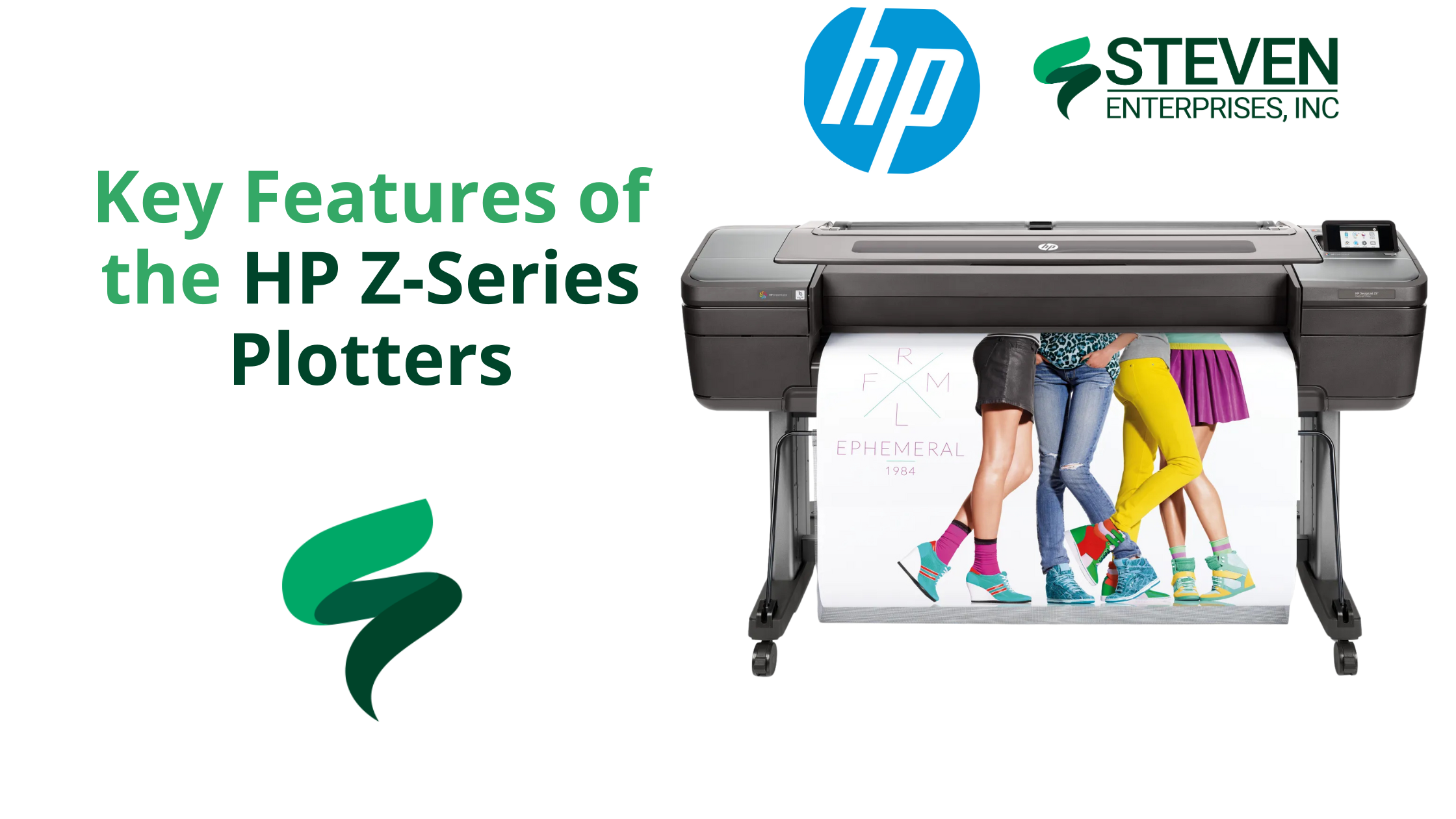
HP 3600/3800 Large Format Printer 

Using PageWide XL 6000

Productive, efficient, and secure. The HP DesignJet XL 3600 and HP DesignJet XL 3800 Multifunction printers are the top choice for government businesses. 

They keep construction projects moving with the fastest color printer at 6A1/D color pages per minute in its class. Not only is it a fast first page out, it also has excellent color and monochrome print quality.  

If your goal is to have a simple and optimized system, this is a great printer to invest in. It includes easy one-click copy and scan workflows, features that reduce your environmental impact. Not to mention, it’s a more compact printer than the older models, providing you additional workspace for other uses.

To learn more about the HP Large format printers, click here

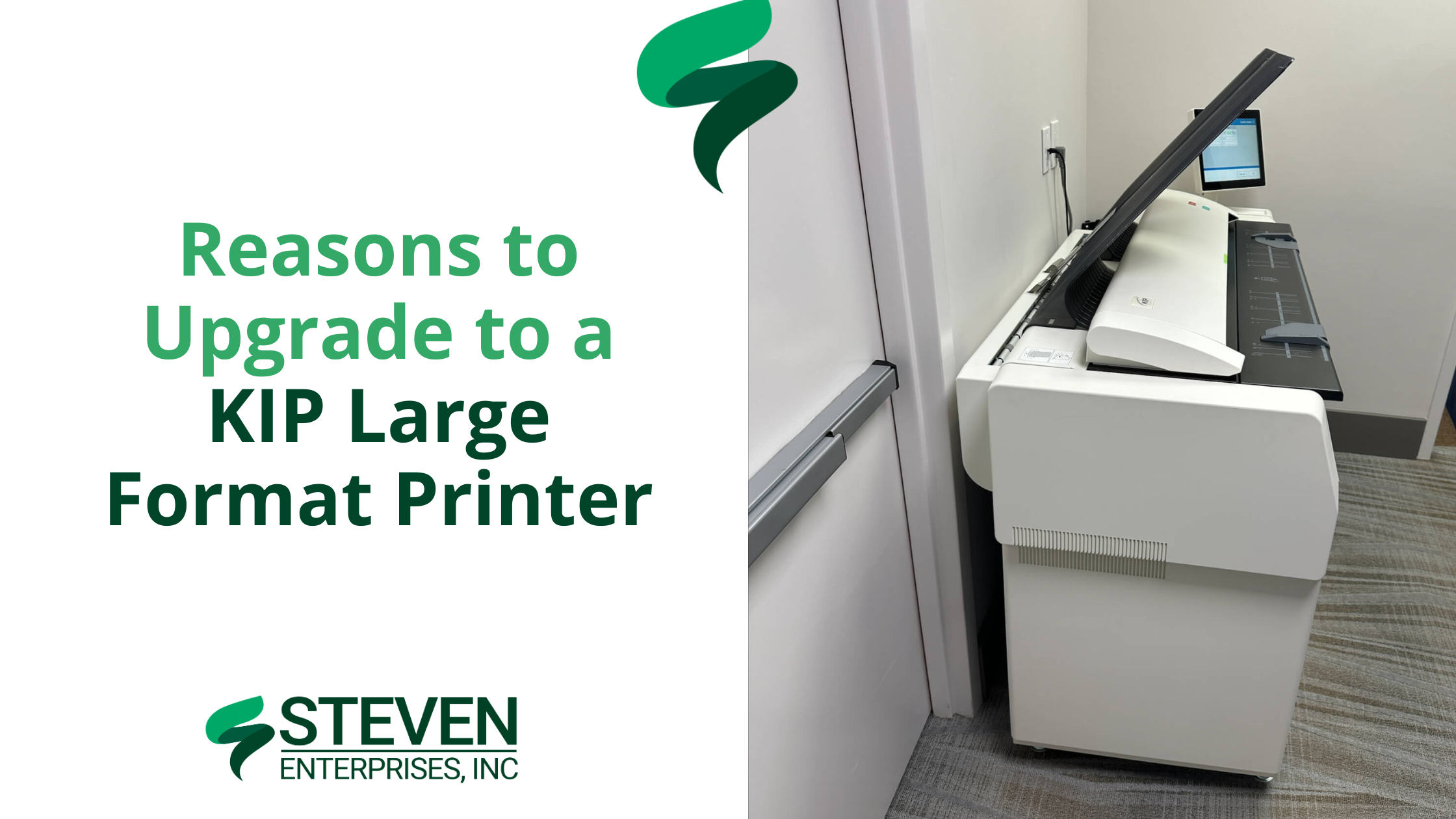
KIP Black & White Large Format PrinterKIP 7170 Front

If you are looking for a more budget-friendly option, the KIP large format printers are also a great option.

KIP is a leading global supplier of digital printing and scanning solutions for color and monochrome wide format documents. Offering an extensive product range that meets the ever-increasing demand for fast, high-quality, cost-effective reproduction. 

KIP’s advanced product technology leads the market in performance, reliability, and value with an exceptionally low cost of operation.

Click here to learn more about KIP large format printers.

Need Help Finding the Right Large Format Printer for Your Business?

Investing in a modern large format printer can transform the way cities and government agencies handle their printing needs. From improved operational efficiency to higher quality outputs, the benefits are clear.

If you’re considering upgrading your equipment or need advice on the best model for your specific needs, don’t hesitate to contact Steven Enterprises. Our certified printing experts are here to provide tailored solutions and support. This way ensuring you choose the right printer to meet your city demands! 

Visit our website or contact us directly for a free consultation. During out call, you’ll discover how the latest in large format printing technology can benefit your operations.

Posted on

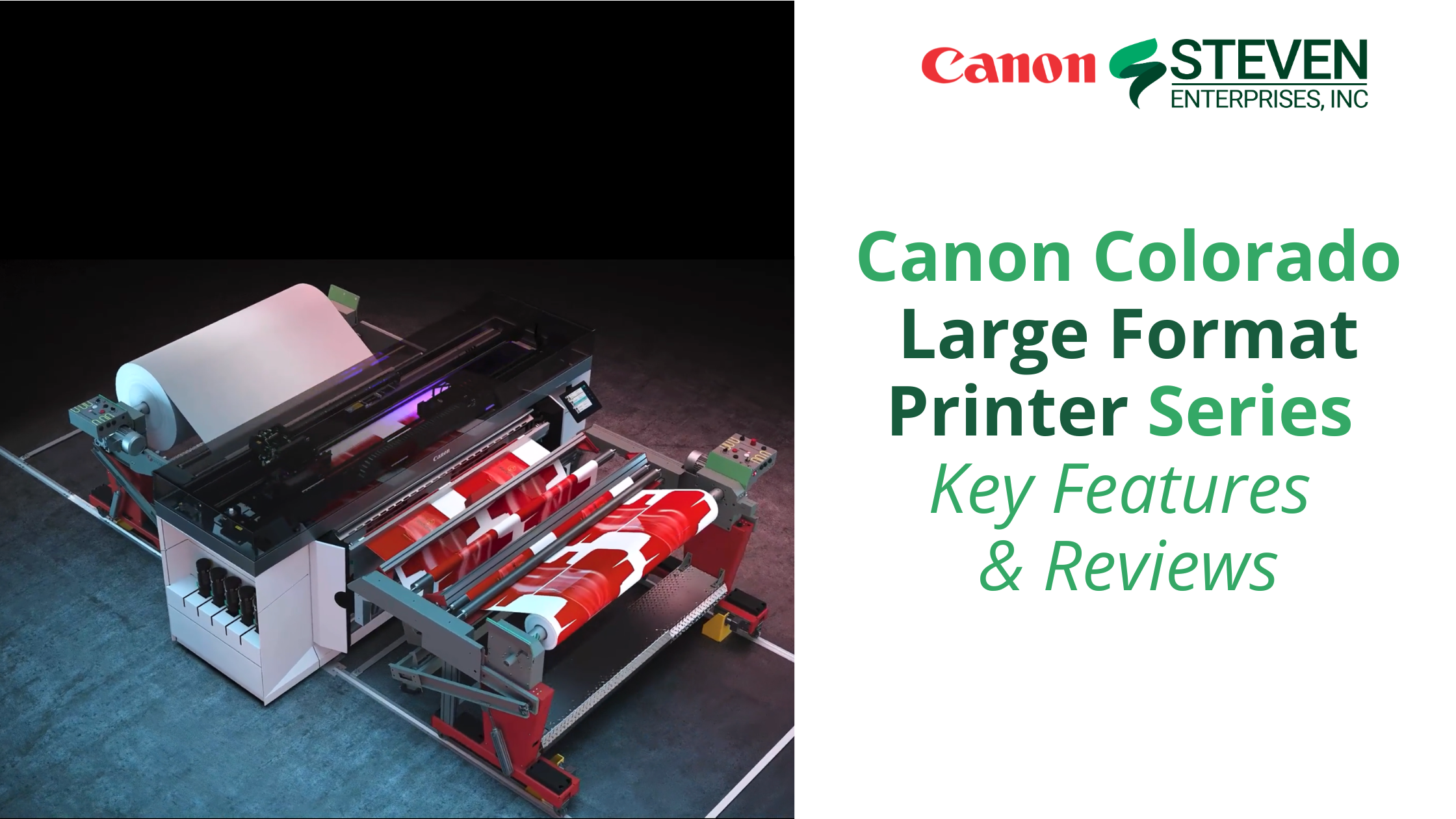
Canon Colorado Large Format Printer Series – Key Features & Reviews

Canon Colorado Series - Everything you need to know about the new printer

The Canon Colorado Series printers represent a significant advancement in large-format printing technology. They blend speed, precision, and versatility to meet the diverse needs of today’s businesses. 

From the groundbreaking UVgel ink technology to its industrial-grade durability, the Colorado Series sets a new standard for what businesses can expect from their printing solutions. 

In this blog post, Steven Enterprises printing experts explore the remarkable features and configurations of the Canon Colorado large-format printer series so you can determine whether it’s a good purchase for your business printing operations.

3 Reasons Business Owners Choose the Canon Colorado Series for Their Business

When talking to our clients who purchased the Canon Colorado series for their business, we often hear the following key reviews about their experience with this powerful large format printer.

1. Revolutionary UVgel Technology 

The Canon Colorado Series printers utilize UVgel technology, which offers a non-evaporative ink that stays on the media, resulting in precise, vibrant, and durable prints. 

This feature effectively lowers printing costs for businesses looking to significantly reduce ink usage compared to traditional printing methods.

2. FLXfinish+: Versatility in Printing 

The FLXfinish+ technology lets you choose between matte and gloss finishes without changing inks or media. 

Business owners love this innovative feature because it provides them unmatched flexibility in creating eye-catching prints that stand out for commercial or artistic purposes.

3. Efficient & Reliable Operation 

Designed for unattended operation, the Colorado Series ensures smooth and continuous printing processes. 

Business owners love this automatic nozzle compensation and advanced media handling because it reduces the need for frequent maintenance, allowing your team to focus on productivity without compromise.

Specific Features on the Canon Colorado Series Tailored to Business Growth

Printer Configurations to Suit Every Business Need 

Whether you start with the Canon Colorado M3 base model or look for the more enhanced M5W Canon Colorado, the Canon Colorado Series is designed to grow with your business. 

Optional upgrades like the white ink module and various speed licenses provide tailored solutions that adapt to your evolving business requirements.

High-Value Applications for Fine Art & Functional Prints 

The versatility of the Canon Colorado Series makes it suitable for a broad range of applications. 

Whether you’re producing detailed architectural plans, vibrant retail signage, or high-quality photographic prints, these printers deliver exceptional quality and speed. Their ability to handle different media types and sizes also makes them ideal for customized projects.

Environmentally Friendly Inks for Sustainable Printing 

Canon’s commitment to sustainability is evident in the Colorado Series’ low-impact printing. 

The Canon UVgel ink meets rigorous environmental standards, reducing the ecological footprint of your printing activities. This way supporting your company’s green initiatives.

Ready to Invest in a Canon Colorado Large Format Printer to Enhance Your Printing Capabilities?

At Steven Enterprises, we’re proud to supply and support the Canon Colorado Series, helping businesses across Southern California achieve their printing goals with state-of-the-art technology. 

If you want to enhance your business’ printing capabilities with a Canon Colorado large format printer, visit our online store or contact our certified Canon printing experts for a personalized consultation.

Discover how the Canon Colorado Series can revolutionize your printing workflow and help you create stunning, high-quality prints more efficiently. Don’t hesitate to contact us for a free quote or more information on how these printers can benefit your business.

Posted on

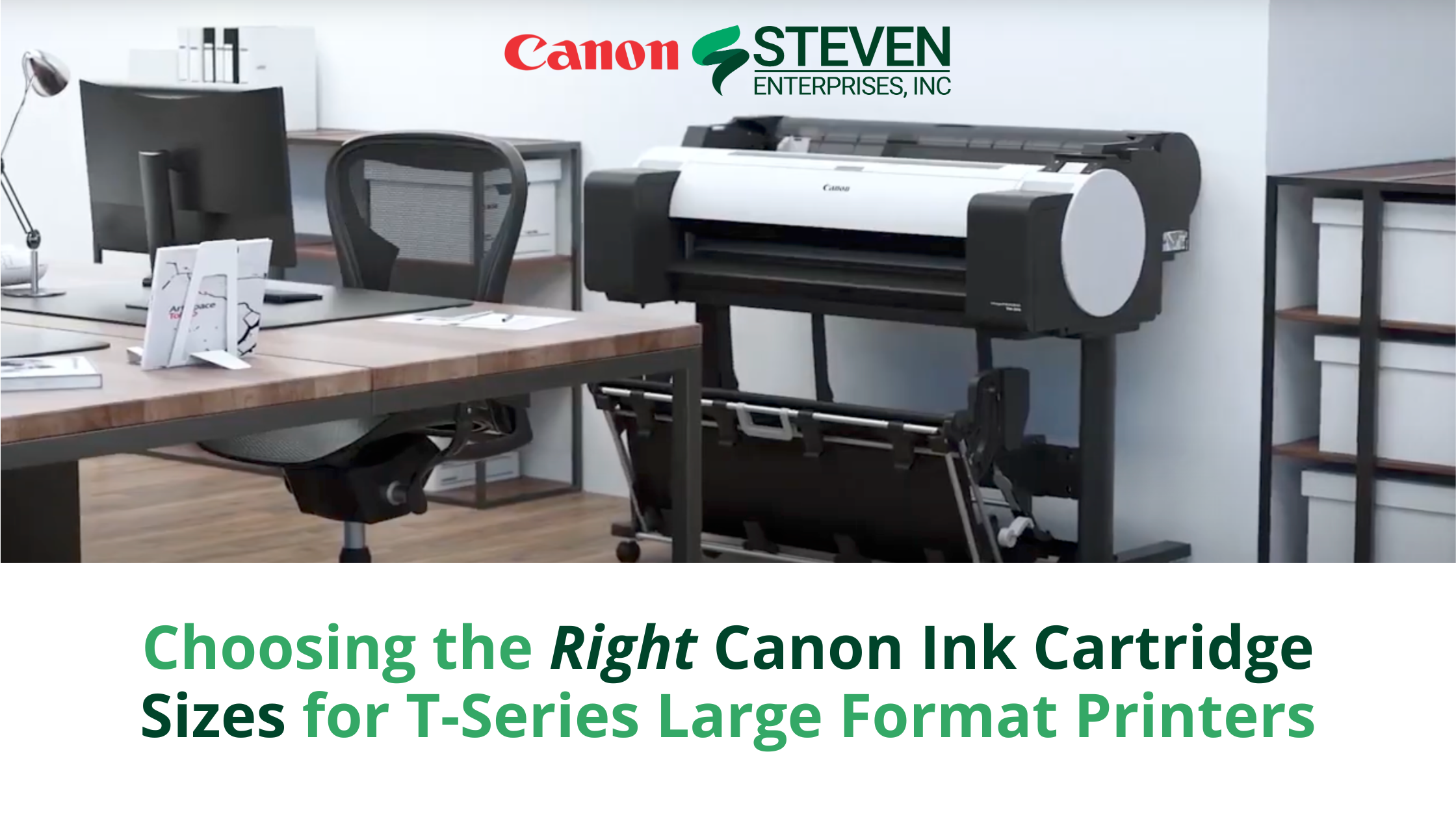
Choosing the Right Canon Ink Cartridge Sizes for T-Series Large Format Printers

Choosing the Right Canon Ink Cartridge Sizes for T-Series Large Format Printers

Selecting the right Canon ink cartridge for your large-format T-series printer is crucial for ensuring superb image quality and efficient operation in your business. Canon’s dedication to innovation is evident in its range of ink cartridges, tailored to meet diverse business needs.

In this guide, our Certified Canon printing experts will help you understand the different ink cartridge sizes available for Canon T-Series printers and which businesses would benefit most from each.

🖨️ If you’d like to get a discount on your next bulk order of inks, contact our Certified Canon Printing Specialists for a free quote.

3 Sizes of Canon Inks Available for the Canon T-Series Printers 🖨️

Canon offers three distinct sizes of ink cartridges for their T-Series large format printers, each designed to match specific printing volume needs:

  1. 160 ml Ink Cartridges: Ideal for businesses with minimal print requirements.
  2. 330 ml Ink Cartridges: Perfect for medium-scale printing tasks.
  3. 700 ml Ink Cartridges: Best suited for high-volume printing environments.

Choosing the correct size is crucial as it impacts not only your printing efficiency but also cost management. Larger cartridges provide better value per ml but may not be necessary for lower volume needs.

1. Best Canon Ink Size for Low Volume PrintingSteven Enterprises - Canon Ink PFI-3100 Magenta Ink Cartridge 160ml

Monthly print volume: Under 2,500 sq ft per month

Businesses with modest monthly print volumes, such as small design studios or offices, typically find that the Canon TM-Series printers effectively meet their needs. These printers accommodate 160 ml and 330 ml cartridges. If you’re consistently near the 2,500 sq ft mark, opt for the 330 ml cartridges for cost efficiency. For lower volumes, the 160 ml cartridges are sufficient and reduce the risk of ink drying out.

2. Best Canon Ink Size for Medium Volume Printing 

Steven Enterprises - Canon Ink PFI-303 Black Ink Cartridge 330ml

Monthly print volume: Up to 4,000 sq ft per month

Enterprises printing between 2,500 and 4,000 sq ft per month may utilize the Canon TX-Series. Known for its speed and capacity to enhance team productivity, the TX-Series accommodates all 3 ink sizes: 160ml, 330ml, and 700ml inks. 

If your business has this printer, we recommend contacting our Certified Canon printing experts to determine which cartridges you should buy. 

Book a free consultation with our team here. 

3. Best Canon Ink Size for High Volume Printing 

Steven Enterprises - Canon Ink PFI-740Y Yellow Pigment Ink Cartridge 700ml

Monthly print volume: Over 7,000 sq ft per month

Large-scale operations, such as architectural firms or engineering companies, often require the robust capabilities of the Canon TZ Series. Suitable for intensive use, these printers handle both 330 ml and 700 ml cartridges. For firms with print volumes approaching or exceeding 8,000 sq ft per month, the 700 ml option offers the best value and minimizes cartridge changes.

Ready to Restock Your Canon Inks?

At Steven Enterprises, we have been the trusted supplier of Canon large-format printer inks and supplies for Southern California businesses for over three generations. Whether you’re involved in architecture, graphic design, or managing an office, we can help you find the right Canon inks for your printer.

Explore our online store for current ink stock, or contact our team for personalized advice and potential bulk order discounts.


Posted on

Which Canon Ink is Right for Your Large Format Canon Printer?

Which Canon Ink is Right for Your Large Format Canon Printer

Canon’s large and wide-format printers have revolutionized high-quality graphic printing. Over the years, Canon has introduced a range of inks that enhance color vibrancy, durability, and quality. Choosing the right ink for your Canon printer can ensure your prints meet your business’s specific needs.

In this blog post, we’ll review the five main types of Canon inks available for large-format printers and explore which businesses benefit most from each.

If you need expert help finding the perfect Canon inks for your needs, reach out to our Certified Canon Printing Specialists for a free consultation.

5 Types of Canon Inks Available for Large Format Printing

4-Color Canon Inks with CMYK UVgel

The Canon Colorado series, designed for high-speed, precise printing, uses 4-color inks with CMYK UVgel. Featuring FLXfinish technology, this series allows users to print matte and gloss finishes in a single pass, creating striking visual outputs.

The Canon Colorado M-Series runs on these durable 4-color inks, making it an excellent choice for businesses needing large format prints on paper or for outdoor signage.

Explore the Canon Colorado Series here.

5-Color Canon Inks with CMYK UVgel (Adding White) 

If your business prints on diverse materials beyond paper, such as plastic, PVC, metal, or wood, upgrading to Canon’s 5-color inks is essential. The fifth color, white, enhances clarity and detail on these non-paper surfaces.

While the Canon Colorado M-Series can use the 5-color ink, at Steven Enterprises, we often recommend the Canon Arizona series for businesses needing the additional flexibility of white ink in their prints.

Learn more about the Arizona Series here.

5-Color Canon Inks Plus Fluorescent Pink

For businesses using the Canon GP-300 or GP-200 models, the 5-color ink set with added Fluorescent Pink offers vibrant, attention-grabbing prints. This set includes:

  • Matte black (MBK)
  • Dye black (BK)
  • Cyan (C)
  • Magenta (M)
  • Yellow (Y)
  • + Fluorescent pink for a neon-like effect!

Ideal for industries such as retail, restaurants, government offices, schools, and corporate environments, the GP series makes large format prints stand out with enhanced visibility.

Discover the Canon GP Series inks here.

10-Color Canon Inks with Fluorescent Pink 

Canon’s GP-4000 and GP-2000 models offer the world’s first large-format printers with aqueous pigment Fluorescent Pink ink. Equipped with Canon’s Radiant Infusion technology, this ink layers the Fluorescent Pink pigment. This way, the other colors will look brighter in reproduction.

The GP-2000 printer’s 10-color ink set includes red, orange, green, violet, and Fluorescent Pink. Making it achieve the largest color gamut in the imagePROGRAF lineup, perfect for graphic-rich projects that demand vivid color.

11-Color Canon Inks Plus Chrome Optimizer

Canon’s 11-color ink set with Chrome Optimizer is unparalleled. Professional photographers, graphic designers, and businesses needing the widest color gamut use this ink. This ink set, available for the imagePROGRAF Pro Series, produces stunning black-and-white prints, rich color gradients, and unmatched color accuracy.

These inks are highly light-resistant and preserve color over time. Not only that, they also offer top-tier color calibration, making them ideal for premium, long-lasting prints.

Ready to Restock Your Canon Inks?Steven Enterprises 4-Color Canon Inks with CMYK UVgel

At Steven Enterprises, we have been the trusted supplier of Canon large-format printer inks and supplies for Southern California businesses for over three generations. Whether you’re part of a marketing agency, photography studio, or graphic design firm, we have the Canon inks you need for vibrant, high-quality printing.

Visit our online store to see what inks are in stock

If you don’t find what you’re looking for, contact our team, and we’ll help you source the supplies you need.

Posted on

Steven Enterprises teams with Graphic Finishing Partners (GFP) for Lamination Equipment

Gfp laminator machines are the perfect complement to the latest wide format inkjet printers. Find out more about the proven to shorten production time, increase profitability, & professional results.

Nothing grows the success of a print service provider like quality on-time results. That’s why Steven Enterprises is proud to announce a new partnership with a leader in lamination equipment and supplies, Graphic Finishing Partners LLC. 

Gfp laminator machines are the perfect complement to the latest wide format inkjet printers. They are proven to shorten production time, increase profitability, and produce consistent, professional results.  

Find out more about our new partnership and which laminators our printing experts recommend most to our customers. 

Who is Gfp Laminators? 

Graphic Finishing Partners LLC (Gfp) opened its doors in 2009 in response to the

growing need for more affordable yet efficient, high quality print finishing equipment and supplies. 

Gfp laminators are known in the printing industry for their simplicity to operate, full of labor-saving features, and easy on the budget.

Their mission is to provide finishing shops with the tools they need to produce profitable results while helping them keep their costs down. 

For more information about Graphic Finishing Partners LLC, visit gfpartnersllc.com.

Why Choose Gfp Laminators?

Rugged and reliable, Gfp finishing equipment offers several ways to achieve application flexibility. 

Whether you produce & sell laminated signs, mount photos and graphics as a service, or simply want to laminate point-of-purchase and trade show displays, banners, or window, floor and vehicle graphics – Gfp laminators can do it all!  

Another key benefit of purchasing your laminator from Gfp is that it comes with a One Year Parts & Labor Warranty

Not to mention that installation, operator training and service support are readily available through Steven Enterprises service technicians

Why Purchase Lamination Equipment for Your Printing Hub?

Despite the significant development and innovation in office technology, laminators are still considered essential tools for preserving important documents in schools, offices, homes, and print shops.

Lamination is a popular way to protect and improve the quality and durability of printed materials, especially if they’re leafed through frequently.

Businesses who handle important printed materials daily without laminating them typically will have to re-print far more often because of damage. Fingerprints, rips, folds, spillages and stains are all common issues with documents that aren’t properly laminated. 

Not to mention, with a laminator your documents will look far more professional.

It’s often used for restaurant menus, price/part lists, business cards, educational and training materials, maps, and bookmarks. That said, Steven Enterprises also commonly sells Gfp laminators to government entities for roadway signs and other large format posters that need to be produced at scale. 

If your business frequently prints materials that will be outside, laminating will typically extend the durability 5+ years! 

Cold vs Hot Laminators – Which one to choose?

Choosing the right kind of laminator can be a daunting task, especially for first-time buyers. A common problem when selecting a laminator is the uncertainty surrounding whether to opt for a hot or cold laminator. 

The primary difference between hot vs. cold lamination depends on how the plastic is applied to the document by the laminating machine:

  • Hot laminators are exceptional machines for laminating pressure-sensitive materials with a crystal-clear finish. These laminators use heat to activate and melt the adhesive of the lamination film to bond with the material. 
  • Cold laminators are innovative machines that protect heat-sensitive materials prone to heat damage. They use pressure to bond two layers of material together to create a crease-free protective coating. 

At Steven Enterprises, we typically sell the hot laminators more often. However, we understand that every business is unique. 

If you’re unsure which laminator you should buy, talk with one of our printing experts.

Top Lamination Equipment By GFP We Recommend

GFP Laminators 300 Series: Professional 55″ and 63″GFP Laminators 300 Series: Professional 55" and 63"

Smaller shops who don’t need to laminate all too often typically choose the 300 series, as it is a affordable option for pressure-sensitive applications. 

The Gfp 300 series delivers rugged construction, labor-savings features, and high quality output in an entry level machine. 

Built off the 255C Cold Laminator, the 300 series adds top heat for better overlamination, mounting and board coating results.

Learn more about the Gfp 300 Series laminators here.

GFP Laminators 500 Series: Production 63″ GFP Laminators 500 Series: Production 63" 

For businesses that have a slightly higher volume of laminated projects, the 500 series is definitely the way to go. It has a 50% faster throughput and quick application changes save time, effort and money.

Some key features for these powerful production-quality laminators include: 

    • Swing-out quick-grip supply shafts: Helping you replace rolls easily during large lamination projects 
    • Drop-in quick-grip rewind shafts: Includes motorized rear rewind with rotary slitters for roll-to-roll applications
    • Photoelectric eye: For enhanced safety for your laminator operators   
    • Media Alignment disks: To keep your supply rolls from telescoping
    • Swing-up feed table: With a tall 38″ output height for easy finishing on most surfaces
    • Metal Alloy heater: To help reduces breakage during mass production
    • Roller gap measurement scale: Standard 4.4″ diameter rollers, to keep supply costs low

Learn more about the Gfp 500 Series laminators here.

GFP Laminators 600 Series: Top Heat LaminatorsGFP Laminators 600 Series: Top Heat Laminators

If your business has a higher print volume that needs to be laminated at high speeds, the 600-series is potentially worth the upgrade. 

Everything from the 500 series, plus these key features: 

    • Smart Finishing Technology
    • Digital microprocessor

Learn more about the Gfp 600 Series Top Heat Laminators here.

Need Help Purchasing the Right Lamination Equipment for your business?

If you’re hoping to purchase or upgrade to a Gfp Laminator, we’d be happy to provide you a free consultation with one of our laminator specialists. 

Call us now at 800-491-8785 or send us an inquiry.

Posted on

Why Invest in Verkada Security Products

Why Invest in Verkada’s Government-Grade Security Products

To help provide more holistic office equipment solutions for our clients, Steven Enterprises has partnered with Verkada security technology

They offer government-grade technology that complies with all security requirements in educational institutions, cities, and AEC firms. 

Find out more about the Verkada security products we offer and how partnering with Steven Enterprises for your office security and printing needs could save you time and money.  

Why Choose Verkada Security Products? 

Verkada’s mission goes beyond reinventing physical security; we empower organizations with AI-enabled devices and an enterprise-ready cloud platform to transform their approach to safety.

They have over 26,000 organizations across more than 70 countries—including schools, hospitals, and corporate campuses—have not only improved their physical security but have also unlocked new efficiencies in their operations.

Verkada’s solutions stand out for their ease of deployment and user-friendly design, ensuring that any team, regardless of technical expertise, can bring our solutions into their environments, from local stores to global networks of distributed sites. 

What Makes Verkada’s Security Different?

Like most security brands, Verkada offers many physical security devices to protect your office, campus, construction site, etc.

Where Verkada begins to shine is how its physical products seamlessly integrate into a single, cloud-based platform for ongoing monitoring. As a result, businesses can easily access their security monitoring from anywhere on any device. 

This not only helps address a range of growing safety needs, but it also enables businesses to respond more accurately and timely to emergencies. 

“Verkada had everything I was looking for in a security system: centralized control, cloud-based, no servers required, and intuitive.” – Alex Wiltz, Director of Public Safety

Verkada’s Continuously Expanding Security Product Line

Many organizations require a security solution that offers greater visibility into their physical spaces while offering critical alerts about environmental changes across their facilities.

Steven Enterprises chose to team up with Verkada because they truly are the leaders in the security space. 

Below are the main products part of the Verkada security product line: 

  • Video Security: Monitor sites remotely — no NVRs or DVRs.
  • Access Control: Secure every door.
  • Air Quality Sensors: Detect vaping and harmful chemicals.
  • Alarms: Catch and respond to intrusions.
  • Workplace: Track deliveries and visitors.
  • Intercom: Answer calls from anywhere.
  • Command: Manage everything behind a single pane of glass.

Why Partner with Steven Enterprises to Purchase Verkada Security Products 

Steven Enterprises customers can now combine their service contract for printer repairs with their security service contract to save money. This is because you consolidate your service lease agreements under one partner, bringing down your total fee.

The best part about partnering with Steven Enterprises for your security software is how much time you’ll save when something breaks. Steven Enterprises has a trusted reputation of always answering your call. 

If you work with us to purchase your security cameras, access security, and intercom system, you’ll be guaranteed that same high-quality level of service.

Top 3 Verkada Products Steven Enterprises Trusts

1. Verkada Security CamerasVerkada Security Cameras by Steven Enterprises

While many security cameras are on the market, none are as good as Verkada’s. 

When we began looking for the right security brand partner to work with, Verkada’s security cameras stood out for three main reasons: 

    1. Simple Setup: Install Verkada cameras easily and in minutes with a PoE connection. There is no need for added software or complex port forwarding.
    2. Built-in Storage: Store up to 365 days of standard quality footage directly on the camera. No need for NVRs, DVRs, or servers.
    3. Automatic Updates: Stay ahead of emerging security threats and keep up-to-date with the latest features, like AI-powered analytics.

To learn more about Verkada security cameras, book a demo with us here.

2. Verkada Access ControlVerkada Access Control by Steven Enterprises

If you want to manage who can access secure areas and get the insights you need to keep people and property safe, the Verkada access control products are definitely worth reviewing. 

These powerful devices integrate the physical security cameras monitoring your building with the cloud tools powering your organization.

Unlike other access control software, Verkada’s access control comes with automatic over-the-air updates to keep your system up-to-date and bring speed, security, and reliability to your entrances.

Take a look at the technology immediately via this on-demand product demo.

3. Verkada Intercom Verkada Intercom Security System by Steven Enterprises

Last but certainly not least, we were very impressed with Verkada’s intercom system.

This equipment enhances security at the door with sharp video, clear audio, and built-in access reader

If your business has multiple job sites or inconsistent working hours, you’ll be impressed by the cloud-managed call routing. Calls can be directed to on-site local receivers or to a central call center after business hours.

Find out how this top 1% School District adopted Verkada’s multi-layered security strategy to increase on-campus safety. 

Does Your Business’ Security Need an Upgrade?

It’s never a bad time to assess your physical security infrastructure, but this can be overwhelming for most organizations. 

We aim to help simplify this by offering a 1:1 conversation with our security experts. In this meeting, we’ll get a foundational understanding of your physical security risks and help you determine whether further physical security risk enhancements may be required.

If you’re interested in talking with us, please fill out this form to get a demo with Sean.

Posted on

Top Canon OCE PlotWave Printers for 2025: Organized By Print Speed & Price

When the OCE PlotWave launched in 2009, these large format printers offered reliable, easy production of high-quality prints. Many AEC firms chose the OCE brand because of their built-to-last design philosophy.

Unsurprisingly, in November 2009, Canon and Océ announced a conditional agreement wherein Canon would buy all the shares of Océ in a fully Canon-funded, public cash offer. 

Based on more than a decade of market-leading success, the 6th generation of the popular OCE PlotWave printers has come to the market. 

In this article, we’ll explain what makes the Canon OCE PlotWave printers so popular and review the top printers Steven Enterprises’ printing experts recommend to our customers in 2025.

Industries Who Commonly Purchase the PlotWave Large Format Printers

The plotWAVE T-series printers are developed for producers of technical drawings and designs who want an integrated, easy-to-operate solution. 

These large-format printers have been developed for users in architecture, engineering, construction (AEC), and manufacturing companies. 

In addition to those main industries, the technology is also efficient for government offices, education, and professional print shops handling larger sets of technical documents.

Unique Features of the Canon OCE PlotWave Printer

Compared to the other technical large-format printers on the market, the Canon OCE PlotWave is definitely one of the more versatile ones. Walk-up users will appreciate the possibility of combining all their printing, scanning, and copying tasks on a single device with a wide variety of media available.

That said, a few key features distinguish this new generation of the OCE PlotWave from the competition.

1. Patented Radiant Fusing Technology 

Radiant Fusing technology is an eco-friendly fusing method that provides instant printer availability with no warm-up time. It consumes less energy and emits less noise and ozone than conventional fusing methods. 

This printer is Energy Star® 3.0 certified and uses toner bottles with an average of 50% recycled materials. So, if your business has sustainable initiatives and wants to be environmentally friendly, this large-format printer can support that. 

2. Updated IT Security Software & Features

In addition to the environmental benefits, business owners who purchase the Canon OCE PlotWave appreciate the convenient, fast, and reliable multitasking with the secure POWERsync controller (running on Microsoft Windows® 10 iOT LTSC21). 

The printer has the entire PRISMA and Clear Connect software suite, making it easy to manage complex jobs and avoid misprints. Despite the multiple driver software applications, most printer operations still review the Canon OCE Plotwave to have an intuitive user interface. 

3. Practical Add-ons for Large Teams

The 6th generation of the OCE PlotWave now includes an automatic remaining media indicator and an optional user attention light, making the printer easy to use for large teams.

The user attention light sits on the back of the printer and indicates when the printer is ready to be used. A green light indicates it’s ready to be used, whereas a flashing red light means something is wrong. While seemingly insignificant, this light is helpful for large firms where only a small portion of those operating the printer will be trained to maintain it.

Top 3 Canon OCE PlotWave Printers By Print Volume 

Now that you know more about the OCE PlotWave printers, let’s examine the top three large-format printers that Steven Enterprises’ printing experts recommend to our customers most. 

Canon OCE plotWAVE T-35

  • Target Users: If your business prints less than 5K sq feet per month, the most affordable & best quality OCE plotWave is going to be the T-35. 
  • Speed: Delivers up to 4 D/min                                                                    
  • Size: Can fit up to 2 rolls
  • Main differentiator: Reliable performance and lasting quality

Learn more about the plotWAVE T-35 model.

Canon OCE plotWAVE T-55

  • Target Users: If your business prints more than 5K sq feet per month, we recommend the T-55 model.  
  • Speed: Delivers up to 8 D/min (double the speed of the T-35)
  • Size: Can fit up to 4 rolls  (double the speed of the T-35)
  • Main differentiator: T-series printers are built for reliability and uptime,
  • with minimal burden of daily maintenance.

Learn more about the plotWAVE T-55 model.

Canon OCE plotWAVE T-75

  • Target Users: If your business prints more than 15K sq feet per month, you’ll need to invest in the most powerful OCE in the T-series: T-75
  • Speed: Delivers up to 10 D/min 
  • Size: Can fit up to 6 rolls 
  • Main differentiator: Easily manage high-demand technical printing

Learn more about the plotWAVE T-75 model.

Need Help Choosing Between the Top Canon OCE Large Format Printers?

In a rapidly evolving large format printing industry, staying ahead with the best tools is not just an option—it’s a necessity. 

Let Steven Enterprises be your go-to source for identifying the right large-format printers for your business. Speak to one of our Equipment and Account Specialists for free to tap into their in-depth industry experience. 

Contact us today by filling out this form or call us at 800-491-8785.