Posted on

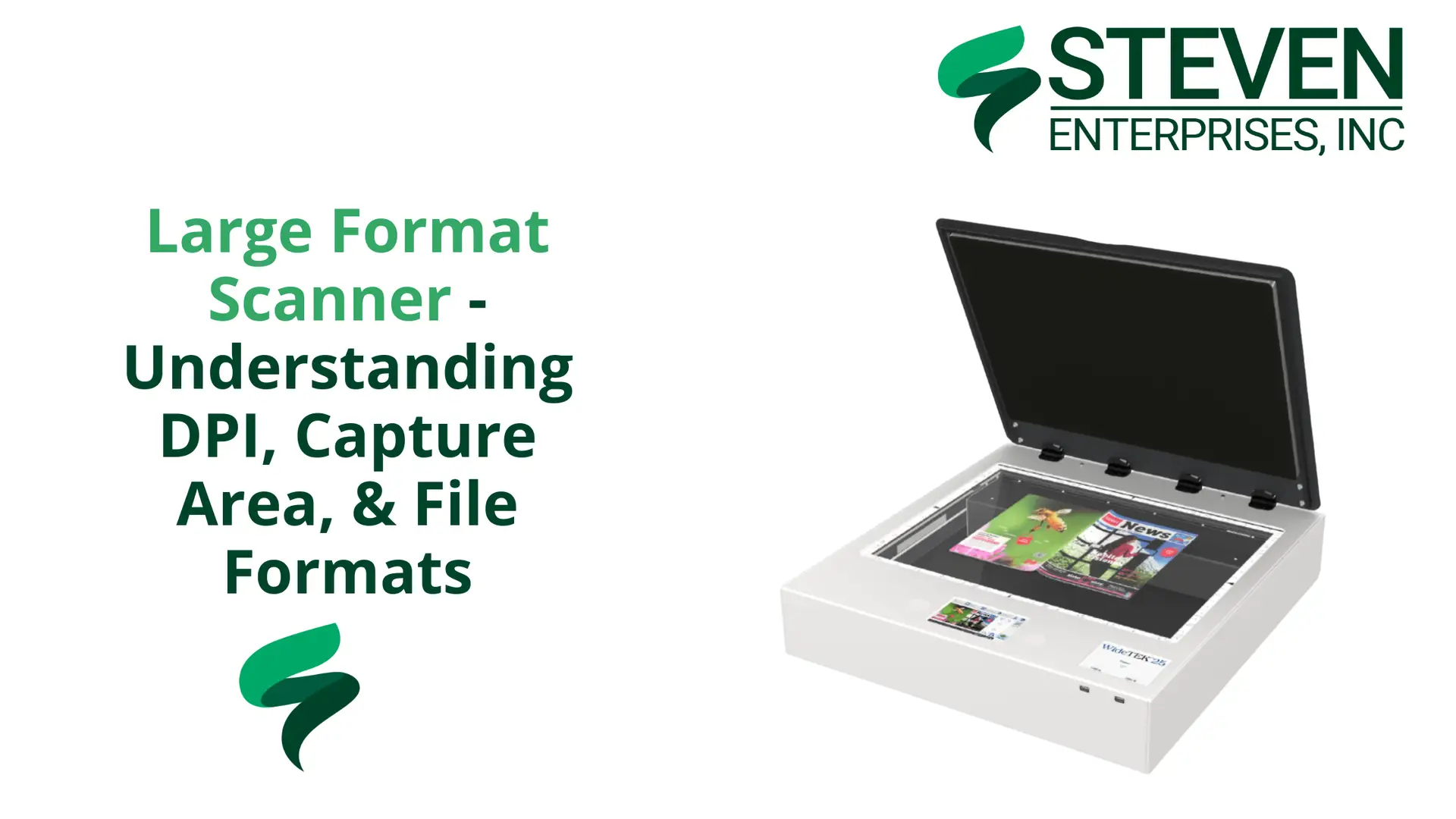
Large Format Scanner – Understanding DPI, Capture Area, & File Formats
For most large format scanner settings, 300 to 400 DPI is the right resolution. Your capture area depends on the type of scanner you have. PDF, JPEG, and TIFF are the file formats that actually matter. Everything else is noise.

At Steven Enterprises, we work with architects, engineers, contractors, and print shops who need to digitize large format documents every day.  

The questions we get most often come down to three things: how much resolution do you actually need, what your scanner can physically capture, and which file format you should save in. 

This guide answers all three, without the fluff you’ll find out there.

DPI for Large Format Scanning: What You Actually Need

Scan at 300 to 400 DPI. That is the sweet spot for large format scanner settings, and going higher creates more problems than it solves.

DPI stands for dots per inch, and in scanning, it measures how much detail the scanner captures per inch of the original document. A higher DPI means more detail, but it also means a much larger file.

At 1,200 DPI, a single large format scan can produce a file so large it becomes nearly impossible to send, store, or work with. Most workflows, software applications, and email systems simply cannot handle it. 

At 300 to 400 DPI, you get a clean, sharp scan of a blueprint, architectural drawing, or engineering document that is still manageable in size and easy to share digitally.

For the vast majority of large format scanning, 300 DPI is sufficient. If you are scanning detailed artwork or documents where fine lines really matter, 400 DPI gives you added clarity without blowing up your file size.

The 1,200 DPI option is available on most machines, but in practice, very few people use it in standard document workflows. Save that setting for specialized archival work where file size is not a constraint.

Capture Area: What Your Scanner Can Actually Handle

Your capture area depends entirely on which type of scanner you have, not on your document.

There are two main categories of large format scanners, and they handle capture area very differently.

  • Flatbed scanners have a fixed glass bed. A 44-inch flatbed can scan the entire 44-inch width in a single pass, giving you a true full-size capture of whatever fits on the glass. These are well-suited for artwork, mounted documents, and anything that needs to lie completely flat.
  • Standalone roll-fed scanners work differently. These pull the document through the machine on a feed roller. Depending on the model, standalone large format scanners typically handle widths between 24 and 60 inches. The most common configurations you will see in offices and print shops are 36-inch- and 44-inch-wide models.

Most large format scanning in professional environments involves blueprints, architectural drawings, engineering documents, old maps, and large artwork that needs to be digitized. 

These documents are getting scanned because everything is moving toward digital workflows, and physical copies need to become searchable, shareable files.

If you are regularly scanning oversized or mounted materials, a flatbed is the better fit. 

If your work is primarily roll plans, blueprints, and technical drawings, a standalone roll-fed scanner handles it faster and more efficiently.

Steven Enterprises carries a full range of wide format scanners, including models from HP, ROWE, Contex, Colortrac, and Graphtec

Not sure which type fits your workflow? That is exactly the kind of question we help answer before you buy.

The Three File Formats That Actually Matter
PDF, JPEG, and TIFF cover almost every large format scanner settings need. EPS and SVG are rarely used in scanning workflows.

  • PDF is the industry standard for large format document scanning. It preserves vector graphics and text sharpness, works across every platform, and is the format most clients, contractors, and collaborators expect to receive. If you are scanning blueprints or technical drawings for sharing or submission, PDF is almost always the right choice.
  • TIFF is the best option when image quality is the top priority. It uses lossless compression, meaning no quality is lost in saving, but the files are large. TIFF works well for archiving original documents or scanning high-detail artwork where you cannot afford any degradation.
  • JPEG is fine for high-resolution photographic content. The trade-off is that JPEG uses lossy compression, which can introduce artifacts, particularly around sharp lines and text. For blueprints or technical drawings, PDF or TIFF will serve you better. For scanning photographic prints or artwork where some compression is acceptable, JPEG is workable.

Note: EPS is a format you may see mentioned in scanner spec sheets, but in practice, it is rarely used in large format scanning workflows. It is primarily a design and print production format for vector logos and graphics, not a standard output for document scanning.

One important setting, regardless of format: always scan or convert your files to CMYK color mode if the output is going to be printed. 

CMYK is the color space used by printers. Scanning in RGB and then printing can cause color shifts that affect the accuracy of your output.

Choose the Right Scanner for Your Workflow with Us

Getting the settings right is only part of the equation. The scanner itself needs to match what you are digitizing. 

A machine that is too narrow, too slow, or missing the right software integration will slow you down regardless of how well you dial in the resolution and file format.

Our team will work with you to match you to the right machine based on your document types, scan volume, and the software you already use.

Call us at 800-491-8785 or reach out here, and we will walk you through the options.
Posted on

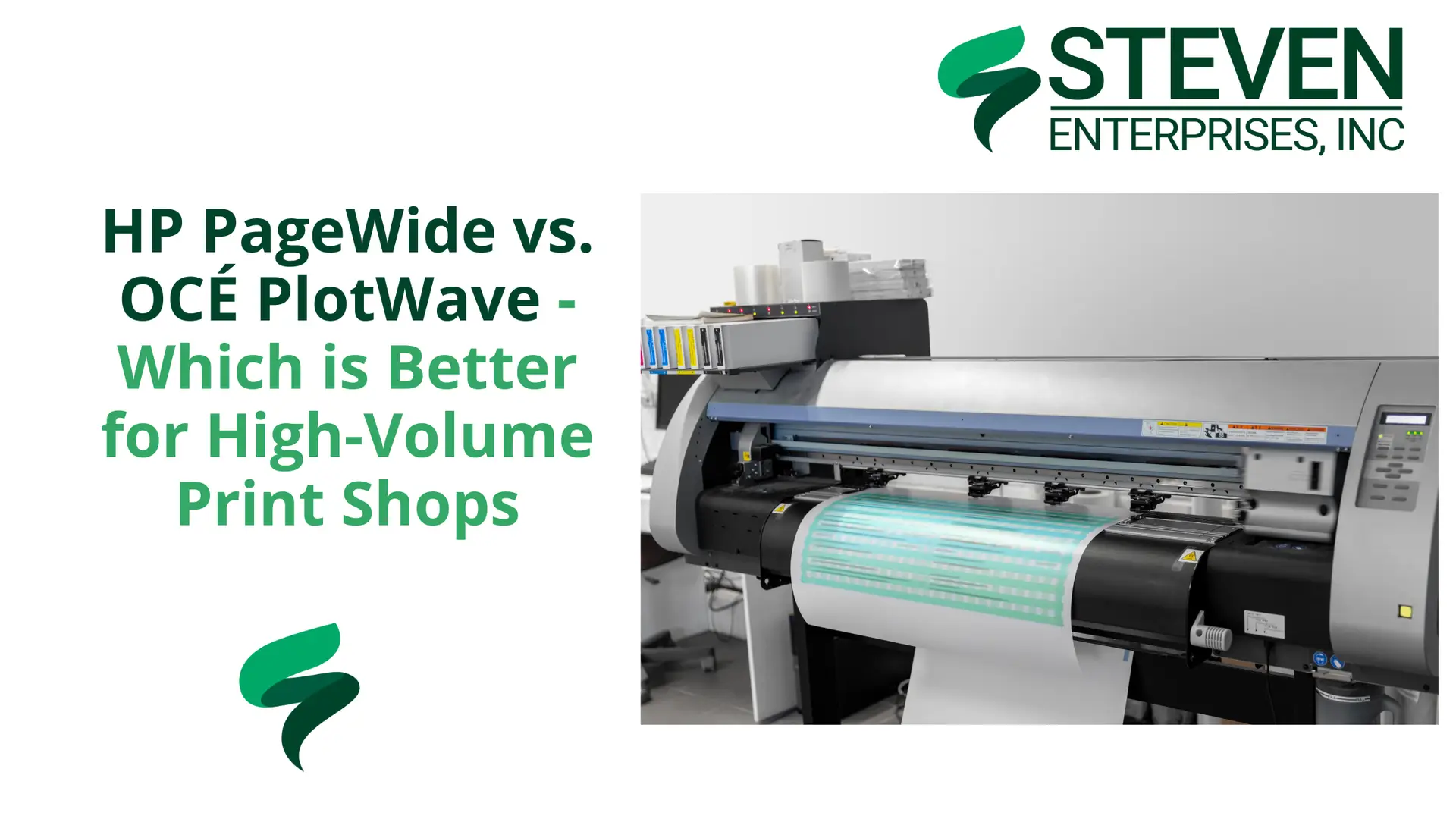
HP PageWide vs. OCÉ PlotWave – Which is Better for High-Volume Print Shops

If your print shop is pushing between 75,000 and 200,000 square feet of output every month, you are not shopping for just any printer. 

You need a machine built to keep up with that kind of volume without draining your margins. 

Two names will come up consistently in that conversation: the HP PageWide vs Océ PlotWave line.

At Steven Enterprises, we have helped hundreds of print shops across Southern California pick the right machine for their volume, their budget, and their actual output mix. 

Both are serious machines, but they take very different approaches to high-volume printing, and the right choice depends on what your shop actually needs day-to-day.

This guide breaks it down so you can make the call with confidence.

What Counts as High-Volume for a Print Shop?

A high-volume print shop produces between 75,000 and 200,000 square feet of output per month. At that scale, every cent per square foot compounds quickly, and any unplanned downtime is expensive. 

Speed, running costs, and reliability are not nice-to-haves at that volume; they are the whole decision.

Both the HP PageWide XL series and the OCÉ PlotWave line are built for this environment. They just get there differently.

HP PageWide XL: Best for Color-Critical, High-Speed Shops

Bottom line: If your shop prints color, the HP PageWide XL is the stronger machine.

HP’s PageWide technology uses a stationary printhead that spans the full width of the page, printing in a single pass. There is no carriage moving back and forth. 

That design is what makes these machines so fast, and why they have become the standard for high-volume print shops that need color output.

The two models that show up most in busy shops are the HP PageWide XL 5200 MFP and the HP PageWide XL 8200. The 5200 MFP runs at 20 pages per minute in full color. The 8200 pushes to 30 pages per minute, also in full color. 

If your shop handles technical drawings, site plans, or any color-critical work, that throughput is hard to match.

The trade-off is ink cost. PageWide machines use inkjet technology, which historically cost more per square foot than toner; that gap has narrowed considerably in recent years. 

For shops that need color output and high throughput, the PageWide series gives. you color for a running cost that competes closely with black-and-white toner machines.

OCÉ PlotWave: Best for High-Volume Monochrome at Lower Running Cost

Bottom line: If your shop runs mostly black-and-white at massive volume, the OCÉ PlotWave keeps your cost per page lower.

The PlotWave lineup is almost entirely black and white, with one exception for color, the OCÉ ColorWave

Most high-volume print shops running PlotWave machines stick with the monochrome models.

Speed on the PlotWave ranges from around 4 pages per minute on the lower end to 10 pages per minute at the top of the range. That is fast, though the HP PageWide XL does outpace it at the higher end of the spec sheet.

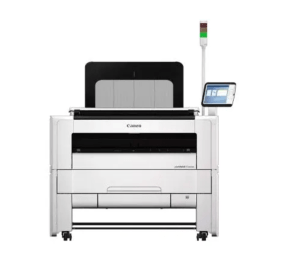
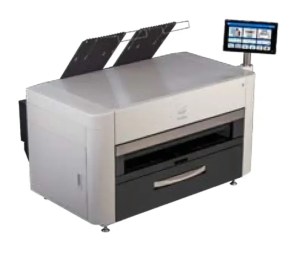
The most common PlotWave model you will see in shops today is the Canon PlotWave T50 Series

If you walk into an older print shop that has been running OCÉ equipment for years, you might still find an OCÉ TDS 750, which was the workhorse of its era before the brand was absorbed into Canon. 

Toner running costs sit in the $0.008 per square foot range for ink-only costs on PlotWave machines. 

The all-in cost including service and supplies lands around $0.117 to $0.128 per square foot based on industry benchmarks, though that figure varies by volume and contract terms.

Head-to-Head: HP PageWide XL vs. OCÉ PlotWave

If your shop prints mostly black-and-white technical documents and cost per page is your primary concern, the OCÉ PlotWave is a proven option. It is reliable, built for endurance, and the toner model has a long track record in demanding environments.

If you need color output, or you want the fastest possible throughput and are willing to accept ink-based running costs, the HP PageWide XL wins on almost every other metric. 

The XL 8200 in particular is where a lot of shops have landed in recent years, partly because the running costs are competitive enough that the color advantage essentially comes for free compared to running a dedicated mono toner machine.

The real question to ask yourself: how much color work is coming through your shop? If the answer is “a lot” or “growing,” the PageWide is hard to argue against.

If your output is almost entirely mono and volume is massive, the PlotWave earns its place.

HP PageWide XL OCÉ PlotWave
Technology Inkjet, single-pass Toner
Speed 20 to 30 pages/min 4 to 10 pages/min
Color Full color, all models Mostly mono; one color option (ColorWave)
Ink/toner cost ~$0.005 to $0.01/sq ft ~$0.008/sq ft
Best for Color output, high throughput High-volume mono, cost-sensitive shops
Common models XL 5200 MFP, XL 8200 Canon PlotWave T50 Series
Legacy model HP DesignJet series OCÉ TDS 750

Talk to an Expert Who Knows These High-Volume Printers

Steven Enterprises has been working with high-volume print shops for over 30 years. 

We carry both HP PageWide XL equipment and Canon PlotWave machines, and we will run the numbers on what actually makes sense for your shop’s volume and output mix.

Call us now at 800-491-8785 or request a quote here. We will give you a straight answer without leaving you guessing.

Posted on

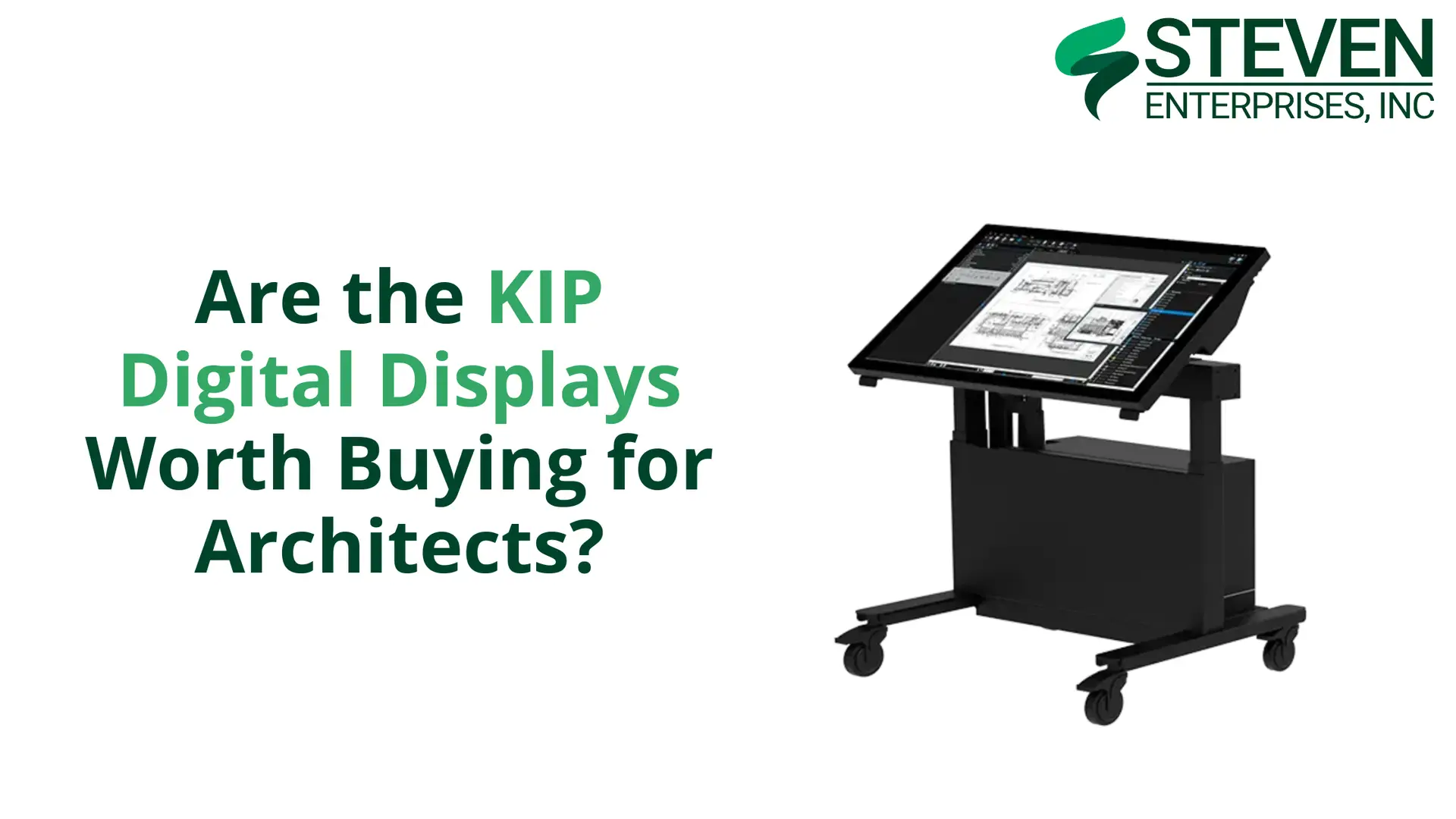
Are the KIP Digital Displays Worth Buying for Architects?

KIP Digital Displays offer a purpose-built solution for AEC professionals who want to move beyond paper plans.

At Steven Enterprises, we have seen that this is what professionals are after without sacrificing the collaborative benefits of reviewing designs together. 

But are they worth the investment? 

Let’s explore what these displays offer and whether they make sense for your practice.

The Digital Shift in AEC: Why KIP Full Display Matter

In 2026, the era of “dog-eared” paper plans pinned to trailer walls is ending.

While many firms have tried to bridge the gap using standard smart TVs, they quickly hit a wall.

TVs aren’t interactive, they aren’t rugged enough for job sites, and they can’t handle high-resolution CAD markups.

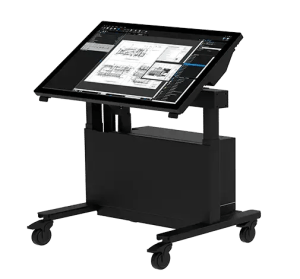
KIP Digital Displays are the professional alternative. These 4K touch-enabled systems are built specifically for the AEC industry to facilitate real-time “redlines,” project estimating, and coordination meetings.

The KIP Full Display Lineup

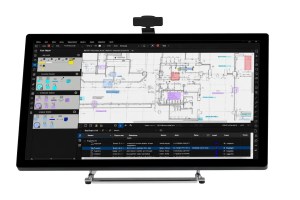
Here’s a breakdown of the three main product categories and their price ranges: KIP tabletop

Tabletop Displays: $6,000 – $10,000

The KIP Tabletop is the perfect entry point for firms that already have existing furniture but need to digitize their review process.

Key Features:

  • Space-efficient design ideal for offices with limited room
  • Touch-enabled interface for intuitive plan navigation
  • Perfect for individual designers reviewing plans at their desks
  • Suitable for job site trailers where space is at a premium

Best For: Quick “plug-and-play” review sessions and smaller coordination meetings.

Plan Desks: $13,000 – $16,000

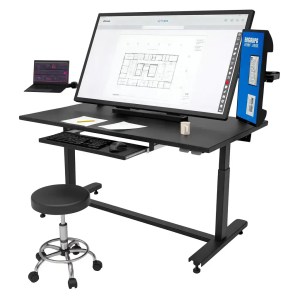
The KIP Plan Desk is a dedicated workstation designed for the individual project manager or estimator. KIP plan desk

It combines a large 4K touchscreen with a secondary 22″ side monitor for multitasking.

Key Features:

  • Integrated workstation design for dedicated review stations
  • Ergonomic construction for comfortable extended use
  • Larger screen sizes for detailed plan review
  • Professional appearance suitable for client-facing areas

Best For: Detailed plan markups, estimating, and maintaining a digital trail for change orders.

Plan Tables: $16,000 – $19,000

The KIP Plan Table is the flagship for team collaboration.

This mobile, motorized system is designed to be the centerpiece of a job site trailer or a design-build “war room.”.

Key Features:

  • Large screen sizes for team collaboration and presentations
  • Multi-user interaction capability for collaborative design reviews
  • Optional mobility with wheeled bases for flexible positioning
  • Conference table form factor familiar to traditional plan review workflows
  • Professional presentation quality for client meetings

Best For: Contractor coordination meetings, progress reviews, and large-scale infrastructure projects.

The Honest Alternative: Smart TVs

Let’s address the elephant in the room: couldn’t you just buy a large smart TV instead? 

The honest answer is yes, you could. A 55-inch or larger smart TV can display plans when you cast your phone, tablet, or computer to the screen. 

For basic plan viewing, a smart TV will cost significantly less; often just a few hundred dollars compared to several thousand for a KIP Digital Display.

However, that comparison only tells part of the story. KIP Digital Displays offer substantial advantages beyond simple plan viewing:

Purpose-Built Software Integration

KIP displays are designed to work seamlessly with AEC software platforms. They support native integration with common plan viewing and collaboration tools, eliminating the need for workarounds or complex screen sharing setups.

Multi-Touch Collaboration

While smart TVs may offer basic touch capabilities, KIP displays support sophisticated multi-touch interaction that allows multiple team members to annotate, mark up, and navigate plans simultaneously.

Precision and Accuracy

KIP displays are calibrated for the precise rendering of technical drawings with accurate scaling, dimensions, and line weights. Consumer TVs prioritize video entertainment, not technical accuracy.KIP tabletop

Workflow Optimization

From specialized annotation tools to document management features, KIP displays are optimized for AEC workflows in ways that generic displays simply aren’t.

Professional Appearance

In client-facing environments, the professional appearance and purpose-built design of KIP displays convey competence and technological sophistication that consumer electronics don’t match.

Who Should Invest in KIP Digital Displays?

KIP Digital Displays make the most sense for organizations that:

  • Prioritize Collaborative Design Review: If your workflow depends on teams gathering around plans for detailed review and coordination, the interactive capabilities of KIP displays significantly enhance that process.
  • Have Already Embraced Digital Workflows: Firms that have moved to cloud-based collaboration, digital plan management, and tablet-based fieldwork will find that KIP displays integrate naturally into their existing workflows.
  • Value Professional Client Presentation: If you regularly present designs to clients and want to create impressive, interactive presentations, KIP displays deliver a professional experience that sets you apart.
  • Work on Complex Projects: Large, complex projects benefit from the ability to zoom, annotate, and navigate digital plans collaboratively during coordination meetings.
  • Have Budget for Technology Investment: Most large AEC firms have substantial budgets built into projects for technology and equipment. For these organizations, the investment in KIP displays is easily justified by improved efficiency and reduced printing costs.

Real-World Applications

KIP Digital Displays excel in specific scenarios:

Job Site Trailers

Construction trailers are ideal locations for KIP displays. Superintendents, project managers, and subcontractors can gather around the display to review plans, coordinate work, and discuss field conditions without printing multiple plan sets or struggling to read plans on small tablet screens.

Design Office Collaboration

Design teams can use Plan Tables for regular design reviews, allowing architects, engineers, and consultants to collaborate on plan refinements interactively rather than marking up printed sheets.

Client Presentations

When presenting design concepts to clients, the ability to walk through plans interactively, zoom into details, and make real-time annotations creates a more engaging and productive client experience than static printed plans.

Explore KIP Digital Displays for Your Practice

Interested in learning more about how KIP Digital Displays could enhance your workflow? 

We’re here to help you make an informed decision. 

Contact us today or call us at 800-491-8785 to:

  • Discuss your specific collaboration and presentation needs
  • Learn more about the different display configurations
  • Get detailed pricing and specifications
  • Explore integration with your existing software

Our team can help you evaluate whether KIP Digital Displays are the right investment for your practice and what best meets your needs.

Posted on

Best Large Format Printers for Construction Plans in 2026

Construction professionals depend on large format printers to deliver crisp, reliable prints that communicate design intent accurately to everyone on the job site. 

At Steven Enterprises, we understand that clear and accurate plans are essential for project success in the construction industry. 

Whether you’re a general contractor or project engineer, having the right large format printer ensures your construction documentation is always precise and ready when needed.

The Critical Role of Quality Printing in Construction

Construction plans serve as the primary communication tool between designers, contractors, subcontractors, and building officials. 

These documents must convey complex information clearly and accurately, including structural details, mechanical systems, electrical layouts, and finish specifications. 

Poor print quality can lead to misinterpretation, costly errors, and project delays.

Modern construction workflows typically involve creating plans in CAD software, then converting them to PDF format for distribution and printing.

The large format printers used for construction plans must deliver:

  • Sharp, precise line work for accurate measurements
  • Clear text and labels at any scale
  • Durable prints that withstand job site conditions
  • Fast output to keep projects on schedule
  • Consistent quality for professional documentation

Top 5 Large Format Printers for Construction Plans in 2026

Based on reliability, output quality, and overall value for construction professionals, here are the best large format printers for construction plan printing in 2026:

1. HP PageWide XL 3800

The HP PageWide XL 3800 is a game-changer for construction document printing.

It uses a stationary print bar to deliver up to 6 D-size pages per minute in full color.

Key Features:

  • Ultra-fast print speeds keep projects moving
  • PageWide technology ensures edge-to-edge consistency
  • Handles medium to high print volumes effortlessly
  • Energy-efficient operation reduces overhead costs
  • Minimal maintenance requirements maximize uptime

Best For: Mid-sized construction firms with regular plan printing needs, project teams requiring quick turnaround on plan sets, and companies looking to improve efficiency without sacrificing quality.

2. KIP 740

The KIP 740 is a legendary workhorse. KIP 740

Because it uses toner-based technology, the prints are 100% waterproof and UV-resistant, making them perfect for blueprint printers whose output will be used outdoors.

Key Features:

  • Superior print quality for detailed construction drawings
  • Built for continuous, heavy-duty production
  • Versatile media handling for various plan formats
  • Rugged construction for long-term reliability
  • Professional output for submittals and presentations

Best For: Growing construction companies with increasing plan volumes, project offices managing multiple active jobs, and firms that need dependable output for both field use and client documentation.

3. HP DesignJet T1600 MFP

If space is your biggest constraint, the HP DesignJet T1600 MFP is the answer.HP DesignJet T1600

It is the most compact and quietest 36-inch MFP, designed specifically to fit into cramped project trailers.

Key Features:

  • 36-inch print width handles standard construction plan sizes
  • All-in-one functionality for a complete workflow
  • User-friendly touchscreen simplifies operation
  • Space-saving design fits in crowded project trailers
  • Economical for small to medium print volumes

Best For: Small to medium construction companies, job site trailers with limited space, specialty contractors, and firms wanting scanning capabilities in addition to printing.

4. KIP 785

For enterprise-level plan printing, the KIP 785 offers industrial-grade reliability. KIP-785-High-Volume

This 4-roll system allows you to switch between different media sizes (like 24″, 30″, and 36″ rolls) automatically without manual intervention.

Key Features:

  • Exceptional speed for large plan set production
  • Commercial-grade reliability for continuous operation
  • Advanced workflow automation streamlines production
  • Top-tier print quality across all media types
  • Comprehensive finishing options for professional deliverables

Best For: Large general contractors with extensive printing needs, companies managing multiple concurrent projects, and enterprise-level construction operations requiring maximum reliability and throughput.

5. HP PageWide XL 8200

The HP PageWide XL 8200 is the pinnacle of construction printing technology.

It is the fastest large format printer in the industry, producing up to 30 D-size pages per minute.

Key Features:

  • Fastest print speeds in the industry; up to 30 D-size pages per minute
  • Unmatched print quality for the most detailed construction plans
  • Maximum reliability for mission-critical deadlines
  • Advanced automation and integration capabilities
  • Lowest cost per page at high production volumes

Best For: Major construction companies with the highest printing demands, corporate construction divisions managing extensive portfolios, and large-scale projects requiring maximum speed and reliability.

Selecting the Right Construction Plan Printer

All the printers listed handle construction plans effectively, but the right choice depends on your specific operational needs. Consider these key factors when making your decision:

  • Print Volume: Smaller contractors and specialty trades often find the T1600 MFP meets their needs perfectly. Medium-volume users should consider the PageWide XL 3800 or the KIP 740. Large general contractors and commercial builders benefit from the power of the KIP 785 or PageWide XL 8200.
  • Turnaround Speed: When bidding deadlines are tight and you need plan sets fast, the HP PageWide technology in the XL 3800 and XL 8200 delivers exceptional throughput without quality compromise.
  • Budget Considerations: The printers are arranged from most affordable to premium. The PageWide XL 3800 offers excellent value for mid-range needs, while the PageWide XL 8200 represents a premium investment for maximum performance and lowest long-term operating costs.
  • Multifunction Requirements: If you need to scan existing plans or make quick copies in the field, the T1600 MFP’s all-in-one capabilities are invaluable, especially in space-constrained project trailers.
  • Project Portfolio Growth: Think beyond current needs to where your business is headed. Investing in slightly more capacity than required today can accommodate growth without requiring equipment replacement in a year or two.

Real-World Construction Applications

These large format printers serve construction professionals across a wide range of applications:

  • Plan Set Production: Quickly produce complete sets of construction documents for bidding, permitting, and field use.
  • Shop Drawings: Generate detailed fabrication and installation drawings for mechanical, electrical, and structural systems.
  • As-Built Documentation: Print updated plans showing actual construction conditions for closeout and facility management.
  • Site Plans and Layouts: Create clear site logistics plans, grading plans, and utility layouts for coordination and permitting.
  • Submittal Packages: Produce professional-quality documents for submittal to owners, architects, and building officials.

Get Expert Guidance on Construction Plan Printers

Our team understands the unique demands of construction documentation and can help you select the perfect printer for your operation. 

Contact us today or call us at 800-491-8785 to:

  • Discuss your specific printing volume and requirements
  • Compare detailed specifications across models
  • Review sample prints to evaluate quality firsthand
  • Receive a personalized quote based on your needs

Let our construction printing specialists help you find the ideal solution to keep your projects running smoothly with professional-quality plan printing every time.

Posted on

Best Printers for CAD Design Large Format Prints 2026

At Steven Enterprises, we see that Computer-aided Design (CAD) has become the foundation of modern technical drawing across architecture, engineering, and manufacturing. 

Whether you’re creating detailed floor plans in AutoCAD, developing mechanical parts, or producing civil engineering projects, print quality directly affects how your work is perceived.

That’s why choosing the right large format printer matters. With the right equipment, your technical drawings, blueprints, and plans are reproduced with the clarity and precision they require.

Understanding CAD Design and Printing Requirements

Computer-aided design (CAD) is the use of specialized computer software to create, modify, analyze, and optimize detailed 2D or 3D graphical representations of physical objects. 

CAD has replaced manual drafting across most industries by improving accuracy, design quality, and efficiency in fields like architecture, engineering, and manufacturing.

For professional results, CAD printing solutions must translate digital metadata into physical form. 

Most professionals now use a specific workflow: creating designs in AutoCAD, exporting them to high-fidelity PDFs via Bluebeam, and then sending them to large format printers.

A professional CAD printer must deliver:

  • Sharp, Precise Line Work: Essential for technical accuracy and scale.
  • Clear Text & Dimensioning: Legibility is non-negotiable for blueprints.
  • Fast Processing: The ability to handle complex “heavy” PDF files without lag.
  • Reliable High-Volume Output: Consistent performance for tight project deadlines

Top 5 Large Format Printers for CAD Design in 2026

Based on performance, reliability, and value, here are the best large format printers for CAD design work in 2026. 

These models are ranked from most affordable to premium solutions, allowing you to choose based on your budget and volume requirements.

1. HP DesignJet T1600 MFP

The HP DesignJet T1600 MFP is the ideal entry point for small CAD shops. It is the most compact and quietest 36-inch MFP in its class, featuring a radical design that fits into tight office spaces.HP DesignJet T1600

Key Features:

  • 36-inch print width accommodates most CAD drawings
  • Multifunction capabilities for complete document workflow
  • Intuitive touchscreen interface for easy operation
  • Compact design saves valuable office space
  • Cost-effective for lower to medium print volumes

Best For: Small architectural firms, individual CAD designers, engineering consultants, and businesses with moderate printing needs who value the all-in-one convenience of scan and copy functions.

2. HP PageWide XL 3800

When speed and efficiency become critical to your CAD workflow, the HP PageWide is the “sweet spot” for medium-sized firms.

It produces CAD design large format prints at incredible speeds without the warm-up time of traditional LED printers.

Key Features:

  • Ultra-fast print speeds reduce wait times significantly
  • PageWide technology ensures consistent quality across the page
  • Designed for medium to high-volume CAD printing
  • Energy-efficient operation lowers operating costs
  • Automatic maintenance keeps printer running optimally

Best For: Medium-sized firms handling regular CAD printing, design departments that need fast turnaround times, and businesses looking to boost productivity.

3. KIP 740

The KIP 740 represents the next level in CAD printing technology, offering enhanced capabilities for demanding workflows. KIP 740

This printer can handle higher volumes while maintaining excellent print quality and reliability. As a result, it supports growing teams without disrupting workflow.

Key Features:

  • Superior print quality for detailed CAD drawings
  • Built for continuous, high-volume production
  • Advanced media handling for various paper types
  • Robust construction ensures long-term reliability
  • Professional-grade output suitable for client presentations

Best For: Architectural and engineering firms, CAD departments with rising print demand, and organizations that require consistent, high-quality output for both internal use and client deliverables.

4. KIP 785

For organizations with substantial CAD printing needs, the KIP 785 delivers industrial-strength performance. KIP-785-High-Volume

This premium printer is designed to handle the demanding requirements of large engineering firms and high-volume reprographics operations.

Key Features:

  • Exceptional speed for large print runs
  • Commercial-grade reliability for 24/7 operation
  • Advanced workflow automation features
  • Highest quality output in the KIP lineup
  • Comprehensive finishing options available

Best For: Large engineering firms with extensive CAD printing needs, reprographics shops serving multiple clients, and enterprise-level operations requiring maximum uptime and performance.

5. HP PageWide XL 8200

At the top of the range, the HP PageWide XL 8200 represents the pinnacle of CAD printing technology.

This flagship model combines blazing speed with exceptional quality, making it the ultimate choice for the most demanding CAD environments.

Key Features:

  • Industry-leading print speeds up to 30 D-size pages per minute
  • Uncompromising print quality for the most detailed CAD work
  • Maximum reliability for mission-critical operations
  • Advanced automation and workflow integration
  • Lowest cost per page in high-volume scenarios

Best For: Enterprise-level organizations with the highest CAD printing demands, large architectural firms managing multiple concurrent projects, and reprographics centers requiring absolute maximum throughput and reliability.

Choosing the Right CAD Printer for Your Needs

All CAD printers handle technical drawings, blueprints, and plans created in AutoCAD and similar CAD software. 

The key differences lie in speed, volume capacity, and features. When selecting a large format printer for CAD design, consider these factors:

  • Print Volume: Smaller shops and individual designers typically do well with the T1600 MFP. However, medium-sized firms may need the added capacity of the PageWide XL 3800 or KIP 740. For high-volume environments, the KIP 785 or PageWide XL 8200 provides the performance required to keep production moving.
  • Speed Requirements: If fast turnaround is critical to your workflow, speed becomes a deciding factor. In that case, HP PageWide technology in the XL 3800 and XL 8200 delivers high output speeds without sacrificing quality.
  • Budget: Cost also plays a role in narrowing your options. To make comparison easier, these printers are organized from least to most expensive. The T1600 MFP offers an accessible entry point, while at the other end of the range, the PageWide XL 8200 represents a higher investment built for maximum performance.
  • Multifunction Needs: Some teams require more than printing alone. If scanning and copying are part of your daily workflow, the T1600 MFP provides all-in-one functionality at a competitive price.
  • Future Growth: It’s important to think beyond your immediate needs. As your CAD workload expands over the next two to three years, print volume may increase as well. By planning ahead, you can choose a device with slightly more capacity than you need today and avoid upgrading too soon.

Find Your Perfect CAD Printing Solution

Selecting the right large format printer for CAD design is an investment in your productivity and professional image. 

Contact us today or call us at  to discuss your specific requirements, get detailed specifications, compare models side-by-side, or request a personalized quote. 

Our team of technical specialists can help you choose the perfect printer for your CAD design needs and ensure you get the best value for your investment.

Posted on

Should I Buy the Rowe 850i Wide Format Scanner?

When it comes to wide format scanning for architecture, engineering, and construction (AEC) teams, the right scanner can change how fast you move from paper to CAD-ready files.

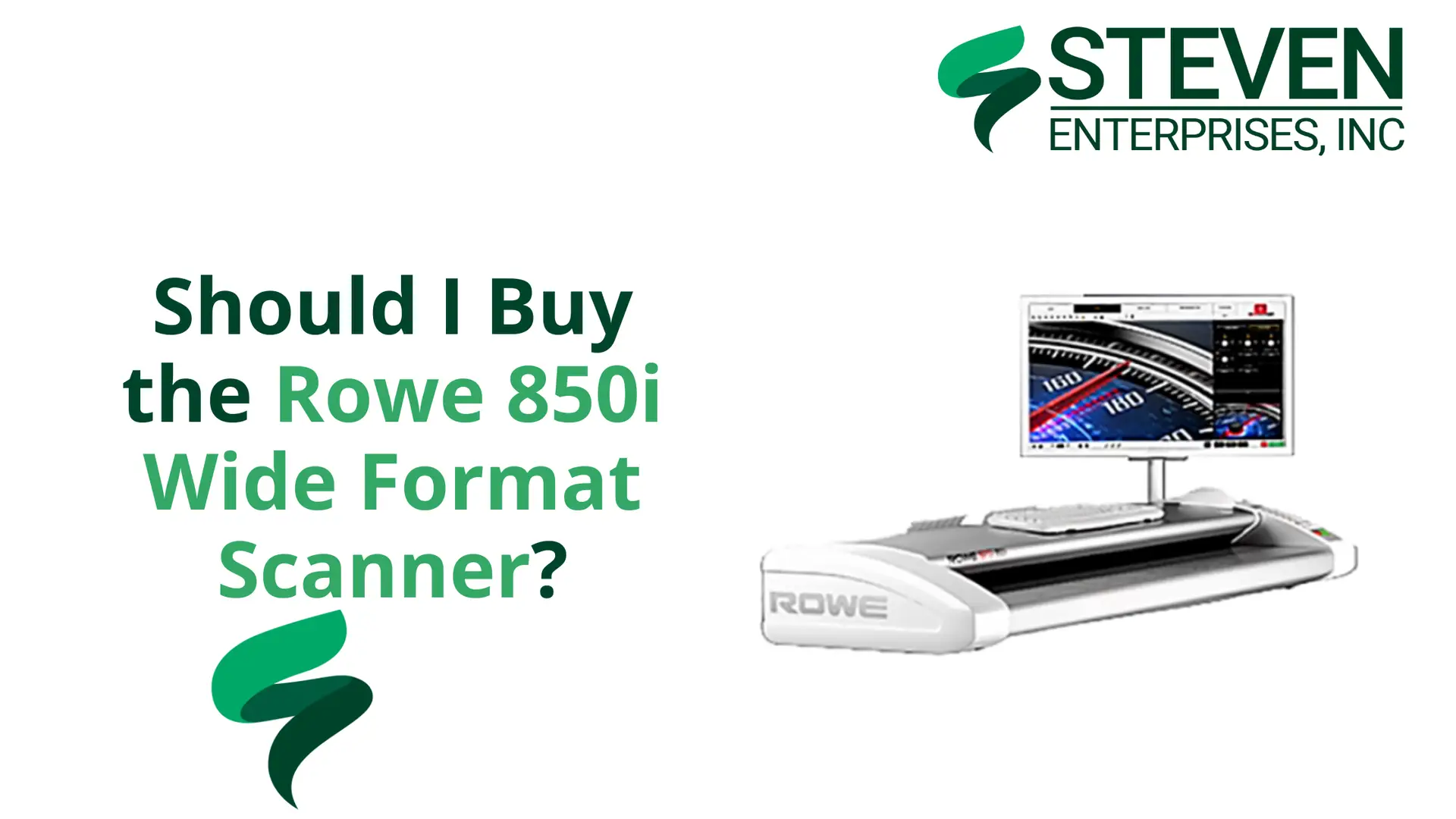
The ROWE 850i wide format scanner has become a go-to option for firms that need consistent scan quality, reliable feeding, and a 60-inch width for full-size plans.

At Steven Enterprises, we sell both the standard ROWE 850i and the 850i HA (Height Adjustment) model. 

If you’re comparing options, the key question is simple: do you only scan paper, or do you also need to scan thicker, mounted, or rigid media?

Read on.

ROWE 850i vs. 850i HA (Height Adjustment): What’s the Real Difference?

This is where buyers get tripped up.

You’ll often hear “T-Series” in conversations about thick media scanning. In practice, the feature you’re looking for is height adjustment. 

The ROWE 850i HA is the 850i configuration that includes motorized height adjustment, allowing the scanner to handle media up to 1.18 inches (30mm) thick.

Standard ROWE 850i (Best for everyday AEC scanning)

The ROWE 850i is a high-quality 60-inch wide format scanner manufactured in Germany. 

ROWE scanners have gained significant popularity in the AEC industry over the past several years.

It’s also known for precision engineering and reliable performance, 

The standard ROWE 850i is the most commonly purchased model. It’s built for typical AEC document scanning, including:

  • Standard paper blueprints and technical drawings
  • Bond paper (including heavier bond)
  • Vellum and Mylar originals
  • Standard technical documents used for project sets and archiving

If your work is mostly plan sets, as-builts, and roll-fed originals on paper, the standard 850i is usually the most cost-effective fit.

ROWE 850i HA (Height Adjustment) (Best for thick or rigid media)

If your work regularly involves scanning rigid or thick materials, the T-Series models offer the specialized capabilities you need. 

However, for standard paper-based document scanning, the base 850i model is typically the more cost-effective choice.

The ROWE 850i HA adds motorized height adjustment for thick or rigid media up to 1.18 inches (30mm). That makes it a better match when scanning:

  • Foam board presentations and display boards
  • Mounted architectural renderings
  • Rigid cardboard or matboard pieces
  • Specialty presentation materials used for bids and reviews
  • Thicker originals that can’t feed through standard scanners

If you rarely scan rigid media, the HA upgrade may not be worth it. 

But if thick-media scanning is part of your workflow, even monthly, it can save you time and reduce the risk of damaging originals.

Who Needs the ROWE 850i Wide Format Scanner?

The ROWE 850i is designed for AEC professionals and businesses that regularly work with large-format documents. 

The ideal users include:

  • Architects: Scanning architectural plans, elevation drawings, and site layouts for digital archiving or collaboration.
  • Engineers: Digitizing engineering schematics, technical drawings, and infrastructure plans for project management and documentation.
  • Construction Professionals: Creating digital records of construction plans, as-built drawings, and project documentation.
  • Reprographics Shops: Providing scanning services for clients in the AEC industry who need high-quality digital versions of their documents.
  • Specialty Media Users: Professionals working with thicker materials such as foam boards, mounted prints, or other rigid media that require specialized scanning capabilities.

Key Features of the ROWE 850i

The ROWE 850i comes equipped with features that make it a top choice for professional scanning:

  • 60-Inch Scanning Width: Easily accommodates large architectural and engineering documents.
  • High-Resolution Output: Delivers sharp, detailed scans suitable for archiving and reproduction.
  • German Engineering: Built with precision and reliability in mind, ensuring consistent performance over time.
  • User-Friendly Interface: Intuitive controls make operation straightforward, even for less experienced users.
  • Fast Scanning Speed: Efficiently processes large volumes of documents without sacrificing quality.
  • Multiple Output Formats: Supports PDF, TIFF, and JPEG for maximum flexibility.

Why ROWE Has Become More Popular

While ROWE scanners have been available for years, their popularity has grown significantly in recent times. 

Several factors contribute to this increased adoption:

  • Proven Reliability: Users consistently report dependable performance and long-term durability.
  • Superior Build Quality: German manufacturing standards result in robust, well-engineered equipment.
  • Versatile Options: The availability of T-Series models for specialty scanning needs sets ROWE apart from competitors.
  • Strong Support Network: Responsive customer service and technical support help users maximize their investment.

So… Should You Buy the ROWE 850i?

Buy the standard ROWE 850i if you mostly scan paper plan sets and technical drawings and want a dependable, professional-grade wide format scanner.

Consider the ROWE 850i HA if thick media scanning is a real need; foam boards, mounted renderings, and rigid materials. 

Or if your team regularly produces presentation boards that need to be archived or shared digitally.

Want to See the ROWE 850i Before You Decide?

A wide format scanner is a serious investment, and you should see it work before you buy.

Contact us today or call us at 800-491-8785to:

  • Schedule a free online Zoom demo
  • Arrange an in-person demo (hands-on) at our nearby vendor partner facility
  • Talk through whether the standard 850i or 850i HA best fits your workflow
  • Request a quote and configuration details

Bring a few of your real documents to the demo. It’s the fastest way to know if the scan quality and handling meet your expectations.

Posted on

MUTOH XpertJet C641SR Pro: Print and Cut Stickers in One Machine

Running a sticker business means you need fast, reliable equipment. The MUTOH XpertJet C641SR Pro delivers both. 

At Steven Enterprises, we’ve sold several of these print and cut machines to businesses making stickers, decals, and heat transfer designs. 

Here’s what you need to know about this 24-inch printer that’s become a popular alternative to more expensive options.

What Is the MUTOH XpertJet C641SR Pro?

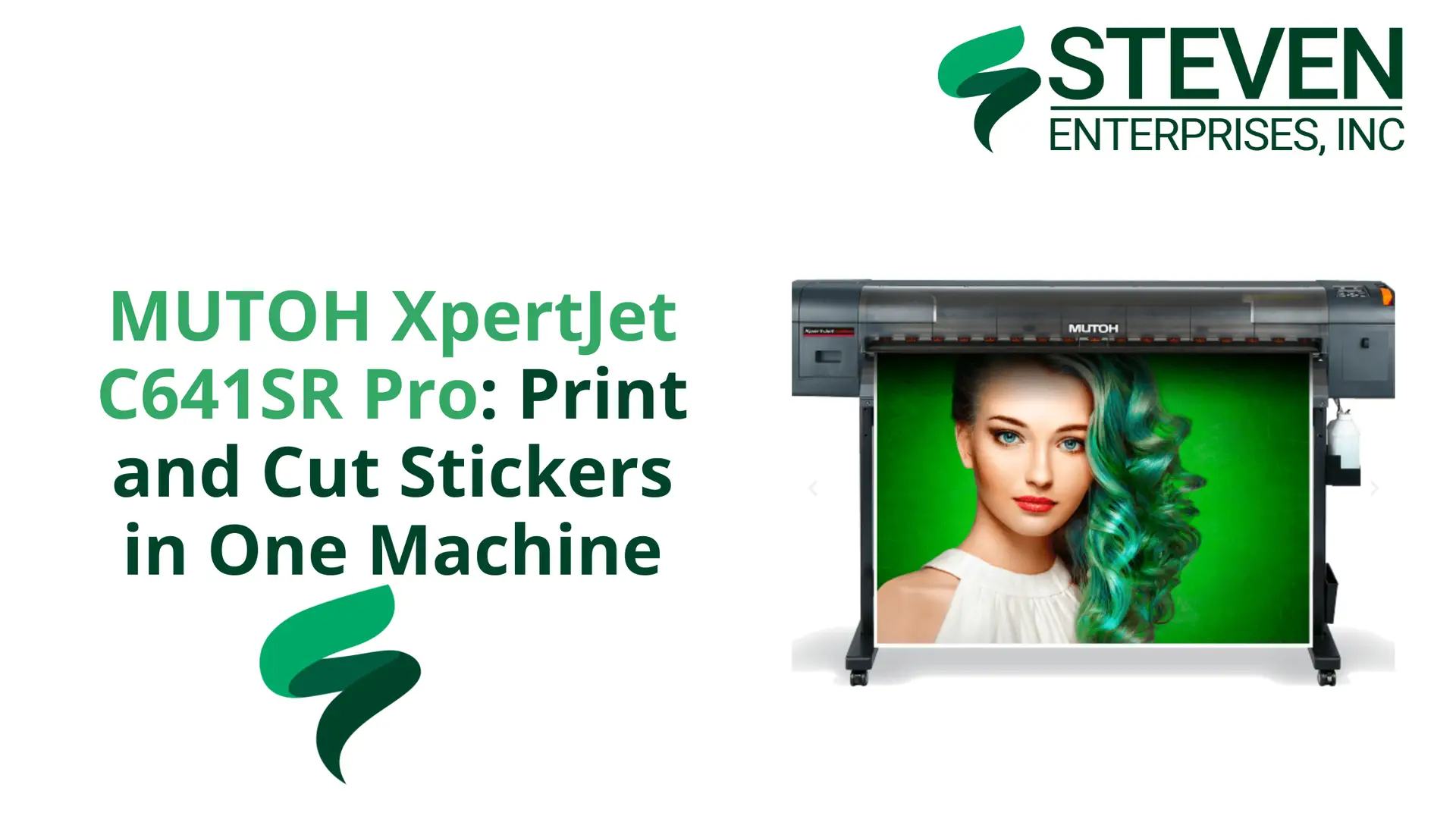
The MUTOH XpertJet C641SR Pro is a print and cut machine. It prints your design, reels the material back in automatically, and cuts everything for you.

No manual transfer between machines or alignment issues. Just load your material, send your job, and collect finished stickers.

This machine launched in September 2024 and quickly gained traction as a cost-effective alternative to Roland’s offerings. 

At $7,995, it costs significantly less than comparable Roland print and cut models that sell for over $10,000.

Who Needs a Print and Cut Machine like MUTOH XpertJet C641SR Pro?

This machine fits specific business types like:

  • Sticker and decal businesses producing custom designs
  • Apparel shops creating heat transfer designs for t-shirts
  • Sign makers handling vinyl graphics and lettering
  • Custom product manufacturers making labels and promotional materials

If you run high-volume production on 24-inch wide material, the MUTOH XpertJet C641SR Pro keeps pace with demanding schedules. 

Steven Enterprises works with businesses in all these categories, and we’ve seen how this machine handles continuous operation without quality loss.

Save Time and Space: The All-in-One Advantage

Traditional setups require two machines. You need a 24-inch printer and a separate Graphtec cutting plotter. Graphtec CSX510 Front

This means:

  • Twice the floor space
  • Manual material transfer between machines
  • Alignment challenges that waste material
  • Extra handling time on every job

The MUTOH XpertJet C641SR Pro removes these problems; one machine replaces two. 

The workflow is automatic and you save one to two steps per job, which adds up fast when you’re running dozens of orders daily.

The space savings matter too as many businesses run tight on floor space.

Consolidating two machines into one frees room for additional equipment or inventory.

MUTOH vs Roland: Price Comparison

The Roland TrueVIS series (like the SG3) has long dominated this market but carries a premium price tag. 

The MUTOH XpertJet C641SR Pro offers roughly $2,000 to $3,000 savings, allowing startups to reinvest that capital into media and supplies.

What do you get for that lower price? Based on customer feedback at Steven Enterprises:

  • Print quality that matches Roland’s output
  • Precision cutting for intricate designs
  • Reliability for daily production use
  • Good value for the money

The most common feedback: it just works. Businesses appreciate equipment that runs reliably without constant troubleshooting.

Key Features of the MUTOH XpertJet C641SR Pro That Matter

The MUTOH XpertJet C641SR Pro includes features that matter for production work:Contour cutting for XpertJet C641SR Pro

  • 24-inch Print Width: Fits standard roll media perfectly.
  • Contour & Through-Cut: Supports both standard sticker cutting and “perf-cutting” all the way through the liner.
  • Outdoor Durability: Prints are UV-resistant for up to three years without lamination.
  • Intelligent Interweave (i-screen): Proprietary technology that virtually eliminates banding in solid colorsSpecification for MUTOH XpertJet C641SR Pro

The automatic workflow is the standout feature. Traditional setups require you to print, remove the sheet, load it in the cutter, align it carefully, and run the cut job.

The MUTOH handles all of this automatically; print, rewind, cut, done.

Is the MUTOH XpertJet C641SR Pro Right for You?

Consider this machine if you:

  • Produce stickers, decals, or heat transfers regularly
  • Want to consolidate equipment and save space
  • Need a cheaper alternative to Roland
  • Value efficiency over manual handling
  • Run continuous, high-volume production

Whether you’re starting a sticker business or upgrading from a two-machine setup, the MUTOH XpertJet C641SR Pro offers good performance at a fair price.

Get Started with the MUTOH XpertJet C641SR Pro

The MUTOH XpertJet C641SR Pro is available now for $7,995. Steven Enterprises can help you evaluate whether this print and cut solution fits your workflow. 

We’ll discuss your production needs, explain how the machine works, and walk you through specifications.

Contact us today or call us at 800-491-8785 to learn more about the MUTOH XpertJet C641SR Pro or request a quote. 

We work with businesses across the country and can help you find the right equipment for your sticker and decal production needs.

Posted on

HP AI Vectorization – How AI Vectors Save Time with Manually Tracing Blueprints

Manually tracing blueprints wastes time. You know this if you’ve spent hours redrawing old plans line by line. HP AI Vectorization changes that. 

At Steven Enterprises, we’ve seen how this tool transforms workflows for architects and engineers who need to convert scanned drawings into editable CAD files fast. 

Here’s what you need to know about AI vectorization and whether it’s worth the investment for your firm.

What Is HP AI Vectorization?

HP AI Vectorization is a cloud-based tool that converts raster images into vector CAD files.

At Steven Enterprises, we have a quick overview of supported file types, outputs, and workflow here.

You upload scanned blueprints, PDFs, TIFFs, or JPEGs. The AI identifies walls, doors, windows, and other elements. 

You download an editable file ready for AutoCAD. The whole process takes about five minutes per drawing.

This tool eliminates manual tracing. Traditional vectorization services charge $10 to $50 per drawing and take days to complete. 

Some premium services charge up to $100 per vectorization. HP AI Vectorization costs around $50 per drawing with their token system, and you get results in minutes instead of days.

Pro Tip: If you already have an HP Plotter, you can send files directly to your device using HP Click.

How HP AI Vectorization Saves You Time

The traditional process kills productivity. You scan a drawing, open your CAD software, and spend hours tracing every line, door, and window. 

For a complex blueprint, this can take four to eight hours of skilled labor. That’s time you could spend on actual design work.

HP AI Vectorization cuts this down to minutes. Upload your raster image and  let the AI engine identify architectural elements automatically. 

Review the output, make minor adjustments if needed, and download your vector file.

You can move from scanned drawing to editable CAD file in about five minutes.

The time savings are significant:

  • Reduce draft time by up to 80% according to HP’s pilot studies
  • Get editable CAD files in 5 minutes instead of 4-8 hours
  • Free up your team to focus on design, not tracing
  • Process multiple drawings in the time it used to take to trace one

What Can HP AI Vectorization Detect?

The latest version of HP AI Vectorization has expanded object recognition.

It now automatically detects and vectorizes:

  • Structural elements: walls, doors, windows
  • Fixtures and plumbing: bathtubs, showers, sinks, toilets
  • Furniture: beds, tables, chairs, sofas
  • Additional elements: stairs, scale bars

This expanded recognition means less cleanup work after vectorization. 

You spend less time fixing errors and more time on actual design modifications.

Perfect for Renovation Projects and Legacy Documents

Renovation work often means dealing with old blueprints. These documents might be faded, damaged, or only available as paper copies. 

HP AI Vectorization handles these situations well. You can scan a 20-year-old blueprint and run it through the vectorization tool. 

The AI cleans up the image and converts it to a usable vector file. This helps with:

  • Digitizing old paper drawings for record keeping
  • Cleaning up faded or damaged blueprints
  • Converting as-built drawings from past projects
  • Reusing existing plans for retrofit work

At Steven Enterprises, we work with firms doing renovation projects regularly. 

The ability to quickly convert old drawings into editable CAD files saves significant time on these jobs.


HP AI Vectorization Pricing: What You’ll Pay

HP uses a token-based pricing system. Here’s how it breaks down:

  • $50 per drawing for 1-24 drawings per month
  • $45 per drawing for 25+ drawings per month
  • Custom enterprise pricing for 500+ monthly conversions
  • Token bundles available in 10-packs ($500) or 50-packs ($2,250)

You can upload and preview files for free. You only pay when you download the final vectorized drawing. This lets you check quality before committing.

Compare this to traditional vectorization services that charge $10 to $100 per drawing and take days to complete. 

The speed and cost make HP AI Vectorization competitive, especially for firms with regular vectorization needs.

Current Limitations You Should Know About HP AI Vectorization

HP AI Vectorization is still developing. Feedback from blueprint shops and engineering firms shows it doesn’t handle everything traditional services offer yet. 

Some users report it works great for certain applications but misses features they need for complex projects.

HP actively updates the tool based on user feedback. They’re adding features and improving accuracy regularly. 

For many use cases like digitizing old documents, cleaning up scanned plans, and handling renovation workflows, it delivers good value at a lower cost than traditional services.

Our experts at Steven Enterprises suggests the tool works best when:

  • You have clear, readable scanned images
  • Your drawings contain standard architectural elements
  • You’re willing to do minor cleanup after vectorization
  • You value speed over perfection

Who Should Use HP AI Vectorization?

This tool makes sense for specific groups:

  • Architects working on renovation projects with old drawings
  • Engineers managing as-built documentation
  • Construction professionals converting field scans to CAD files
  • Blueprint shops looking for faster vectorization
  • Firms that need to digitize paper drawings for archiving

If you regularly vectorize drawings and want to speed up the process, HP AI Vectorization is worth testing. 

The free trial tokens let you evaluate quality before buying.

Try HP AI Vectorization for Free with Steven Enterprises

New users get 20 free demo tokens. This lets you test the service on your own drawings with no commitment. You can evaluate:

  • How well it handles your specific drawing types
  • The accuracy of object recognition
  • How much cleanup work is needed
  • Whether the speed justifies the cost

See how HP AI Vectorization works and how to get started through Steven Enterprises.

We work with HP Build Workspace tools and can walk you through setup and show you how the vectorization process works for your workflow. 

Contact us today or call us at 800-491-8785 to claim your 20 free tokens and start testing today.

Posted on

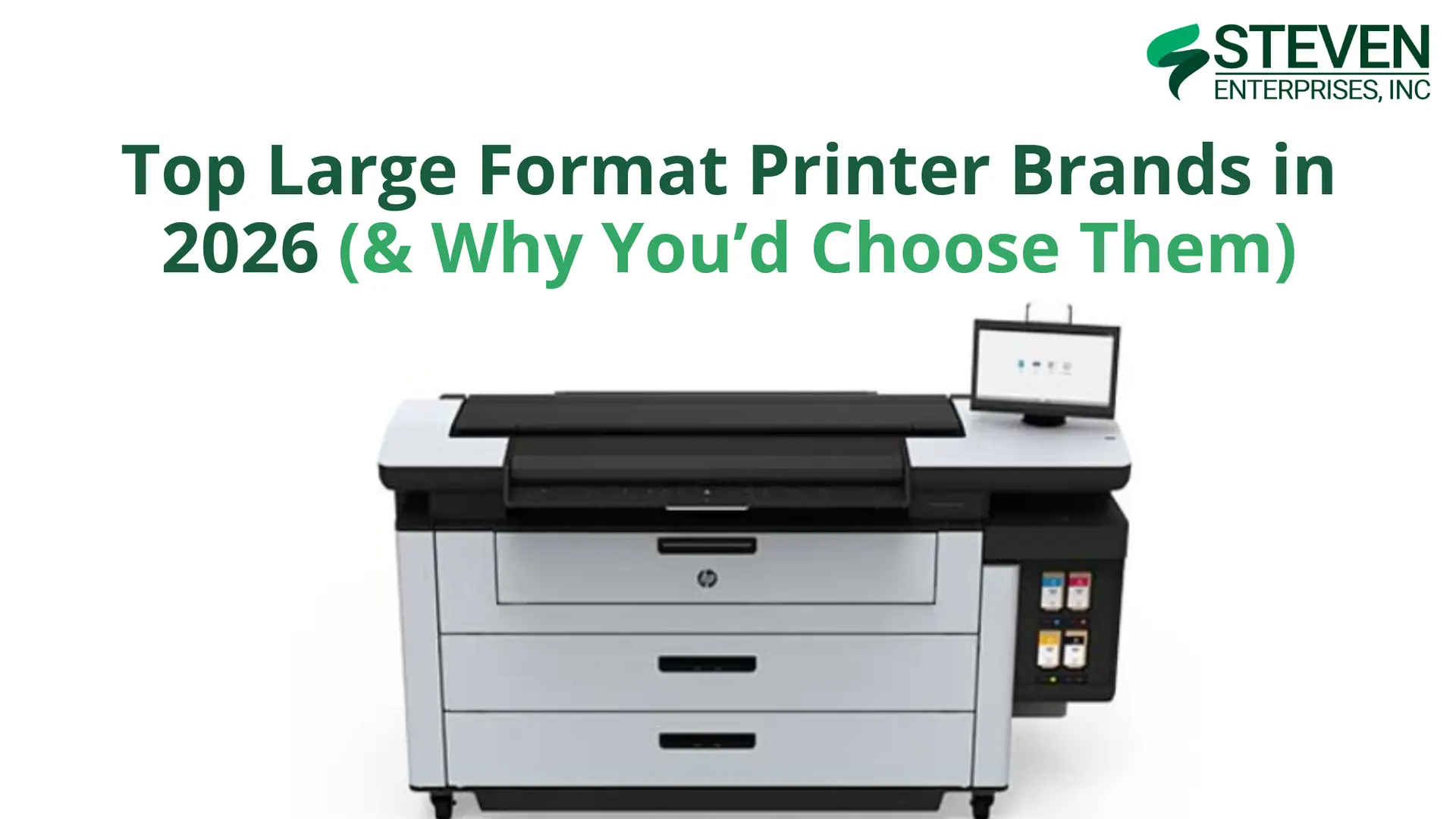
Top Large Format Printer Brands in 2026 (& Why You’d Choose Them)

Top Large Format Printer Brands in 2026

Large format printers are crucial across numerous industries, from architecture and engineering to signage production and design firms. 

Each business faces unique challenges and printing demands, which is why multiple large format printer brands have emerged as top choices in today’s market.

At Steven Enterprises, we’ve supported businesses with equipment purchases for over three generations. We continually educate ourselves about the latest models released by various brands.

In this guide, we’ll explore the top five large format printer brands in 2026, highlight their best-selling models, and explain which applications each brand excels at serving.

1. HP: The Technical Printing Powerhouse

HP has long been renowned for technical large format printers, consistently releasing new models with innovations in speed and AutoCAD technology. 

These printers have become indispensable for fields requiring detailed drawings and plans, particularly architecture, engineering, construction, and manufacturing.

Why Choose HP?

HP printers excel as the “one-stop shop” for AEC firms. 

They handle everything from technical blueprints to short-run graphics, making them remarkably versatile for businesses that need both precision technical prints and occasional marketing materials.

The HP DesignJet line is backed by HP’s extensive service network and robust security features which is critical for firms handling sensitive project documents.

Top HP Models for 2026

HP DesignJet XL 3800 MFP

The XL 3800 is HP’s sweet spot for medium-sized AEC operations. It produces 6 D-sized color prints per minute with excellent CAD line quality and vibrant graphics delivered by HP’s pigment-based inks. 

The multifunction capability adds scanning and copying, making it a complete document management solution.

Ideal For: Architectural, engineering, and construction firms printing below 5,000 square feet per month who need superb CAD line quality at a competitive price point.

HP DesignJet XT950 MFP

The XT950 is an entry point into HP’s professional MFP lineup, offering reliable performance for smaller teams or satellite offices. 

It balances affordability with HP’s renowned print quality and ease of use.

Ideal For: Smaller AEC firms or branch offices needing occasional large format printing with scanning capabilities.

2. Canon & Océ: For Technical Excellence + Graphics Innovation

Canon’s acquisition of Océ in 2009 created a printing powerhouse that combines technical document expertise with cutting-edge graphics capabilities. 

Today, the Canon/Océ brand offers solutions spanning from traditional AEC applications to high-end UV graphics production.

Why Choose Canon/Océ?

The Canon/Océ portfolio is unique in offering both worlds: proven technical plotters for AEC workflows and advanced UV printers for graphics production. 

This versatility makes Canon/Océ an excellent choice for businesses serving diverse markets or planning to expand their service offerings.

Top Canon/Océ Models for 2026

Océ PlotWave T35

The PlotWave T35 continues to serve as a reliable workhorse for AEC firms in 2026.

Built on the proven 6th generation PlotWave platform, it features Océ’s patented Radiant Fusing technology for instant-on printing with no warm-up time and exceptional energy efficiency.

Ideal For: Small to medium AEC workgroups with moderate technical document printing needs who value reliability and eco-friendly operation.

Canon Colorado M-Series

Canon Colorado M3

For businesses focused on outdoor graphics and signage production, the Colorado M-Series gives Canon’s innovative UVgel technology with FLXfinish+ capabilities.

These printers excel at producing durable, weather-resistant graphics with exceptional color quality.

Ideal For: Print service providers, sign shops, and marketing agencies producing outdoor signage, vehicle wraps, and retail displays.

3. Mutoh: The Outdoor Graphics Specialist

Mutoh has built its reputation on delivering reliable, high-quality printers specifically engineered for outdoor signage and specialty applications. 

Their XpertJet series combines versatility with durability, making them favorites among sign shops and print service providers.

Why Choose Mutoh?

Mutoh printers are purpose-built for businesses focused on outdoor signage, vehicle graphics, and sticker production. 

Their ink formulations are optimized for outdoor durability, and their print-and-cut models integrate perfectly into sign production workflows.

The brand’s commitment to specialty applications means you’re getting technology refined specifically for outdoor graphics, not a general-purpose printer adapted for signage work.

Top Mutoh Models for 2026

Mutoh XpertJet C641SR Pro

The C641SR Pro is a compact print-and-cut solution ideal for businesses producing decals, labels, and smaller-format signage. The integrated cutting capability eliminates the need for a separate cutter, streamlining your production workflow.

Ideal For: Sign shops and print service providers specializing in custom decals, vehicle graphics, and indoor/outdoor stickers.

Mutoh XpertJet 1682SR Pro

For larger-format signage production, the 1682SR Pro provides professional results up to 64 inches wide. 

The printer handles a wide range of substrates and produces vibrant, durable prints suitable for long-term outdoor exposure.

Ideal For: High-volume sign shops producing banners, vehicle wraps, and outdoor advertising displays.

4. KIP: The Toner Technology Leader

KIP has established itself as the premier manufacturer of toner-based large format printers. 

Their LED toner technology provides exceptional quality with lower running costs compared to inkjet systems, making them extremely popular for high-volume environments.

Why Choose KIP?

Toner-based printing offers several distinct advantages for the right applications. 

KIP printers:

  • Produce waterproof prints immediately (no drying time required)
  • Offer faster print speeds for black-and-white documents
  • And typically cost less per square foot than comparable inkjet systems

For businesses printing 10,000+ square feet monthly, the cost savings of toner technology can be substantial, approximately half the per-square-foot cost of ink-based printing.

Top KIP Models for 2026

KIP 71 Series

KIP 71

The KIP 71 Series represents the foundation of KIP’s toner printer lineup. These monochrome systems deliver exceptional speed and reliability for technical document workflows, making them ideal for busy AEC operations.

Ideal For: Architecture and engineering firms with high volumes of black-and-white technical prints who prioritize speed and cost-effectiveness.

KIP 700 Color Series

When you need both technical documents and color graphics, the KIP 700 Color Series delivers. 

These printers combine KIP’s toner technology benefits with full-color capability, opening up applications beyond pure technical printing.

Ideal For: AEC firms and reprographics shops that need both technical prints and color output for presentations, marketing materials, and client deliverables.

Choose the Right Large Format Printer Brand for Your Business

With five excellent brands offering distinct advantages, how do you select the right large format printer for your operation?

There isn’t a single “best” large format printer brand in 2026, the right choice depends entirely on your specific applications, print volumes, and workflow requirements.

  • Choose HP if you need versatile equipment that handles both technical and graphics applications with industry-leading support.
  • Choose Canon/Océ if you want proven AEC technology (PlotWave) or are expanding into high-end UV graphics production (Colorado).
  • Choose Mutoh if outdoor signage and specialty graphics are your primary focus and you value purpose-built equipment.
  • Choose KIP if high-volume production and lowest cost per square foot are your top priorities.

Want to Find Your Perfect Large Format Printer?

Our printing specialists have helped hundreds of businesses navigate these decisions, and we’re here to help you too.

We’ll discuss your specific applications, volume requirements, and budget to recommend the ideal equipment for your operation, whether that’s HP, Canon/Océ, Mutoh, KIP, or a combination of brands.

Contact us today or give us a call at 800-491-8785 for a personalized consultation. 

Posted on

2026 Top Canon OCE Plotter Printers: Organized By Print Speed & Price

2026 Top Canon OCE Plotter Printers

When the Océ PlotWave launched in 2009, these large format printers offered reliable, easy production of high-quality prints. Many AEC firms chose the Océ brand because of their built-to-last design philosophy and engineering excellence.

In November 2009, Canon and Océ announced a conditional agreement whereby Canon would buy all the shares of Océ in a fully Canon-funded, public cash offer. 

This strategic merger combined Océ’s technical document expertise with Canon’s global innovation and manufacturing capabilities.

Based on more than a decade of market-leading success, the 6th generation of the popular Canon Océ PlotWave printers continues to serve the market. 

In this article, we’ll explain what makes the Canon Océ PlotWave printers so popular and review the top models our printing experts recommend to customers in 2026.

Canon’s Commitment to Quality and Innovation

Canon continues to demonstrate its commitment to excellence across all product lines. 

In early 2025, Canon was honored with the Excellent Production Support in Advanced Packaging award by TSMC. 

This recognizes the company’s contributions to semiconductor manufacturing through equipment that excels at both precision and productivity.

While this award focuses on Canon’s semiconductor technology, it reflects the same engineering philosophy that drives their large format printing division: 

  • Precision
  • Reliability
  • And continuous innovation

…to support customer success

Why AEC Professionals Choose Canon Océ PlotWave Printers

The PlotWave T-series printers are developed for producers of technical drawings and designs who want an integrated, easy-to-operate solution. 

These large format printers have been specifically engineered for users in architecture, engineering, construction, and manufacturing companies.

Compared to other technical large format printers on the market, the Canon Océ PlotWave stands out as one of the most versatile options available. 

Walk-up users appreciate the ability to combine printing, scanning, and copying tasks on a single device with support for a wide variety of media.

Key features include:

1. Patented Radiant Fusing Technology

One of the key features that distinguishes the Canon Océ PlotWave from competing printers is Radiant Fusing technology. 

This is an eco-friendly fusing method that provides instant printer availability with no warm-up time. 

Some of its practical benefits:

  1. Immediate Productivity: You won’t have to wait for the printer to warm up means your team can start printing the moment they arrive at the office or return from lunch.
  2. Energy Efficiency: Radiant Fusing consumes less energy and emits less noise and ozone than conventional fusing methods. The PlotWave is Energy Star® 3.0 certified and uses toner bottles with an average of 50% recycled materials.
  3. Environmental Responsibility: For businesses with sustainability initiatives, the PlotWave’s eco-friendly design supports your environmental goals while providing exceptional print quality.

2. Advanced Software and Controller

Business owners who invest in the Canon Océ PlotWave appreciate the convenient, fast, and reliable multitasking enabled by the secure POWERsync controller (running on Microsoft Windows® 10 IoT LTSC21).

The printer includes the complete PRISMA and Clear Connect software suite, making it easy to manage complex jobs and avoid costly misprints.

Despite the sophistication of the driver software applications, the Canon Océ PlotWave maintains an intuitive user interface that minimizes training time for new users.

3. Practical Design Enhancements

The 6th generation of the Canon Océ PlotWave includes thoughtful updates that improve day-to-day usability:

Automatic Remaining Media Indicator: Always know when you’re running low on paper before starting large print jobs.

Optional User Attention Light: This innovative feature sits on the back of the printer and provides at-a-glance status information. 

A green light indicates the printer is ready to use, while a flashing red light alerts team members that attention is needed. This is particularly valuable in busy workgroups where multiple people share the equipment.

Top Canon Océ PlotWave Models for 2026

Let’s examine the three primary models in the PlotWave T-series:

Canon Océ PlotWave T35: Entry-Level Excellence

Ideal For: Small to medium workgroups with moderate printing needs

Print Speed: Approximately 3-4 D/A1 pages per minute

Configuration: Available with 2-4 media rolls

Price Range: Entry-level pricing makes this an accessible option for growing firms

Don’t let the “entry-level” designation fool you. 

The plotWAVE T-35 incorporates all the core PlotWave technologies including Radiant Fusing, the POWERsync controller, and support for the PRISMA software suite.

For architectural firms, engineering consultancies, or construction companies with steady but not overwhelming print volumes, the T35 gives reliable performance without unnecessary features you won’t use. 

It’s particularly well-suited for offices where printing happens throughout the day but doesn’t require the highest possible speed.

The T35’s compact footprint and lower acquisition cost make it an excellent choice for:

  • Satellite offices that need local printing capabilities
  • Design firms transitioning from outsourcing to in-house printing
  • Businesses prioritizing cost-effectiveness without compromising quality

Canon Océ PlotWave T55: The Balanced Workhorse

Ideal For: Medium to large workgroups with substantial daily print volumes

Print Speed: Approximately 5-6 D/A1 pages per minute

Configuration: Available with 2-4 media rolls

Price Range: Mid-range investment for increased productivity

The PlotWave T55 is the sweet spot for many AEC operations. The increased print speed compared to the T35 translates to meaningful productivity gains when you’re printing multiple sets of construction documents or processing batches of technical drawings.

This model excels in environments where:

  • Multiple team members need regular access to the printer throughout the day
  • Project deadlines require faster turnaround on document sets
  • Print volume justifies the investment in higher speed capabilities

The T55 offers the same robust build quality and feature set as the T35, but with enhanced throughput that keeps pace with demanding workflows.

 For many businesses, this model delivers the optimal balance of capability, speed, and value.

Canon Océ PlotWave T75: Maximum Performance

Ideal For: High-volume production environments and large workgroups

Print Speed: Approximately 7-10 D/A1 pages per minute

Configuration: Available with 4-6 media rolls for maximum versatility

Price Range: Premium pricing for premium performance

The PlotWave T75 is designed for operations where printing speed and capacity are critical business requirements. 

With print speeds up to 10 D/A1 pages per minute and the ability to configure with up to six media rolls, this model handles the most demanding production scenarios.

Consider the T75 if your operation features:

  • Consistent high-volume printing throughout the workday
  • Large workgroups where printer access bottlenecks would impact productivity
  • Requirements for multiple media types that benefit from a 6-roll configuration
  • Project-based workflows where speed directly impacts project delivery timelines

The T75’s multi-roll capability is particularly valuable for firms that regularly switch between different paper types, weights, or sizes. 

Instead of manually changing media throughout the day, you can keep all your commonly used stocks loaded and ready.

Selecting the Right Canon Océ PlotWave for Your Business

With three solid options in the PlotWave T-series, how do you determine which model best fits your needs?

Consider Your Print Volume

Start by analyzing your actual printing patterns over the past six months:

  • How many pages do you print daily?
  • Do you have peak periods (end of month, project deadlines) with substantially higher volume?
  • How often do users wait for prints to complete?

If you’re printing fewer than 100 pages per day with occasional spikes, the T35 likely provides adequate capacity. 

Operations consistently printing 100-300 pages daily will appreciate the T55’s faster throughput. High-volume environments exceeding 300 pages per day should seriously consider the T75.

Evaluate Your Workgroup Size

The number of people sharing the printer matters:

  • Small teams (3-5 users): T35 typically sufficient
  • Medium workgroups (6-15 users): T55 recommended to prevent bottlenecks
  • Large departments (15+ users): T75 ensures everyone has timely access

Media Requirements

Think about the variety of media types you use:

  • Standard applications (1-2 media types): 2-roll configuration adequate
  • Diverse needs (3-4 media types): 4-roll configuration reduces media changes
  • Maximum versatility (5-6 media types): 6-roll T75 configuration eliminates most manual interventions

Budget and ROI

While the T75 offers impressive performance, it may represent over-investment for many operations. The key is matching capability to actual requirements:

  • The T35 delivers excellent ROI for small to medium operations where speed isn’t the primary constraint. 
  • The T55 provides the best cost-per-page economics for many mid-size firms when factoring in productivity gains. 
  • The T75 makes financial sense when printer bottlenecks are costing your firm billable time or impacting project delivery.

Make the Right Canon OCE Printer Investment for Your AEC Workflow

The Canon Océ PlotWave T-series will continue to set the standard for technical document printing in 2026. 

Whether you choose the T35, T55, or the high-performance T75, you’re investing in proven technology backed by Canon’s engineering excellence and Océ’s deep expertise in AEC workflows.

Ready to find your perfect Canon Océ PlotWave printer? Contact our printing experts or call us at 800-491-8785 for a personalized consultation. 

We’ll analyze your workflow requirements and recommend the model that delivers optimal performance and value for your operation.