Posted on

Top Large Format Printer Brands in 2026 (& Why You’d Choose Them)
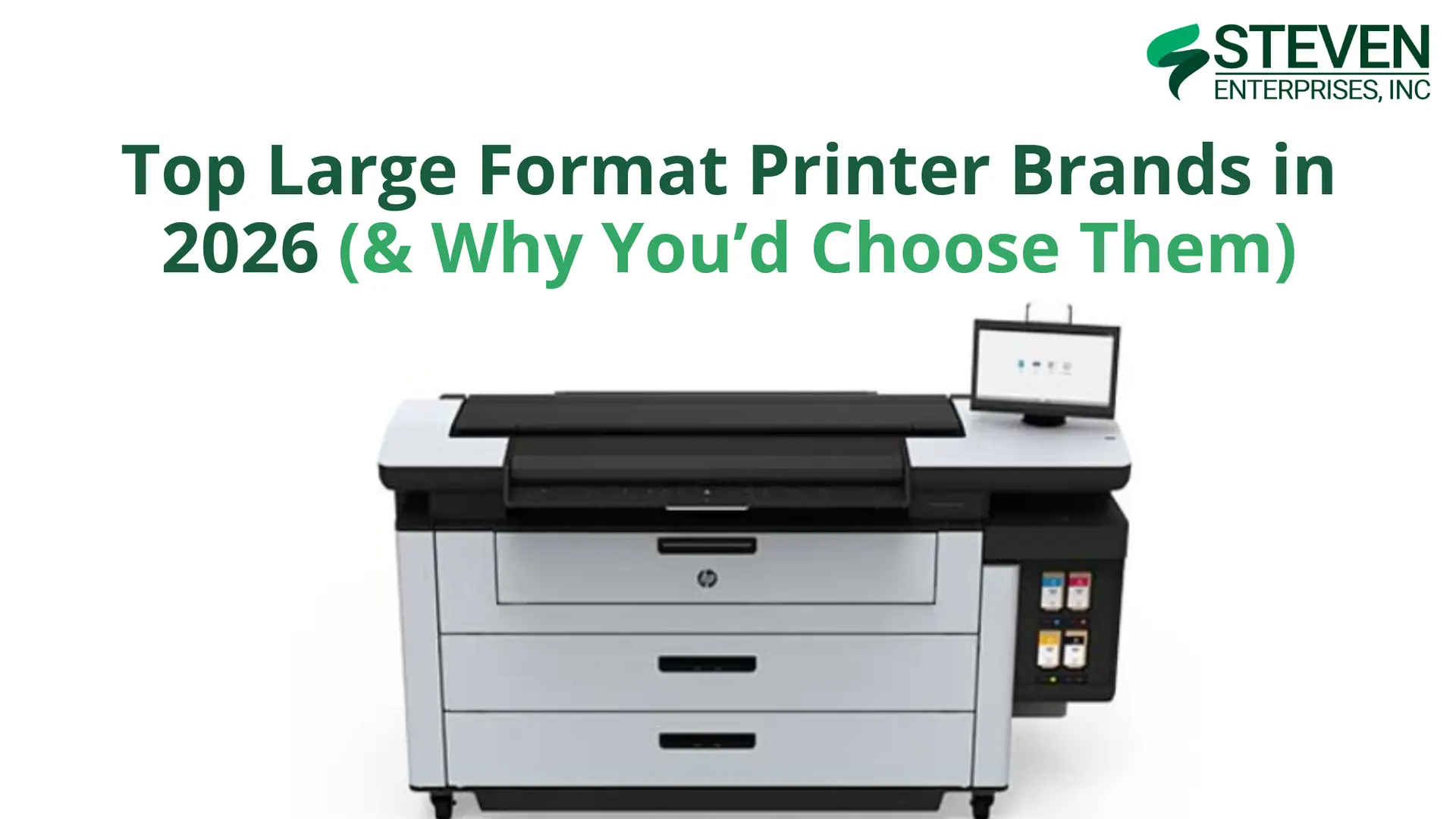
Top Large Format Printer Brands in 2026

Large format printers are crucial across numerous industries, from architecture and engineering to signage production and design firms. 

Each business faces unique challenges and printing demands, which is why multiple large format printer brands have emerged as top choices in today’s market.

At Steven Enterprises, we’ve supported businesses with equipment purchases for over three generations. We continually educate ourselves about the latest models released by various brands.

In this guide, we’ll explore the top five large format printer brands in 2026, highlight their best-selling models, and explain which applications each brand excels at serving.

1. HP: The Technical Printing Powerhouse

HP has long been renowned for technical large format printers, consistently releasing new models with innovations in speed and AutoCAD technology. 

These printers have become indispensable for fields requiring detailed drawings and plans, particularly architecture, engineering, construction, and manufacturing.

Why Choose HP?

HP printers excel as the “one-stop shop” for AEC firms. 

They handle everything from technical blueprints to short-run graphics, making them remarkably versatile for businesses that need both precision technical prints and occasional marketing materials.

The HP DesignJet line is backed by HP’s extensive service network and robust security features which is critical for firms handling sensitive project documents.

Top HP Models for 2026

HP DesignJet XL 3800 MFP

The XL 3800 is HP’s sweet spot for medium-sized AEC operations. It produces 6 D-sized color prints per minute with excellent CAD line quality and vibrant graphics delivered by HP’s pigment-based inks. 

The multifunction capability adds scanning and copying, making it a complete document management solution.

Ideal For: Architectural, engineering, and construction firms printing below 5,000 square feet per month who need superb CAD line quality at a competitive price point.

HP DesignJet XT950 MFP

The XT950 is an entry point into HP’s professional MFP lineup, offering reliable performance for smaller teams or satellite offices. 

It balances affordability with HP’s renowned print quality and ease of use.

Ideal For: Smaller AEC firms or branch offices needing occasional large format printing with scanning capabilities.

2. Canon & Océ: For Technical Excellence + Graphics Innovation

Canon’s acquisition of Océ in 2009 created a printing powerhouse that combines technical document expertise with cutting-edge graphics capabilities. 

Today, the Canon/Océ brand offers solutions spanning from traditional AEC applications to high-end UV graphics production.

Why Choose Canon/Océ?

The Canon/Océ portfolio is unique in offering both worlds: proven technical plotters for AEC workflows and advanced UV printers for graphics production. 

This versatility makes Canon/Océ an excellent choice for businesses serving diverse markets or planning to expand their service offerings.

Top Canon/Océ Models for 2026

Océ PlotWave T35

The PlotWave T35 continues to serve as a reliable workhorse for AEC firms in 2026.

Built on the proven 6th generation PlotWave platform, it features Océ’s patented Radiant Fusing technology for instant-on printing with no warm-up time and exceptional energy efficiency.

Ideal For: Small to medium AEC workgroups with moderate technical document printing needs who value reliability and eco-friendly operation.

Canon Colorado M-Series

Canon Colorado M3

For businesses focused on outdoor graphics and signage production, the Colorado M-Series gives Canon’s innovative UVgel technology with FLXfinish+ capabilities.

These printers excel at producing durable, weather-resistant graphics with exceptional color quality.

Ideal For: Print service providers, sign shops, and marketing agencies producing outdoor signage, vehicle wraps, and retail displays.

3. Mutoh: The Outdoor Graphics Specialist

Mutoh has built its reputation on delivering reliable, high-quality printers specifically engineered for outdoor signage and specialty applications. 

Their XpertJet series combines versatility with durability, making them favorites among sign shops and print service providers.

Why Choose Mutoh?

Mutoh printers are purpose-built for businesses focused on outdoor signage, vehicle graphics, and sticker production. 

Their ink formulations are optimized for outdoor durability, and their print-and-cut models integrate perfectly into sign production workflows.

The brand’s commitment to specialty applications means you’re getting technology refined specifically for outdoor graphics, not a general-purpose printer adapted for signage work.

Top Mutoh Models for 2026

Mutoh XpertJet C641SR Pro

The C641SR Pro is a compact print-and-cut solution ideal for businesses producing decals, labels, and smaller-format signage. The integrated cutting capability eliminates the need for a separate cutter, streamlining your production workflow.

Ideal For: Sign shops and print service providers specializing in custom decals, vehicle graphics, and indoor/outdoor stickers.

Mutoh XpertJet 1682SR Pro

For larger-format signage production, the 1682SR Pro provides professional results up to 64 inches wide. 

The printer handles a wide range of substrates and produces vibrant, durable prints suitable for long-term outdoor exposure.

Ideal For: High-volume sign shops producing banners, vehicle wraps, and outdoor advertising displays.

4. KIP: The Toner Technology Leader

KIP has established itself as the premier manufacturer of toner-based large format printers. 

Their LED toner technology provides exceptional quality with lower running costs compared to inkjet systems, making them extremely popular for high-volume environments.

Why Choose KIP?

Toner-based printing offers several distinct advantages for the right applications. 

KIP printers:

  • Produce waterproof prints immediately (no drying time required)
  • Offer faster print speeds for black-and-white documents
  • And typically cost less per square foot than comparable inkjet systems

For businesses printing 10,000+ square feet monthly, the cost savings of toner technology can be substantial, approximately half the per-square-foot cost of ink-based printing.

Top KIP Models for 2026

KIP 71 Series

KIP 71

The KIP 71 Series represents the foundation of KIP’s toner printer lineup. These monochrome systems deliver exceptional speed and reliability for technical document workflows, making them ideal for busy AEC operations.

Ideal For: Architecture and engineering firms with high volumes of black-and-white technical prints who prioritize speed and cost-effectiveness.

KIP 700 Color Series

When you need both technical documents and color graphics, the KIP 700 Color Series delivers. 

These printers combine KIP’s toner technology benefits with full-color capability, opening up applications beyond pure technical printing.

Ideal For: AEC firms and reprographics shops that need both technical prints and color output for presentations, marketing materials, and client deliverables.

Choose the Right Large Format Printer Brand for Your Business

With five excellent brands offering distinct advantages, how do you select the right large format printer for your operation?

There isn’t a single “best” large format printer brand in 2026, the right choice depends entirely on your specific applications, print volumes, and workflow requirements.

  • Choose HP if you need versatile equipment that handles both technical and graphics applications with industry-leading support.
  • Choose Canon/Océ if you want proven AEC technology (PlotWave) or are expanding into high-end UV graphics production (Colorado).
  • Choose Mutoh if outdoor signage and specialty graphics are your primary focus and you value purpose-built equipment.
  • Choose KIP if high-volume production and lowest cost per square foot are your top priorities.

Want to Find Your Perfect Large Format Printer?

Our printing specialists have helped hundreds of businesses navigate these decisions, and we’re here to help you too.

We’ll discuss your specific applications, volume requirements, and budget to recommend the ideal equipment for your operation, whether that’s HP, Canon/Océ, Mutoh, KIP, or a combination of brands.

Contact us today or give us a call at 800-491-8785 for a personalized consultation. 
Posted on

Best Printers For Architects to Mount Renderings onto Foam Boards

Architecture firms rely on high-quality prints to showcase their designs, present proposals to clients, and create physical mockups of their projects. 

When it comes to mounting renderings onto foam boards, having the right printer can make all the difference in delivering professional results that impress clients and stakeholders.

At Steven Enterprises, we know that the difference between a good presentation and a great one often comes down to print quality and the printer behind it.

Here’s your complete guide to selecting the best printers for architects.

Why Foam Board Mounting Matters for Architecture Firms

Foam board displays command attention in ways that laptop presentations cannot.

They allow multiple stakeholders to review designs simultaneously, create focal points during meetings, and provide lasting impressions that remain in conference rooms long after initial presentations conclude.

For architecture firms, this means your printer needs to do more than just reproduce technical drawings. 

It must produce renderings worthy of mounting with crisp details, accurate colors, and professional finish quality that reflects your design expertise.

Key Features Architects Need in a Large Format Printer

When selecting a printer for mounting renderings onto foam boards, several capabilities matter more than others:

  • Print Quality and Resolution: Architectural renderings contain intricate details like material textures, lighting effects, landscape elements, and fine architectural features. Look for printers offering 2400 x 1200 dpi resolution or higher to ensure every detail of your design reproduces faithfully at large scales.
  • Color Accuracy: Your printer should offer consistent, predictable color output that matches your digital files, especially when presenting material palettes and finishes to clients. This becomes especially critical when presenting multiple boards that need to maintain color consistency across an entire project narrative.
  • Media Handling: The best printers accommodate various media types without jamming or compromising print quality, giving you flexibility to choose papers that best suit each project’s presentation requirements.
  • Speed and Efficiency: Architecture firms often face compressed timelines before major presentations or competition deadlines. Fast print speeds help you meet deadlines without sacrificing quality when producing multiple large-format boards. This matters less for occasional printing but becomes crucial for firms with regular presentation schedules.

Top Large Format Printer Brands for AEC Professionals

  • The HP PageWide Pro Series 

The HP PageWide Pro series stands out as an excellent choice for architecture firms focused on technical drawings and CAD outputs. 

These printers use stationary print bar technology that allows continuous paper movement, resulting in significantly faster print speeds while maintaining excellent quality.

But it also handles color renderings effectively, offering faster output than traditional inkjet technology without significant quality compromise. 

This makes it particularly valuable for practices that print high volumes of technical documents but need occasional stunning presentation boards.

Best For: Firms emphasizing technical drawings, CAD outputs, and construction documents, with regular requirements for high-quality presentation prints and foam board renderings.

Key Advantages:

  • Exceptional print speeds for meeting tight deadlines
  • Outstanding line quality for technical precision
  • Low cost per page compared to traditional inkjet systems
  • Reliable color output suitable for presentation applications
  • Reduced maintenance requirements and operational downtime

For detailed specifications and applications, see our comprehensive analysis of PageWide Pro series for foam boards and yard signs.

  • KIP Large Format Series: Vibrant Color with Toner Technology

KIP’s large format printer line offers a unique advantage for architecture firms through toner-based printing technology. 

Unlike inkjet systems, toner produces vibrant, durable prints that resist fading and handle various environmental conditions better. These are ideal characteristics for foam board presentations that may be displayed for extended periods.

KIP printers excel at producing rich, saturated colors that make architectural renderings pop when mounted on foam boards. 

For firms printing both construction documents and presentation materials, KIP printers handle both applications effectively. 

The dual-roll capability on many models allows quick switching between media types, streamlining workflow when you need to produce technical drawings alongside presentation boards.

Best For: Architecture firms needing both vibrant presentation-quality color renderings and high-volume technical printing, particularly practices that display mounted boards in offices or at extended exhibitions where print durability matters.

Key Advantages

  • Vibrant, saturated colors ideal for eye-catching presentations
  • Toner-based durability resists fading in displayed boards
  • Instant-dry output allows immediate mounting
  • Consistent color density across large format prints
  • Dual-roll flexibility for technical and presentation media
  • Fast print speeds suitable for high-volume environments

Recommended Models:

HP DesignJet Series: Proven Reliability for All-Around Use

The HP DesignJet line offers dependable large format printing for architectural firms of all sizes. 

These traditional inkjet printers provide solid general-purpose performance, balancing technical capabilities with good color output for presentation materials.

DesignJet printers handle the diverse needs typical in architectural practices like daily technical document printing plus periodic production of presentation boards and foam-mounted renderings. 

The widespread availability of supplies, extensive dealer networks, and proven reliability make these printers a practical, low-risk choice.

Best For: Architecture firms seeking reliable, all-around printing solutions with strong technical support networks and proven track records in architectural applications.

Key Advantages:

  • Proven reliability across thousands of architectural installations
  • Extensive service and support network nationwide
  • Wide model range fitting different budgets and firm sizes
  • Good balance of technical and presentation printing capabilities
  • Readily available consumables and replacement parts

Choosing the Right Printer for Your Architecture Firm

Different architectural practices have varying priorities when selecting large format printers:

  • If you primarily produce technical drawings with occasional presentation needs, the HP PageWide Pro series offers the best combination of speed, line quality, and cost efficiency. 

You’ll appreciate the fast output for daily technical printing while still getting quality results for foam board presentations.

  • If you need vibrant, durable color for presentation boards that will be displayed long-term, KIP large format printers deliver rich, saturated colors through toner-based technology. 

The instant-dry output and fade resistance make these ideal for firms that showcase mounted boards in offices or at extended exhibitions.

  • If you value proven reliability and support infrastructure, HP DesignJet series printers offer peace of mind through extensive dealer networks and widespread adoption. 

The ability to get rapid service and readily available parts reduces operational risk.

Optimizing Your Prints for Foam Board Mounting

Once you’ve selected the right printer, follow these best practices to ensure your renderings mount beautifully onto foam boards:

  • Use the Right Paper: Select heavyweight presentation papers (typically 32-36 lb) that won’t curl or wrinkle during the mounting process.
  • Calibrate Regularly: Maintain your printer’s calibration to ensure consistent color output across multiple prints and projects.
  • Allow Proper Drying Time: Give your prints adequate time to dry completely before mounting to prevent ink transfer or smudging.
  • Store Properly: Keep your printed renderings flat and protected until mounting to prevent damage or warping.

Make the Right Printer Investment for Your Architectural Practice

Selecting the best printer for mounting architectural renderings onto foam boards requires balancing technical precision, color accuracy, and practical considerations like speed and support infrastructure.

At Steven Enterprises, we help architecture firms navigate these decisions based on actual workflow needs rather than specifications alone. 

Ready to find the perfect printer for your architectural presentations? Contact us today or call 800-491-8785 for personalized recommendations.

Posted on

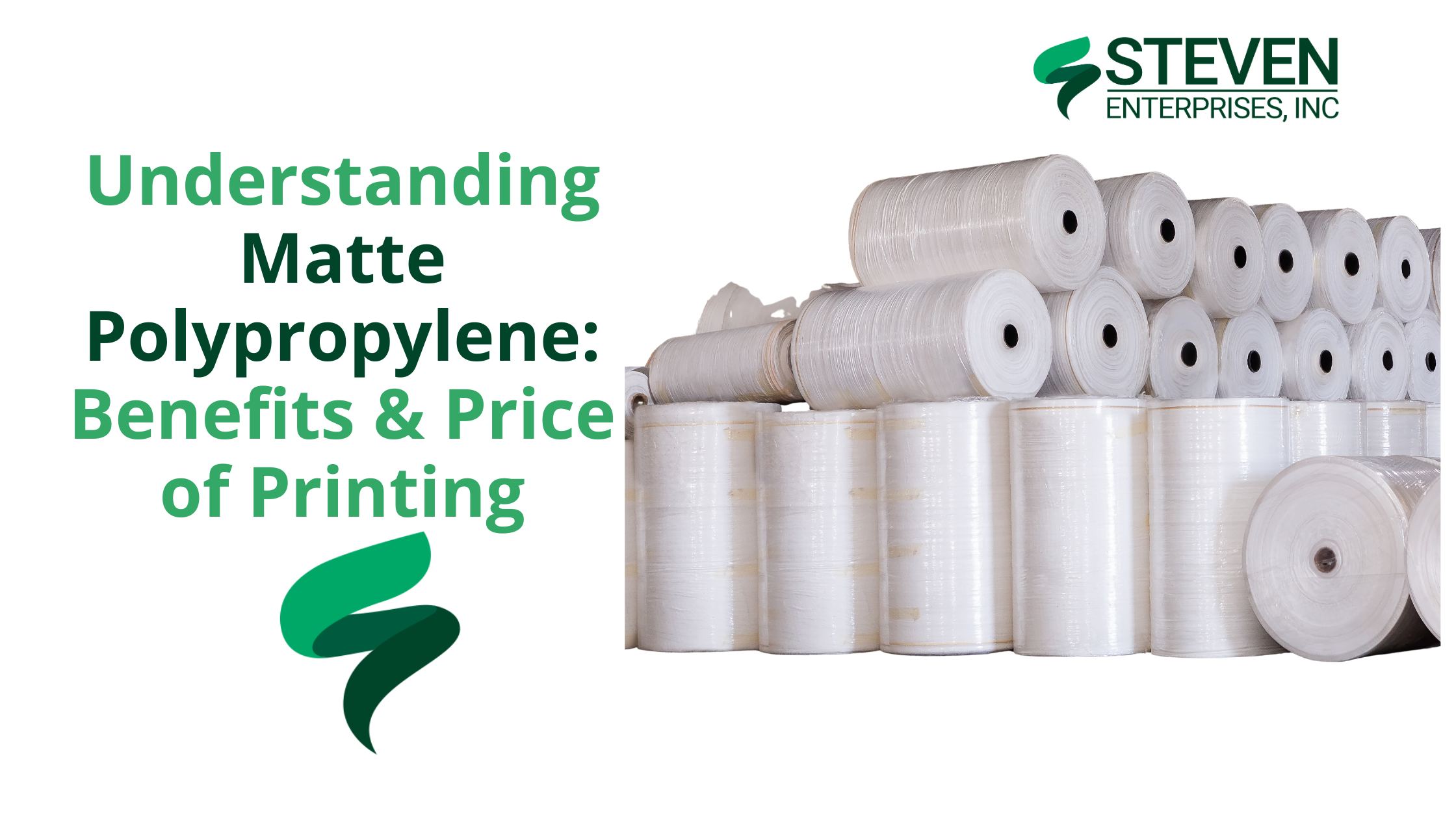
Understanding Matte Polypropylene: Benefits & Price of Printing

Have you ever seen a roll-up banner at a trade show or a bright poster in a store window that looks almost like photo paper but tougher?

Well, there’s a good chance it was printed on matte polypropylene film.

At Steven Enterprises, we have seen increasing demand for matte polypropylene because it solves a fundamental problem. 

Why settle for mediocre print quality and short lifespan when you can have exceptional results that last for decades?

Here’s a practical look at why matte polypropylene tops the “best printing substrate” list and how to choose the right material for your next project.

What is Matte Polypropylene?

Matte polypropylene is essentially a type of plastic film – a semi-rigid thermoplastic material – that comes on rolls for use in wide-format printers. Unlike paper, polypropylene film doesn’t tear easily and can handle heavy ink coverage without curling or bleeding. 

The “matte” finish means it has a non-glare surface, which is great for display readability under bright lights.

Despite being plastic-based, it often has the look and feel of a thick photo paper once printed, delivering sharp detail and rich color but with added toughness.

Simply put, matte polypropylene combines the best of both worlds. You get high-quality image reproduction like a photo or poster paper, plus the durability of a synthetic banner. 

It comes in various roll widths (24″, 36″, 42″) with standard core sizes for easy printer loading.

This material works with large-format inkjet printers and supports all major ink technologies, making it compatible with most modern printers.

Benefits of Printing on Matte Polypropylene

Matte polypropylene has gained a reputation as a go-to media for many sign shops and print service providers, and for good reason. Let’s break down the key benefits:

1. Vibrant, High-Quality Print Results

One of the biggest advantages of matte polypropylene is the outstanding print quality it can deliver. The material’s coating is optimized for accepting ink, allowing for vivid colors and sharp detail

Because the finish is matte, your prints will have reduced glare but still maintain excellent color vibrancy. 

This makes the prints easy to view under various lighting conditions (for example, under harsh retail lighting or camera flash, you won’t get blinding reflections as you might with glossy posters). 

According to HP’s media specifications, their matte polypropylene film produces “displays with brilliant color and high-quality images” comparable to photo-quality output. You’re essentially getting a professional, polished look that can elevate any signage or display.

2. Durable and Tear-Resistant Material

Unlike paper which can rip or crease easily, polypropylene is a resilient plastic film that resists tearing and wrinkling. 

This durability makes it ideal for applications where people handle or transport the print frequently.

For example, universities and businesses often choose polypropylene for things like A-frame signs or banners precisely because it can withstand rough handling.

In practical use, you can handle polypropylene prints with confidence: roll them up for storage or shipping, mount them on foam boards, or use them in retractable banner stands without worrying about the media ripping at the edges. 

If you’ve ever struggled with a paper poster tearing during installation, switching to poly film is a game-changer.

Additionally, matte polypropylene has a moderate water resistance (since it’s plastic-based). 

This doesn’t mean it’s fully waterproof in all cases (the inks can still be a factor – dye inks, for instance, could run if water soaks them), but the substrate itself won’t turn to mush like paper.

3. Weather-Resistant for Short-Term Outdoor Use

Because of its durability, matte polypropylene actually holds up quite well for temporary outdoor applications

If you need a sign or banner outside for a few days, weeks, or even a couple of months, this material can do the job without immediately fading or tearing.

Keep in mind that short-term is the key term here – while polypropylene is weather-resistant, it’s not meant to replace heavy-duty vinyl for long-term outdoor signage. 

That said, if you need a sign to last all year outdoors in harsh sun, you would either laminate the polypropylene print or opt for a more robust vinyl. 

But for most temporary outdoor needs – like event signage, real estate signs, construction site notices, outdoor menus, etc. – polypropylene does a fantastic job. 

4. Compatible with Various Printer Ink Technologies

Whether you have a standard aqueous inkjet plotter (using dye or pigment inks), a latex printer, an eco-solvent or solvent printer, or a UV-curable (UV ink) machine, you can find a matte polyprop roll that works with it.

This is great for print providers because you don’t need special hardware to start using this material; your existing equipment likely supports it.

  • Aqueous Inkjet ( Dye/Pigment ) – Yes, there are polypropylene rolls with ink-receptive coatings specifically for water-based inks (often used in HP DesignJet, Canon, Epson SureColor T-series, etc.). They dry fast and give excellent results on pigment inks.
  • LatexHP Latex printers can print directly on polypropylene films made for latex – the material can handle the heat of curing and results are durable.
  • Eco-Solvent/Solvent – There are polypropylene media products designed for solvent and eco-solvent inks (used in Mutoh printers, etc.), which adhere well and are typically very durable.
  • UV-Curable/UV Gel – UV printers (including UV gel like Canon Colorado series) also have compatible polypropylene films. These inks cure on the surface of the poly film, producing very robust prints.

This wide compatibility means no matter what brand or ink technology your printer uses, you can likely take advantage of matte polypropylene. 

It also means if you’re a customer wanting to print something on poly, most print shops can handle it.

There’s no significant limitation like “oh you need a special machine for that”.

5. Eco-Friendly Advantages (Recyclability)

If sustainability is a concern, matte polypropylene has a couple of eco-friendly points in its favor compared to some other materials like PVC vinyl. 

Polypropylene is often recyclable – many polypropylene print films can be recycled through typical plastic recycling programs after use. (Always check local recycling guidelines though, as capabilities can vary by region.)

In contrast, traditional PVC vinyl banners are notoriously difficult to recycle and usually end up in landfills, plus the PVC manufacturing process can release more harmful chemicals. 

Polypropylene has a lower environmental impact in production and disposal. It’s a simpler polymer that reprocesses more readily and typically avoids the high toxic additives found in vinyl. 

Polypropylene prints don’t need lamination for short-term use, saving cost and reducing plastic waste.

You can recycle your promotional posters and banner graphics after campaigns instead of creating waste.

6. Cost-Effective Printing Solution

Cost is always an important factor in choosing a print media and this is an area where matte polypropylene shines. It provides excellent value for the quality and durability you get. 

Because it’s durable and water-resistant on its own, you often don’t need to laminate the prints for short-term use. 

Lamination is an extra step that adds material and labor cost. With poly film, you can usually skip it and still be confident the print will endure the needed lifespan.

Skipping laminate means the final product is cheaper and produced faster.

Similarly, if you were using plain paper for a poster, you might mount it to foam board or under acrylic for rigidity.

Bottom line: If you’re watching your budget but still need professional-looking, durable prints, matte polypropylene is often the smartest choice. 

Common Uses for Matte Polypropylene Prints

Canon Colorado M3

With numerous printing options available, selecting matte polypropylene makes sense when you need:


  • Superior print quality with brilliant colors
  • Long-term display permanence (50+ years indoor)
  • Tear resistance and durability
  • Compatibility with your existing ink system
  • Professional appearance for critical applications
  • Environmentally responsible material choice

Here are some of the most common applications where this material excels:

  • Retail and Point-of-Sale Displays. In-store posters, hanging signs, and POP displays often use polypropylene for its photo-like quality. It can endure being up for weeks or months.
  • Retractable Banner Stands: Those pull-up banner stand graphics at trade shows or events are frequently printed on matte poly film. It’s thick enough to stand straight and resists curling at the edges. It survives rolling in and out many times.
  • Event Signage & Directional Signs. For short-term outdoor events, conferences, or campus signage, polypropylene posters are ideal. You can use them in A-frame sidewalk signs or on stakes. They’ll hold up through the event, even if it’s rainy or windy. You can roll them up and reuse them later.
  • Trade Show Graphics. Beyond banner stands, poly film can be used for trade show booth graphics, backdrops, or mounted displays. It travels well due to tear resistance and prints in high resolution for a professional look.
  • Indoor & Short-Term Outdoor Banners. Need a banner for a grand opening or a sale that’s going to last a month outdoors? Polypropylene is a great choice for a temporary banner that doesn’t need the heft of a vinyl.
  • Maps and Technical Prints. GIS maps, architectural renderings, or technical posters are sometimes done on matte polypropylene for durability. Engineers can pin polypropylene maps at job sites without worrying about wind damage or water damage. 

The material can handle detailed line work and legends nicely and you can roll/unroll the maps multiple times.

  • Photographic Enlargements (short-term. For large photo prints in short-term displays like art exhibits, matte poly works well. It provides near-photographic quality that looks great throughout campaigns and handles much better than actual photo paper.

Find Your Perfect Matte Polypropylene Solution

When comparing printing materials, you’ll find matte polypropylene often gives you the “best bang for your buck.”

But determining exactly which specifications you need for your specific project requires expert guidance.

As authorized dealers and experts in wide-format printing, we can guide you on the ideal media for your needs. We also provide quotes on rolls of matte polypropylene or any equipment that will start your project.

Call 800-491-8785 or complete our contact form for your next matte polypropylene project. We can also help with compatible printers and inks.

Posted on

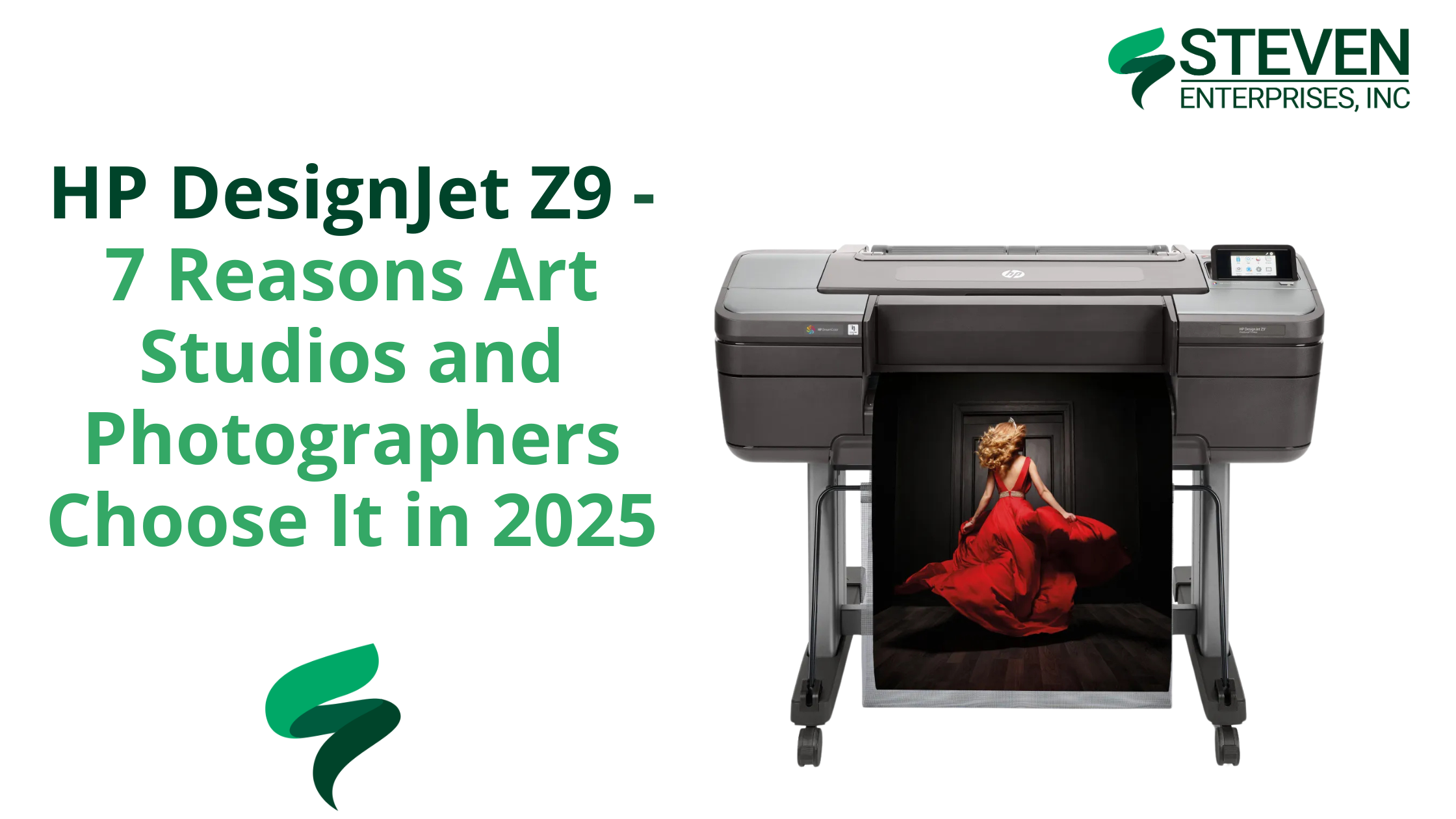
HP DesignJet Z9 – 7 Reasons Art Studios and Photographers Choose It in 2025

When it comes to art and photography, the bar for print quality keeps rising. Studios aren’t just printing posters—they’re reproducing emotion, detail, and expression. 

In 2025, that means choosing a printer that can capture it all with uncompromising accuracy. That printer is the HP DesignJet Z9.

While general-purpose wide format printers like the HP DesignJet Z6 are great for signage and school posters, art and photo professionals need more. 

At Steven Enterprises, we understand the unique needs of movie studios, art directors, photographers, and creative professionals. 

The Z9 offers expanded color precision, workflow efficiency, and media handling designed specifically for gallery-quality output. 

Top 7 Reasons Why Art Studios Should Get the HP Z9 Large Format Printer

1. Expanded Color Gamut with 9 Inks


The HP Z9 uses a 9-color ink system, giving you a much broader and richer color spectrum than the 6-ink HP Z6. It includes chromatic red, green, and blue, plus dual blacks, enabling smooth gradations and more lifelike skin tones, shadows, and highlights.

For photographers, that means more depth. For artists, it means closer reproduction to the original. If your work lives and dies by accurate color, this printer delivers.

Whether you’re capturing skin tones or museum-worthy pigment transitions, the Z9 ensures what’s on paper matches what’s in your mind.

2. Gloss Enhancer for Professional Finish

The HP Gloss Enhancer kit (compatible with select media types) adds a uniform, lab-quality sheen across your entire print. This eliminates common problems like bronzing and inconsistent finishes, especially on glossy or satin photo papers.

For photographers, this means your blacks stay deep, and your highlights stay clean. For artists, it’s a professional finish without added sprays or coatings. 

3. Dual Roll with Auto-Switching

Artists and studios rarely stick to one medium. With dual roll support and automatic switching, the Z9 lets you load two different roll types or sizes, such as canvas and fine art paper, and effortlessly switch between them based on job requirements.

It’s a game-changer for productivity, especially in fast-paced environments where multiple projects are underway.

4. Built-In Vertical Trimmer

Tired of trimming prints by hand? The Z9’s built-in vertical trimmer cleanly slices the sides of your prints, giving you clean, exhibition-ready edges every time.

This is especially valuable for print shops or studios selling ready-to-frame artwork or running short-run production. Fewer manual steps, straighter edges, and more time for creative work.

5. Faster Printing Without Quality Loss

The HP Z9 is designed to print faster than its predecessor, the HP Z6up to 2.5x faster—without compromising on resolution or detail.

Thanks to 2400-nozzle-per-inch printheads and HP Pixel Control, your large files (think 300dpi gallery posters) render cleanly and quickly. This makes batch printing efficient, even under tight deadlines.

6. High-Capacity 1-Liter Eco-Carton Cartridges

The Z9 supports 1-liter ink cartridges, so you’ll get more prints before needing replacements. For studios printing large formats or high volumes, this significantly reduces interruptions and lowers ink costs per job.

Better yet, the Eco-Carton design cuts plastic waste by using recyclable cardboard-based containers—ideal if your studio is aiming for greener practices.

7. Spindle-Less Roll Loading for Convenience

Older printers often require spindles to load new media rolls—a slow, frustrating process. The spindle-less roll system on the Z9 lets you simply drop in a new roll and lock it into place.

One of those underrated time-savers keeps your team focused on the creative process, not media setup.

Z9 vs Z9 Pro: Which One Is Right for Your Studio?

HP DesignJet Z9

The HP DesignJet Z9 supports prints up to 44 inches wide, which is more than enough for most artists, photographers, and galleries.

HP DesignJet Z9 Pro

If you regularly produce oversized installations or panoramic works, consider the Z9 Pro, which offers up to 54-inch width capacity and a slightly more robust build for production environments.

Both models offer the same color fidelity and feature set; the “Pro” simply extends your physical print size and handles heavier usage.

Z9 vs Z6: Why Studios Need More Than 6 Inks

HP DesignJet Z6

While the HP DesignJet Z6 is excellent for posters, wayfinding signs, or general graphics, its 6-ink configuration isn’t built for artwork.

HP DesignJet Z9

Need a full color spectrum with gallery-quality tonal range? The Z9’s added inks—and gloss enhancer—make all the difference.

Looking for something even more advanced? The HP Z6 Pro offers enhanced speed and processing for GIS and technical applications, but the Z9 remains the clear choice for photography and art.

The Creative Professionals Who Rely on the HP Z9

The HP DesignJet Z9 is a powerful production partner for creatives who demand precision, vibrancy, and reliability in every print. 

Here’s how different professionals are using the Z9 to elevate their work:

  • Art Studios producing giclée and archival reproductions:. Thanks to its 9-ink system and gloss enhancer, the Z9 can capture every nuance—whether it’s the textured brushwork of an oil painting or the delicate hues of a watercolor.
  • Professional photographers delivering gallery-quality prints: The Z9 ensures that skin tones, shadow details, and vibrant landscapes are printed exactly as they appear on screen, without the need for constant recalibration.
  • Marketing agencies crafting high-impact visual campaigns: The Z9 brings concepts to life with rich color depth and edge-to-edge sharpness. Teams can print oversized visuals, proof designs in-house, and rapidly adjust campaigns without waiting on outside vendors.
  • Museums and galleries managing exhibitions in-house: Curators and exhibit designers use the Z9 to print high-resolution artwork reproductions, title panels, and educational materials with museum-grade quality. 
  • Print shops offering premium services to creatives: Boutique print providers choose the Z9 to offer a higher tier of service to artists, photographers, and designers.

Ready to Elevate Your Prints with the HP Z9?

As creative professionals push for sharper, deeper, and more accurate visual output, the HP DesignJet Z9 has proven itself as a top-tier choice for bringing ideas to life.

With demand for high-resolution content on the rise, the tools you use to produce it matter more than ever. 

Still unsure? Start here with our art director’s guide or call us at 800-491-8785 for a personalized consultation.

Posted on

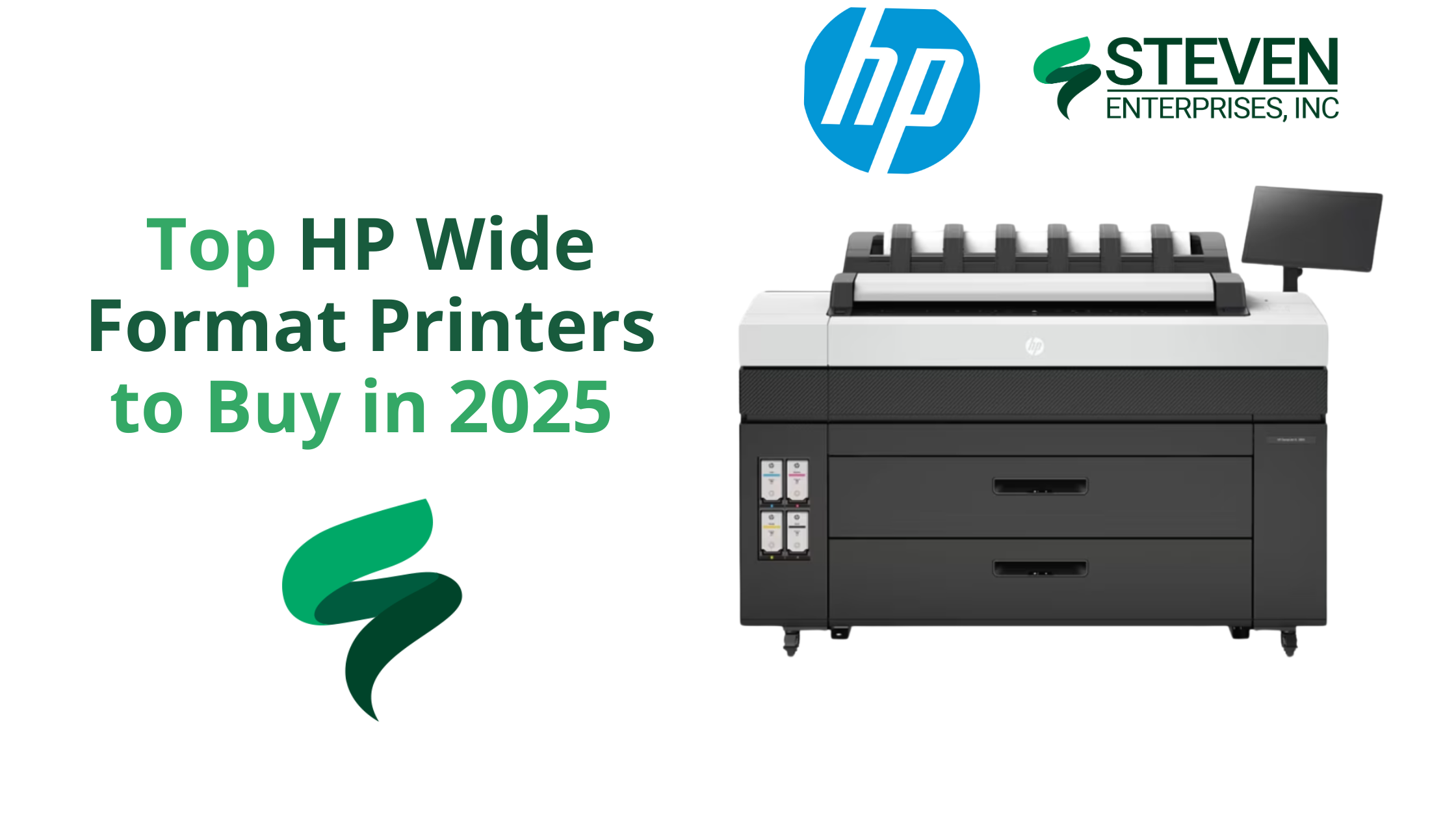
Top HP Wide Format Printers to Buy in 2025

In 2025, print volumes are declining across many industries due to widespread digitization.

Government offices and municipalities, for example, are shifting paperwork online and printing far less than before. 

With fewer “must-print” pages, buyers in 2025 are prioritizing lower-volume, lower-foot-print devices that still deliver professional speed and security. 

At Steven Enterprises, the five HP wide format printers below are the ones our clients ask for most, organized from highest to moderate volume.

Each blends productivity with a lean cost profile that suits today’s hybrid workflows.

1. HP DesignJet XL 3800 – Fast and Secure Wide Format Printer for High-Productivity Teams

HP DesignJet XL 3800 MFP Wide Format Printer

The HP DesignJet XL 3800 is the fastest color printer in its class, making it ideal for architecture, engineering, and construction (AEC) professionals who need quick turnaround on large-format prints. 

This 36-inch multifunction printer (MFP) produces color and monochrome drawings with exceptional quality, so offices can consolidate into one device for all wide-format needs. It’s designed to keep busy project teams moving efficiently with minimal downtime.

Why Purchase the HP DesignJet XL 3800:

  • Blazing Speed: Delivers up to 6 D/A1-size prints per minute, so large CAD sets or GIS maps are ready in moments. The first page out is as fast as 20 seconds, meaning no long warm-up waits.
  • High Print Quality: Produces excellent line accuracy for CAD drawings and vivid colors for graphics.
  • Integrated Scanner & Workflow: As an MFP, it offers easy one-click copying and scanning from the 15-inch touchscreen panel. This simplifies document workflows by letting you scan markups or copies directly.
  • Top-Tier Security: Protects your network and data with HP’s advanced security features. In fact, HP touts it as “the world’s most secure large-format printer,” with secure boot, user authentication, and other safeguards built in.
  • Space-Saving Design: Despite its capability, the XL 3800 has a compact footprint about 20% smaller than previous generation models. This gives you extra workspace and flexibility in smaller offices.

Learn more about the HP DesignJet XL 3800.

2. HP DesignJet XL 3600 – Compact, Reliable & Low-Cost Operation

HP DesignJet XL 3600 MFP Wide Format Printer

The HP DesignJet XL 3600 is a dependable wide-format MFP built for consistent output in environments that don’t require extremely high print volumes. Its reputation for reliability and low operating costs makes it a go-to choice for offices that value simplicity, efficiency, and steady performance.

It is often praised as “immediate and reliable” – it simply works whenever needed. This printer is an excellent choice for organizations that value low operating costs and dependability over sheer speed. 

It’s particularly well-suited to offices that print a mix of technical documents and need them done right every time.

Why Purchase the HP DesignJet XL 3600:

  • Quick First Print: The HP DesignJet XL 3600 delivers the fastest first-page-out in its class—just 29 seconds for a D-size print—so your team can grab documents on demand and keep projects moving without delays.
  • Low Running Costs: Built for efficiency, the XL 3600 uses less energy and features long-life components to minimize maintenance and lower your total cost of ownership over time.
  • Large Touchscreen & Ease of Use: A generous 15.6-inch touchscreen panel gives easy access to features. Users can print directly from personal or shared network folders and use HP Click software for efficient batch PDF printing.
  • Quiet, Office-Friendly Design: This model has a compact, 30% smaller footprint and quiet operation to fit comfortably in office settings.
  • Rock-Solid Reliability: The XL 3600’s robust design easily handles demanding environments. Features like automatic print stacking (up to 100 pages) and auto media loading make printing hassle-free.

Learn more about the HP DesignJet XL 3600.

3. HP DesignJet XT 950 – Multi-Size Efficiency Wide Format Printer for AEC and GIS

HP DesignJet XT950/ XT950 MFP

The HP DesignJet XT 950 is purpose-built for teams that juggle both large-format and smaller-size prints on a daily basis.

This dual-format flexibility makes it a perfect fit for AEC, GIS, and design offices where switching between full-size plans and reduced check prints is routine.

Why Purchase the HP DesignJet XT 950 Wide Format Printer:

  • Dual-Format Printing: The XT 950 has an integrated input tray for up to 100 half-size sheets (Letter, Tabloid, or A3/B) and an output sorter, allowing mixed-size print jobs in one go.
  • Productive Speed: It prints a D-size page in ~21 seconds (up to 90 D-size prints per hour), which is faster than most competitors in its class. This keeps project workflows moving, even when you have many pages to get through.
  • High Image Quality: HP’s pigment-based Flex Tech Inks ensure high-quality output for both line drawings and graphics. Technical line work comes out sharp and fine details in renders or maps are clear, with ink that resists smudging and water.
  • Simplified Workflow: HP Click software support means you can send multiple files (even a mix of sizes) to print in just a few clicks with a real-print preview.

Learn more about the HP DesignJet XT 950.

4. HP DesignJet T1600 – Precision Printing with High-End Features

HP DesignJet T1600

The HP DesignJet T1600 is a 36-inch plotter that offers high-end precision and advanced workflow features for technical and graphics printing. 

It’s popular among design firms and departments that require sharp detail and robust performance but don’t quite need the ultra-high speed of an XL series. 

The T1600 stands out for its easy PDF printing capabilities and professional output stacking.

Why Purchase the HP DesignJet T1600:

  • Superior Print Accuracy: With six inks (including gray and photo black), the T1600 produces fine line detail and smooth color gradients ideal for CAD drawings, architectural renderings, and posters. It faithfully reproduces complex schematics and color-critical visuals.
  • Fast Throughput: This model can print up to 180 D-size prints per hour (in fast mode). That’s about 3 D-size sheets per minute, enough speed to meet tight deadlines on large drawing sets. It also supports dual-roll configurations, so you can load two different media types or sizes and switch automatically.
  • Easiest PDF Printing: The T1600 features the Adobe PDF Print Engine, allowing it to process complex PDF files natively and accurately. You can send multi-page PDFs directly to print, and with HP Click software, batch printing becomes faster and more streamlined than ever.
  • 100-Page Stacking Tray: One standout feature is the integrated output stacker that neatly collates up to 100 sheets. Prints stack neatly and come out flat, eliminating the mess of scattered pages. This feature is valuable when you’re producing large sets like construction plans or GIS map series.
  • Quiet and Secure Operation: The T1600 is designed for the office – it operates quietly and includes the same HP Wolf Security features for network protection and user access control as other modern HP models.

Learn more about the HP DesignJet T1600.

5. HP DesignJet T850 – Compact CAD/GIS Plotter with Green Credentials

HP DesignJet T850/ T850MFP

Rounding out our list is the HP DesignJet T850, a compact large-format printer built for CAD drawings, maps, and rendering outputs in small offices or remote job sites. 

The HP DesignJet T850 proves that even as printing becomes less frequent, having a dependable in-house printer is still a smart move. 

It gives architects, engineers, and GIS specialists a convenient way to produce high-quality large-format prints only when needed, without overspending on a bigger machine. 

Why Purchase the HP DesignJet T850 Wide Format Printer:

  • Space-Saving, Modern Design: Notably, the T850’s compact 36-inch design seamlessly includes an integrated 50-sheet A3/A4 tray. Thus, it prints half-size sets effortlessly without manual paper switches.
  • Capable Performance: Despite its size, the T850 swiftly outputs D-size drawings in 25 seconds, approximately 90 per hour. Hence, it suits low to mid-volume CAD or poster printing.
  • Excellent Ink Efficiency: Specifically, its pigment-based inks consistently ensure durable, crisp lines and vibrant fills. Moreover, efficient ink use significantly lowers print costs.
  • Mobile and Secure Printing: Similarly, the T850 supports HP Smart app printing, allowing mobile job management. Additionally, HP Wolf Security effectively protects data

Learn more about the HP DesignJet T850.

Optimize Your Print Workflow with an HP Wide Format Printer

As processes go digital, investing in a quality wide-format printer still remains essential for many businesses in 2025 and beyond.

Moreover, the right printer enables you to consistently produce critical, high-quality documents, plans, and presentations as needed.

Not sure which HP wide format printer is right for your organization? Let our team guide you to the right fit. Call 800-491-8785 or fill out this contact form for a personalized sizing analysis. We will help you choose a solution that keeps your work moving and your overhead lean.

Posted on

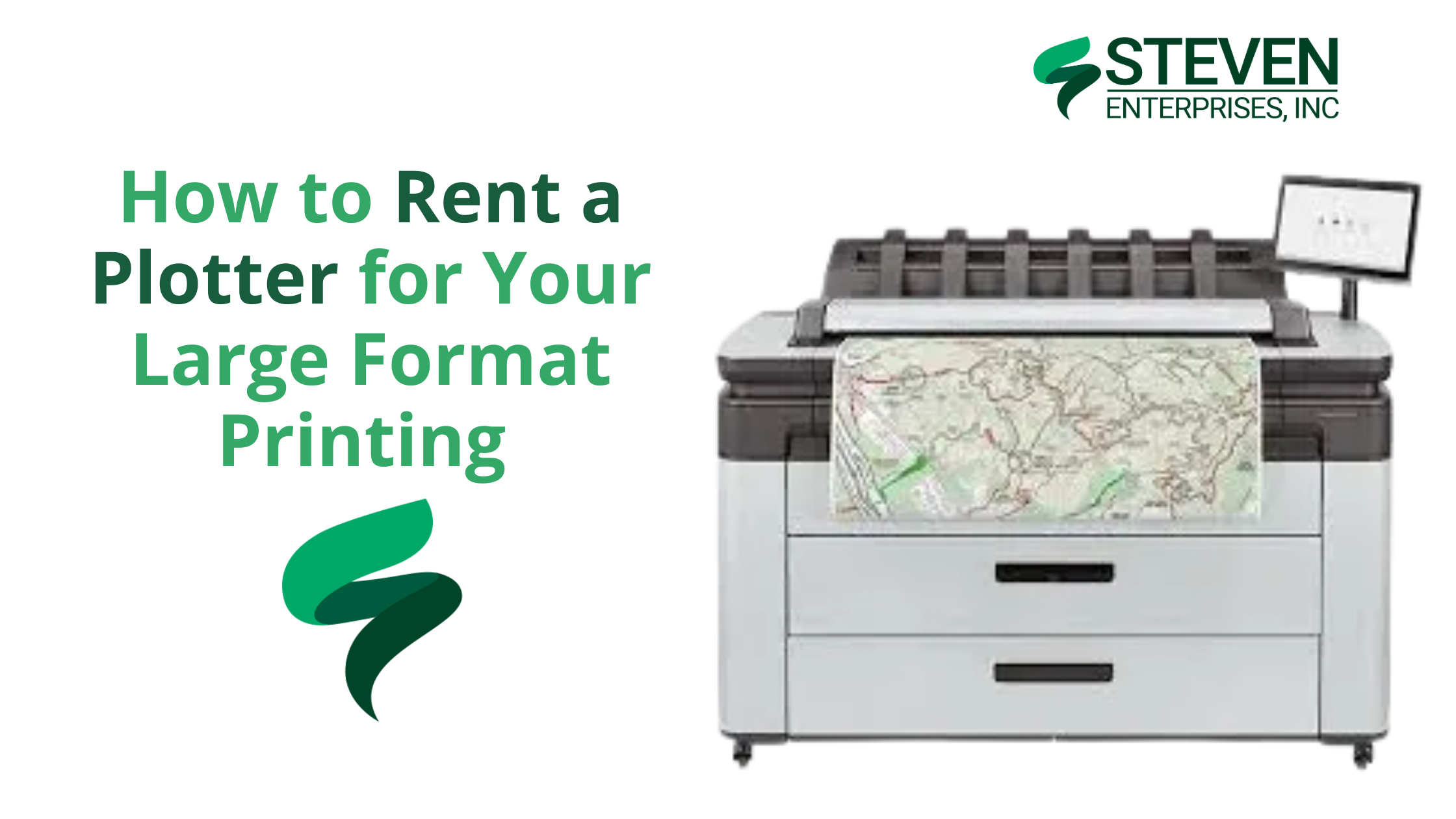
How to Rent a Plotter for Your Large Format Printing

When you need a large-format printer for only a few months, such as for a film shoot, job site trailer, or special event, purchasing outright can feel like overkill. 

Renting a plotter solves that dilemma by giving you professional-grade printing capabilities without the long-term costs and responsibilities of ownership.

At Steven Enterprises, we have helped organizations across industries manage short-term printing needs through flexible rental plans, on-site setup, and comprehensive support.

Let’s investigate why you should rent a plotter rather than buy one.

Who Should Rent a Plotter?

1. Movie & TV Production Studios

Film and TV productions often require on-set printing for set designs, location layouts, and promotional materials. 

Because each show’s shooting schedule might last anywhere from a few weeks to several months, renting a plotter allows studios to scale up or down without paying for a device they may not use after production wraps.

Case in Point: A streaming studio needed a wide-format solution for a 6-month pilot series. By renting an HP Z9 from Steven Enterprises, they printed 500+ large-format designs — everything from storyboards to promotional posters — and saved roughly $22,000 over buying a new device or outsourcing. Once the show was green-lit for Season 2, they confidently purchased the Z9 outright, proving its value and reliability.

2. Construction & Engineering Teams

Many construction and engineering projects happen at temporary job sites lasting just a few months. Quick access to large-format blueprints, permits, and as-builts can save critical time and keep projects moving forward.

When the project ends, you don’t have to store or resell the equipment you used. Simply return it, and you’re done — no ongoing maintenance or depreciation to manage.

3. Event Planners & Trade Shows

One-time or seasonal events—such as trade shows, festivals, or holiday promotions—often demand vibrant banners, directional signage, and floor plans on a tight deadline. Owning a plotter that sits idle for most of the year isn’t cost-effective.

Rent a wide-format printer for the duration of your event schedule. Afterward, return the machine and eliminate the headaches of storage or maintenance.

Plotter Models Available for Rent

Beyond the popular HP Z6 and HP Z9 for large-format color printing, we also offer additional HP plotter models that provide scanning, dual-roll printing, and high-speed output. 

HP T2600 Multifunction Printer

  • Key Features:

    • Prints up to 180 D/A1 pages per hour

    • Integrated 100-page output stacker for higher productivity

    • Built-in scanner and advanced collaboration tools

  • Best For: Construction offices that need rapid blueprint printing and scanning capabilities without tying up the budget for a permanent machine.

    HP PageWide XL 3600 MFP

  • Key Features:

    • 30% smaller footprint and quieter operation compared to similar devices

    • Fast 30-second first page out

    • Automated scanning and post-editing features for quick markups

  • Best For: Fast-paced environments that require both color and monochrome prints at high speed. It’s also great for engineering teams that regularly need to revise plans or create detailed technical documents.

What Do You Get with Your Plotter Rental?

Depending on the model and configuration, purchasing a new wide-format printer can easily cost $8,000–$20,000. 

Renting lets you pay a predictable monthly rate (often $325–$400) and invest your capital elsewhere. When you rent a plotter from Steven Enterprises, you get a complete, worry-free printing solution that includes:

  1. Full On-Site Setup & Installation: We’ll deliver the machine to your location, set it up, and walk you through the fundamentals — from loading paper and inks to performing basic troubleshooting.

  2. Ongoing Service & Support: If there’s a malfunction, our certified technicians will come on-site to fix it at no extra charge — unlike owning a printer, where post-warranty repairs are out-of-pocket. If persistent issues arise, we can swap the plotter so you’re not left waiting for lengthy repairs.

  3. Flexible Rental Terms: Whether you need the device for two months, six months, or a year, we tailor the rental period to match your project timeline. When your job is done, simply return the plotter. If your printing needs change, you can upgrade to a different model without the hassle of selling or replacing owned equipment.

  4. User Training: We’ll train your team on tasks like loading media, installing ink cartridges, and clearing paper jams. This will reduce downtime and maximize the value of your rental.

Note: Paper and ink are not included in the monthly fee. However, we can supply them at competitive rates, or you can purchase these supplies from your preferred vendor.

Explore a Plotter Rental for Your Next Project

With Steven Enterprises, you can focus on your project’s success, not the overhead of printer ownership. Whether you’re managing a movie set, running a construction site, or planning a one-time event, our HP plotter rentals make it easy to produce professional documents and graphics on demand. 

Call us now at (800) 491-8785 to discuss pricing, model availability, and rental terms or request a custom quote via our website. We’ll match you with the ideal Plotter and set up flexible rental terms tailored to your needs.

Posted on

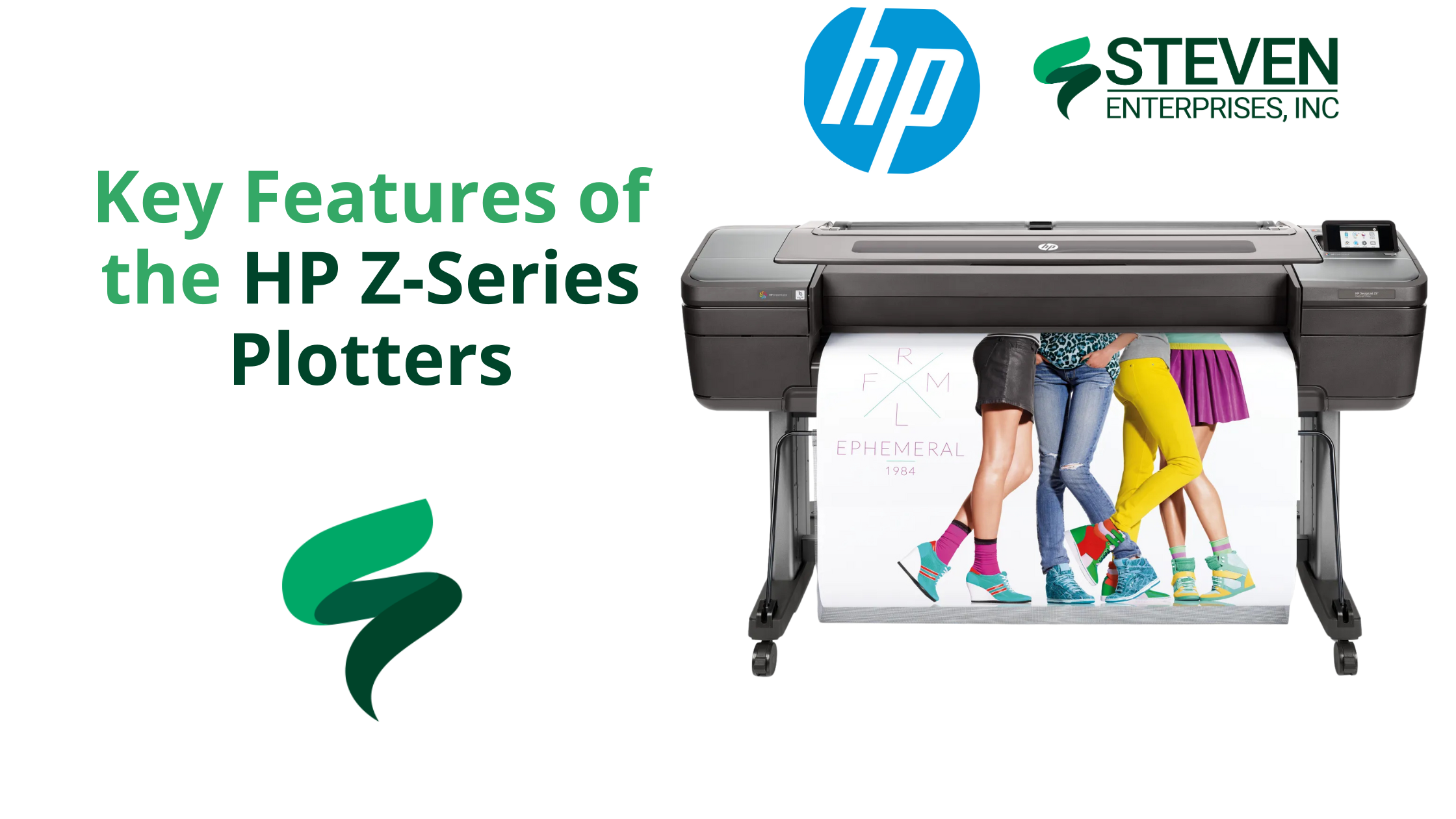
Key Features of the HP Z-Series Plotters

HP Z-9 Plotter

Marketing firms, schools, GIS departments, and retailers all face a common challenge: producing eye-catching, short-term signage on a tight schedule without overpaying for outsourced printing. 

Traditional print methods often increase costs, slow down turnarounds, and limit the types of media that can be used. 

Enter the HP Z-Series Plotters, a versatile line of large-format printers perfectly tailored to help you produce vibrant, durable, and budget-friendly graphics on demand.

At Steven Enterprises, we’ve seen organizations use the HP Z-Series to slash costs by as much as 40% while effectively doubling their output speeds.

Keep reading to learn why the Z-Series is the secret weapon for your short-term signage and graphic projects.

Who Needs HP Z-Series Plotters?

Below are three of the most common groups that benefit immediately from these devices.

1. Marketing Firms & Event Teams 

Outsourcing trade show graphics and large banners can lead to high costs, long wait times, and inconsistent quality.

How the HP Z-Series helps: In-house printing with a 44-inch or larger HP Z6 or HP Z9 means you can generate full-color banners, pop-up displays, or backdrop panels at the push of a button.

2. Schools & Universities

Most campuses need seasonal or event-specific signage, like orientation week “welcome” banners, open house yard signs, or commencement ceremony backdrops — but outsourcing can be slow and expensive.

How the HP Z-Series helps: With an HP Z-Series Plotter, schools can quickly create weather-resistant promotional materials. The pigment-based ink in the HP Z-Series can last up to six months outdoors under mild conditions, making it perfect for short-term campus way-finding signs, donor campaign banners, or A-frame stand inserts.

Universities often print vinyl or polypropylene A-frame signs to guide campus tours. Because polypropylene is tear-resistant and can handle high ink saturation, it’s ideal for directional signage that must withstand repeated handling or exposure to the elements.

3. Grocery Stores & Retailers

Retailers constantly update promotions — weekly specials, seasonal sales, and holiday deals. Sending each new design to a print shop is both costly and time-consuming.

How the HP Z-Series helps: With an HP Z-Series Plotter, retailers can produce vibrant window displays or point-of-sale posters in-house with fade-resistant pigment inks.

These inks can endure up to six months of UV exposure without significant fading, allowing you to create timely, large-scale retail graphics at a fraction of the usual outsourcing cost.

4. GIS Departments

Most municipal and governmental planning offices rely on precise, large-scale maps for city planning, infrastructure updates, or aerial imaging. Outsourcing each new revision can be slow and costly, mainly when last-minute changes occur.

How the HP Z-Series helps: With an HP Z6 Plotter, GIS professionals can print high-resolution, detail-oriented maps and schematics in-house, ensuring that line work, color-coded overlays, and small text remain crystal clear. 

Because the Z6 offers pigment-based inks and precise line rendering, everything from topographic contours to road networks looks sharp and true to scale.

Key Features and Benefits of the HP Z-Series

1. Versatile Media Handling

One of the standout advantages of HP Z-Series Plotters is their ability to handle a variety of printing materials, from basic bond paper to polypropylene and adhesive vinyl. 

This versatility allows you to create signage and graphics that can withstand more wear and tear than a standard paper poster. 

For instance, polypropylene is a semi-rigid thermoplastic that’s durable, resistant to tearing, and capable of handling high ink saturation for vivid colors. This is ideal for short-term displays that might be handled frequently or placed on foam board for easy transport.

2. Variable Size Options 

The HP Z-Series comes in 24-, 44-, and 64-inch models, ensuring there’s an option to match both your available floor space and your typical signage requirements:

  • 24″ Model: Ideal for tight office spaces or smaller projects.
  • 44″ Model: The most popular choice for general signage, trade show graphics, and point of sale materials—provides plenty of printing width without overwhelming your workspace.

Note: If you regularly switch between different paper types or sizes (e.g., adhesive vinyl and photo paper), you can save time by choosing a dual-roll configuration. This allows you to load two types of media simultaneously—no constant swapping. 

Select HP Z-Series models (specifically, the 44-inch HP Z6 or Z9) also offer a vertical trimmer, which is a built-in cutting tool that trims off both edges of your print for cleaner borders and more efficient finishing.

  • 64″ Model: This is ideal for niche markets that produce extra-large banners, such as specialized retail displays, entertainment venues, or any organization regularly needing signage over five feet wide.

3. Pigment-Based Ink for Outdoor Durability

HP’s pigment-based inks offer impressive color vibrancy and better outdoor resilience than typical dye-based inks. Your signage can last up to six months without significant fading under moderately controlled conditions (e.g., out of direct rain, but perhaps exposed to some humidity or sunlight).

That’s a huge benefit for short-term outdoor banners or in-store window displays that endure fluctuating interior or exterior conditions. Although these prints won’t hold up indefinitely in harsh weather, they can withstand the usual wear and tear of short promotional runs.

HP Z9 vs. HP Z6: Which Model is Right for You?

Choose the HP Z6 for Streamlined Signage and Graphics

  • Six-Color Setup: The Z6 features a six-color ink system optimized for sharp lines, solid areas of color, and excellent gradients. It’s perfect for short-term signage, banners, and general graphics.
  • Ideal for: Marketing teams, schools, retailers, and GIS departments who need sharp lines and vibrant color but don’t require ultra-precise color matching.

Pick the HP Z9 for Elevated Color Accuracy

HP Z SERIES

  • Nine-Color Setup and Optional Gloss Enhancer: The Z9 can achieve incredibly accurate colors, deeper blacks, and smoother gradations.
  • Ideal for:  Businesses or departments that demand color perfection (e.g., fine art studios, high-end brand agencies).

How to Make the Most of HP Z-Series Plotters

  1. Choose the Right Media. For high-traffic signage — like store displays or campus way-finding — durable materials (e.g., polypropylene or vinyl) help prints last. Consider high-quality photo paper for color-rich photography or premium trade show visuals.
  2. Stay on Top of Maintenance. Simple tasks like cleaning printheads and running occasional calibrations ensure you’ll consistently get top-notch prints.
  3. Consider Dual Roll & Vertical Trimmer. Switching between different paper sizes or materials? The dual-roll feature is a huge time saver. Coupled with the vertical cutter, you can produce nearly borderless prints at scale.
  4. Upgrade to the Z9 for Color-Critical Work. The Z9’s expanded ink set makes a noticeable difference for brand-accurate hues or detailed photographic prints. If color fidelity is your priority, that extra investment pays off in quality.

Transform Your Workflow with the HP Z-Series Plotter

Need short-term banners, point-of-sale posters, or GIS map prints that pop? There’s a Z-Series model with the speed, durability, and color accuracy you need.

Contact our team at 800-491-8785 or fill out our contact form for expert, personalized guidance. Let’s help you find the perfect match today.

Posted on

Choosing the Best Large Format Printers for Redline Markups in AEC Projects

Choosing the Best Large Format Printers for Redline Markups in AEC Projects

If you’re affiliated with a large architecture firm or looking to upgrade your construction business’s redline markups printing capabilities, you’ve landed in the perfect spot. 

At Steven Enterprises, we specialize in equipping AEC companies with the best large format printers tailored for efficient redline markup processes. As such, our experts understand the nuances of architectural and engineering printing needs and are here to guide you.

How Printing is Involved with Redline Markups 

Redline markups play a critical role in architecture and construction projects, bridging the gap between initial designs and real-world execution. These annotations are made directly on large format CAD drawings, highlighting changes and adjustments necessary for project accuracy. After these adjustments, the marked-up drawings require high-quality scanning and printing for further reviews and revisions.

Key Features to Consider in Large Format Printers for AEC Firms

Engineering and Architectural Needs: The best large format printers for engineering and architectural firms combine high productivity with cost efficiency. Look for printers that deliver:

  • Speed and Efficiency: Fast printing capabilities are crucial. Opt for printers with high-yield consumables to reduce operational costs.
  • High-Quality Outputs: Precision is paramount. High-resolution printers ensure that every detail in schematics and blueprints is captured accurately.
  • Reliability and Service: Ensure minimal downtime with reliable printers supported by efficient customer service and maintenance options.

Construction Site Requirements: For construction sites, consider printers that offer:

  • Portability: Compact printers are ideal for the limited space in job site trailers.
  • Scanning Capabilities: Multi-functional printers that include scanning can expedite communication and project approvals.
  • Ink Durability: Opt for pigment-based inks for their durability in harsh conditions, preventing smudges and damage.

Popular Large Format Printers for redline markups by Printing Volume

AEC firms typically choose from a few popular large format printers from brands like HP, Canon, and KIP. The main deciding factor in which machine to use is your monthly printing volume as a firm. 

The more you print, the more ink & paper supplies you’ll need to buy every month.

So, as you scale, the type of printer you’ll need will also change.

Small AEC Firms 

Printing Volume: Under 5K square feet per month

 Models like the HP DesignJet T-2600 and the HP DesignJet XT950 are perfect for firms with monthly outputs under 5,000 square feet. Some DesignJets use pigment ink, which is a popular choice for it’s durable water-resistant prints. 

Midmarket AEC Firms

Printing Volume: Between 5K-10K square feet per month 

For firms printing up to 10,000 square feet monthly, the KIP 71 series and the HP DesignJet XL 3600/3800 MFP are popular choices because of their multi-functional feature to both print and scan. 

Large AEC Firms 

Printing Volume: Above 10K square feet per month 

Finally, to be able to handle high volumes like these, you’ll likely look at buying the HP Pagewide series. These powerful printers can do up to 30 pages per minute, which is much faster than the 6 pages per minute of the midmarket printers. 

Get a Free Plotter Consultation with a Printing Expert

Understanding your firm’s specific needs is crucial when selecting a large format printer. Therefore, Steven Enterprises experts are here to help find you a printer that fits your current needs and contributes to long-term savings and efficiency.

Ready to maximize your AEC firm’s printing efficiency? Contact us today for a personalized consultation by either filling out this form or speaking to an expert immediately by calling 800-491-8785.

Posted on

Best Large Format Printers for Cities & Government Businesses

Best Large Format Printers for Cities & Government Businesses

As cities and government agencies continue to evolve, so does the need for effective large format printing solutions. While many entities already possess a plotter, not all are optimized for current demands. 

Whether it’s upgrading older models or integrating more advanced technology, understanding the best large format printers available is crucial for efficient operation.

In this blog post, we’ll learn from our Certified Large Format printing experts at Steven Enterprises about what the best large format printer models are for cities & other government businesses. 

What Large Format Printer Do Most Cities Have?

Well, the first time a city bought a large format plotter dates back to about the 1960s. This is when the first plotter was created, known as a “pen plotter” back then. 

Pen plotters are friendly robots from a not so distant past. As Tobias Toft puts it in this article, “they’re the missing link between pencils and laser printers.” Pen Plotters are lovely pieces of high precision technology, using regular pens that are computer-controlled to draw on regular paper with incredible speed and precision. 

They would draw blueprints for tweedy engineers and turtlenecked architects back in the 70’s and 80’s, they would draw colorful charts on transparencies for slick investment bankers to present on overhead projectors, and they probably also drew the schematics for the laser- and inkjet printers that replaced them a decade later. While expensive at the time, they were beautifully engineered, high-quality machines, which is still used by some cities around the country. 

Once the print head was invented, many cities and state agencies upgraded their large format printing equipment to this faster, more sophisticated technology. Meaning that most now own either a large-format inkjet printer or an LED toner-based printers (depending on their business needs). 

READ MORE: Toner vs. Ink Large Format Printers: Cost and Usage Comparison for Businesses

Depending on the size of your operation, you’re likely going to have multiple large-format inkjet printers on-site to be able to keep up with the demand. 

What are the common applications for large format printers in government entities?  

Back in the day, every plan to build something had to be printed and run through the city for approval. While that’s still true today, most of it has gone digital. 

That said, many city planners and state agencies still make heavy use of the large format printers to mark up the blueprints they receive. 

Another common application for toner-based printers is to make larger posters to be distributed in city hall or around the city. Since they need to be able to weather the outdoors for longer periods, this higher-quality printing technology is a must.

Reasons to Upgrade Your Plotter

If you’ve had your large format printer for over 5 years, your printer is likely due for an upgrade. The main reason being the quality of the prints you could be getting, but also just out of increased efficiency!

Here are some reasons why it might make sense to upgrade: 

  • Improved printing quality: Not all cities know how much the technology has improved since these original series of the large format inkjets and toner based printers came out. For example, the line printing for blueprints far more crisp and precise. Also, the durability and color consistency of the prints is also night and day from what is used to be! 
  • Faster printing speeds: The best improvement in the technology is the speed. New large format printers need only 1 minute to print out 30 drawings. Older models needed a minimum of 2 minutes. So if your operations ever need to print in bulk, this can be a huge time saver! 
  • Multi-functional machines: The best part about upgrading your large format printer is that the newer models come with a scanner built into it. Since so much of the city planning process is digitized, having the option to scan is great. It’s an easy way to simplify communications with the foreman on the construction job site. 
  • Save costs buying color: If you need options to print in color, the newer models are going to be far cheaper than the old ones. The reason for this is that the older models use dye-based ink. This ink is far more expensive than the pigment ink that the newer plotters use. The pigmented ink is also far more durable (lasting about 6 months outside in the elements vs. max 3 months). As a result, the costs are lower by avoiding reprints! 

Top Large Format Printers for Government Businesses in 2025

Every business is different. This is why we highly recommend you book a free consultation with a Steven Enterprises certified printing expert to purchase the right large format printer. 

Since we work with many cities and state municipalities, here are the top printers they invest in.

HP 3600/3800 Large Format Printer 

Using PageWide XL 6000

Productive, efficient, and secure. The HP DesignJet XL 3600 and HP DesignJet XL 3800 Multifunction printers are the top choice for government businesses. 

They keep construction projects moving with the fastest color printer at 6A1/D color pages per minute in its class. Not only is it a fast first page out, it also has excellent color and monochrome print quality.  

If your goal is to have a simple and optimized system, this is a great printer to invest in. It includes easy one-click copy and scan workflows, features that reduce your environmental impact. Not to mention, it’s a more compact printer than the older models, providing you additional workspace for other uses.

To learn more about the HP Large format printers, click here

KIP Black & White Large Format PrinterKIP 7170 Front

If you are looking for a more budget-friendly option, the KIP large format printers are also a great option.

KIP is a leading global supplier of digital printing and scanning solutions for color and monochrome wide format documents. Offering an extensive product range that meets the ever-increasing demand for fast, high-quality, cost-effective reproduction. 

KIP’s advanced product technology leads the market in performance, reliability, and value with an exceptionally low cost of operation.

Click here to learn more about KIP large format printers.

Need Help Finding the Right Large Format Printer for Your Business?

Investing in a modern large format printer can transform the way cities and government agencies handle their printing needs. From improved operational efficiency to higher quality outputs, the benefits are clear.

If you’re considering upgrading your equipment or need advice on the best model for your specific needs, don’t hesitate to contact Steven Enterprises. Our certified printing experts are here to provide tailored solutions and support. This way ensuring you choose the right printer to meet your city demands! 

Visit our website or contact us directly for a free consultation. During out call, you’ll discover how the latest in large format printing technology can benefit your operations.

Posted on

Best Large Format Printers for Construction & General Contractors in 2025

Best Large Format Printers for Construction & General Contractors in 2024

In the dynamic world of construction, having the ability to quickly and accurately produce high-quality prints directly on the job site isn’t just convenient—it’s crucial. 

For general contractors, large format printers are indispensable tools that ensure the seamless flow of information, from architectural designs to complex construction plans.

In this blog post, we’ll review the top large format printers that Steven Enterprises Equipment and Account Specialists recommend to superintendents and construction project managers. You’ll learn the fundamental differences in the latest models on the market in 2025. 

Why General Contractors Need On-Site Printers

Unlike architectural offices where plans are initially drafted, construction sites are where these plans come to life—and often change. 

The ability to perform “red line markups” and send immediate feedback to architects is essential for the timely progression of any project. 

With a large format printer on site, general contractors can handle these tasks efficiently, reducing downtime and avoiding costly delays.

Top Features General Contractors Should Look for in Large Format Printers

  • Speed and Efficiency: Time is money, and in construction, delays can be costly. Printers that can deliver quick prints without sacrificing quality are crucial.
  • Durability and Portability: Given the harsh conditions on many job sites, printers need to be both durable and portable. A compact design ensures they fit within the confined spaces of a job site trailer.
  • Ease of Use: Printers should be user-friendly, allowing quick setup and operation by various subcontractors, including electricians and plumbers who may need access to updated plans.
  • High-Quality Output: Detailed prints are necessary to accurately convey complex construction details and ensure all team members are on the same page.

Best Large Format Printers for General Contractors in 2025

HP DesignJet T-2600 MFPDesignJet T2600 Front

Created for highly efficient teams with the most compact, quiet MFP, the HP DesignJet T2600 is excellent for construction sites. It supports collaboration with a smart interface and access to shared folders. 

Since tight deadlines are a crucial part of the construction industry, this printer has become a top choice. It has the fastest print speed and the only automatic print stacking. 

AEC, GIS, and MCAD professionals who want to print maps, technical drawings, posters, and renders with precise, accurate line quality and crisp textDynamic security enabled printer.

Check out the latest HP T-2600 here.

KIP 900 Series

Ideal for environments demanding high durability and excellent color quality, the KIP 900 series withstands the rigors of a construction site while providing outstanding print quality.

From technical documents to vibrant posters, this printer has it all. The KIP 900’s toner-based system combines affordability, speed, and waterproof quality, making it a robust choice for all types of AEC applications.

Check out the latest KIP 900 Series here.

OCE Plotwave 450 SlantedOce (Canon) PlotWave Series

With a user-friendly interface and robust security features, the PlotWave series is designed for high productivity and operational ease, crucial for some privately-owned construction settings.

Designed to deliver reliable, high-quality prints, the PlotWave 7500 stands out from the other large format printers listed because of it’s six rolls of media. For some job sites with lots of different contractors, this is a game-changer for their productivity.

Check out the latest Plotwave OCE printers here.

Best Overall: HP DesignJet XL 3800 Multi-Function PrinterThe innovative HP DesignJet XL 3800 Large Format Printer, showcasing its superior color printing capabilities.

The evolution of color printing over the last five years has been nothing short of revolutionary, especially with the advent of the HP DesignJet XL 3800 Large Format Printer.

This breakthrough technology has significantly lowered the financial barrier to high-quality color printing for engineering firms. In turn, marking a departure from the era when such capabilities commanded a price tag upwards of $100,000.

With features like enhanced printing speeds, batch scanning, and a compact design, it addresses all the needs of construction firms. Especially for those looking for reliability, efficiency, and a smaller environmental footprint.

This is why we determined the HP DesignJet XL 3800 to be the overall winner for the best large format printer for the construction industry.

Read more: New HP XL DesignJet 3800 Multi-Function Printer: A Comparison to Black & White Models

Streamline Your Construction Projects with the Right Large Format Printer

Embracing technology on the job site isn’t just about keeping up with the times; it’s about staying ahead. By equipping your site with a capable large format printer, you ensure that your construction project runs smoother, stays on budget, and avoids unnecessary delays.

Ready to Upgrade?

Discover how the latest large format printers can transform your construction site’s efficiency. 

Contact Steven Enterprises today to explore the best printing solutions for your needs.