Posted on

Key Features of the HP Z-Series Plotters
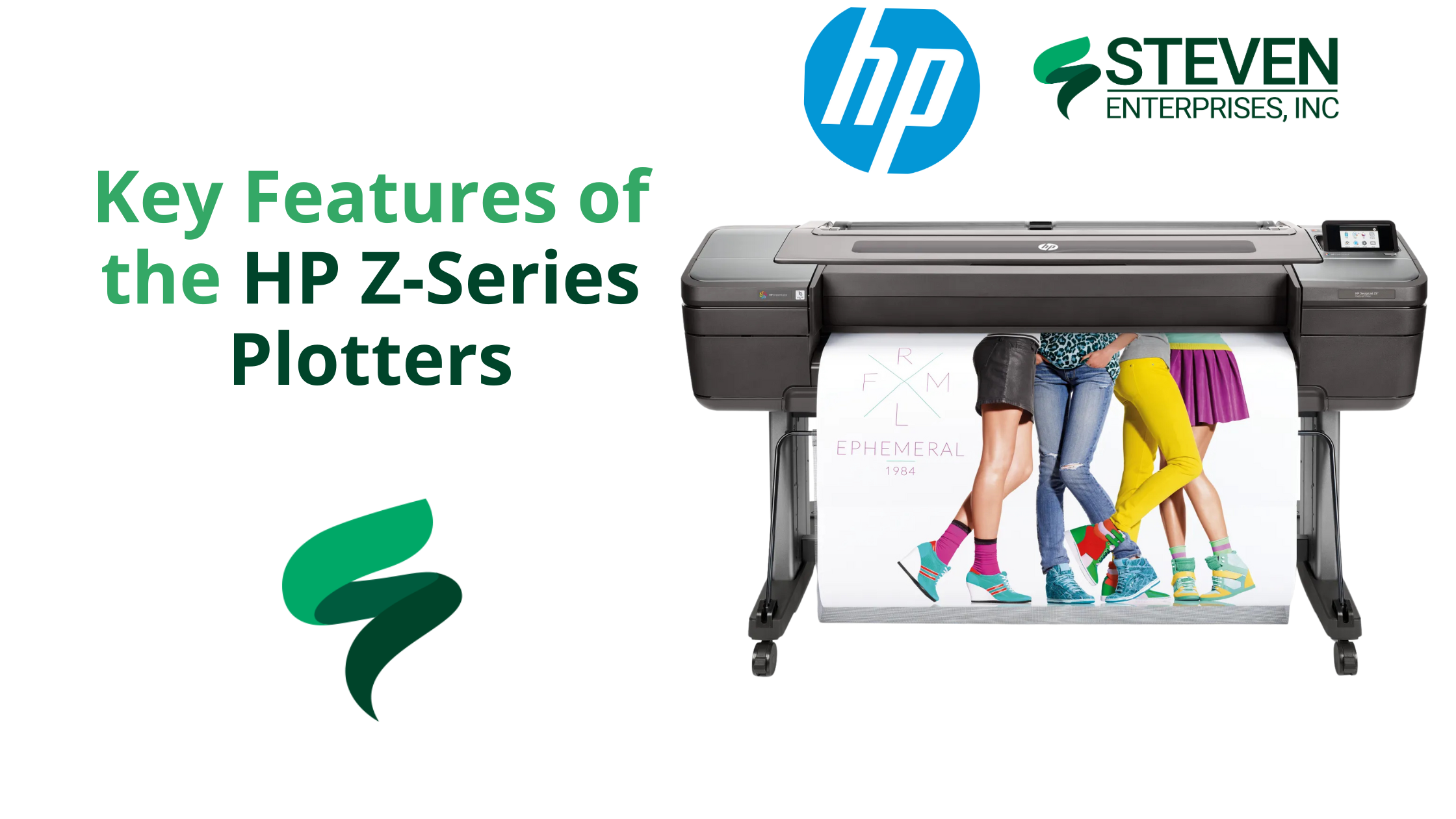
HP Z-9 Plotter

Marketing firms, schools, GIS departments, and retailers all face a common challenge: producing eye-catching, short-term signage on a tight schedule without overpaying for outsourced printing. 

Traditional print methods often increase costs, slow down turnarounds, and limit the types of media that can be used. 

Enter the HP Z-Series Plotters, a versatile line of large-format printers perfectly tailored to help you produce vibrant, durable, and budget-friendly graphics on demand.

At Steven Enterprises, we’ve seen organizations use the HP Z-Series to slash costs by as much as 40% while effectively doubling their output speeds.

Keep reading to learn why the Z-Series is the secret weapon for your short-term signage and graphic projects.

Who Needs HP Z-Series Plotters?

Below are three of the most common groups that benefit immediately from these devices.

1. Marketing Firms & Event Teams 

Outsourcing trade show graphics and large banners can lead to high costs, long wait times, and inconsistent quality.

How the HP Z-Series helps: In-house printing with a 44-inch or larger HP Z6 or HP Z9 means you can generate full-color banners, pop-up displays, or backdrop panels at the push of a button.

2. Schools & Universities

Most campuses need seasonal or event-specific signage, like orientation week “welcome” banners, open house yard signs, or commencement ceremony backdrops — but outsourcing can be slow and expensive.

How the HP Z-Series helps: With an HP Z-Series Plotter, schools can quickly create weather-resistant promotional materials. The pigment-based ink in the HP Z-Series can last up to six months outdoors under mild conditions, making it perfect for short-term campus way-finding signs, donor campaign banners, or A-frame stand inserts.

Universities often print vinyl or polypropylene A-frame signs to guide campus tours. Because polypropylene is tear-resistant and can handle high ink saturation, it’s ideal for directional signage that must withstand repeated handling or exposure to the elements.

3. Grocery Stores & Retailers

Retailers constantly update promotions — weekly specials, seasonal sales, and holiday deals. Sending each new design to a print shop is both costly and time-consuming.

How the HP Z-Series helps: With an HP Z-Series Plotter, retailers can produce vibrant window displays or point-of-sale posters in-house with fade-resistant pigment inks.

These inks can endure up to six months of UV exposure without significant fading, allowing you to create timely, large-scale retail graphics at a fraction of the usual outsourcing cost.

4. GIS Departments

Most municipal and governmental planning offices rely on precise, large-scale maps for city planning, infrastructure updates, or aerial imaging. Outsourcing each new revision can be slow and costly, mainly when last-minute changes occur.

How the HP Z-Series helps: With an HP Z6 Plotter, GIS professionals can print high-resolution, detail-oriented maps and schematics in-house, ensuring that line work, color-coded overlays, and small text remain crystal clear. 

Because the Z6 offers pigment-based inks and precise line rendering, everything from topographic contours to road networks looks sharp and true to scale.

Key Features and Benefits of the HP Z-Series

1. Versatile Media Handling

One of the standout advantages of HP Z-Series Plotters is their ability to handle a variety of printing materials, from basic bond paper to polypropylene and adhesive vinyl. 

This versatility allows you to create signage and graphics that can withstand more wear and tear than a standard paper poster. 

For instance, polypropylene is a semi-rigid thermoplastic that’s durable, resistant to tearing, and capable of handling high ink saturation for vivid colors. This is ideal for short-term displays that might be handled frequently or placed on foam board for easy transport.

2. Variable Size Options 

The HP Z-Series comes in 24-, 44-, and 64-inch models, ensuring there’s an option to match both your available floor space and your typical signage requirements:

  • 24″ Model: Ideal for tight office spaces or smaller projects.
  • 44″ Model: The most popular choice for general signage, trade show graphics, and point of sale materials—provides plenty of printing width without overwhelming your workspace.

Note: If you regularly switch between different paper types or sizes (e.g., adhesive vinyl and photo paper), you can save time by choosing a dual-roll configuration. This allows you to load two types of media simultaneously—no constant swapping. 

Select HP Z-Series models (specifically, the 44-inch HP Z6 or Z9) also offer a vertical trimmer, which is a built-in cutting tool that trims off both edges of your print for cleaner borders and more efficient finishing.

  • 64″ Model: This is ideal for niche markets that produce extra-large banners, such as specialized retail displays, entertainment venues, or any organization regularly needing signage over five feet wide.

3. Pigment-Based Ink for Outdoor Durability

HP’s pigment-based inks offer impressive color vibrancy and better outdoor resilience than typical dye-based inks. Your signage can last up to six months without significant fading under moderately controlled conditions (e.g., out of direct rain, but perhaps exposed to some humidity or sunlight).

That’s a huge benefit for short-term outdoor banners or in-store window displays that endure fluctuating interior or exterior conditions. Although these prints won’t hold up indefinitely in harsh weather, they can withstand the usual wear and tear of short promotional runs.

HP Z9 vs. HP Z6: Which Model is Right for You?

Choose the HP Z6 for Streamlined Signage and Graphics

  • Six-Color Setup: The Z6 features a six-color ink system optimized for sharp lines, solid areas of color, and excellent gradients. It’s perfect for short-term signage, banners, and general graphics.
  • Ideal for: Marketing teams, schools, retailers, and GIS departments who need sharp lines and vibrant color but don’t require ultra-precise color matching.

Pick the HP Z9 for Elevated Color Accuracy

HP Z SERIES

  • Nine-Color Setup and Optional Gloss Enhancer: The Z9 can achieve incredibly accurate colors, deeper blacks, and smoother gradations.
  • Ideal for:  Businesses or departments that demand color perfection (e.g., fine art studios, high-end brand agencies).

How to Make the Most of HP Z-Series Plotters

  1. Choose the Right Media. For high-traffic signage — like store displays or campus way-finding — durable materials (e.g., polypropylene or vinyl) help prints last. Consider high-quality photo paper for color-rich photography or premium trade show visuals.
  2. Stay on Top of Maintenance. Simple tasks like cleaning printheads and running occasional calibrations ensure you’ll consistently get top-notch prints.
  3. Consider Dual Roll & Vertical Trimmer. Switching between different paper sizes or materials? The dual-roll feature is a huge time saver. Coupled with the vertical cutter, you can produce nearly borderless prints at scale.
  4. Upgrade to the Z9 for Color-Critical Work. The Z9’s expanded ink set makes a noticeable difference for brand-accurate hues or detailed photographic prints. If color fidelity is your priority, that extra investment pays off in quality.

Transform Your Workflow with the HP Z-Series Plotter

Need short-term banners, point-of-sale posters, or GIS map prints that pop? There’s a Z-Series model with the speed, durability, and color accuracy you need.

Contact our team at 800-491-8785 or fill out our contact form for expert, personalized guidance. Let’s help you find the perfect match today.
Posted on

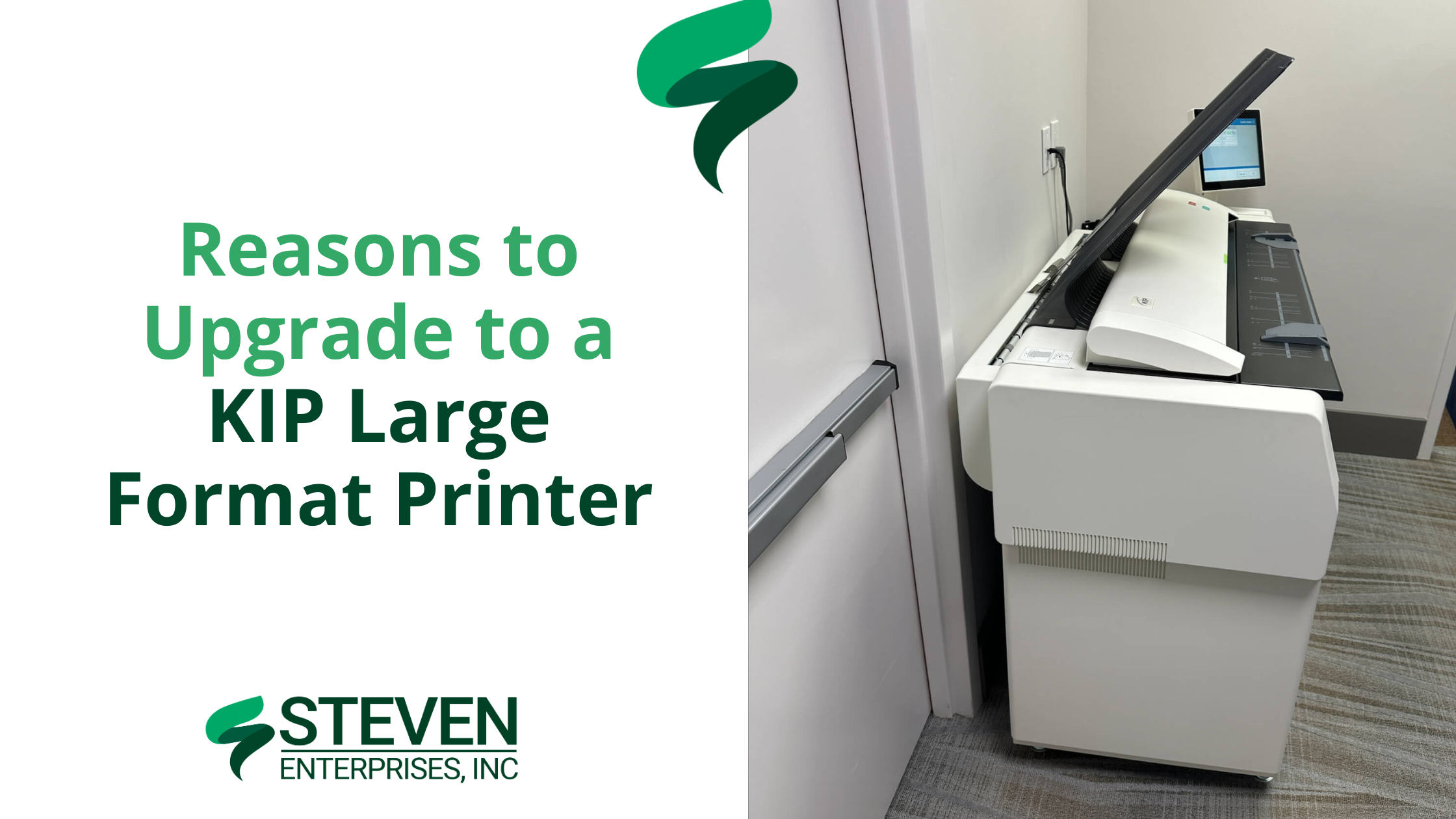
Reasons to Upgrade to a KIP Large Format Printer

For architects, engineers, and construction (AEC) firms, inconsistent print speeds and high ink costs can disrupt tight deadlines and strain budgets. 

A KIP Large Format Printer offers a solution with its toner-based technology, providing consistent print speeds, reduced operating costs, and features tailored to technical workflows.​

At Steven Enterprises, we’ve observed how KIP printers enhance AEC operations — reducing errors in bids by up to 35% and lowering color printing costs to approximately $0.20 per square foot. 

Our clients often produce over 500 D-size plans per hour, maintaining schedules and budgets.

In this article, we’ll highlight exactly why KIP printers are a great HP DesignJet alternative — and how your team can test one risk-free.

Who Needs a KIP Large Format Printer?

1. DesignJet & OCE Owners

KIP Large Format Printer

Many design and construction teams use inkjet models like the HP DesignJet XL 3600 or older OCE printers. However, these machines slow down significantly with high ink coverage — especially when printing detailed color renderings or redline markups. 

This bottleneck can push deadlines back by days or force teams to break large jobs into multiple smaller batches.

KIP’s toner-based systems maintain 6–20 pages per minute at any coverage. Whether you’re printing simple floor plans or heavily shaded 3D renderings, the speed never wavers. 

Plus, you can print both monochrome and color plans at the same rapid pace without switching devices or sacrificing color altogether.. 

2. Architecture, Engineering, and Construction (AEC) Firms

KIP Large Format Printer

In many architecture, engineering, and construction (AEC) environments, plans are printed in monochrome to save on costs. 

Unfortunately, crucial elements — like electrical, plumbing, and HVAC routes — can blend together without color differentiation, leading to confusion, errors in bids, and costly rework.

KIP printers excel at high-volume, color-accurate output at a fraction of the cost of traditional inkjets. 

By using different colors for each subsystem, redline markups and final plan sets become far clearer. This improves communication among trades, reduces misinterpretation, and helps contractors submit more accurate project bids.

If you’re looking to discover more about multi-roll devices and their benefits, visit our Large Format Printer Solutions page.

3. Organizations Seeking Greater Cost Reduction

KIP Large Format Printer image

Some companies primarily want to lower their ongoing print expenses — whether that’s due to rising ink costs or an uptick in color-coverage needs.

KIP’s toner approach offers a more predictable cost-per-print, especially on color-intensive jobs. 

Firms facing excessive ink usage or ballooning supply expenses often see immediate savings when switching to toner. 

This predictable pricing model helps budget-conscious teams accurately forecast their monthly print expenditures and avoid the frequent cartridge replacements common with inkjets.

KIP’s toner-based approach means more consistent expenditures. Instead of guessing how many ink cartridges you’ll burn through on color-heavy jobs, you pay roughly the same per page.

Why Choose a KIP Large Format Printer over Inkjets?

1. Toner Never Slows Down: Traditional inkjets might slow to a crawl when coverage goes beyond 50% — especially if you’re printing color-intensive renderings. 

KIP printers maintain 6–20 pages per minute no matter how much coverage you’re using. That means no more splitting large jobs into smaller batches.

2. Historically Expensive, Now More Cost-Effective: KIPs used to have a higher price tag compared to standard inkjets. But there has been a big industry shift: the cost of KIPs has come down, while their toner-based approach makes color prints far cheaper than ever before.

Many AEC firms significantly reduce color printing costs with KIP printers, achieving rates as low as $0.20 per square foot, compared to around $1.00 per square foot or more with many inkjets.

3. Perfect for High-Volume Printing: Every KIP model handles 2–4 rolls of media at once and offers built-in scanning. This setup is ideal for firms juggling multiple projects, letting you print technical drawings, color-coded markups, and even foam board or yard signs (with direct-to-board capabilities) from a single device.

How to Test a KIP Large Format Printer Risk-Free

To see how much you could save and how quickly you can print, call us at (800) 491-8785 or fill out our online form to request a personalized KIP demo.

We’ll print your actual plans or designs in real time, so you can see the color accuracy, speed, and cost savings firsthand.

You can ask questions as if you’re standing right in front of the machine. We’ll then mail you the completed prints for review.

It’s a simple, no-pressure way to find out how KIP can transform your printing process — especially if you’re comparing it to an HP DesignJet or older OCE model.

Posted on

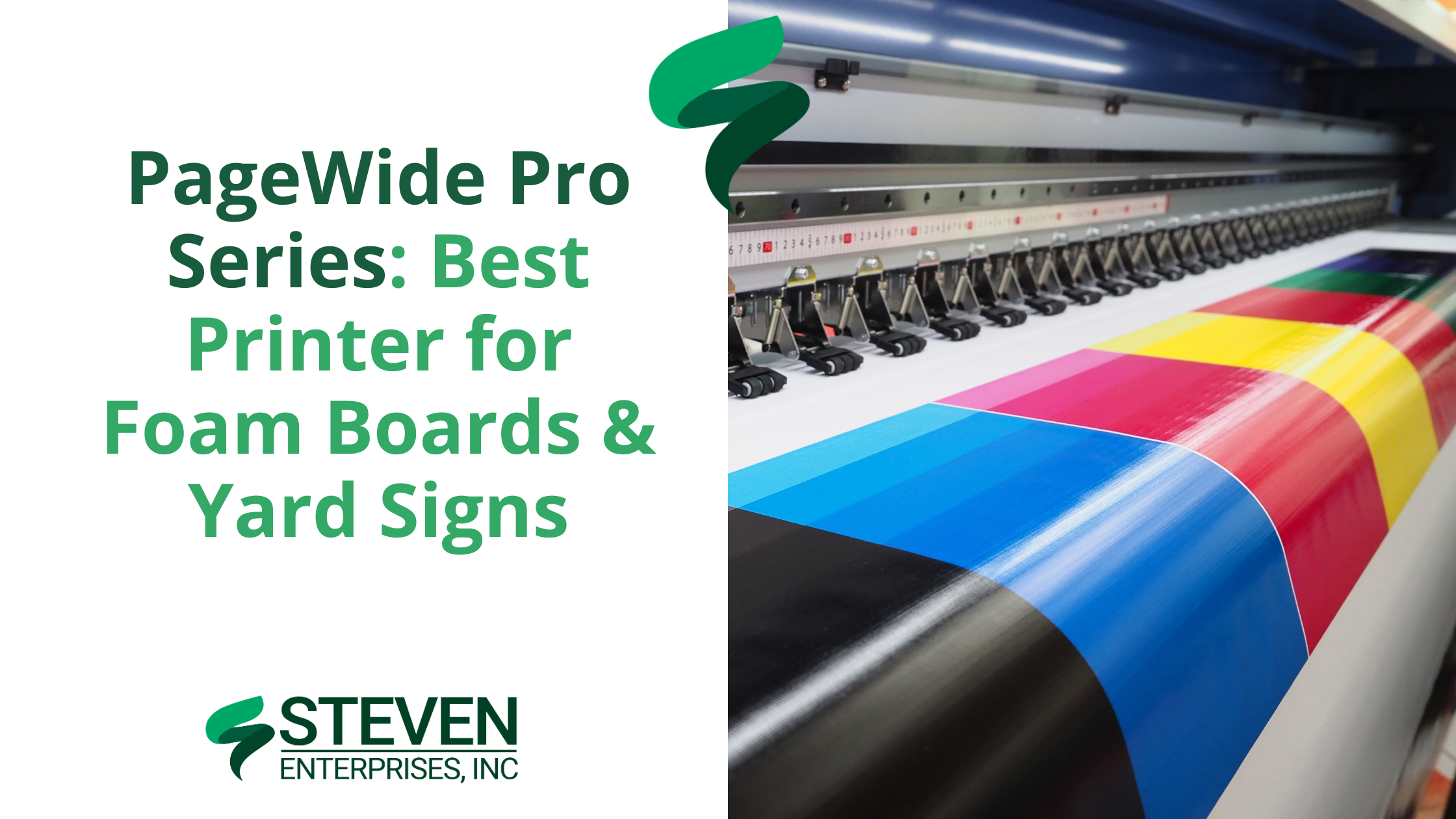
PageWide Pro Series: Best Printer for Foam Boards & Yard Signs

PageWide Pro Series: Best Printer for Foam Boards & Yard Signs

The HP PageWide Pro Series is a versatile line of printers designed to meet the diverse needs of businesses and institutions looking to print on foam boards and yard signs efficiently. As a 2-in-1 machine, it offers you both roll-to-roll printing and rigid board printing — all in one device. 

This makes it an excellent alternative to purchasing separate machines such as the HP Latex or lamination printers.

At Steven Enterprises, we have helped architects, sign shops, and schools streamline operations by replacing outdated setups with the Pro Series — reducing their costs by 30% and also production bottlenecks by 50%.

Who Needs the PageWide Pro Series?

1. Small Sign Shops (e.g., Minuteman Press)

Small sign shops often face delays when outsourcing lamination for yard signs, election posters, or event displays. By printing directly onto Coroplast, the PageWide Pro Series eliminates extra lamination steps. 

It allows up to 4 boards per minute, ensuring tight deadlines are met without sacrificing quality. What’s more? This direct-to-board capability also reduces labor costs and gives full control over print output — from color accuracy to final finish.

For example, our Pro 8200 helped a Florida sign shop print Coroplast yard signs in-house, reducing their order fulfillment from 5 days to 6 hours.

2. Schools & Universities

Schools and universities often operate under tight budget constraints that make it challenging to purchase separate roll-to-roll and foam board printers. 

The HP PageWide Pro Series consolidates these needs into one cost-effective machine, supporting everything from event banners to academic models like science fair exhibits and architectural prototypes. 

This all-in-one approach allows institutions to stretch funds further while still producing vibrant, high-quality prints.

3. Federal Agencies

Federal agencies frequently need high-volume, tamper-resistant posters — such as public health notices and safety regulations — that exceed the capabilities of standard devices. 

With the HP PageWide XL Pro 10,000, you can print up to 7,500 sq ft per hour, producing more than 500 D-size posters each hour. 

This efficiency ensures immediate availability of critical information during emergencies or routine government operations.

In fact, a federal agency in Texas cut poster production time by 70% during hurricane season just by using the XL 10,000.

4. Architecture Firms

Architecture firms often spend hours manually mounting renderings onto foam boards, risking damage to delicate prints during the adhesive process. 

The HP PageWide Pro Series overcomes these challenges by enabling direct-to-board printing on foam boards up to 3/8″ thick, preserving every detail at 2400 DPI resolution. 

This approach allows you to produce 20 foam board renderings in 5 minutes instead of 2 hours, all while avoiding creases, air bubbles, or misalignment. The result? A flawless, professional finish that truly wows clients.

The Top 3 PageWide Pro Models to Choose From

If you need a reliable large format printer that can handle both high-volume roll-to-roll projects and direct-to-board jobs, the PageWide Pro Series has a model to suit your workload. 

Below are the three top HP PageWide XL Pro models and what sets them apart.

1. HP PageWide XL Pro 10,000

The HP PageWide XL Pro 10,000 is designed for large-scale printing and provides rapid output without compromising quality. 

Its robust construction and advanced technology meet the demands of high-volume sign shops and production facilities.

Key Features:

  • It prints up to 7,500 sq ft per hour (1,000 B1 posters/min), delivering quick turnarounds for bulk orders.
  • It uses 5-liter cartridges for sustained productivity, minimizing downtime from frequent ink changes.
  • Accommodates up to 6 rolls at once, allowing seamless transitions between different media types.

Ideal For: Enterprises needing continuous production for large signage, marketing materials, or architectural plans.

2. HP PageWide XL Pro 8200 Multifunction Printer

The HP PageWide XL Pro 8200 is a balanced option for businesses seeking productivity and versatility as it merges fast printing speeds with an integrated scanner.

It’s ideal for teams that require both production-grade prints and easy document digitization.

Key Features:

  • Prints at 5,400 sq ft per hour (30 A1 pages/min), keeping pace with demanding workflows.
  • Integrated scanner supports multifunction workflows and streamlines document handling.
  • Relies on 3-liter cartridges for moderate print runs, reducing refill frequency.
  • Supports up to 6 rolls, making it easy to switch between various paper types.

Ideal For: Organizations looking for a unified solution that covers printing and scanning in one device.

3. HP PageWide XL Pro 5200 Multifunction Printer

HP PageWide XL Proo 5200 Multi-function printer

The HP PageWide XL Pro 5200 is built for smaller or moderate production needs, balancing efficient performance with a compact design. 

Its cost-effective approach suits businesses that want professional-quality prints on a lower volume scale.

  • Delivers up to 4,300 sq ft per hour (20 A1 pages/min), handling a range of routine print jobs.
  • Operates on 1-liter cartridges, making it both economical and easy to maintain.
  • Holds up to 4 rolls, allowing quick swapping between multiple print media.

Ideal For: Small to mid-sized operations looking for high-quality output without the footprint or capacity of larger models.

So, Is the PageWide Pro Series Worth the Upgrade?

Upgrading to the Pro Series requires an investment of about $10,000 more than standard models, but it offers significant long-term savings. With direct-to-board printing, there’s no need for separate lamination — yielding annual savings estimated at $12,000 on adhesive materials.

The Pro Series also delivers a 15% faster turnaround compared to outsourcing, reducing both labor costs and downtime. 

These enhanced capabilities, coupled with lower operating costs and increased productivity, make the upgrade worthwhile

Discover Your Savings with the PageWide Pro Series

Contact Steven Enterprises now at 800-491-8785 for a personalized consultation, or fill out our contact form for a free cost comparison analysis and discover how much you could save. We’ll help you choose the right solution to boost your productivity and reduce operating costs.

Posted on

Choosing the Best Large Format Printers for Redline Markups in AEC Projects

Choosing the Best Large Format Printers for Redline Markups in AEC Projects

If you’re affiliated with a large architecture firm or looking to upgrade your construction business’s redline markups printing capabilities, you’ve landed in the perfect spot. 

At Steven Enterprises, we specialize in equipping AEC companies with the best large format printers tailored for efficient redline markup processes. As such, our experts understand the nuances of architectural and engineering printing needs and are here to guide you.

How Printing is Involved with Redline Markups 

Redline markups play a critical role in architecture and construction projects, bridging the gap between initial designs and real-world execution. These annotations are made directly on large format CAD drawings, highlighting changes and adjustments necessary for project accuracy. After these adjustments, the marked-up drawings require high-quality scanning and printing for further reviews and revisions.

Key Features to Consider in Large Format Printers for AEC Firms

Engineering and Architectural Needs: The best large format printers for engineering and architectural firms combine high productivity with cost efficiency. Look for printers that deliver:

  • Speed and Efficiency: Fast printing capabilities are crucial. Opt for printers with high-yield consumables to reduce operational costs.
  • High-Quality Outputs: Precision is paramount. High-resolution printers ensure that every detail in schematics and blueprints is captured accurately.
  • Reliability and Service: Ensure minimal downtime with reliable printers supported by efficient customer service and maintenance options.

Construction Site Requirements: For construction sites, consider printers that offer:

  • Portability: Compact printers are ideal for the limited space in job site trailers.
  • Scanning Capabilities: Multi-functional printers that include scanning can expedite communication and project approvals.
  • Ink Durability: Opt for pigment-based inks for their durability in harsh conditions, preventing smudges and damage.

Popular Large Format Printers for redline markups by Printing Volume

AEC firms typically choose from a few popular large format printers from brands like HP, Canon, and KIP. The main deciding factor in which machine to use is your monthly printing volume as a firm. 

The more you print, the more ink & paper supplies you’ll need to buy every month.

So, as you scale, the type of printer you’ll need will also change.

Small AEC Firms 

Printing Volume: Under 5K square feet per month

 Models like the HP DesignJet T-2600 and the HP DesignJet XT950 are perfect for firms with monthly outputs under 5,000 square feet. Some DesignJets use pigment ink, which is a popular choice for it’s durable water-resistant prints. 

Midmarket AEC Firms

Printing Volume: Between 5K-10K square feet per month 

For firms printing up to 10,000 square feet monthly, the KIP 71 series and the HP DesignJet XL 3600/3800 MFP are popular choices because of their multi-functional feature to both print and scan. 

Large AEC Firms 

Printing Volume: Above 10K square feet per month 

Finally, to be able to handle high volumes like these, you’ll likely look at buying the HP Pagewide series. These powerful printers can do up to 30 pages per minute, which is much faster than the 6 pages per minute of the midmarket printers. 

Get a Free Plotter Consultation with a Printing Expert

Understanding your firm’s specific needs is crucial when selecting a large format printer. Therefore, Steven Enterprises experts are here to help find you a printer that fits your current needs and contributes to long-term savings and efficiency.

Ready to maximize your AEC firm’s printing efficiency? Contact us today for a personalized consultation by either filling out this form or speaking to an expert immediately by calling 800-491-8785.

Posted on

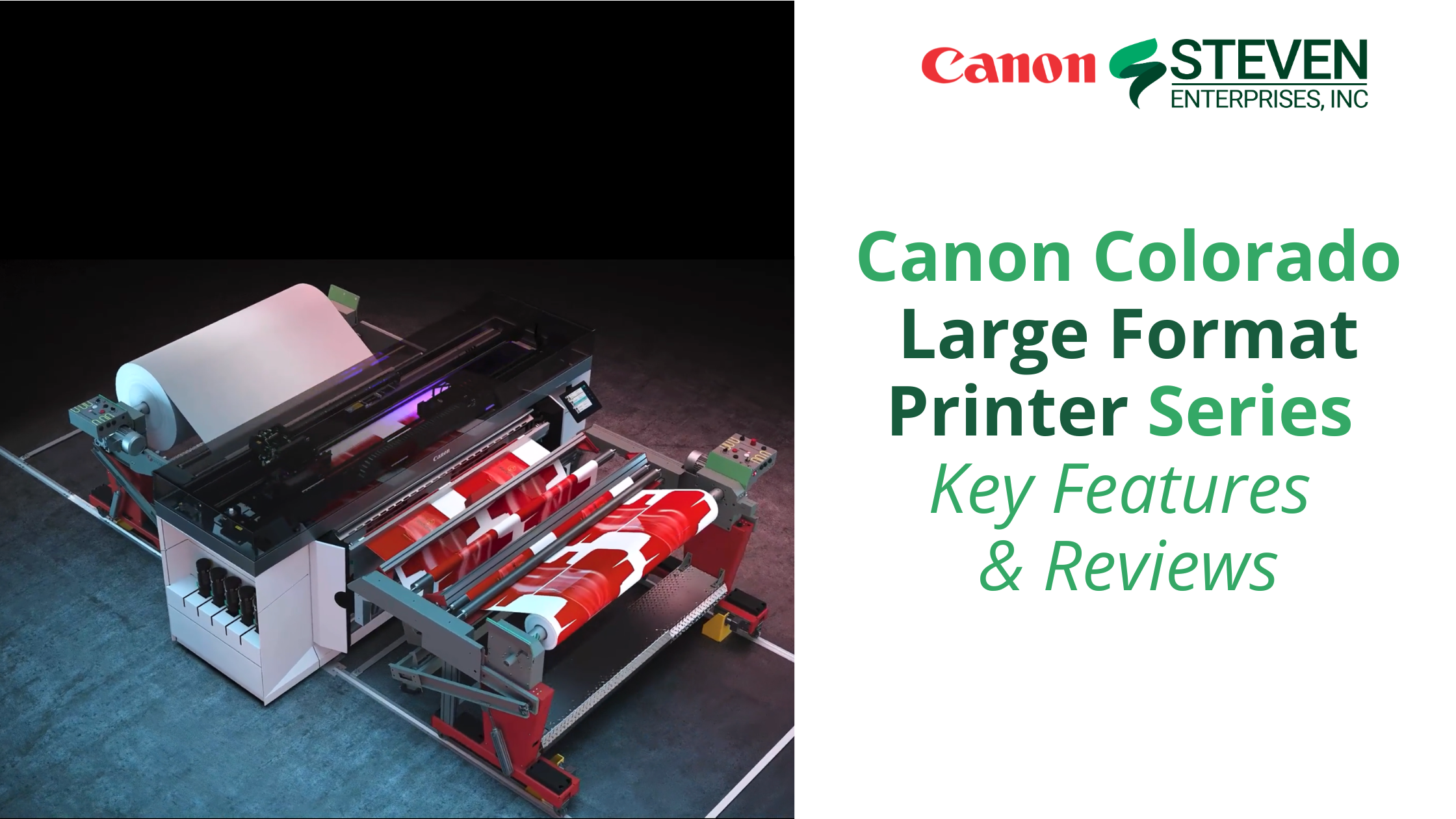
Canon Colorado Large Format Printer Series – Key Features & Reviews

Canon Colorado Series - Everything you need to know about the new printer

The Canon Colorado Series printers represent a significant advancement in large-format printing technology. They blend speed, precision, and versatility to meet the diverse needs of today’s businesses. 

From the groundbreaking UVgel ink technology to its industrial-grade durability, the Colorado Series sets a new standard for what businesses can expect from their printing solutions. 

In this blog post, Steven Enterprises printing experts explore the remarkable features and configurations of the Canon Colorado large-format printer series so you can determine whether it’s a good purchase for your business printing operations.

3 Reasons Business Owners Choose the Canon Colorado Series for Their Business

When talking to our clients who purchased the Canon Colorado series for their business, we often hear the following key reviews about their experience with this powerful large format printer.

1. Revolutionary UVgel Technology 

The Canon Colorado Series printers utilize UVgel technology, which offers a non-evaporative ink that stays on the media, resulting in precise, vibrant, and durable prints. 

This feature effectively lowers printing costs for businesses looking to significantly reduce ink usage compared to traditional printing methods.

2. FLXfinish+: Versatility in Printing 

The FLXfinish+ technology lets you choose between matte and gloss finishes without changing inks or media. 

Business owners love this innovative feature because it provides them unmatched flexibility in creating eye-catching prints that stand out for commercial or artistic purposes.

3. Efficient & Reliable Operation 

Designed for unattended operation, the Colorado Series ensures smooth and continuous printing processes. 

Business owners love this automatic nozzle compensation and advanced media handling because it reduces the need for frequent maintenance, allowing your team to focus on productivity without compromise.

Specific Features on the Canon Colorado Series Tailored to Business Growth

Printer Configurations to Suit Every Business Need 

Whether you start with the Canon Colorado M3 base model or look for the more enhanced M5W Canon Colorado, the Canon Colorado Series is designed to grow with your business. 

Optional upgrades like the white ink module and various speed licenses provide tailored solutions that adapt to your evolving business requirements.

High-Value Applications for Fine Art & Functional Prints 

The versatility of the Canon Colorado Series makes it suitable for a broad range of applications. 

Whether you’re producing detailed architectural plans, vibrant retail signage, or high-quality photographic prints, these printers deliver exceptional quality and speed. Their ability to handle different media types and sizes also makes them ideal for customized projects.

Environmentally Friendly Inks for Sustainable Printing 

Canon’s commitment to sustainability is evident in the Colorado Series’ low-impact printing. 

The Canon UVgel ink meets rigorous environmental standards, reducing the ecological footprint of your printing activities. This way supporting your company’s green initiatives.

Ready to Invest in a Canon Colorado Large Format Printer to Enhance Your Printing Capabilities?

At Steven Enterprises, we’re proud to supply and support the Canon Colorado Series, helping businesses across Southern California achieve their printing goals with state-of-the-art technology. 

If you want to enhance your business’ printing capabilities with a Canon Colorado large format printer, visit our online store or contact our certified Canon printing experts for a personalized consultation.

Discover how the Canon Colorado Series can revolutionize your printing workflow and help you create stunning, high-quality prints more efficiently. Don’t hesitate to contact us for a free quote or more information on how these printers can benefit your business.