Posted on

How IT Firms Can Boost Revenue by Reselling Wide Format Printers

Wide Format Printer

IT firms across the country are discovering a lucrative revenue stream that’s hiding in plain sight: reselling wide format printers to their Architecture, Engineering, and Construction (AEC) clients.

At Steven Enterprises, we have seen forward-thinking IT firms build steady income simply by guiding their AEC accounts through printer selection, network integration, and ongoing support.

Providing IT services to AEC businesses and haven’t explored this opportunity yet?

You’re missing out on significant additional income while your competitors are already capitalizing on this natural extension of IT services.

Here’s why wide-format printer sales are earning a place in the modern IT service stack and how to decide if this revenue channel belongs in yours.

Why IT Firms Are Perfect for Wide Format Printer Sales

As an IT professional, you are uniquely positioned to recommend and manage wide format printing solutions because you already understand your clients’ networks, security requirements, and operational needs. 

When AEC businesses need large format printing capabilities, they naturally turn to their trusted IT partners for guidance.

The relationship makes perfect sense. 

You are already managing their technology infrastructure, so adding printing solutions creates a seamless extension of your existing services while providing substantial additional revenue.

What Additional Income Streams Work Best for IT Firms?

Wide format printer reselling offers IT firms multiple revenue opportunities like:

  • Initial equipment sales with competitive margins
  • Network setup and integration services (your core expertise)
  • Ongoing maintenance and support contracts
  • Security monitoring and updates
  • User training and workflow optimization
  • Consumables and supplies management

This diversified income stream means you generate money from the initial sale and also build long-term, recurring revenue relationships.

The Strategic Advantage: Network Control and Security

Kip 600 Series Printer

When you help source and select wide format printers for your AEC clients, you gain several critical advantages:

  • Network Security Control: You choose machines you trust on your managed networks, eliminating potential security vulnerabilities from unknown or incompatible devices.
  • Brand Reliability: Leading manufacturers such as HP, KIP, and Canon all offer excellent software platforms with robust security features, providing confidence in the solutions you implement.
  • Ongoing Service Opportunities: Once printers are installed, you become the go-to resource for network integration, troubleshooting, security updates, and user support. This creates multiple touchpoints that strengthen your client relationships.

Which IT Service Models Work Best for Wide Format Printer Sales?

The opportunity varies based on your service model:

  • Large AEC companies typically have in-house IT departments that can become internal champions for your solutions
  • Smaller AEC firms usually rely on outsourced IT services, making you the natural point person for all technology decisions, including printing infrastructure.

Both scenarios present opportunities, but outsourced IT relationships often provide more direct influence over purchasing decisions.

Why are AEC Businesses Ideal Clients for This Service?

Colorado m3 Canon printer

Architecture, Engineering, and Construction firms have unique printing needs that require specialized knowledge:

  • Large format technical drawings and blueprints
  • High-volume document processing
  • Color accuracy for presentations and marketing materials
  • Network integration with existing CAD and project management systems
  • Security requirements for sensitive project data

Your existing relationship and technical expertise make you the ideal consultant for these specialized requirements.

How Does IT Involvement Improve Printing Security for Clients?

When you manage wide format printer selection and implementation, you provide significant security benefits to your AEC clients:

  • Risk Mitigation: You can evaluate and implement proper security protocols from day one, thereby preventing potential data breaches through the use of unsecured printing devices.
  • Network Integration: A professional setup ensures that printers are properly configured within existing security frameworks, rather than creating vulnerable access points.
  • Ongoing Monitoring: Your continued involvement means security updates and monitoring become part of your managed services offering.

What Cost Savings Can IT Firms Demonstrate to AEC Clients?

Beyond security benefits, you can show clients tangible cost savings:

  • Reduced downtime through proper network integration and ongoing support
  • Optimized printing workflows that improve productivity
  • Bulk purchasing power when you manage equipment procurement
  • Preventive maintenance that extends equipment life and reduces emergency service calls

How We Help IT Firms Succeed in Wide Format Sales

Expert Equipment Selection

Our team helps you select the machines that are best suited for your clients’ specific needs, taking into account their volume requirements, security standards, and integration needs.

Security Deep-Dive Analysis

We’ll provide you with detailed comparisons of security features across different brands (HP, KIP, Canon), giving you the technical knowledge to make informed recommendations and articulate security benefits to your clients.

Client Implementation Support

Steven Enterprises helps you pitch your clients by providing materials that clearly demonstrate the value proposition: cost savings for them combined with risk removal for potential security breaches.

We also handle all the technical legwork for your client relationship, making you more valuable as their trusted IT advisor while ensuring seamless implementation.

Are Other IT Firms Reselling Wide Format Printers?

IT firms across the country are already capitalizing on this opportunity. From coast to coast, smart IT professionals have recognized that wide format printer sales and management represent a natural evolution of their service offerings.

The trend is clear and in favor of IT service providers that deliver print services as part of a broader offering. 

Companies are asking their IT partners to “find a printer” because they trust their technical judgment and want integrated solutions.

What Happens If You Don’t Adapt?

If you’re not offering wide format printing solutions to your AEC clients, you’re likely missing revenue opportunities while competitors position themselves as more comprehensive technology partners.

The businesses that provide complete technology solutions—including printing infrastructure—become more valuable and harder to replace than those offering only traditional IT services.

Getting Started with Wide Format Printer Sales

Starting your wide format printer sales program doesn’t require massive upfront investment or extensive training. 

The key is maximizing your existing client relationships and technical expertise while partnering with experienced suppliers who can provide the specialized knowledge you need.

What Support Do You Need to Succeed?

Successful IT firms in this space rely on knowledgeable partners who can:

  • Provide technical specifications and comparisons
  • Offer competitive pricing and terms
  • Handle complex client questions about printing workflows
  • Support implementation and ongoing service needs
  • Keep you updated on new technologies and security features

Add Wide Format Printers to Your IT Service Portfolio

The opportunity to boost your revenue while providing additional value to your AEC clients is significant, but success requires the right partnership and approach.

Let us help you build this lucrative service offering while strengthening your client relationships.

Call 800-491-8785 or reach out through our contact form to discuss how we can help you capitalize on the wide format printing opportunity in your market.

We’ll help you do all the legwork for your clients, positioning you as their complete technology solution provider while building a profitable new revenue stream for your business.
Posted on

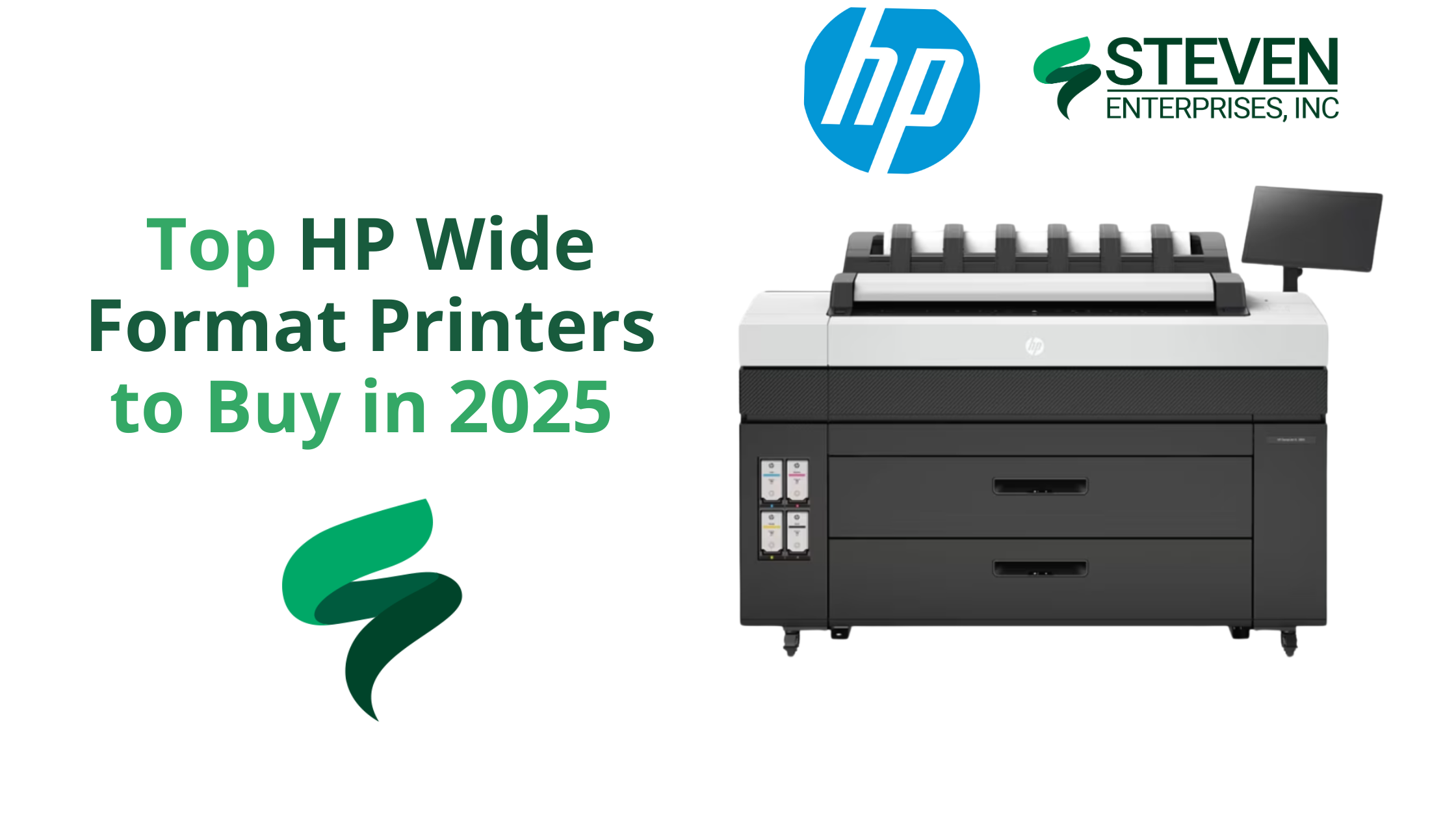
Top HP Wide Format Printers to Buy in 2025

In 2025, print volumes are declining across many industries due to widespread digitization.

Government offices and municipalities, for example, are shifting paperwork online and printing far less than before. 

With fewer “must-print” pages, buyers in 2025 are prioritizing lower-volume, lower-foot-print devices that still deliver professional speed and security. 

At Steven Enterprises, the five HP wide format printers below are the ones our clients ask for most, organized from highest to moderate volume.

Each blends productivity with a lean cost profile that suits today’s hybrid workflows.

1. HP DesignJet XL 3800 – Fast and Secure Wide Format Printer for High-Productivity Teams

HP DesignJet XL 3800 MFP Wide Format Printer

The HP DesignJet XL 3800 is the fastest color printer in its class, making it ideal for architecture, engineering, and construction (AEC) professionals who need quick turnaround on large-format prints. 

This 36-inch multifunction printer (MFP) produces color and monochrome drawings with exceptional quality, so offices can consolidate into one device for all wide-format needs. It’s designed to keep busy project teams moving efficiently with minimal downtime.

Why Purchase the HP DesignJet XL 3800:

  • Blazing Speed: Delivers up to 6 D/A1-size prints per minute, so large CAD sets or GIS maps are ready in moments. The first page out is as fast as 20 seconds, meaning no long warm-up waits.
  • High Print Quality: Produces excellent line accuracy for CAD drawings and vivid colors for graphics.
  • Integrated Scanner & Workflow: As an MFP, it offers easy one-click copying and scanning from the 15-inch touchscreen panel. This simplifies document workflows by letting you scan markups or copies directly.
  • Top-Tier Security: Protects your network and data with HP’s advanced security features. In fact, HP touts it as “the world’s most secure large-format printer,” with secure boot, user authentication, and other safeguards built in.
  • Space-Saving Design: Despite its capability, the XL 3800 has a compact footprint about 20% smaller than previous generation models. This gives you extra workspace and flexibility in smaller offices.

Learn more about the HP DesignJet XL 3800.

2. HP DesignJet XL 3600 – Compact, Reliable & Low-Cost Operation

HP DesignJet XL 3600 MFP Wide Format Printer

The HP DesignJet XL 3600 is a dependable wide-format MFP built for consistent output in environments that don’t require extremely high print volumes. Its reputation for reliability and low operating costs makes it a go-to choice for offices that value simplicity, efficiency, and steady performance.

It is often praised as “immediate and reliable” – it simply works whenever needed. This printer is an excellent choice for organizations that value low operating costs and dependability over sheer speed. 

It’s particularly well-suited to offices that print a mix of technical documents and need them done right every time.

Why Purchase the HP DesignJet XL 3600:

  • Quick First Print: The HP DesignJet XL 3600 delivers the fastest first-page-out in its class—just 29 seconds for a D-size print—so your team can grab documents on demand and keep projects moving without delays.
  • Low Running Costs: Built for efficiency, the XL 3600 uses less energy and features long-life components to minimize maintenance and lower your total cost of ownership over time.
  • Large Touchscreen & Ease of Use: A generous 15.6-inch touchscreen panel gives easy access to features. Users can print directly from personal or shared network folders and use HP Click software for efficient batch PDF printing.
  • Quiet, Office-Friendly Design: This model has a compact, 30% smaller footprint and quiet operation to fit comfortably in office settings.
  • Rock-Solid Reliability: The XL 3600’s robust design easily handles demanding environments. Features like automatic print stacking (up to 100 pages) and auto media loading make printing hassle-free.

Learn more about the HP DesignJet XL 3600.

3. HP DesignJet XT 950 – Multi-Size Efficiency Wide Format Printer for AEC and GIS

HP DesignJet XT950/ XT950 MFP

The HP DesignJet XT 950 is purpose-built for teams that juggle both large-format and smaller-size prints on a daily basis.

This dual-format flexibility makes it a perfect fit for AEC, GIS, and design offices where switching between full-size plans and reduced check prints is routine.

Why Purchase the HP DesignJet XT 950 Wide Format Printer:

  • Dual-Format Printing: The XT 950 has an integrated input tray for up to 100 half-size sheets (Letter, Tabloid, or A3/B) and an output sorter, allowing mixed-size print jobs in one go.
  • Productive Speed: It prints a D-size page in ~21 seconds (up to 90 D-size prints per hour), which is faster than most competitors in its class. This keeps project workflows moving, even when you have many pages to get through.
  • High Image Quality: HP’s pigment-based Flex Tech Inks ensure high-quality output for both line drawings and graphics. Technical line work comes out sharp and fine details in renders or maps are clear, with ink that resists smudging and water.
  • Simplified Workflow: HP Click software support means you can send multiple files (even a mix of sizes) to print in just a few clicks with a real-print preview.

Learn more about the HP DesignJet XT 950.

4. HP DesignJet T1600 – Precision Printing with High-End Features

HP DesignJet T1600

The HP DesignJet T1600 is a 36-inch plotter that offers high-end precision and advanced workflow features for technical and graphics printing. 

It’s popular among design firms and departments that require sharp detail and robust performance but don’t quite need the ultra-high speed of an XL series. 

The T1600 stands out for its easy PDF printing capabilities and professional output stacking.

Why Purchase the HP DesignJet T1600:

  • Superior Print Accuracy: With six inks (including gray and photo black), the T1600 produces fine line detail and smooth color gradients ideal for CAD drawings, architectural renderings, and posters. It faithfully reproduces complex schematics and color-critical visuals.
  • Fast Throughput: This model can print up to 180 D-size prints per hour (in fast mode). That’s about 3 D-size sheets per minute, enough speed to meet tight deadlines on large drawing sets. It also supports dual-roll configurations, so you can load two different media types or sizes and switch automatically.
  • Easiest PDF Printing: The T1600 features the Adobe PDF Print Engine, allowing it to process complex PDF files natively and accurately. You can send multi-page PDFs directly to print, and with HP Click software, batch printing becomes faster and more streamlined than ever.
  • 100-Page Stacking Tray: One standout feature is the integrated output stacker that neatly collates up to 100 sheets. Prints stack neatly and come out flat, eliminating the mess of scattered pages. This feature is valuable when you’re producing large sets like construction plans or GIS map series.
  • Quiet and Secure Operation: The T1600 is designed for the office – it operates quietly and includes the same HP Wolf Security features for network protection and user access control as other modern HP models.

Learn more about the HP DesignJet T1600.

5. HP DesignJet T850 – Compact CAD/GIS Plotter with Green Credentials

HP DesignJet T850/ T850MFP

Rounding out our list is the HP DesignJet T850, a compact large-format printer built for CAD drawings, maps, and rendering outputs in small offices or remote job sites. 

The HP DesignJet T850 proves that even as printing becomes less frequent, having a dependable in-house printer is still a smart move. 

It gives architects, engineers, and GIS specialists a convenient way to produce high-quality large-format prints only when needed, without overspending on a bigger machine. 

Why Purchase the HP DesignJet T850 Wide Format Printer:

  • Space-Saving, Modern Design: Notably, the T850’s compact 36-inch design seamlessly includes an integrated 50-sheet A3/A4 tray. Thus, it prints half-size sets effortlessly without manual paper switches.
  • Capable Performance: Despite its size, the T850 swiftly outputs D-size drawings in 25 seconds, approximately 90 per hour. Hence, it suits low to mid-volume CAD or poster printing.
  • Excellent Ink Efficiency: Specifically, its pigment-based inks consistently ensure durable, crisp lines and vibrant fills. Moreover, efficient ink use significantly lowers print costs.
  • Mobile and Secure Printing: Similarly, the T850 supports HP Smart app printing, allowing mobile job management. Additionally, HP Wolf Security effectively protects data

Learn more about the HP DesignJet T850.

Optimize Your Print Workflow with an HP Wide Format Printer

As processes go digital, investing in a quality wide-format printer still remains essential for many businesses in 2025 and beyond.

Moreover, the right printer enables you to consistently produce critical, high-quality documents, plans, and presentations as needed.

Not sure which HP wide format printer is right for your organization? Let our team guide you to the right fit. Call 800-491-8785 or fill out this contact form for a personalized sizing analysis. We will help you choose a solution that keeps your work moving and your overhead lean.

Posted on

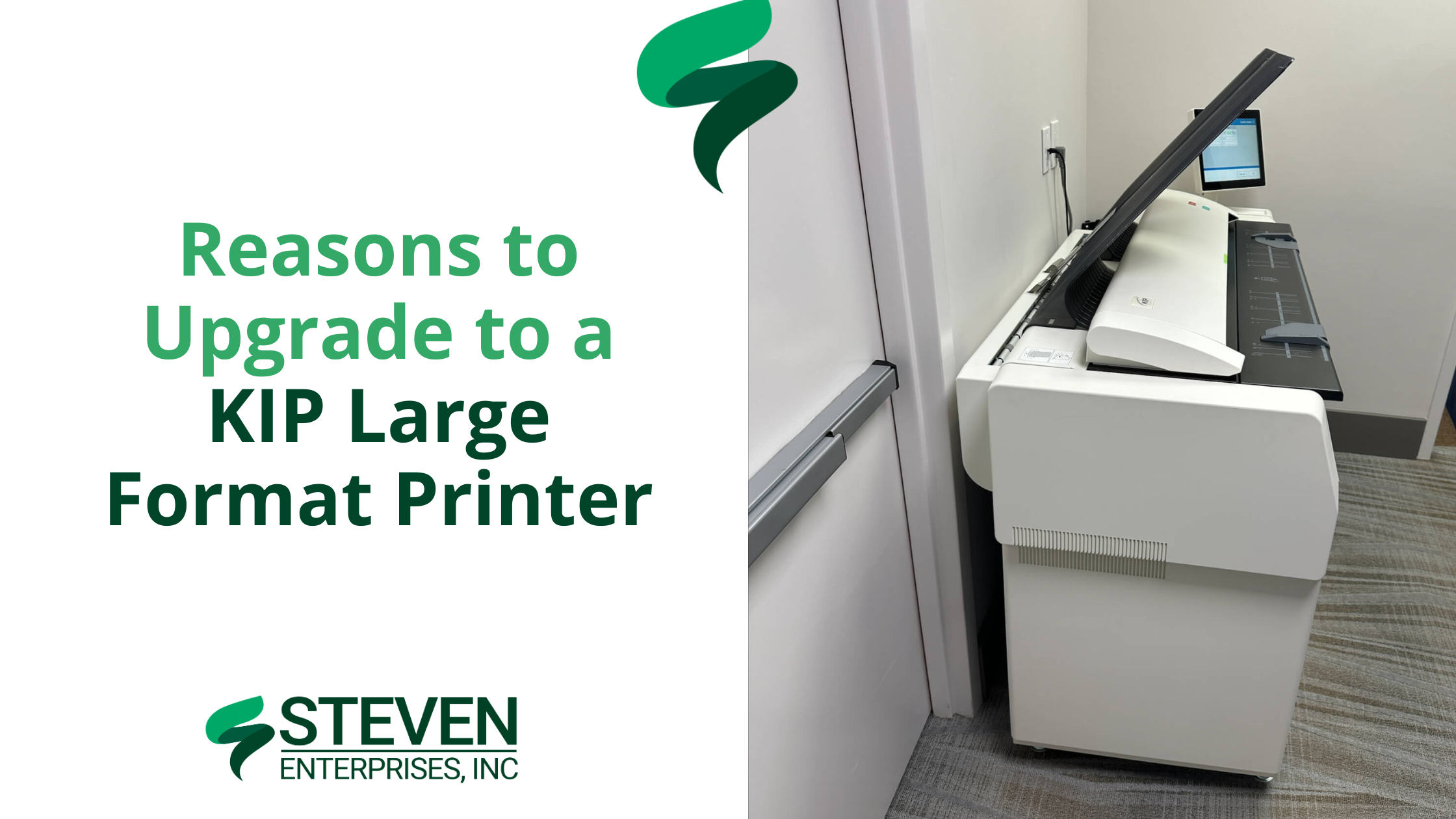
Reasons to Upgrade to a KIP Large Format Printer

For architects, engineers, and construction (AEC) firms, inconsistent print speeds and high ink costs can disrupt tight deadlines and strain budgets. 

A KIP Large Format Printer offers a solution with its toner-based technology, providing consistent print speeds, reduced operating costs, and features tailored to technical workflows.​

At Steven Enterprises, we’ve observed how KIP printers enhance AEC operations — reducing errors in bids by up to 35% and lowering color printing costs to approximately $0.20 per square foot. 

Our clients often produce over 500 D-size plans per hour, maintaining schedules and budgets.

In this article, we’ll highlight exactly why KIP printers are a great HP DesignJet alternative — and how your team can test one risk-free.

Who Needs a KIP Large Format Printer?

1. DesignJet & OCE Owners

KIP Large Format Printer

Many design and construction teams use inkjet models like the HP DesignJet XL 3600 or older OCE printers. However, these machines slow down significantly with high ink coverage — especially when printing detailed color renderings or redline markups. 

This bottleneck can push deadlines back by days or force teams to break large jobs into multiple smaller batches.

KIP’s toner-based systems maintain 6–20 pages per minute at any coverage. Whether you’re printing simple floor plans or heavily shaded 3D renderings, the speed never wavers. 

Plus, you can print both monochrome and color plans at the same rapid pace without switching devices or sacrificing color altogether.. 

2. Architecture, Engineering, and Construction (AEC) Firms

KIP Large Format Printer

In many architecture, engineering, and construction (AEC) environments, plans are printed in monochrome to save on costs. 

Unfortunately, crucial elements — like electrical, plumbing, and HVAC routes — can blend together without color differentiation, leading to confusion, errors in bids, and costly rework.

KIP printers excel at high-volume, color-accurate output at a fraction of the cost of traditional inkjets. 

By using different colors for each subsystem, redline markups and final plan sets become far clearer. This improves communication among trades, reduces misinterpretation, and helps contractors submit more accurate project bids.

If you’re looking to discover more about multi-roll devices and their benefits, visit our Large Format Printer Solutions page.

3. Organizations Seeking Greater Cost Reduction

KIP Large Format Printer image

Some companies primarily want to lower their ongoing print expenses — whether that’s due to rising ink costs or an uptick in color-coverage needs.

KIP’s toner approach offers a more predictable cost-per-print, especially on color-intensive jobs. 

Firms facing excessive ink usage or ballooning supply expenses often see immediate savings when switching to toner. 

This predictable pricing model helps budget-conscious teams accurately forecast their monthly print expenditures and avoid the frequent cartridge replacements common with inkjets.

KIP’s toner-based approach means more consistent expenditures. Instead of guessing how many ink cartridges you’ll burn through on color-heavy jobs, you pay roughly the same per page.

Why Choose a KIP Large Format Printer over Inkjets?

1. Toner Never Slows Down: Traditional inkjets might slow to a crawl when coverage goes beyond 50% — especially if you’re printing color-intensive renderings. 

KIP printers maintain 6–20 pages per minute no matter how much coverage you’re using. That means no more splitting large jobs into smaller batches.

2. Historically Expensive, Now More Cost-Effective: KIPs used to have a higher price tag compared to standard inkjets. But there has been a big industry shift: the cost of KIPs has come down, while their toner-based approach makes color prints far cheaper than ever before.

Many AEC firms significantly reduce color printing costs with KIP printers, achieving rates as low as $0.20 per square foot, compared to around $1.00 per square foot or more with many inkjets.

3. Perfect for High-Volume Printing: Every KIP model handles 2–4 rolls of media at once and offers built-in scanning. This setup is ideal for firms juggling multiple projects, letting you print technical drawings, color-coded markups, and even foam board or yard signs (with direct-to-board capabilities) from a single device.

How to Test a KIP Large Format Printer Risk-Free

To see how much you could save and how quickly you can print, call us at (800) 491-8785 or fill out our online form to request a personalized KIP demo.

We’ll print your actual plans or designs in real time, so you can see the color accuracy, speed, and cost savings firsthand.

You can ask questions as if you’re standing right in front of the machine. We’ll then mail you the completed prints for review.

It’s a simple, no-pressure way to find out how KIP can transform your printing process — especially if you’re comparing it to an HP DesignJet or older OCE model.

Posted on

Choosing the Best Large Format Printers for Redline Markups in AEC Projects

Choosing the Best Large Format Printers for Redline Markups in AEC Projects

If you’re affiliated with a large architecture firm or looking to upgrade your construction business’s redline markups printing capabilities, you’ve landed in the perfect spot. 

At Steven Enterprises, we specialize in equipping AEC companies with the best large format printers tailored for efficient redline markup processes. As such, our experts understand the nuances of architectural and engineering printing needs and are here to guide you.

How Printing is Involved with Redline Markups 

Redline markups play a critical role in architecture and construction projects, bridging the gap between initial designs and real-world execution. These annotations are made directly on large format CAD drawings, highlighting changes and adjustments necessary for project accuracy. After these adjustments, the marked-up drawings require high-quality scanning and printing for further reviews and revisions.

Key Features to Consider in Large Format Printers for AEC Firms

Engineering and Architectural Needs: The best large format printers for engineering and architectural firms combine high productivity with cost efficiency. Look for printers that deliver:

  • Speed and Efficiency: Fast printing capabilities are crucial. Opt for printers with high-yield consumables to reduce operational costs.
  • High-Quality Outputs: Precision is paramount. High-resolution printers ensure that every detail in schematics and blueprints is captured accurately.
  • Reliability and Service: Ensure minimal downtime with reliable printers supported by efficient customer service and maintenance options.

Construction Site Requirements: For construction sites, consider printers that offer:

  • Portability: Compact printers are ideal for the limited space in job site trailers.
  • Scanning Capabilities: Multi-functional printers that include scanning can expedite communication and project approvals.
  • Ink Durability: Opt for pigment-based inks for their durability in harsh conditions, preventing smudges and damage.

Popular Large Format Printers for redline markups by Printing Volume

AEC firms typically choose from a few popular large format printers from brands like HP, Canon, and KIP. The main deciding factor in which machine to use is your monthly printing volume as a firm. 

The more you print, the more ink & paper supplies you’ll need to buy every month.

So, as you scale, the type of printer you’ll need will also change.

Small AEC Firms 

Printing Volume: Under 5K square feet per month

 Models like the HP DesignJet T-2600 and the HP DesignJet XT950 are perfect for firms with monthly outputs under 5,000 square feet. Some DesignJets use pigment ink, which is a popular choice for it’s durable water-resistant prints. 

Midmarket AEC Firms

Printing Volume: Between 5K-10K square feet per month 

For firms printing up to 10,000 square feet monthly, the KIP 71 series and the HP DesignJet XL 3600/3800 MFP are popular choices because of their multi-functional feature to both print and scan. 

Large AEC Firms 

Printing Volume: Above 10K square feet per month 

Finally, to be able to handle high volumes like these, you’ll likely look at buying the HP Pagewide series. These powerful printers can do up to 30 pages per minute, which is much faster than the 6 pages per minute of the midmarket printers. 

Get a Free Plotter Consultation with a Printing Expert

Understanding your firm’s specific needs is crucial when selecting a large format printer. Therefore, Steven Enterprises experts are here to help find you a printer that fits your current needs and contributes to long-term savings and efficiency.

Ready to maximize your AEC firm’s printing efficiency? Contact us today for a personalized consultation by either filling out this form or speaking to an expert immediately by calling 800-491-8785.