Posted on

Best Plotter for a School Campus
High school campuses are vibrant environments filled with school spirit, events, and activities that require eye-catching visual materials. 

From pep rally banners to student council election posters, K-12 schools need reliable printing solutions that can handle diverse graphic projects while withstanding outdoor conditions.

Unlike universities with specialized CAD departments and engineering programs, high schools focus primarily on graphic applications—posters, banners, flyers, and promotional materials that bring campus life to vibrant display.

At Steven Enterprises, we’ve found that K-12 schools have distinctly different needs from higher education institutions, and the Z6 plotter has emerged as the clear winner for high school campuses nationwide.

In this blog post, we’ll highlight the benefits of the HP DesignJet Z6 and why it’s the ideal choice for producing high-quality, weather-resistant prints for school activities. 

Why High Schools Need Different Plotting Solutions Than Universities

K-12 Focus: Graphics Over Technical Drawings

While universities require large format printers for engineering departments, architectural programs, and technical drawings, high schools primarily need:

  • Event promotion materials: Pep rallies, homecoming, school dances
  • Athletic support graphics: Football games, basketball tournaments, track meets
  • Student organization materials: ASB elections, student council campaigns
  • Academic project displays: Science fair presentations, yearbook activities
  • Fundraising materials: Booster club promotions, school fundraising events
  • Campus wayfinding: Directional signage and event announcements

Outdoor Durability Requirements

High school graphics often need to withstand outdoor conditions—from gymnasium banners that face temperature fluctuations to outdoor event signage exposed to weather elements. 

This makes durability and weather resistance crucial factors that technical drawing printers don’t prioritize.

The Z6 Plotter: Ideal Choice for K-12 Campus Life

HP DesignJet Z6

The Z6 plotter stands out as the ideal solution for high school campuses because it’s specifically designed for graphic applications rather than technical drawings. 

Here’s why it excels in the K-12 environment:

Weather-Resistant Output for Outdoor Events

One of the Z6’s standout features is its weather-resistant printing capability. 

High school events often involve outdoor displays—from football game banners to pep rally decorations—and the Z6’s output maintains its quality and appearance even when exposed to various weather conditions.

This durability means schools can confidently create materials for:

  • Outdoor sporting events and tournaments
  • Graduation ceremonies in outdoor venues
  • Campus-wide event signage
  • Fundraising displays at community events

6-Color Printing System for Vibrant School Spirit

The Z6 utilizes a 6-color printing system that delivers exceptional color vibrancy perfect for school spirit materials. Unlike technical printers that prioritize line accuracy, the Z6 excels at producing:

  • Vivid school colors: Accurate reproduction of school branding and colors
  • Eye-catching posters: Student council campaigns and event promotions
  • Professional banners: Athletic events and academic celebrations
  • Fundraising materials: Compelling graphics for booster clubs and school programs

Pigment Ink Technology for Longevity

The Z6’s pigment ink system provides superior longevity compared to dye-based alternatives. This is particularly important for schools that need materials to last throughout entire semesters or school years:

  • Semester-long displays: Materials that maintain quality throughout academic terms
  • Annual events: Reusable banners and signage for recurring school activities
  • Archive quality: Yearbook materials and commemorative displays that preserve school memories

Flexible Roll Options: Dual and Single Roll Configurations

Schools can choose between dual-roll and single-roll configurations based on their specific needs and budget:

Single Roll Option

  • Cost-effective: Lower initial investment perfect for schools with budget constraints
  • Space-efficient: Smaller footprint suitable for cramped print rooms or media centers
  • Ideal for consistent sizes: Perfect for schools that primarily use standard banner sizes

Dual Roll Option

  • Maximum versatility: Handle multiple paper types and sizes simultaneously
  • Efficiency: Switch between projects without changing media
  • Professional workflow: Ideal for schools with high-volume graphic needs

Optional Trimmer for Professional Finishing

The Z6 offers an optional trimmer that delivers clean, professional edges on all printed materials. This feature is particularly valuable for:

  • Student presentations: Clean edges for science fair displays and project boards
  • Event signage: Professional appearance for school-wide events
  • Administrative materials: Polished output for school communications

Real-World Applications in K-12 Schools

Pep Rallies and School Spirit Events

The Z6 excels at creating the vibrant, large-scale graphics that make pep rallies memorable. From team banners to motivational signage, its weather-resistant output ensures materials look great whether used in gymnasiums or outdoor venues.

Athletic Events and Tournaments

Football games, basketball tournaments, and track meets all benefit from the Z6’s ability to produce durable, eye-catching graphics that maintain their appearance throughout entire seasons.

Student Government and ASB Elections

Student council campaigns and ASB elections require compelling visual materials that grab attention in hallways and common areas. The Z6’s vibrant color reproduction helps candidates create professional-looking campaign materials.

Academic Projects and Yearbook Activities

From science fair presentations to yearbook layout displays, the Z6 supports academic activities with high-quality output that enhances student work and school publications.

Fundraising and Community Events

School fundraisers and community engagement events benefit from professional-quality graphics that represent the school positively in the broader community.

For a broader look at printers in education, check out our guide on the Best Large Format Printers for Schools & Universities.

Making the Z6 Plotter Case for Your School

Equipping your K-12 campus with the HP DesignJet Z6 transforms how you create and share visual materials. 

By bringing printing in-house, you save on outsourcing costs and empower your school community to create engaging visuals on demand.

Ready to Upgrade? The HP DesignJet Z6 is typically priced between $5,000 and $10,000, depending on the features you need, such as single or dual-roll options and the vertical trimmer. 

Contact Steven Enterprises today for a custom quote tailored to your campus’s needs or call us at 800-491-8785.
Posted on

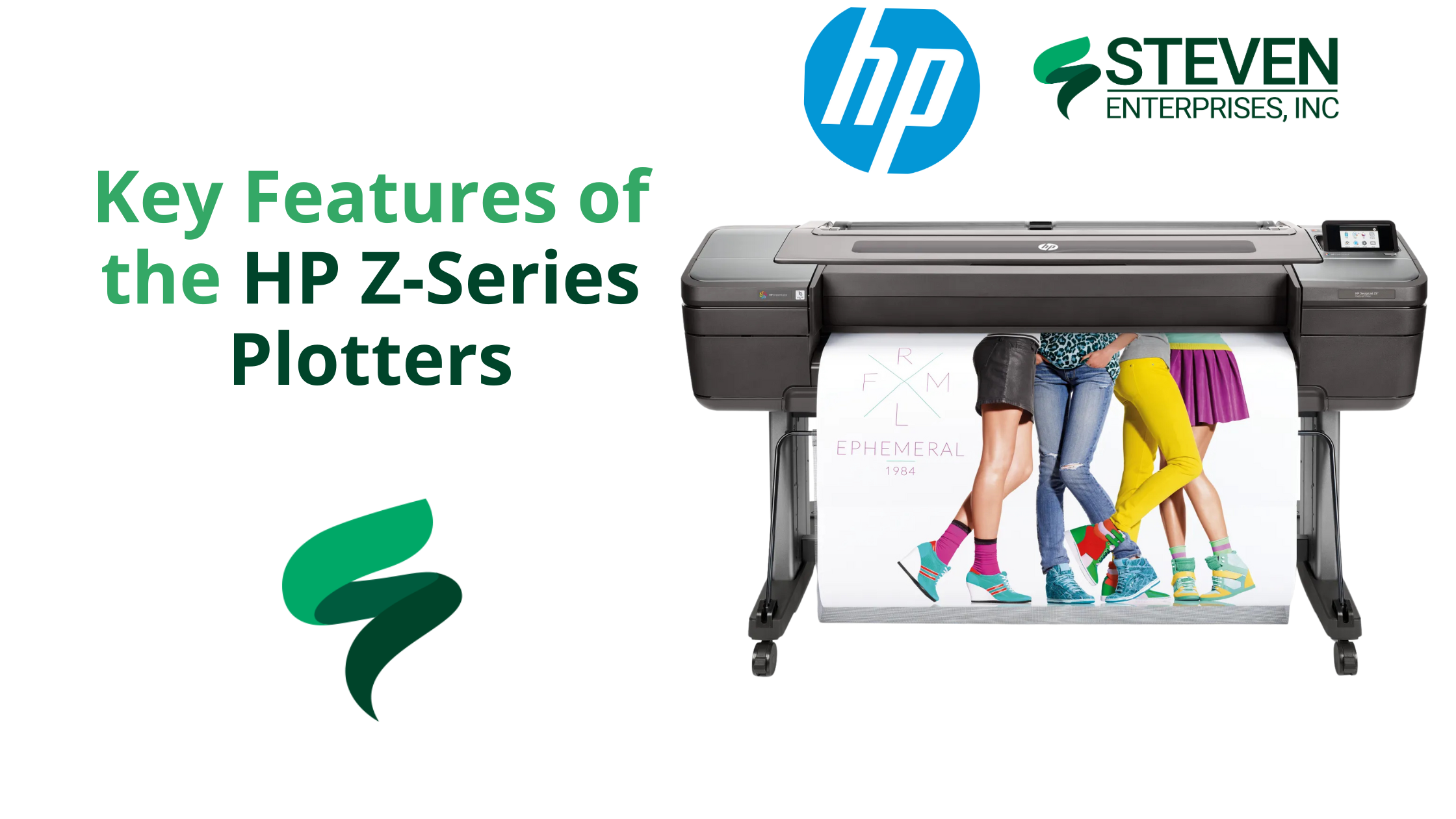
Key Features of the HP Z-Series Plotters

HP Z-9 Plotter

Marketing firms, schools, GIS departments, and retailers all face a common challenge: producing eye-catching, short-term signage on a tight schedule without overpaying for outsourced printing. 

Traditional print methods often increase costs, slow down turnarounds, and limit the types of media that can be used. 

Enter the HP Z-Series Plotters, a versatile line of large-format printers perfectly tailored to help you produce vibrant, durable, and budget-friendly graphics on demand.

At Steven Enterprises, we’ve seen organizations use the HP Z-Series to slash costs by as much as 40% while effectively doubling their output speeds.

Keep reading to learn why the Z-Series is the secret weapon for your short-term signage and graphic projects.

Who Needs HP Z-Series Plotters?

Below are three of the most common groups that benefit immediately from these devices.

1. Marketing Firms & Event Teams 

Outsourcing trade show graphics and large banners can lead to high costs, long wait times, and inconsistent quality.

How the HP Z-Series helps: In-house printing with a 44-inch or larger HP Z6 or HP Z9 means you can generate full-color banners, pop-up displays, or backdrop panels at the push of a button.

2. Schools & Universities

Most campuses need seasonal or event-specific signage, like orientation week “welcome” banners, open house yard signs, or commencement ceremony backdrops — but outsourcing can be slow and expensive.

How the HP Z-Series helps: With an HP Z-Series Plotter, schools can quickly create weather-resistant promotional materials. The pigment-based ink in the HP Z-Series can last up to six months outdoors under mild conditions, making it perfect for short-term campus way-finding signs, donor campaign banners, or A-frame stand inserts.

Universities often print vinyl or polypropylene A-frame signs to guide campus tours. Because polypropylene is tear-resistant and can handle high ink saturation, it’s ideal for directional signage that must withstand repeated handling or exposure to the elements.

3. Grocery Stores & Retailers

Retailers constantly update promotions — weekly specials, seasonal sales, and holiday deals. Sending each new design to a print shop is both costly and time-consuming.

How the HP Z-Series helps: With an HP Z-Series Plotter, retailers can produce vibrant window displays or point-of-sale posters in-house with fade-resistant pigment inks.

These inks can endure up to six months of UV exposure without significant fading, allowing you to create timely, large-scale retail graphics at a fraction of the usual outsourcing cost.

4. GIS Departments

Most municipal and governmental planning offices rely on precise, large-scale maps for city planning, infrastructure updates, or aerial imaging. Outsourcing each new revision can be slow and costly, mainly when last-minute changes occur.

How the HP Z-Series helps: With an HP Z6 Plotter, GIS professionals can print high-resolution, detail-oriented maps and schematics in-house, ensuring that line work, color-coded overlays, and small text remain crystal clear. 

Because the Z6 offers pigment-based inks and precise line rendering, everything from topographic contours to road networks looks sharp and true to scale.

Key Features and Benefits of the HP Z-Series

1. Versatile Media Handling

One of the standout advantages of HP Z-Series Plotters is their ability to handle a variety of printing materials, from basic bond paper to polypropylene and adhesive vinyl. 

This versatility allows you to create signage and graphics that can withstand more wear and tear than a standard paper poster. 

For instance, polypropylene is a semi-rigid thermoplastic that’s durable, resistant to tearing, and capable of handling high ink saturation for vivid colors. This is ideal for short-term displays that might be handled frequently or placed on foam board for easy transport.

2. Variable Size Options 

The HP Z-Series comes in 24-, 44-, and 64-inch models, ensuring there’s an option to match both your available floor space and your typical signage requirements:

  • 24″ Model: Ideal for tight office spaces or smaller projects.
  • 44″ Model: The most popular choice for general signage, trade show graphics, and point of sale materials—provides plenty of printing width without overwhelming your workspace.

Note: If you regularly switch between different paper types or sizes (e.g., adhesive vinyl and photo paper), you can save time by choosing a dual-roll configuration. This allows you to load two types of media simultaneously—no constant swapping. 

Select HP Z-Series models (specifically, the 44-inch HP Z6 or Z9) also offer a vertical trimmer, which is a built-in cutting tool that trims off both edges of your print for cleaner borders and more efficient finishing.

  • 64″ Model: This is ideal for niche markets that produce extra-large banners, such as specialized retail displays, entertainment venues, or any organization regularly needing signage over five feet wide.

3. Pigment-Based Ink for Outdoor Durability

HP’s pigment-based inks offer impressive color vibrancy and better outdoor resilience than typical dye-based inks. Your signage can last up to six months without significant fading under moderately controlled conditions (e.g., out of direct rain, but perhaps exposed to some humidity or sunlight).

That’s a huge benefit for short-term outdoor banners or in-store window displays that endure fluctuating interior or exterior conditions. Although these prints won’t hold up indefinitely in harsh weather, they can withstand the usual wear and tear of short promotional runs.

HP Z9 vs. HP Z6: Which Model is Right for You?

Choose the HP Z6 for Streamlined Signage and Graphics

  • Six-Color Setup: The Z6 features a six-color ink system optimized for sharp lines, solid areas of color, and excellent gradients. It’s perfect for short-term signage, banners, and general graphics.
  • Ideal for: Marketing teams, schools, retailers, and GIS departments who need sharp lines and vibrant color but don’t require ultra-precise color matching.

Pick the HP Z9 for Elevated Color Accuracy

HP Z SERIES

  • Nine-Color Setup and Optional Gloss Enhancer: The Z9 can achieve incredibly accurate colors, deeper blacks, and smoother gradations.
  • Ideal for:  Businesses or departments that demand color perfection (e.g., fine art studios, high-end brand agencies).

How to Make the Most of HP Z-Series Plotters

  1. Choose the Right Media. For high-traffic signage — like store displays or campus way-finding — durable materials (e.g., polypropylene or vinyl) help prints last. Consider high-quality photo paper for color-rich photography or premium trade show visuals.
  2. Stay on Top of Maintenance. Simple tasks like cleaning printheads and running occasional calibrations ensure you’ll consistently get top-notch prints.
  3. Consider Dual Roll & Vertical Trimmer. Switching between different paper sizes or materials? The dual-roll feature is a huge time saver. Coupled with the vertical cutter, you can produce nearly borderless prints at scale.
  4. Upgrade to the Z9 for Color-Critical Work. The Z9’s expanded ink set makes a noticeable difference for brand-accurate hues or detailed photographic prints. If color fidelity is your priority, that extra investment pays off in quality.

Transform Your Workflow with the HP Z-Series Plotter

Need short-term banners, point-of-sale posters, or GIS map prints that pop? There’s a Z-Series model with the speed, durability, and color accuracy you need.

Contact our team at 800-491-8785 or fill out our contact form for expert, personalized guidance. Let’s help you find the perfect match today.

Posted on

PageWide Pro Series: Best Printer for Foam Boards & Yard Signs

PageWide Pro Series: Best Printer for Foam Boards & Yard Signs

The HP PageWide Pro Series is a versatile line of printers designed to meet the diverse needs of businesses and institutions looking to print on foam boards and yard signs efficiently. As a 2-in-1 machine, it offers you both roll-to-roll printing and rigid board printing — all in one device. 

This makes it an excellent alternative to purchasing separate machines such as the HP Latex or lamination printers.

At Steven Enterprises, we have helped architects, sign shops, and schools streamline operations by replacing outdated setups with the Pro Series — reducing their costs by 30% and also production bottlenecks by 50%.

Who Needs the PageWide Pro Series?

1. Small Sign Shops (e.g., Minuteman Press)

Small sign shops often face delays when outsourcing lamination for yard signs, election posters, or event displays. By printing directly onto Coroplast, the PageWide Pro Series eliminates extra lamination steps. 

It allows up to 4 boards per minute, ensuring tight deadlines are met without sacrificing quality. What’s more? This direct-to-board capability also reduces labor costs and gives full control over print output — from color accuracy to final finish.

For example, our Pro 8200 helped a Florida sign shop print Coroplast yard signs in-house, reducing their order fulfillment from 5 days to 6 hours.

2. Schools & Universities

Schools and universities often operate under tight budget constraints that make it challenging to purchase separate roll-to-roll and foam board printers. 

The HP PageWide Pro Series consolidates these needs into one cost-effective machine, supporting everything from event banners to academic models like science fair exhibits and architectural prototypes. 

This all-in-one approach allows institutions to stretch funds further while still producing vibrant, high-quality prints.

3. Federal Agencies

Federal agencies frequently need high-volume, tamper-resistant posters — such as public health notices and safety regulations — that exceed the capabilities of standard devices. 

With the HP PageWide XL Pro 10,000, you can print up to 7,500 sq ft per hour, producing more than 500 D-size posters each hour. 

This efficiency ensures immediate availability of critical information during emergencies or routine government operations.

In fact, a federal agency in Texas cut poster production time by 70% during hurricane season just by using the XL 10,000.

4. Architecture Firms

Architecture firms often spend hours manually mounting renderings onto foam boards, risking damage to delicate prints during the adhesive process. 

The HP PageWide Pro Series overcomes these challenges by enabling direct-to-board printing on foam boards up to 3/8″ thick, preserving every detail at 2400 DPI resolution. 

This approach allows you to produce 20 foam board renderings in 5 minutes instead of 2 hours, all while avoiding creases, air bubbles, or misalignment. The result? A flawless, professional finish that truly wows clients.

The Top 3 PageWide Pro Models to Choose From

If you need a reliable large format printer that can handle both high-volume roll-to-roll projects and direct-to-board jobs, the PageWide Pro Series has a model to suit your workload. 

Below are the three top HP PageWide XL Pro models and what sets them apart.

1. HP PageWide XL Pro 10,000

The HP PageWide XL Pro 10,000 is designed for large-scale printing and provides rapid output without compromising quality. 

Its robust construction and advanced technology meet the demands of high-volume sign shops and production facilities.

Key Features:

  • It prints up to 7,500 sq ft per hour (1,000 B1 posters/min), delivering quick turnarounds for bulk orders.
  • It uses 5-liter cartridges for sustained productivity, minimizing downtime from frequent ink changes.
  • Accommodates up to 6 rolls at once, allowing seamless transitions between different media types.

Ideal For: Enterprises needing continuous production for large signage, marketing materials, or architectural plans.

2. HP PageWide XL Pro 8200 Multifunction Printer

The HP PageWide XL Pro 8200 is a balanced option for businesses seeking productivity and versatility as it merges fast printing speeds with an integrated scanner.

It’s ideal for teams that require both production-grade prints and easy document digitization.

Key Features:

  • Prints at 5,400 sq ft per hour (30 A1 pages/min), keeping pace with demanding workflows.
  • Integrated scanner supports multifunction workflows and streamlines document handling.
  • Relies on 3-liter cartridges for moderate print runs, reducing refill frequency.
  • Supports up to 6 rolls, making it easy to switch between various paper types.

Ideal For: Organizations looking for a unified solution that covers printing and scanning in one device.

3. HP PageWide XL Pro 5200 Multifunction Printer

HP PageWide XL Proo 5200 Multi-function printer

The HP PageWide XL Pro 5200 is built for smaller or moderate production needs, balancing efficient performance with a compact design. 

Its cost-effective approach suits businesses that want professional-quality prints on a lower volume scale.

  • Delivers up to 4,300 sq ft per hour (20 A1 pages/min), handling a range of routine print jobs.
  • Operates on 1-liter cartridges, making it both economical and easy to maintain.
  • Holds up to 4 rolls, allowing quick swapping between multiple print media.

Ideal For: Small to mid-sized operations looking for high-quality output without the footprint or capacity of larger models.

So, Is the PageWide Pro Series Worth the Upgrade?

Upgrading to the Pro Series requires an investment of about $10,000 more than standard models, but it offers significant long-term savings. With direct-to-board printing, there’s no need for separate lamination — yielding annual savings estimated at $12,000 on adhesive materials.

The Pro Series also delivers a 15% faster turnaround compared to outsourcing, reducing both labor costs and downtime. 

These enhanced capabilities, coupled with lower operating costs and increased productivity, make the upgrade worthwhile

Discover Your Savings with the PageWide Pro Series

Contact Steven Enterprises now at 800-491-8785 for a personalized consultation, or fill out our contact form for a free cost comparison analysis and discover how much you could save. We’ll help you choose the right solution to boost your productivity and reduce operating costs.

Posted on

Top-Rated Flatbed Scanners for Fragile Documents and Art

Top-Rated Flatbed Scanners for Fragile Documents and Art

In the world of preservation, whether it’s for museums, government archives, or educational institutions, the right equipment is crucial for digitizing delicate items without causing damage. Unlike standard scanners or basic apps, specialized scanners for fragile documents are designed to handle fragile documents and art with the utmost care, ensuring their longevity and accessibility.

Why Specialized Scanners are Necessary for Fragile Items

Common scanners often used in offices are not suitable for fragile documents and artworks. Roll scanners and sheet feeders, for example, can damage originals by pinching or tearing them if they catch an edge. Furthermore, removing items from their frames for scanning can also pose a risk of damage.

The Advantages of Digitizing Fragile Art and Documents

Digitizing artworks and fragile documents not only helps in reducing physical storage needs but also safeguards the items against potential disasters, such as fires. Moreover, digital reproductions allow for the creation and sale of high-quality copies, making art more accessible and generating additional revenue streams for artists and institutions.

Top Recommended Scanners for Fragile Artwork by Steven Enterprises

1. WideTEK 36 Art Scanner

  • Features: This scanner can handle media up to 8 inches thick and includes internal lighting that creates a 3D effect to enhance the details in artworks. It scans items by sliding them across a flat table, minimizing contact and potential damage.
  • Price: Approximately $40,000 to $50,000.
  • General Benefit: Operates as a standalone scan station with a touchscreen interface, requiring no dedicated computer or network connection.

Learn more about the WideTEK 36 Art Scanner here.

2. WideTEK 25 Art Scanner

  • Features: Offers a more affordable solution with the same 3D lighting feature as the WideTEK 36 but with a smaller scan bed. Ideal for projects with smaller dimensions.
  • Price: Significantly less than the WideTEK 36, with prices varying depending on the bundle chosen.

Learn more about the WideTEK 25 Art Scanner here.

3. MicroTEK Flatbed Scanner

  • Features: Best for super fragile documents due to its flat glass feature that ensures the scanner lid does not touch the artwork. Although it does not offer 3D scanning, its gentle handling is unparalleled.
  • Price: Between $25,000 and $35,000.
  • Requirement: Needs to be connected to a PC.

To learn more about the MicroTEK Flatbed Scanner, contact us.

4. HD Apeiron/42 Artwork Scanner

  • Features: Designed for extremely large documents, this scanner can handle sizes up to 42×60 inches and is contact-free, perfect for large format art or thick, framed items.
  • Price: Over $50,000.
  • Suitability: Ideal for entities needing to scan very large artworks or documents with a need for extra care.

To learn more about the HD Apeiron/42 Artwork Scanner, contact us

Safeguarding Your Valuables with the Right Scanners for Fragile Documents

Selecting the right scanner for fragile documents and artwork is crucial for ensuring their preservation while making them accessible for future generations. Steven Enterprises offers a range of scanners that are specifically designed to meet the needs of various professional environments, from small art studios to large museums.

Need expert guidance on selecting the right scanner? 

Contact Steven Enterprises today at (800) 491-8785 for a personalized consultation. Let us assist you in choosing the perfect scanner to support your artwork digitization and document preservation projects.

If you’d prefer to have our team reach out to you, you can also fill out the contact form below.

← Back

Thank you for your response. ✨

Warning
Warning
Warning
Warning

Warning.

Posted on

Best Large Format Book Scanners for Libraries

Best Large Format Book Scanners for Libraries - WideTEK Bookeye

Libraries are increasingly turning to technology to preserve and enhance the accessibility of their collections. Large format book scanners are pivotal in this effort, enabling libraries to digitize books and fragile documents effectively. 

Whether it’s for archiving rare manuscripts or providing digital copies to students, the right scanner can make a significant difference.

In this article, Steven Enterprises printing experts will explain the basic information you need to know to understand the different types of book scanners on the market and which ones we recommend to city libraries and educational institutions. 

Why Libraries Need Large Format Book Scanners

After helping many libraries find the best large format scanners for their operations, we’ve found there are 3 common applications: 

  1. Digitization: The task of transforming physical books into digital formats for easy access on library websites, enhancing their member’s engagement and accessibility to renting books.
  2. Education Support: Typically school libraries also will need scanners to allow students to take digital snippets of texts, supporting their academic work without needing to check out entire volumes (which in turn would require more copies than needed).
  3. Preservation: More common in city libraries, the last application is to safely scan and archive fragile books and documents that are susceptible to damage. For example, old manuscripts written in pencil or city planning documents. By scanning these, libraries ensure the longevity and continued availability of these books for research and exploration.

Core Features of Bookeye Scanners by WideTEK

Bookeye Features that libraries will like about the large format book scanners

Steven Enterprises has partnered with WideTEK, since we believe they have the best scanners on the market today. We typically recommend that libraries invest in the Bookeye scanner series since it has the most robust features tailored for their use. 

Here are some features libraries value most when using their bookeye scanners

  • Top-Mounted Camera: Unlike other scanners that have the documents roll through the machine, this camera ensures minimal contact with documents, preserving the integrity of fragile pages and avoiding rips and breakage to the actual books.
  • Stand-alone software: The scanner has the software installed natively and operates with just a touchscreen monitor. No external computer is needed to manage it, but you can easily access it using the IP address, making it compatible with all types of computers (including MACs!) 
  • Versatile Scanning Options: The flexibility to scan directly to USB, email, or save to the scanner’s built-in Linux-based controller.
  • Book Mode Scanning: You can choose between scanning pages together or individually, adapting to the specific needs of the material and reducing file sizes when needed. 

Top Large Format Book Scanners for Libraries in 2025

In the Bookeye series, the versions of the scanner differ by the size of the book they can scan: 

  1. Bookeye V3: This compact model handles standard book sizes up to 15×19 inches, perfect for school and university libraries.
  2. Bookeye Archive V2: Accommodates larger “grand format” books up to 18×24 inches, ideal for city libraries housing historical and larger volumes.
  3. Bookeye V1: The largest model available, suitable for very large and fragile books up to 24×36 inches. This series is more commonly bought by businesses with one-of-a-kind books, rather than a library. If you believe you might need this model, consulting with our printing experts is advised since there might be more specialized scanners like the MicroTEK series for you to consider.

Selecting the Right Bookeye Model for Your Library

Once you know which version is right for you, the next step for you to determine is which model you’re going to need. The difference here is going to the resolutions of the scan: 

  1. Bookeye Kiosk: Offers 400 DPI scanning with a WiFi option, suitable for standard library needs.
  2. Bookeye Pro: Steps up to 600 DPI for higher quality scans and includes a batch scan wizard for more efficient processing.

Selecting the Right Scanning Mode

Finally, you’ll need to decide if you need to upgrade to a flat glass or if the standard V-shaped mode is fine for your scanning project: 

  1. V-shaped Glass: Ideal for extremely delicate books, this scanner gently flattens pages without damaging the spine.
  2. Flat Glass Mode: Suitable for less fragile items, providing the option to compress pages for a clearer scan. An add-on feature for the Archive model also allows scanning of occasional photos, enhancing versatility.


Read more: 5 Common Mistakes Made When Buying a Book Scanner

Empower Your Library with the Right Scanning Technology

Choosing the right large format book scanner is more than just purchasing new equipment. It’s about investing in the preservation and accessibility of knowledge. 

With the Bookeye scanners, libraries can safeguard their collections. Moreover, they can make them more accessible to the public and researchers worldwide.

Need expert advice on the best large format book scanner for your library? 

Contact Steven Enterprises today at (800) 491-8785 for a personalized consultation or submit a contact form here. We’ll help you find the right scanner that can help your library effectively run your digitization and document preservation projects.

Posted on

What Large Format Printers is Best for K-12 Schools & Universities?

HP Z-series large format printer in a university setting, ideal for educational uses

As educational institutions like K-12 schools and universities upgrade their technology, large format printers are becoming increasingly essential.

The benefits? Significant cost savings and streamlined project timelines compared to outsourcing print jobs.

At Steven Enterprises, we have extensive experience assisting Southern California educational institutions in selecting and maintaining the perfect printers for their campus needs.

Based on their on-campus printing needs and available curriculum, this blog post will review the best large format printers for schools, including K-12 and universities. 

Common Types of Printing Done On School Campuses

Large format printers have a variety of applications on school campuses, impacting student life daily—from cafeterias and gyms to libraries and hallways.

1. School Event Promotion

Large-format printers are invaluable for promoting student events. They produce everything from: 

  • Signage for rallies, prom, and Greek life 
  • Large banners for sporting events & welcoming new students (up to 20 feet long!) 
  • Weather-resistant posters to promote ASB & other club activities  

2. Health and Safety Signage

Investing in an in-house large format printer allows schools to quickly produce and update health and safety signs—a crucial capability in today’s educational environments. This includes:

  • Floor decals to direct foot traffic 
  • Clings on bathroom mirrors to remind students to wash their hands
  • Large welcome signs to inform students of health and safety protocols (ideally in a fun and playful manner!)

3. Teaching Aids 

For educators, large format printers are tools to enhance their teaching methods creatively. Here are some examples of detailed informational prints that enrich the learning environment:

  • Large-scale game boards for the classroom 
  • Monthly calendars for bulletin boards 
  • Colorful customized maps 
  • Alphabet charts for memorization 
  • Galleries of photos from school outings
  • Informational graphics on classroom walls 

The possibilities are truly endless! If your school decides to invest in a large-format printer, it can enhance learning and improve the on-campus experience.

Best Large Format Printers for Schools

The HP Z-series is a popular choice among schools we partner with due to its versatility and cost-effectiveness. It supports various media types, paper thickness, and print sizes, making it ideal for simple signs and complex educational aids.

Learn more about the HP Z-series & get creative this school year!

Common Types of Printing Done by Universities

While universities share many of the same print needs as K-12 schools, their requirements often extend into more specialized areas. 

1. Bulk Printing for Essays, Quizzes, & More

Universities need robust printing solutions for the high volume of standard document printing required by students and faculty. Multi-functional printers in campus libraries or study centers are essential.

While these are not large format printers per se, our printing experts usually recommend the Toshiba printers. They have various models to print both A4 printers (printing the standard 8×14 pages) and A3 printers (printing slightly larger 11×17 pages) and are known to be reliable and easy to maintain. 

Learn more about the Toshiba multi-functional printers here.

2. Technical Prints for Engineering Students

High-quality technical printers are crucial for engineering departments. These printers allow for precise blueprints and detailed line work, mirroring the industry standards that students will encounter in their careers.

The innovative HP XL 3800 Large Format Printer, showcasing its superior color printing capabilities.

As a University, it pays dividends to purchase the latest printers being utilized within AEC firms to best prepare your students for the real world.

If your university has a large architecture, engineering, and construction curriculum, we recommend you upgrade your printer to the HP XL-3800.

READ MORE: New 2024 HP XL DesignJet 3800 Multi-Function Printer: A Comparison to Black & White Models

3. Graphic Prints for the Arts Department

Art and design departments benefit from printers that can handle detailed, high-quality graphic outputs. The Canon Pro series is highly regarded for its ability to produce exceptional photographic and graphic design prints, essential for student portfolios and final presentations.

Learn more about the Canon Pro Series here.

Best Large Format Printer for Universities

For a large university with diverse needs across various departments, it’s advisable to allocate a budget for both technical and graphic print capabilities. This ensures that all students have access to the necessary tools to support their education.

Read more: Choosing Between Graphic and Technical Large Format Printers for Your Business

Need Help Choosing the Right Printers for Your School or University?

At Steven Enterprises, we’re dedicated to helping educational institutions find the most suitable and cost-effective printing solutions. 

We offer personalized consultations to help you choose the right printers, ensuring you have the support needed for maintenance and supplies.

Contact us today to learn how the right large format printers can enhance the educational experience on your campus by either filling out this form or caling us at 800-491-8785.