Top Large Format Printer Brands in 2026 (& Why You’d Choose Them)
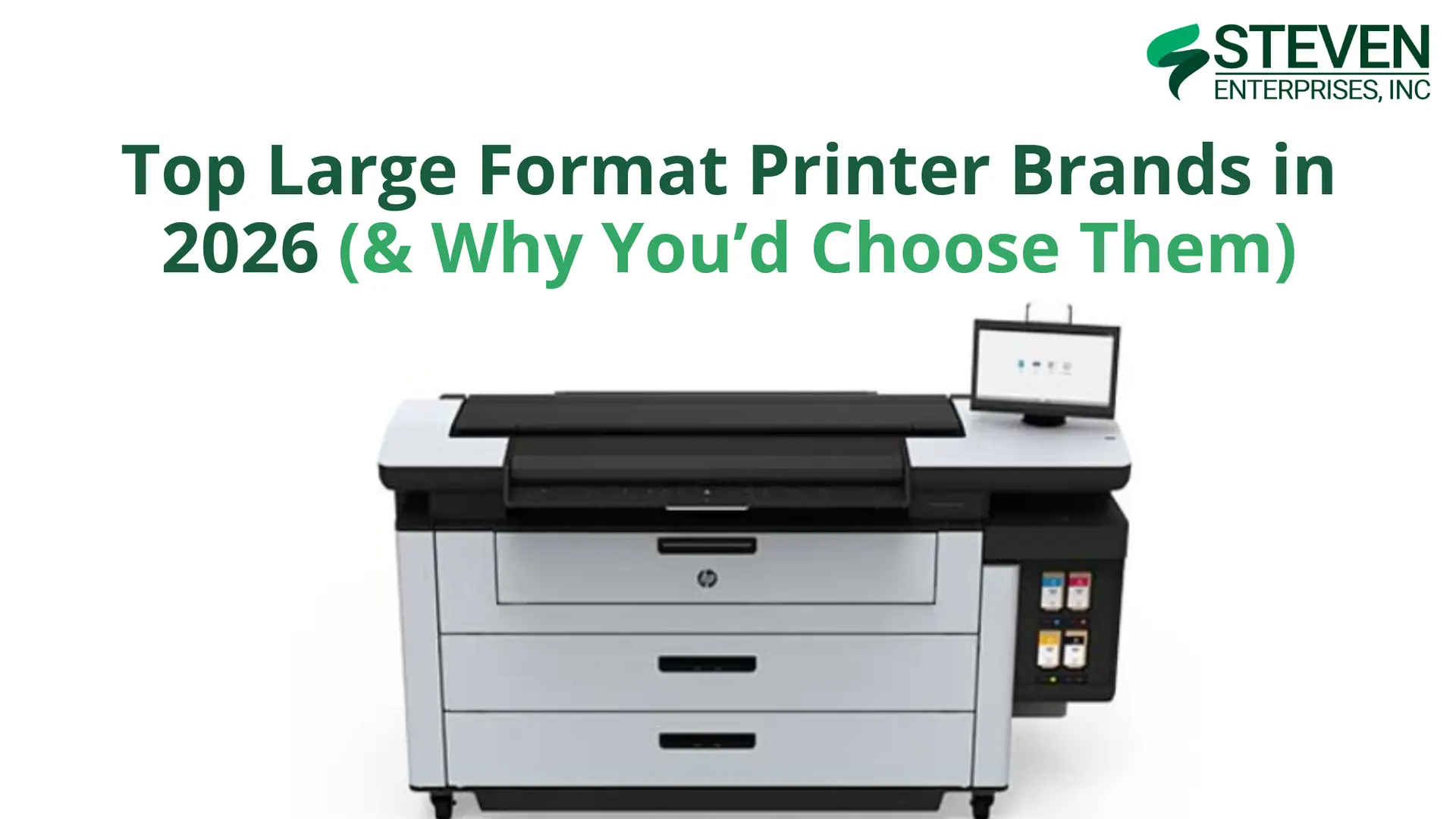
Large format printers are crucial across numerous industries, from architecture and engineering to signage production and design firms.
Each business faces unique challenges and printing demands, which is why multiple large format printer brands have emerged as top choices in today’s market.
At Steven Enterprises, we’ve supported businesses with equipment purchases for over three generations. We continually educate ourselves about the latest models released by various brands.
In this guide, we’ll explore the top five large format printer brands in 2026, highlight their best-selling models, and explain which applications each brand excels at serving.
1. HP: The Technical Printing Powerhouse
HP has long been renowned for technical large format printers, consistently releasing new models with innovations in speed and AutoCAD technology.
These printers have become indispensable for fields requiring detailed drawings and plans, particularly architecture, engineering, construction, and manufacturing.
Why Choose HP?
HP printers excel as the “one-stop shop” for AEC firms.
They handle everything from technical blueprints to short-run graphics, making them remarkably versatile for businesses that need both precision technical prints and occasional marketing materials.
The HP DesignJet line is backed by HP’s extensive service network and robust security features which is critical for firms handling sensitive project documents.
Top HP Models for 2026

The XL 3800 is HP’s sweet spot for medium-sized AEC operations. It produces 6 D-sized color prints per minute with excellent CAD line quality and vibrant graphics delivered by HP’s pigment-based inks.
The multifunction capability adds scanning and copying, making it a complete document management solution.
Ideal For: Architectural, engineering, and construction firms printing below 5,000 square feet per month who need superb CAD line quality at a competitive price point.

The XT950 is an entry point into HP’s professional MFP lineup, offering reliable performance for smaller teams or satellite offices.
It balances affordability with HP’s renowned print quality and ease of use.
Ideal For: Smaller AEC firms or branch offices needing occasional large format printing with scanning capabilities.
2. Canon & Océ: For Technical Excellence + Graphics Innovation
Canon’s acquisition of Océ in 2009 created a printing powerhouse that combines technical document expertise with cutting-edge graphics capabilities.
Today, the Canon/Océ brand offers solutions spanning from traditional AEC applications to high-end UV graphics production.
Why Choose Canon/Océ?
The Canon/Océ portfolio is unique in offering both worlds: proven technical plotters for AEC workflows and advanced UV printers for graphics production.
This versatility makes Canon/Océ an excellent choice for businesses serving diverse markets or planning to expand their service offerings.
Top Canon/Océ Models for 2026

The PlotWave T35 continues to serve as a reliable workhorse for AEC firms in 2026.
Built on the proven 6th generation PlotWave platform, it features Océ’s patented Radiant Fusing technology for instant-on printing with no warm-up time and exceptional energy efficiency.
Ideal For: Small to medium AEC workgroups with moderate technical document printing needs who value reliability and eco-friendly operation.

For businesses focused on outdoor graphics and signage production, the Colorado M-Series gives Canon’s innovative UVgel technology with FLXfinish+ capabilities.
These printers excel at producing durable, weather-resistant graphics with exceptional color quality.
Ideal For: Print service providers, sign shops, and marketing agencies producing outdoor signage, vehicle wraps, and retail displays.
3. Mutoh: The Outdoor Graphics Specialist
Mutoh has built its reputation on delivering reliable, high-quality printers specifically engineered for outdoor signage and specialty applications.
Their XpertJet series combines versatility with durability, making them favorites among sign shops and print service providers.
Why Choose Mutoh?
Mutoh printers are purpose-built for businesses focused on outdoor signage, vehicle graphics, and sticker production.
Their ink formulations are optimized for outdoor durability, and their print-and-cut models integrate perfectly into sign production workflows.
The brand’s commitment to specialty applications means you’re getting technology refined specifically for outdoor graphics, not a general-purpose printer adapted for signage work.
Top Mutoh Models for 2026
Mutoh XpertJet C641SR Pro

The C641SR Pro is a compact print-and-cut solution ideal for businesses producing decals, labels, and smaller-format signage. The integrated cutting capability eliminates the need for a separate cutter, streamlining your production workflow.
Ideal For: Sign shops and print service providers specializing in custom decals, vehicle graphics, and indoor/outdoor stickers.
Mutoh XpertJet 1682SR Pro

For larger-format signage production, the 1682SR Pro provides professional results up to 64 inches wide.
The printer handles a wide range of substrates and produces vibrant, durable prints suitable for long-term outdoor exposure.
Ideal For: High-volume sign shops producing banners, vehicle wraps, and outdoor advertising displays.
4. KIP: The Toner Technology Leader
KIP has established itself as the premier manufacturer of toner-based large format printers.
Their LED toner technology provides exceptional quality with lower running costs compared to inkjet systems, making them extremely popular for high-volume environments.
Why Choose KIP?
Toner-based printing offers several distinct advantages for the right applications.
KIP printers:
- Produce waterproof prints immediately (no drying time required)
- Offer faster print speeds for black-and-white documents
- And typically cost less per square foot than comparable inkjet systems
For businesses printing 10,000+ square feet monthly, the cost savings of toner technology can be substantial, approximately half the per-square-foot cost of ink-based printing.
Top KIP Models for 2026
KIP 71 Series

The KIP 71 Series represents the foundation of KIP’s toner printer lineup. These monochrome systems deliver exceptional speed and reliability for technical document workflows, making them ideal for busy AEC operations.
Ideal For: Architecture and engineering firms with high volumes of black-and-white technical prints who prioritize speed and cost-effectiveness.
KIP 700 Color Series

When you need both technical documents and color graphics, the KIP 700 Color Series delivers.
These printers combine KIP’s toner technology benefits with full-color capability, opening up applications beyond pure technical printing.
Ideal For: AEC firms and reprographics shops that need both technical prints and color output for presentations, marketing materials, and client deliverables.
Choose the Right Large Format Printer Brand for Your Business
With five excellent brands offering distinct advantages, how do you select the right large format printer for your operation?
There isn’t a single “best” large format printer brand in 2026, the right choice depends entirely on your specific applications, print volumes, and workflow requirements.
- Choose HP if you need versatile equipment that handles both technical and graphics applications with industry-leading support.
- Choose Canon/Océ if you want proven AEC technology (PlotWave) or are expanding into high-end UV graphics production (Colorado).
- Choose Mutoh if outdoor signage and specialty graphics are your primary focus and you value purpose-built equipment.
- Choose KIP if high-volume production and lowest cost per square foot are your top priorities.
Want to Find Your Perfect Large Format Printer?
Our printing specialists have helped hundreds of businesses navigate these decisions, and we’re here to help you too.
We’ll discuss your specific applications, volume requirements, and budget to recommend the ideal equipment for your operation, whether that’s HP, Canon/Océ, Mutoh, KIP, or a combination of brands.
Contact us today or give us a call at 800-491-8785 for a personalized consultation.
 PRO TIP: