Posted on

Best Scanner for Large Documents

The shift toward digital workflows is accelerating across industries, and businesses are finding themselves with stacks of older prints taking up valuable office space. 

For architects, engineers, and construction companies, converting physical documents into digital formats has become essential. 

And this goes beyond space management, but also for collaboration, sharing, and long-term preservation.

At Steven Enterprises, we have seen how large format scanners enable companies to efficiently scan blueprints, technical drawings, and oversized documents. 

But with several quality brands on the market, how do you choose the best scanner for your large document needs?

In this guide, we’ll walk you through the top large format scanner brands trusted by professionals in the AEC industry and what you should consider.

Why Businesses Are Investing in Large Format Scanners

After years of working with AEC firms, we’ve identified three primary reasons companies invest in document scanning technology:

  • Digital Workflow Integration: Modern project teams need to share drawings and markups instantly via email or cloud platforms. Scanning removes the bottleneck of physical document transfer and enables real-time collaboration across job sites and offices.
  • Space Optimization: Physical prints, especially large format drawings, consume significant storage space. By digitizing your archive, you can reclaim valuable square footage while maintaining easy access to historical project files.
  • Redline Markup Capabilities: One of the most valuable applications is scanning hand-marked drawings for digital distribution. Field teams can mark up prints on-site, scan them, and immediately share updates with the entire project team. 

The Top 3 Large Format Scanner Brands

When it comes to quality, reliability, and scanning speed, three brands consistently lead the market: WideTEK, ColorTrac, and Contex.

1. WideTEK Scanners

WideTEK has become one of the most popular brands for large format scanning, known for exceptional build quality and user-friendly operation. Their scanners are designed specifically for high-volume technical document workflows.

Recommended Model: WideTEK 36CL

The WideTEK 36CL offers outstanding color accuracy and scanning speeds that keep pace with busy AEC environments. Its intuitive interface and reliable performance make it a top choice for firms transitioning to digital workflows.

2. ColorTrac Scanners

ColorTrac brings decades of scanning innovation to the table by offering models that balance performance with cost-effectiveness. Their scanners are particularly valued for consistent color reproduction and versatile format support.

Recommended Model: ColorTrac SmartLF SCI Series

Available in widths ranging from 25 to 42 inches, the SmartLF SCI color models deliver professional-grade scanning with flexible configuration options. These scanners excel at handling both technical drawings and color graphics.

3. Contex Scanners

Contex has earned its reputation through engineering excellence and durability. Their scanners are built to handle demanding production environments while maintaining exceptional scan quality over years of operation.

Recommended Model: Contex IQ Quattro Series

The IQ Quattro line represents Contex’s premium offering, combining speed, accuracy, and advanced image processing technology. These scanners are ideal for firms with high-volume scanning needs and exacting quality standards.

What to Consider When Choosing A Scanner

While all three brands deliver quality, reliability, and speed, several factors will influence which specific model best fits your operation:

1. Media Thickness Capacity

Not all scanners handle thicker materials equally well. If you regularly work with mounted boards, laminated drawings, or heavy card stock, you’ll need to select a model equipped for thicker media handling. 

Each manufacturer offers various models with different thickness tolerances, so discuss your specific materials with a scanning specialist.

2. Scanning Resolution (DPI)

All three brands offer scanners capable of capturing detail from 200 to 1,200 DPI. For most architectural and engineering drawings, 300-600 DPI provides an excellent balance of file size and clarity. 

Higher resolutions are valuable when scanning documents with fine detail or when you need to enlarge scanned images.

3. Proprietary Software

Each brand includes its own scanning software with unique features for file naming, format conversion, and workflow automation. 

While the core functionality is similar across brands, the interface and advanced features vary. 

Consider requesting demos to see which software environment best matches your team’s workflow.

4. Scanning Speed

Speed differences between modern large format scanners are relatively minimal. Most models scan at approximately 6-7 inches per second for color documents and around 13 inches per second for black and white. 

For typical use cases, these speed variations won’t significantly impact your productivity.

5. Pricing and Value

Large format scanners have a significant equipment investment, with prices ranging from approximately $4,000 to $15,000 depending on the model and features you select.

  • Entry-level models around the $4,000-$6,000 range offer solid performance for occasional scanning needs or smaller operations. 
  • Mid-range scanners ($7,000-$10,000) provide enhanced speed, higher resolution capabilities, and more robust construction for regular use. 
  • Premium models approaching $15,000 deliver the fastest scan speeds, highest resolutions, and features designed for production environments.

The right investment level depends on your scanning volume, document types, and workflow requirements rather than simply choosing the most expensive option.

Finding Your Best Scanner for Large Documents

WideTEK, ColorTrac, and Contex each manufacture excellent large format scanners with comparable core performance. 

The differences come down to specific features, price points, and how well each model aligns with your particular scanning needs.

Rather than trying to identify a single “best” scanner, the smarter approach is understanding which combination of features, capacity, and price delivers the most value for your operation.

Ready to digitize your document archive? Our scanning specialists can help you evaluate your specific requirements and recommend the ideal large format scanner for your workflow. 

Contact us today to discuss your scanning needs, or call us at 800-491-8785 for expert guidance on selecting the right equipment for your business.

Posted on

Top Large Format Printer Brands for AEC Industry in 2025

For AEC professionals, the stakes are high. 

A scaling error in construction documents can cost thousands in field corrections. 

Poor color accuracy in architectural renderings can lose client presentations and slow printing speeds can delay project milestones. 

At Steven Enterprises, we have supported Southern California’s AEC community for over three generations to navigate the evolving landscape of large format printing technology. 

We’ve watched the industry shift from purely technical output to demanding hybrid capabilities; crisp CAD drawings in the morning and vibrant client presentations in the afternoon.

This guide explores the top large format printer brands we always recommend for AEC professionals..

Understanding Print Volume and Technology Choices

The fundamental decision between ink-based and toner-based technology remains critical, but here are the considerations that affect this choice:

  • Ink-Based Territory: Under 10,000 Square Feet Monthly
    Small to medium AEC firms like boutique architecture studios, specialized engineering consultancies, or regional construction companies, typically fall into this range. 

At approximately $0.025 per square foot, ink-based printing costs remain manageable while delivering superior color accuracy and fine detail reproduction.

  • Toner-Based Territory: 10,000-20,000+ Square Feet Monthly
    Larger operations like multi-discipline firms, major construction companies managing multiple projects, or regional headquarters producing plans for branch offices, benefit dramatically from toner’s $0.011 per square foot cost. 

At these volumes, the savings compound significantly: a firm printing 15,000 square feet monthly saves roughly $2,520 annually with toner versus ink.

The Real Cost Difference

While ink costs essentially double what toner costs per square foot, the decision involves more than simple math. 

Consider setup time, maintenance frequency, media versatility, and output quality for your specific applications. 

Sometimes paying more per print makes sense when it delivers capabilities your projects demand.

For comprehensive strategies on reducing printing supply expenses, explore our guide: How AEC Firms Can Maximize Savings on Large Format Printing Supplies.

Top Ink-Based Large Format Printer Brands for AEC

Ink-based printers continue dominating among AEC firms prioritizing output quality, color accuracy, and file complexity handling. 

HP Large Format Printers

HP maintains its leadership position in AEC technical printing through continuous innovation in AutoCAD file processing, dimensional accuracy, and integrated software solutions.

These printers handle the full spectrum of AEC printing needs: precise construction documents, color-coded MEP plans, and presentation-quality renderings. 

The HP Click mobile app, now standard across the DesignJet line, allows architects to print directly from project sites or client meetings without returning to the office.

Recent improvements in printhead technology have dramatically increased processing speed for complex CAD files. 

What once took 10-15 minutes to rip and print now completes in under 5 minutes; meaningful time savings when deadlines loom.

Recommended HP Series for AEC:

For detailed HP model comparisons organized by print volume and cost analysis, see: Top HP Wide Format Printers: Organized By Print Volume & Costs.

Canon Large Format Printers

Canon continues excelling in applications where color accuracy and visual impact determine success. 

While HP dominates purely technical printing, Canon leads when architectural visualization, photorealistic rendering, and presentation quality take priority.

Canon’s recent integration of acquired OCE technology brings improved technical printing capabilities to traditionally graphic-focused equipment. 

This convergence allows architecture firms to use one printer for both daily technical work and premium presentation output.

Understanding the distinction between graphic and technical printers helps clarify when Canon’s strengths matter most: Choosing Between Graphic and Technical Large Format Printers.

Top Toner-Based Large Format Printer Brands for AEC

Toner-based LED printers dominate in high-volume AEC environments where consistent speed and operating cost efficiency determine profitability. 

KIP Large Format Printers

KIP leads the toner-based market through relentless focus on software development and user experience. 

While other manufacturers emphasize hardware specifications, KIP invests in making printing easier, faster, and more intuitive. 

These qualities are particularly valuable in busy AEC environments where technical staff shouldn’t need to become printing experts.

Construction companies printing plan sets for multiple trades daily appreciate KIP’s consistent 10-12 page per minute output regardless of page coverage or complexity.

Recommended KIP Models for AEC:

  • KIP 700 Series: Mid-range with enhanced capabilities for growing practices
  • KIP 900 Series: High-capacity for major firms and construction companies

OCE Large Format Printers

OCE built its reputation on consistent, reliable performance in demanding production environments, exactly what AEC firms need when printing delays can impact project deadlines. 

Now fully integrated under Canon ownership, OCE equipment benefits from Canon’s technological innovation while maintaining the dependability that made OCE trusted in conservative AEC organizations.

OCE printers deliver steady, predictable performance without the learning curve or complexity some modern systems introduce. 

Engineering consultancies appreciate consistent line quality across extensive print runs. 

Construction companies value toner-based print durability in harsh jobsite conditions where ink-based prints might smudge or fade.

Recommended OCE Series for AEC:

Want to Upgrade Your AEC Printing Capabilities?

The Architecture, Engineering, and Construction (AEC) industry continues to evolve, and so do the printing technologies that support it. 

We understand that most firms develop brand loyalty for good reasons and we respect those preferences while ensuring you’re selecting equipment truly matched to your current and future needs.

Our team provides:

  • On-site workflow analysis identifying actual printing requirements
  • Side-by-side demonstrations of relevant equipment options
  • Installation, training, and ongoing support

Contact our team of experts or call (800) 491-8785 for personalized guidance tailored to your specific AEC discipline, print volume, and workflow requirements.

Posted on

Best Printers For Architects to Mount Renderings onto Foam Boards

Architecture firms rely on high-quality prints to showcase their designs, present proposals to clients, and create physical mockups of their projects. 

When it comes to mounting renderings onto foam boards, having the right printer can make all the difference in delivering professional results that impress clients and stakeholders.

At Steven Enterprises, we know that the difference between a good presentation and a great one often comes down to print quality and the printer behind it.

Here’s your complete guide to selecting the best printers for architects.

Why Foam Board Mounting Matters for Architecture Firms

Foam board displays command attention in ways that laptop presentations cannot.

They allow multiple stakeholders to review designs simultaneously, create focal points during meetings, and provide lasting impressions that remain in conference rooms long after initial presentations conclude.

For architecture firms, this means your printer needs to do more than just reproduce technical drawings. 

It must produce renderings worthy of mounting with crisp details, accurate colors, and professional finish quality that reflects your design expertise.

Key Features Architects Need in a Large Format Printer

When selecting a printer for mounting renderings onto foam boards, several capabilities matter more than others:

  • Print Quality and Resolution: Architectural renderings contain intricate details like material textures, lighting effects, landscape elements, and fine architectural features. Look for printers offering 2400 x 1200 dpi resolution or higher to ensure every detail of your design reproduces faithfully at large scales.
  • Color Accuracy: Your printer should offer consistent, predictable color output that matches your digital files, especially when presenting material palettes and finishes to clients. This becomes especially critical when presenting multiple boards that need to maintain color consistency across an entire project narrative.
  • Media Handling: The best printers accommodate various media types without jamming or compromising print quality, giving you flexibility to choose papers that best suit each project’s presentation requirements.
  • Speed and Efficiency: Architecture firms often face compressed timelines before major presentations or competition deadlines. Fast print speeds help you meet deadlines without sacrificing quality when producing multiple large-format boards. This matters less for occasional printing but becomes crucial for firms with regular presentation schedules.

Top Large Format Printer Brands for AEC Professionals

  • The HP PageWide Pro Series 

The HP PageWide Pro series stands out as an excellent choice for architecture firms focused on technical drawings and CAD outputs. 

These printers use stationary print bar technology that allows continuous paper movement, resulting in significantly faster print speeds while maintaining excellent quality.

But it also handles color renderings effectively, offering faster output than traditional inkjet technology without significant quality compromise. 

This makes it particularly valuable for practices that print high volumes of technical documents but need occasional stunning presentation boards.

Best For: Firms emphasizing technical drawings, CAD outputs, and construction documents, with regular requirements for high-quality presentation prints and foam board renderings.

Key Advantages:

  • Exceptional print speeds for meeting tight deadlines
  • Outstanding line quality for technical precision
  • Low cost per page compared to traditional inkjet systems
  • Reliable color output suitable for presentation applications
  • Reduced maintenance requirements and operational downtime

For detailed specifications and applications, see our comprehensive analysis of PageWide Pro series for foam boards and yard signs.

  • KIP Large Format Series: Vibrant Color with Toner Technology

KIP’s large format printer line offers a unique advantage for architecture firms through toner-based printing technology. 

Unlike inkjet systems, toner produces vibrant, durable prints that resist fading and handle various environmental conditions better. These are ideal characteristics for foam board presentations that may be displayed for extended periods.

KIP printers excel at producing rich, saturated colors that make architectural renderings pop when mounted on foam boards. 

For firms printing both construction documents and presentation materials, KIP printers handle both applications effectively. 

The dual-roll capability on many models allows quick switching between media types, streamlining workflow when you need to produce technical drawings alongside presentation boards.

Best For: Architecture firms needing both vibrant presentation-quality color renderings and high-volume technical printing, particularly practices that display mounted boards in offices or at extended exhibitions where print durability matters.

Key Advantages

  • Vibrant, saturated colors ideal for eye-catching presentations
  • Toner-based durability resists fading in displayed boards
  • Instant-dry output allows immediate mounting
  • Consistent color density across large format prints
  • Dual-roll flexibility for technical and presentation media
  • Fast print speeds suitable for high-volume environments

Recommended Models:

HP DesignJet Series: Proven Reliability for All-Around Use

The HP DesignJet line offers dependable large format printing for architectural firms of all sizes. 

These traditional inkjet printers provide solid general-purpose performance, balancing technical capabilities with good color output for presentation materials.

DesignJet printers handle the diverse needs typical in architectural practices like daily technical document printing plus periodic production of presentation boards and foam-mounted renderings. 

The widespread availability of supplies, extensive dealer networks, and proven reliability make these printers a practical, low-risk choice.

Best For: Architecture firms seeking reliable, all-around printing solutions with strong technical support networks and proven track records in architectural applications.

Key Advantages:

  • Proven reliability across thousands of architectural installations
  • Extensive service and support network nationwide
  • Wide model range fitting different budgets and firm sizes
  • Good balance of technical and presentation printing capabilities
  • Readily available consumables and replacement parts

Choosing the Right Printer for Your Architecture Firm

Different architectural practices have varying priorities when selecting large format printers:

  • If you primarily produce technical drawings with occasional presentation needs, the HP PageWide Pro series offers the best combination of speed, line quality, and cost efficiency. 

You’ll appreciate the fast output for daily technical printing while still getting quality results for foam board presentations.

  • If you need vibrant, durable color for presentation boards that will be displayed long-term, KIP large format printers deliver rich, saturated colors through toner-based technology. 

The instant-dry output and fade resistance make these ideal for firms that showcase mounted boards in offices or at extended exhibitions.

  • If you value proven reliability and support infrastructure, HP DesignJet series printers offer peace of mind through extensive dealer networks and widespread adoption. 

The ability to get rapid service and readily available parts reduces operational risk.

Optimizing Your Prints for Foam Board Mounting

Once you’ve selected the right printer, follow these best practices to ensure your renderings mount beautifully onto foam boards:

  • Use the Right Paper: Select heavyweight presentation papers (typically 32-36 lb) that won’t curl or wrinkle during the mounting process.
  • Calibrate Regularly: Maintain your printer’s calibration to ensure consistent color output across multiple prints and projects.
  • Allow Proper Drying Time: Give your prints adequate time to dry completely before mounting to prevent ink transfer or smudging.
  • Store Properly: Keep your printed renderings flat and protected until mounting to prevent damage or warping.

Make the Right Printer Investment for Your Architectural Practice

Selecting the best printer for mounting architectural renderings onto foam boards requires balancing technical precision, color accuracy, and practical considerations like speed and support infrastructure.

At Steven Enterprises, we help architecture firms navigate these decisions based on actual workflow needs rather than specifications alone. 

Ready to find the perfect printer for your architectural presentations? Contact us today or call 800-491-8785 for personalized recommendations.

Posted on

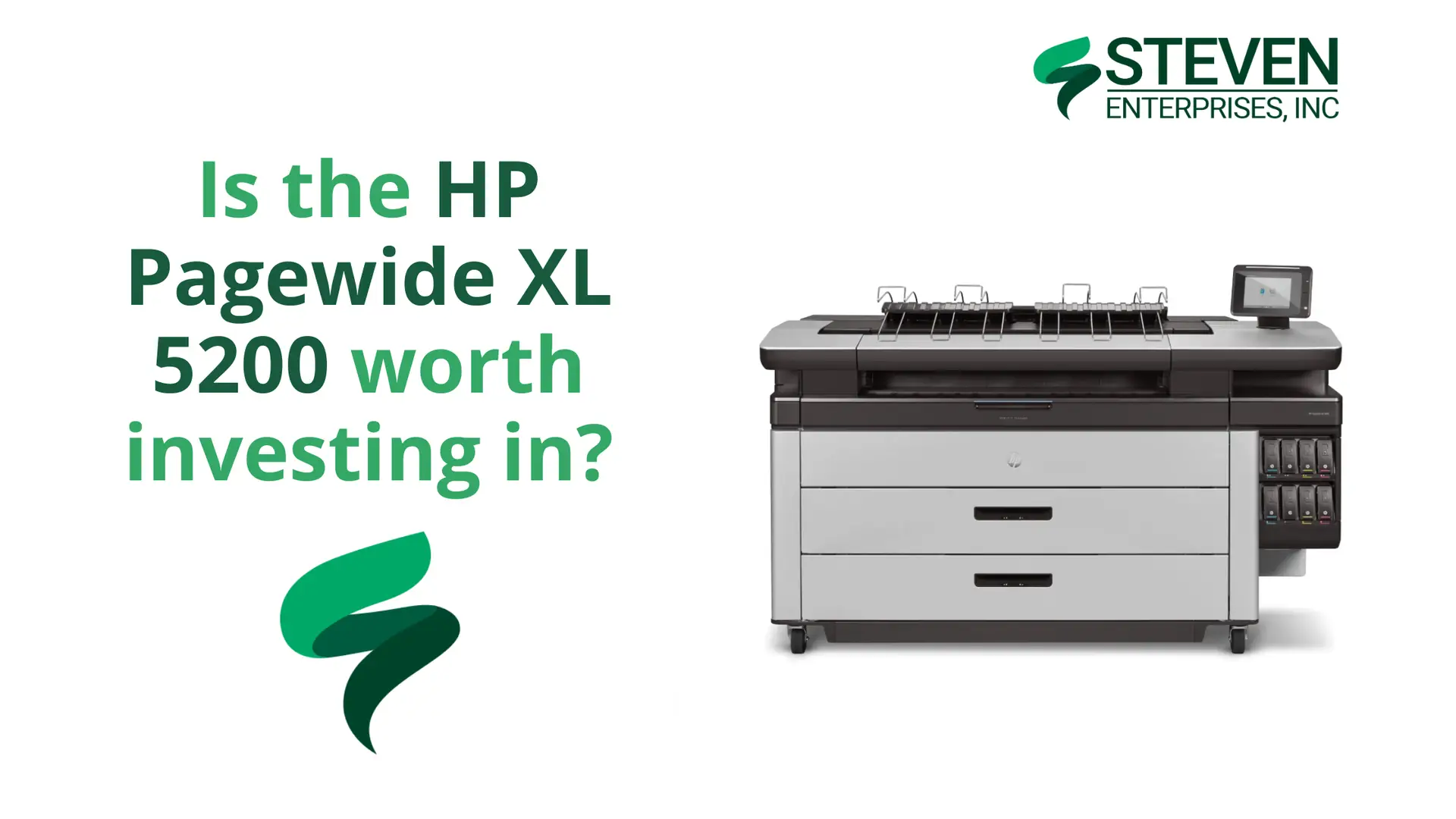
Is the HP Pagewide XL 5200 worth investing in?

Is the HP Pagewide XL 5200 worth investing in?

When it comes to high-volume printing in industries like architecture, engineering, and construction, choosing the right large format plotter can make or break project timelines. 

The HP PageWide XL 5200 is designed for businesses that need fast, reliable, and high-quality prints to keep complex projects moving forward.

At Steven Enterprises, we often get asked: “Is the HP PageWide XL 5200 worth investing in?” 

The answer depends on your printing needs, but for industries where detailed plans and quick turnarounds are critical, the XL 5200 is a powerhouse.

Let’s break down what makes this machine a smart investment for the right kind of workflow.

When the HP PageWide XL 5200 Makes Sense

High-Volume Operations: The 20,000+ Square Foot Threshold

HP PageWide XL 5200 Printer

The HP PageWide XL 5200 becomes cost-effective when your operation prints over 20,000 square feet per month. 

This speed is critical for industries that need quick turnarounds on large volumes of technical drawings, such as AutoCAD renderings, ensuring projects stay on schedule.

For example, printing multiple copies of building plans for handoffs among contractors is seamless and efficient.

Another good thing about this powerhouse is its reliability. 

It uses HP PageWide XL pigment inks for vivid colors, crisp lines, and fine details that outperform traditional LED printers, ensuring reliable output even under heavy workloads. 

This durability is ideal for demanding environments where equipment must perform consistently.

 The PageWide XL 5200 supports industries with complex dependencies, such as:

  • Engineering: Produces precise technical drawings for project planning.
  • Architects: Creates high-quality renderings for client presentations and contractor handoffs.
  • Construction: Supports rapid printing of updated plans to keep all teams aligned.
  • Electricians and Plumbers: Provides detailed schematics for accurate installations.
  • Fire Sprinkler Installations: Fire sprinkler installers, in particular, rely on highly detailed prints due to frequent changes driven by other contractors’ decisions. The PageWide XL 5200’s ability to produce precise, large-format prints ensures compliance and accuracy, even with frequent revisions.

Who Should Invest in the HP PageWide XL 5200?

HP PageWide XL Pro 5200 MFP

The 5200 excels in industries where multiple stakeholders depend on timely, accurate documentation:

Engineering Firms

Engineering companies managing complex projects require rapid turnaround on technical drawings, specifications, and design revisions. The 5200’s speed ensures engineering teams can meet tight deadlines while maintaining precision.

Architecture Practices

Large architectural firms working on multiple simultaneous projects need consistent, high-quality output for client presentations, permit submissions, and contractor communications.

Construction Management

General contractors coordinating multiple subcontractors require quick access to updated plans and specifications as projects evolve.

When the Investment Doesn’t Make Sense

Businesses printing less than 3,000 square feet per month typically can’t justify the 5200’s premium:

  • Underutilized capacity: The printer’s speed advantages aren’t realized at low volumes
  • Higher per-page costs: Premium equipment costs more to operate at low utilization
  • Simpler alternatives: Lower-volume operations can achieve adequate results with less expensive options

In these cases, a smaller model like the HP DesignJet XL 3800 may deliver the speed and reliability you want at a lower investment.

However, even some lower-volume teams choose the 5200 for its unmatched speed and reliability—especially if meeting deadlines is more valuable than saving on upfront cost.

See the Power of the HP PageWide XL 5200 in Action

The best way to understand the PageWide XL 5200’s capabilities is to see it yourself. At Steven Enterprises, we offer both:

  • In-person demos so you can test the machine directly
  • Virtual demos to see its performance from your office

Ready to explore whether the HP PageWide XL 5200 is worth it for your business? Fill this form today or call us at 800-491-8785 to schedule a demo and get the best pricing available.

Posted on

Best Plotter for a School Campus

High school campuses are vibrant environments filled with school spirit, events, and activities that require eye-catching visual materials. 

From pep rally banners to student council election posters, K-12 schools need reliable printing solutions that can handle diverse graphic projects while withstanding outdoor conditions.

Unlike universities with specialized CAD departments and engineering programs, high schools focus primarily on graphic applications—posters, banners, flyers, and promotional materials that bring campus life to vibrant display.

At Steven Enterprises, we’ve found that K-12 schools have distinctly different needs from higher education institutions, and the Z6 plotter has emerged as the clear winner for high school campuses nationwide.

In this blog post, we’ll highlight the benefits of the HP DesignJet Z6 and why it’s the ideal choice for producing high-quality, weather-resistant prints for school activities. 

Why High Schools Need Different Plotting Solutions Than Universities

K-12 Focus: Graphics Over Technical Drawings

While universities require large format printers for engineering departments, architectural programs, and technical drawings, high schools primarily need:

  • Event promotion materials: Pep rallies, homecoming, school dances
  • Athletic support graphics: Football games, basketball tournaments, track meets
  • Student organization materials: ASB elections, student council campaigns
  • Academic project displays: Science fair presentations, yearbook activities
  • Fundraising materials: Booster club promotions, school fundraising events
  • Campus wayfinding: Directional signage and event announcements

Outdoor Durability Requirements

High school graphics often need to withstand outdoor conditions—from gymnasium banners that face temperature fluctuations to outdoor event signage exposed to weather elements. 

This makes durability and weather resistance crucial factors that technical drawing printers don’t prioritize.

The Z6 Plotter: Ideal Choice for K-12 Campus Life

HP DesignJet Z6

The Z6 plotter stands out as the ideal solution for high school campuses because it’s specifically designed for graphic applications rather than technical drawings. 

Here’s why it excels in the K-12 environment:

Weather-Resistant Output for Outdoor Events

One of the Z6’s standout features is its weather-resistant printing capability. 

High school events often involve outdoor displays—from football game banners to pep rally decorations—and the Z6’s output maintains its quality and appearance even when exposed to various weather conditions.

This durability means schools can confidently create materials for:

  • Outdoor sporting events and tournaments
  • Graduation ceremonies in outdoor venues
  • Campus-wide event signage
  • Fundraising displays at community events

6-Color Printing System for Vibrant School Spirit

The Z6 utilizes a 6-color printing system that delivers exceptional color vibrancy perfect for school spirit materials. Unlike technical printers that prioritize line accuracy, the Z6 excels at producing:

  • Vivid school colors: Accurate reproduction of school branding and colors
  • Eye-catching posters: Student council campaigns and event promotions
  • Professional banners: Athletic events and academic celebrations
  • Fundraising materials: Compelling graphics for booster clubs and school programs

Pigment Ink Technology for Longevity

The Z6’s pigment ink system provides superior longevity compared to dye-based alternatives. This is particularly important for schools that need materials to last throughout entire semesters or school years:

  • Semester-long displays: Materials that maintain quality throughout academic terms
  • Annual events: Reusable banners and signage for recurring school activities
  • Archive quality: Yearbook materials and commemorative displays that preserve school memories

Flexible Roll Options: Dual and Single Roll Configurations

Schools can choose between dual-roll and single-roll configurations based on their specific needs and budget:

Single Roll Option

  • Cost-effective: Lower initial investment perfect for schools with budget constraints
  • Space-efficient: Smaller footprint suitable for cramped print rooms or media centers
  • Ideal for consistent sizes: Perfect for schools that primarily use standard banner sizes

Dual Roll Option

  • Maximum versatility: Handle multiple paper types and sizes simultaneously
  • Efficiency: Switch between projects without changing media
  • Professional workflow: Ideal for schools with high-volume graphic needs

Optional Trimmer for Professional Finishing

The Z6 offers an optional trimmer that delivers clean, professional edges on all printed materials. This feature is particularly valuable for:

  • Student presentations: Clean edges for science fair displays and project boards
  • Event signage: Professional appearance for school-wide events
  • Administrative materials: Polished output for school communications

Real-World Applications in K-12 Schools

Pep Rallies and School Spirit Events

The Z6 excels at creating the vibrant, large-scale graphics that make pep rallies memorable. From team banners to motivational signage, its weather-resistant output ensures materials look great whether used in gymnasiums or outdoor venues.

Athletic Events and Tournaments

Football games, basketball tournaments, and track meets all benefit from the Z6’s ability to produce durable, eye-catching graphics that maintain their appearance throughout entire seasons.

Student Government and ASB Elections

Student council campaigns and ASB elections require compelling visual materials that grab attention in hallways and common areas. The Z6’s vibrant color reproduction helps candidates create professional-looking campaign materials.

Academic Projects and Yearbook Activities

From science fair presentations to yearbook layout displays, the Z6 supports academic activities with high-quality output that enhances student work and school publications.

Fundraising and Community Events

School fundraisers and community engagement events benefit from professional-quality graphics that represent the school positively in the broader community.

For a broader look at printers in education, check out our guide on the Best Large Format Printers for Schools & Universities.

Making the Z6 Plotter Case for Your School

Equipping your K-12 campus with the HP DesignJet Z6 transforms how you create and share visual materials. 

By bringing printing in-house, you save on outsourcing costs and empower your school community to create engaging visuals on demand.

Ready to Upgrade? The HP DesignJet Z6 is typically priced between $5,000 and $10,000, depending on the features you need, such as single or dual-roll options and the vertical trimmer. 

Contact Steven Enterprises today for a custom quote tailored to your campus’s needs or call us at 800-491-8785.

Posted on

Best Plotter for Architects in 2025

Architectural firms have unique plotting requirements that differ significantly from general construction or engineering environments. 

While construction sites focus on redlining and field markups, architects primarily need high-quality output for client presentations, contractor submissions, and detailed design documentation.

At Steven Enterprises, we help architectural practices—from boutique studios to 50+ person firms—choose plotters that fit their volume, space, and workflow. 

The key isn’t just “best print quality”; it’s matching the device to your team size and actual print demand so you don’t over- or under-buy.

In this comprehensive guide, we’ll break down the best plotter recommendations based on firm size, helping you make an informed decision that scales with your practice.

Top Features Architects Should Look for in Plotters

  • High-Quality Output: Crisp, accurate lines and vibrant colors are essential for architectural renderings and technical drawings.
  • Speed and Efficiency: Fast printing speeds help meet tight project deadlines, especially for larger firms with high print volumes.
  • Scalability: Plotters should match the firm’s size and print volume, from single-roll machines for small firms to dual-roll, high-capacity models for large firms.
  • Ease of Use: Intuitive interfaces and reliable performance ensure architects can focus on design, not troubleshooting.
  • Scanning Capabilities (Optional): While less critical for architects than contractors, integrated scanners can support occasional redline markups or digitizing drafts.

The Best Plotters for Architects in 2025

The best plotter for an architectural firm depends on its size and print volume. Below, we’ve categorized our top recommendations based on employee headcount, as this often correlates with printing needs.

HP DesignJet T1600 MFP: Best for Small Architectural Firms (1-3 Employees)

HP DesignJet T1600

For small architectural firms with 1-3 employees, the HP DesignJet T1600 MFP is an ideal compact solution. 

This single-roll plotter delivers high-quality prints for technical drawings and presentations, fitting the lower print volumes typical of small studios. 

Its smaller footprint and affordability make it a great choice for architects working in limited spaces.

While scanning is less critical for architects, the T1600 includes an integrated scanner for occasional redline markups or digitizing drafts, offering flexibility for small firms collaborating with contractors.

Key Features:

  • 36-inch printing width
  • Compact office-friendly design
  • Professional color accuracy
  • Cost-effective for low-volume printing

HP DesignJet XL 3800 MFP and KIP 740: Best for Medium Architectural Firms (4-15 Employees)

For medium-sized firms with up to 15 employees, two excellent options stand out: the HP DesignJet XL 3800 MFP and the KIP 740. 

These plotters balance quality, speed, and capacity for firms with moderate print volumes.

HP DesignJet XL 3800 MFP

HP DesignJet XL 3800 MFP

The HP DesignJet XL 3800 is a versatile choice for medium-sized firms, offering a compact design (63.11 inches wide, 24 inches deep) and dual-roll capability for handling multiple paper sizes. 

Its 4-color ink system reduces running costs compared to 6-color systems like the T-2600, while delivering superior print quality and speed. 

The integrated scanner supports occasional redlining, making it a great all-around option.

Key Features:

  • Dual-roll design for paper size flexibility
  • 4-color ink system for lower running costs
  • High-quality output for presentations
  • Integrated scanner for redline markups
  • Compact enough for medium-sized offices

KIP 740

The KIP 740 is a dual-roll, color plotter that prints up to 6 pages per minute, making it suitable for medium-sized firms with slightly higher print demands. 

Its toner-based system ensures durability and vibrant output, ideal for technical drawings and client presentations.

Key Features:

  • Dual-roll for multiple paper sizes
  • Prints 6 pages per minute
  • High durability for consistent output
  • Vibrant color quality for presentations

KIP 785 and HP PageWide XL 4250: Best for Large Architectural Firms (15+ Employees)

Large architectural firms with 15 or more employees require high-capacity plotters to handle significant print volumes. 

The KIP 785 and HP PageWide XL 4250 are top choices for these environments.

KIP 785

The KIP 785 is a high-performance, dual-roll color plotter that prints 10-12 pages per minute, making it ideal for large firms with demanding workflows. 

Its robust design and fast output ensure architects can meet tight deadlines while delivering vibrant, precise prints for presentations and contractor handoffs.

Key Features:

  • Dual-roll for high-volume printing
  • Prints 10-12 pages per minute
  • Durable toner-based system
  • Exceptional color quality for renderings

HP PageWide XL 4250

The HP PageWide XL 4250 is designed for large-scale operations, offering high-speed printing and reliability for firms producing thousands of square feet of prints monthly. 

Its efficiency and quality make it a strong choice for architects working on complex, large-scale projects.

Key Features:

  • High-speed printing for large volumes
  • Reliable performance for demanding workflows
  • High-quality output for technical drawings
  • Dual-roll capability for flexibility

HP PageWide XL 5200: Premium Speed and Quality

For the largest architectural firms requiring the fastest output and highest quality, the 5200 represents the pinnacle of large format printing technology.

Key Features:

  • Exceptional print speeds
  • Superior color accuracy
  • Large-scale paper handling
  • Professional-grade reliability

Simplify Your Architectural Workflow with the Right Plotter

Choosing the right plotter for your architectural firm ensures you can produce high-quality prints efficiently, whether for client presentations or contractor handoffs. 

By selecting a model tailored to your firm’s size and print volume, you can streamline workflows, meet deadlines, and maintain a professional edge.

Ready to find the perfect plotter for your architectural firm? Fill this form today or call us at 800-491-8785 for personalized recommendations based on your firm size and workflow requirements.

Posted on

Best Large Format Construction Printers for Job Sites

When it comes to construction, having the ability to quickly and accurately produce high-quality prints directly on the job site is crucial. 

Unlike main construction offices where the majority of plans are printed, job sites present unique challenges that require specialized printing solutions.

At Steven Enterprises, we work with general contractors and project managers every day to recommend the right large format printers for job site trailers. 

From architectural designs to complex construction plans that need immediate redlining, having the right printer on-site can make the difference between staying on schedule and costly delays.

In this blog post, you’ll learn about the latest compact models in 2025, designed to fit in tight trailer spaces. 

Why General Contractors Need On-Site Printers

HP DesignJet XL 3600 MFP

Unlike architectural offices where plans are drafted, construction sites are where plans are executed and often revised. 

Job sites typically involve walking the site with prints in hand, collaborating with subcontractors like electricians, plumbers, and fire sprinkler installers, and making real-time adjustments.

The ability to perform “redline markups” and send immediate feedback to architects is essential for keeping projects on track. 

With a large format printer on-site—often housed in a trailer—general contractors can manage these tasks efficiently, reducing downtime and avoiding costly delays.

However, space is a major constraint: trailers typically offer only 5-7 feet of space in a corner, making compact size a top priority.

Top Features General Contractors Should Look for in Large Format Printers

  • Speed and Efficiency: Time is money, and in construction, delays are costly. Printers that deliver quick prints without sacrificing quality are crucial for lower-volume on-site needs.
  • Scanning Capabilities: Since redlining is a primary function, integrated scanning capabilities are essential for digitizing marked-up plans and sending them back to project teams.
  • Dual Roll vs. Single Roll: Consider whether you need the flexibility of dual rolls for different paper sizes or if a single roll setup meets your volume needs.
  • Operating Costs: With varying print volumes, understanding ink costs and efficiency becomes crucial for budget management.

Top Large Format Printers for Construction Job Sites

HP DesignJet XT-950 MFP: Best for Small-scale Job Sites with Minimal Printing Needs

HP DesignJet XT950/ XT950 MFP

The XT-950 is a compact, single-roll printer with an integrated scanner, perfect for sites that primarily work with one paper size (24″, 30″, or 36″). Its smaller footprint makes it ideal for the tightest trailer spaces.

This single-roll MFP includes a scanner for seamless redline markups and fits easily into tight trailer spaces with its 36-inch footprint.

It’s ideal for teams that print less but need reliable on-site capabilities for technical plans and annotations. We have seen this model excel on job sites where space and simplicity are key.

Key Features:

  • Single roll design for space efficiency
  • Integrated scanner for redlining workflow
  • 36-inch maximum width
  • Lower upfront cost

HP DesignJet T-2600 MFP: Best for Medium-volume Job Site Printing

HP DesignJet T2600

The T-2600 offers dual-roll capability, making it more versatile for sites that need to print multiple paper sizes without constant roll changes. It includes scanning functionality essential for redlining workflows.

As a dual-roll machine, it handles multiple paper sizes without constant switching, ideal for job sites with slightly higher printing needs than a single-roll option. 

It offers the fastest print speed and automatic print stacking, catering to AEC, GIS, and MCAD professionals who need precise maps, technical drawings, and renders with crisp text.

Key Features:

  • Dual-roll design for paper size flexibility
  • Integrated scanning capabilities
  • 6-color ink system
  • Compact design suitable for trailer installation

HP DesignJet XL 3800 MFP: Best Overall for High-quality, Efficient Job Site Printing

HP DesignJet XL 3800 MFP

Despite being suitable for job sites, the 3800 offers the best combination of speed, quality, and operational efficiency. While larger than other options, it still fits within typical trailer space constraints.

Unlike older models with price tags exceeding $100,000, this printer offers affordability without compromising performance.

Compared to the 6-color T-2600, the XL 3800 uses four inks, lowering costs while keeping speed. 

That balance of efficiency and performance makes the HP DesignJet XL 3800 our top choice for construction job sites.

Key Features:

  • Dimensions: 63.11″ width x 24″ depth
  • 4-color ink system (lower running costs than 6-color systems)
  • Superior print speed and quality
  • Dual-roll capability
  • Integrated scanner

Streamline Your Construction Projects with the Right Large Format Printer

Equipping your job site with a compact, capable large format printer ensures smoother operations, adherence to budgets, and fewer delays. 

By choosing a model tailored to the unique constraints of job site trailers, you empower your team to handle redline markups and technical plans efficiently.

Ready to Upgrade? Fill this form today or call us at 800-491-8785 to discuss which large format printer solution best fits your construction project needs and trailer configuration

Posted on

Honest Review of the Canon Colorado M3W

High-volume sign shops producing car wraps, outdoor banners, or custom wallpaper all have one thing in common. They’re all dealing with the challenge of creating durable, scratch-resistant prints that can withstand real-world abuse. 

The Canon Colorado M3W was built specifically to solve this problem.

At Steven Enterprises, we have tested many large-format printers, but the Canon Colorado M3W stands out for one reason. Durability.

It’s built for businesses that demand durability without compromise. This isn’t for small shops with occasional jobs—it’s a true industrial workhorse made for high-volume production.

Here’s our honest assessment of what the Canon Colorado M3W delivers, where it excels, and whether it’s the right investment for your operation.

What Makes the Canon Colorado M3W Different?

banner printing production example

The Canon Colorado M3W is a large format UVgel printer capable of producing a wide range of applications with high quality and durability. The “W” in the model name stands for white ink capability, which differentiates it from other Colorado machines and opens up entirely new application possibilities.

The printer uses Canon’s UVgel technology, which offers excellent color and dimensional stability, resulting in sharp, accurate prints. 

This technology is what sets the M3W apart from traditional solvent or latex printers, it creates prints that are instantly dry, scratch-resistant, and built to last.

Key Features of the Canon Colorado M3W That Matter for Your Business

The Colorado M3W introduces several standout features that differentiate it in the market:

UVgel Technology

Canon Colorado M-series

Canon’s UVgel technology powers the entire Colorado series.
Unlike solvent or latex, it uses gel-based UV-curable ink that sets on contact. UV LED lamps then cure the ink, delivering fast, durable, and vibrant prints without delay.

This provides instant drying (no waiting for outgassing), and results in robust, scratch-resistant prints with superior quality

UVgel prints have excellent color vibrancy and consistency, with precise dot placement and almost no dot gain or bleeding. 

The cured ink forms a smooth, thin layer that is flexible and won’t crack – Canon now specifies up to 185% stretchability for UVgel 460 inks, which is crucial for applications like vehicle wraps. 

Additionally, UVgel’s low curing temperature means you can print on heat-sensitive materials (like thin films or vinyl) without warping. 

White Ink

Canon Colorado M-series with Canon UVgel white ink

White ink is notoriously tricky in the printing world, often prone to clogging or settling in the lines. 

Canon tackled this by developing a white UVgel ink that is “the same as the CMYK” in terms of how it behaves. It circulates in the system to prevent settling, and the printer has automated maintenance routines to keep the nozzles firing (so you don’t need daily manual purges). 

As a result, Canon markets it as White ink without worry, allowing customers to use white ink hassle-free with spectacular results

In practice, having white ink expands your capabilities: you can print opaque white underlays on clear window film, make white text or graphics on colored media, or do multi-layer prints (e.g., color-white-color for backlit applications). 

FLXfinish+

FLXfinish+ lets you switch between a glossy finish and a matte finish on the fly, without needing to change inks or add a varnish. 

By adjusting the LED curing process, the printer can make the same ink either cure flat (matte) or shiny (gloss). 

You can even have mixed matte and gloss elements in one print for creative effects. 

For example, you could print a wallpaper with a matte background but gloss-highlighted text or logos, all in one pass. This “spot UV” look is achieved without an extra print step or coating. 

It’s a great way to differentiate prints and add value – something usually not possible on traditional solvent or latex machines. 

Impressive Media Versatility

The Colorado M3W handles an extremely wide range of media

The UVgel ink’s immediate curing means it doesn’t bleed on porous media and doesn’t distort thin materials. 

For companies that produce diverse products (wall murals one day, vehicle wraps the next, then decals or posters), having one printer that can handle all these applications is incredibly efficient. 

The Colorado’s output is also certified for indoor use – it has various environmental certifications (GREENGUARD Gold, AgBB, etc.) ensuring the prints are safe for hospitals, schools, or homes.

This is crucial for wall coverings and retail signage. Clients in these spaces expect odorless, low-emission prints for indoor environments.

Real-World Feedback from the Colorado M3W 

Partition Graphics (UK)

This company invested in a Colorado M3W to replace multiple older eco-solvent printers. Their managing director reports “The Colorado M3W is excellent for all our applications – from printing sophisticated fade effects and white ink on optically clear film to producing high quality wallcoverings, graphics, and vinyls. It really does everything we need.”

Overall, their experience shows the M3W delivering on its promises of quality, versatility, and productivity.

808Wraps (Hawaii, USA) 

808Wraps took on the challenge of wrapping a Tesla Cybertruck using the Colorado’s UVgel prints. They found that the vibrancy and durability of the prints were outstanding – critical for vehicle wraps which face sun, rain, and abrasion. “The prints are highly resistant to scratching and abrasion, and they withstood UV exposure, maintaining vibrancy even in Hawaii’s intense sunlight,” said the company’s CEO

The Colorado’s rapid output also helped them meet tight deadlines for high-volume projects, which is a huge factor in the vehicle wrap business where downtime = lost revenue. 

Moreover, because UVgel prints are dry and have stable dimensions, installers appreciate that panels align consistently edge to edge (no shrinkage), which is important when wrapping large vehicles or doing panelled wall murals. 

Canon has even gotten a 3M MCS warranty on UVgel wraps, meaning 3M backs the durability of wraps printed on the Colorado when using their approved materials.

Online Forum Feedback

In industry forums (such as Reddit and Signs101), early adopters have also shared candid opinions. 

One common theme is that the Colorado is an investment best suited for high volume usage “you need to run a fair amount of material to make use of it. [It’s] good color stability. [But] expensive.”

In other words, this printer shines in a production environment where it’s running many hours a day; small shops with only occasional large-format jobs might find it hard to justify the cost. 

Owners often highlight the printer’s color consistency and cost savings. The Colorado delivers reliable output, thanks to UVgel chemistry and automation. This consistency reduces print waste significantly.

And several users note that ink consumption per square foot is low – one user happily reported “the inks are cost effective” even while running large volumes of adhesive vinyl prints.

Some forum members compared the Colorado M3W with HP Latex printers (which are another popular choice for indoor/outdoor graphics and also offer white ink on certain models). 

One person pointed out that the Colorado’s modular upgrade path is a big advantage“unlike the HP, if you grow out of the M3 and want the M3W or the M5W, you just pay for the add-ons. That’s a lot cheaper than going from a Latex 700W to an 800W, etc.”

Who Stands to Gain the Most from the Canon Colorado M3W?

The Canon Colorado M3W is specifically built for:

  • Large Sign & Graphics Shops. banner printing production example

    If your shop produces a high volume of banners, retail signage, posters, window graphics, and trade show displays, the Colorado M3W was made for you. It can handle day-to-day sign printing at high speed, maintaining consistent color across long runs (important for big brand jobs). For instance, you could print dozens of retail posters or outdoor banners in a single shift and they’d all come out uniform and immediately ready to hem or grommet.

  • Vehicle Wrap & Fleet Graphics Producers.

    Car wraps, bus wraps, fleet decals, etc., benefit from the ink’s strong adhesion and color vibrancy. The prints stretch cleanly over rivets and curves and resist damage, even during vigorous repositioning and squeegeeing.

Vehicle and fleet branding companies can print wraps quickly and maintain consistent color from panel to panel with ease.

Fleet graphics in particular often require reliable repeatability – if you’re wrapping 10 vans with the same design, the first and tenth should look identical; the Colorado’s automation and stable output help ensure that.

  • Wallpaper & Wallcovering Manufacturers.

    Custom wallpapers and wallcoverings are growing in popularity, and the Colorado M3W meets this demand extremely well. It prints on PVC-free wallpaper, self-adhesive vinyl, canvas, and more—producing detailed, color-stable murals for interior spaces.

  • Point-of-Purchase Displays & Backlits.

    The retail POP market often demands premium quality and sometimes unique media like backlit films or clings. The M3W’s high resolution and color gamut deliver sharp, eye-catching point-of-purchase graphics that can elevate in-store displays. White ink lets you print double-layer graphics on clear film for vibrant lightboxes or window clings with impact.

  • Print Farms and Trade Print Suppliers.

    The Colorado M3W suits wholesale printers and print farms that need high output, reliability, and easy job management. The reliability and self-maintenance mean you can line up multiple jobs and let the machine go. With an efficient workflow, you could replace multiple slower printers with a single Colorado, reducing floor space and operator oversight.

The Bottom Line: Is the Canon Colorado M3W Right for You?

Of course, “honest review” means acknowledging the considerations: the Colorado M3W is a significant investment.

The Colorado M3W is not aimed at small sign shops or hobbyist use. Its price point and size only make sense if you have a steady stream of work. 

However, if you’re a small shop doing occasional projects or primarily indoor applications, the M3W might be overkill. 

The investment makes sense if you need features like scratch resistance, white ink, mixed finishes, and industrial durability.

For a closer look at this printer in action, you can watch this Canon’s official Colorado M-series Printer Virtual Demo.

Ready to Evaluate the Canon Colorado M3W?

Whether the Canon Colorado M3W is the right choice for you depends on your volume, application mix, and quality requirements.

Our team can assess if the M3W fits your needs and explain how it integrates into your workflow.

Call 800-491-8785 or fill out our contact form to speak with an expert about the Canon Colorado M3W today.
Posted on

How to Know Which Bookeye Scanner You Need

]]If your library or archive still relies on photocopies or hand-held cameras, you’re overdue for an upgrade. 

Let’s say you are standing in front of a century-old yearbook. Its pages are yellowed with age and its binding is so fragile that opening it feels like you’re going to wreck it. 

You know these memories need to be preserved digitally, but you’re not sure which scanner can handle the job without damaging this irreplaceable artifact.

At Steven Enterprises, we help libraries, museums, archives, and organizations every day choose the right Bookeye scanner for their digitization projects. 

The key is understanding that not all scanning needs are the same and neither are all Bookeye scanners.

Here’s your complete guide to selecting the perfect Bookeye scanner for your specific digitization needs, whether you’re preserving historical documents or converting everyday materials.

What Makes Bookeye Scanners Different from Regular Scanners?

Bookeye scanners are professional-grade overhead book scanners designed specifically for digitizing bound materials without damaging them. The scanner has moveable cradles for the left and right sides of books. 

The scanner can be left flat or raised for gentle handling of books or other types of bound or fragile material that flat scanners simply can’t handle safely.

Unlike flatbed scanners that require you to press books flat (potentially damaging the spine), Bookeye scanners use a V-shaped cradle system that supports books naturally. 

This means you can digitize fragile historical documents, rare books, and bound materials without the stress of forcing them onto a flat surface.

Top Use Cases of Bookeye Scanners

The most common reason organizations invest in Bookeye scanners is simple: they need to make their old things digital. This includes:

  • Scanning old books that are too fragile for traditional flatbed scanners
  • Digitizing historical yearbooks to preserve memories and make them accessible
  • Converting archives of bound documents, ledgers, and records
  • Preserving rare manuscripts and historical texts
  • Creating digital copies of frequently-used reference materials

Understanding the Bookeye Scanner Lineup

Choosing the right Bookeye scanner comes down to understanding your specific needs. Here’s how the main models break down:

Bookeye 5 V3: The Standard Choice for Most Applications

The Bookeye 5 V3 Overhead Book Scanner is a self-service book scanner for formats 50 % larger than A3 (390 x 480 mm/ 15.3 x 18.9 inch) makes it perfect for normal-sized books and most common digitization tasks.

Best for:

  • Standard library books and textbooks
  • Yearbooks and photo albums
  • Regular archival documents
  • High-volume scanning projects
  • Self-service applications

The V3 is the most popular choice because it handles the majority of scanning scenarios while remaining cost-effective and user-friendly.

Bookeye 5 V2: Enhanced Features for Professional Use

The Bookeye 5 V2 has been fully redesigned to be even more eco-friendly, ergonomic and easy to operate than the previous Bookeye 4 models. 

This model offers maximum efficiency throughout the entire scanning process with additional professional features.

Best for:

  • Professional archives and museums
  • High-quality digitization projects
  • Organizations requiring maximum efficiency
  • Projects needing enhanced image quality
  • Institutions with demanding scanning requirements

Bookeye 5 V1A: The Specialist for Large Format Materials

The Bookeye 5 V1A Book Scanner Pro Edition is a high quality extra-large book scanner for professionals. 

Scan large deed books, maps, and old ledgers with this scanner when standard scanners simply aren’t big enough.

Best for:

  • Large historical ledgers and deed books
  • Oversized maps and architectural drawings
  • Extra-large yearbooks and photo albums
  • Specialized archival collections
  • Museums with unique large-format materials

Key Features That Matter for Your Decision

Scanning Platform Size

The most noticeable design change between the two models is the scanning platform size, which is larger on the Bookeye V2 than the Bookeye V3. 

The V3 model features a 3 inch by 5-inch decrease in scanning platform size, making the unit more compact and affordable when compared to the V2 model.

Choose based on the largest materials you need to scan regularly.

Professional vs. Self-Service Use

Bookeye 5 V3 has all the advantages of a more expensive standalone device. Outfitted with an integrated color touchscreen and monitor, Bookeye 5 V3 can reach unrivaled scanning speeds and process large volumes of data independent of any external peripheral devices making it perfect for self-service environments.

Consider whether you need a scanner for trained operators or public use.

Image Quality Requirements

The Bookeye 5 V3 Professional Book Scanner is a FADGI compliant, CCD camera based book scanner for Libraries, museums and historical society’s high quality Archive needs ensures your digitization meets professional archival standards.

Which Bookeye Scanner is Right for You?

Choose Bookeye 5 V3 if you need:

  • A scanner for normal-sized books and documents
  • Self-service capability for public use
  • Cost-effective solution for most digitization projects
  • The most popular and versatile option

Go for the Bookeye 5 V2 if you need:

  • Enhanced professional features and ergonomics
  • Maximum efficiency for high-volume projects
  • Superior image quality for archival purposes
  • Advanced scanning capabilities

Choose Bookeye 5 V1A if you need:

  • Extra-large format scanning capabilities
  • Specialized scanning for oversized materials
  • Professional-grade handling of unique collections
  • Maximum flexibility for diverse material sizes

The Hidden Costs of Choosing the Wrong Scanner

Selecting the wrong Bookeye scanner can be expensive. Too small and you’ll struggle with larger materials or need multiple scanners. If it is too large, you might end up paying for capabilities you don’t need. Too basic and you might not achieve the image quality your projects require.

That’s why we always recommend a consultation to review your specific materials and requirements before making a decision.

Ready to Choose Your Ideal Bookeye Scanner?

Book scanners serve libraries, archives and digitization projects exceptionally well. They digitally preserve bound materials for future generations. Nonetheless, maximizing your investment depends on proper setup and training.

Our team provides comprehensive installation and training to ensure your staff can maximize the capabilities of your chosen Bookeye scanner from day one.

Don’t risk choosing the wrong scanner for your valuable materials. 

Call 800-491-8785 or complete our contact form to speak with an expert who can help you select the ideal Bookeye scanner.

Posted on

Best Large Format Printer Repair Shop in Orange County

There’s nothing worse than being in the middle of a critical print job when your large format printer suddenly stops working. The deadline is approaching, your client is waiting, and you’re staring at error codes that might as well be written in a foreign language.

At Steven Enterprises, we have built our reputation on being the large format printer repair shop that Orange County businesses can count on when they need help fast. 

We service hundreds of plotters every year and the pattern is clear: customers who schedule one annual preventative maintenance visit and follow a few simple in-house habits rarely suffer surprise breakdowns.

Here’s why we’ve become the go-to choice for businesses that can’t afford to wait around for printer repairs, plus essential maintenance tips your team can implement today.

What Makes Steven Enterprises Different from Other Repair Shops?

When your large format printer breaks down, you need more than just a repair service. You need a partner who understands the urgency of your situation and has the expertise to fix it right the first time.

Factory-Trained Technicians Who Speak Your Printer’s Language

Our technicians are factory-trained and certified on multiple brands, which means we can read error codes and handle repairs on-site without needing to bring in third parties. We have direct lines to manufacturers, ensuring we get the technical support and parts needed to resolve issues quickly.

This expertise eliminates the “guesswork and delays” that come with repair shops that aren’t properly certified on your specific equipment.

Someone Always Answers the Phone

When your printer goes down, you need to talk to a real person who can help, not an automated system or voicemail. We pride ourselves on having someone who will always pick up the phone when you call.

Fast Response Times with Parts in Stock

We maintain most parts in stock and ready to ship, which means faster repairs and less downtime for your business. Our quick response times help ensure that a printer breakdown doesn’t turn into a business crisis.

Rental Units Available to Avoid Downtime

For critical situations where repairs might take time, we offer rental units to keep your operations running. This backup option ensures you never have to tell a client that their project is delayed due to equipment failure.

3 Essential Maintenance Tips to Avoid Large Format Printer Repairs

Authorized Plotter Service in Orange County

Maintaining your large format printer is crucial to ensure it runs efficiently and avoids costly repairs. 

Most businesses we work with find that scheduling one annual preventative maintenance check-up is sufficient, even when using the printer at high volumes.

Here are 3 essential maintenance tips your team should follow to keep your large format printer in top condition and minimize the need for service calls.

1. Run Your Printer Every 2-4 Weeks Minimum

Regular printer use is essential, especially for inkjet models, to prevent the ink from drying out.

Why? If a printer remains idle for too long, the ink can harden, resembling a crayon-like consistency that clogs the lines and print heads, leading to significant issues.

Many businesses experienced this problem during COVID because they weren’t in the office. As a result, their printheads needed replacement, costing businesses anywhere from $80 to $500, not including the service call fee of $200 to $400. 

We recommend you run your printer at least once every week or month, depending on your printing needs.

Pro Tip: Nearly every wide-format printer stores a low-coverage “demo print.” It uses only 5–10 % ink but purges all channels. Can’t locate it? Call us at 800-491-8785 and a technician will guide you.

2. Monitor Ink Expiration Dates

Monitoring ink expiration is vital for maintaining print quality and preventing damage to your printer.

Ink typically has a shelf life of 12 to 18 months, and most printers will alert you when the ink is nearing or has passed its expiration date.

Although you might be tempted to use expired ink for a few weeks or even months, doing so can risk compromising print quality and potentially harming your printer.

It’s common practice to purchase four sets of inks at once and reorder when supplies start to run low, ensuring you always have fresh ink on hand.

PRO TIP: To keep track of expiration dates, plug your ink into your printer. The barcode will be scanned and the system will remind you when your ink is about to expire.

3. Keep Your Printer Loading Area Clean

Maintaining printer cleanliness is essential for all types of printers. For toner-based printers, it’s important to clean up residual powder regularly. Inkjet printers, while generally less messy, still benefit from regular cleaning to prevent operational issues that can lead to costly repairs.

How to Get Long-Term Use Out of Your Large Format Printer

In addition to the maintenance tips mentioned above, we always recommend our customers schedule annual preventative maintenance.

During this service, a professional large-format printing expert will flush the lines fully and run comprehensive tests on the machine to ensure every feature is functioning correctly. This maintenance is separate from software updates and requires an in-person visit.

This proactive approach helps catch potential issues before they become expensive problems that shut down your operations.

Explore Our Affordable Service Contracts at Steven Enterprises

Printer Technician in Orange County

Consider signing up for a service contract with Steven Enterprises to keep your large-format printer operating smoothly and reduce the likelihood of disruptions in your workflow.

Our contracts typically include one maintenance check per year and are often more cost-effective than paying for one-time services. 

They can be paid monthly or annually, and every client is assigned an inside representative who assists with all supply needs.

For those with higher print demands, ask about our Cost Per Copy (CPC) contract to get even better rates on your supplies.

Why Orange County Businesses Choose Steven Enterprises

Regular demo prints, fresh ink, and a clean loading area go a long way—but nothing beats an expert tune-up. 

If you’re looking for the best large format printer repair shop in Orange County, reach out to us at Steven Enterprises today

We’ll answer the phone when you call—just give us a call at 800-491-8785 to speak with a large format printing expert who can help solve your printer challenges today.